I used to think a slow phone meant a dying phone. It usually does not. Most of the time it means a small part in the chain is letting you down, and that part is cheap to fix once you find it. That is why I stopped guessing and started checking in order, cable first, charger second, and everything else after.
The Morning My Phone Gave Up on Charging
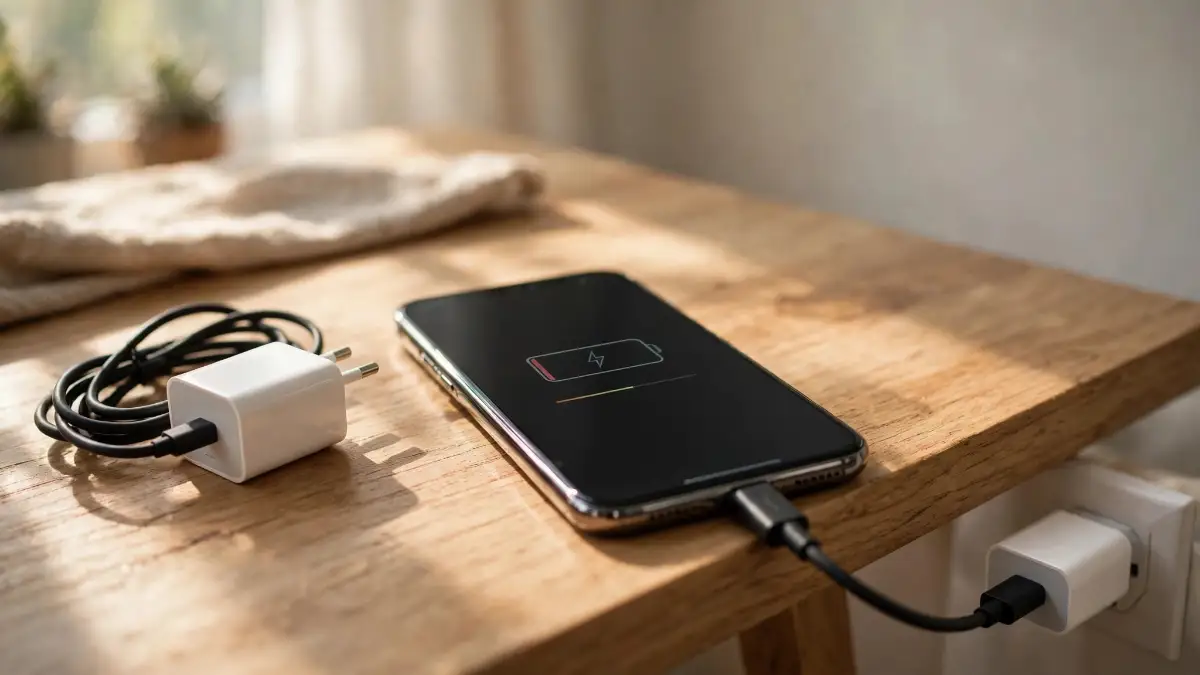
My alarm went off, I reached for my phone, and my stomach dropped. It had been plugged in all night, and it was still sitting at 12 percent. Not dead, not broken, just barely charged, and I had no idea why.
My first thought was the worst one, that my phone was dying. I was already picturing a repair bill in my head before breakfast, and I was annoyed at a phone I had not even used yet that day.
Then I did something I should have done first. I unplugged the cable, looked at the charger, and realized I had grabbed an old, tiny charger from a drawer the night before. It was not the charger that came with my phone, and it was never going to charge it fast.
That morning taught me a simple lesson. Slow charging is often a small, fixable problem hiding behind a scary feeling. You do not need to be a technician to find it, and you do not need to buy a new phone first.
In a Hurry? Here Is What Actually Matters
Cable first. A tired cable slows everything, even with a good charger.
Charger second. The wrong wattage turns fast charging into a crawl.
Port and power next. Lint and a weak socket cause more trouble than people think.
Check in order, fix one thing at a time. Guessing costs more than checking.
In this guide, I will walk you through the checks in the order I use them myself. We will start with the cable in your hand, move to the charger on the wall, then to the port, the power source, and what your phone is doing while it charges.
By the end, you will know which part is slowing you down. And in most cases, you will know how to fix it without a trip to a repair shop.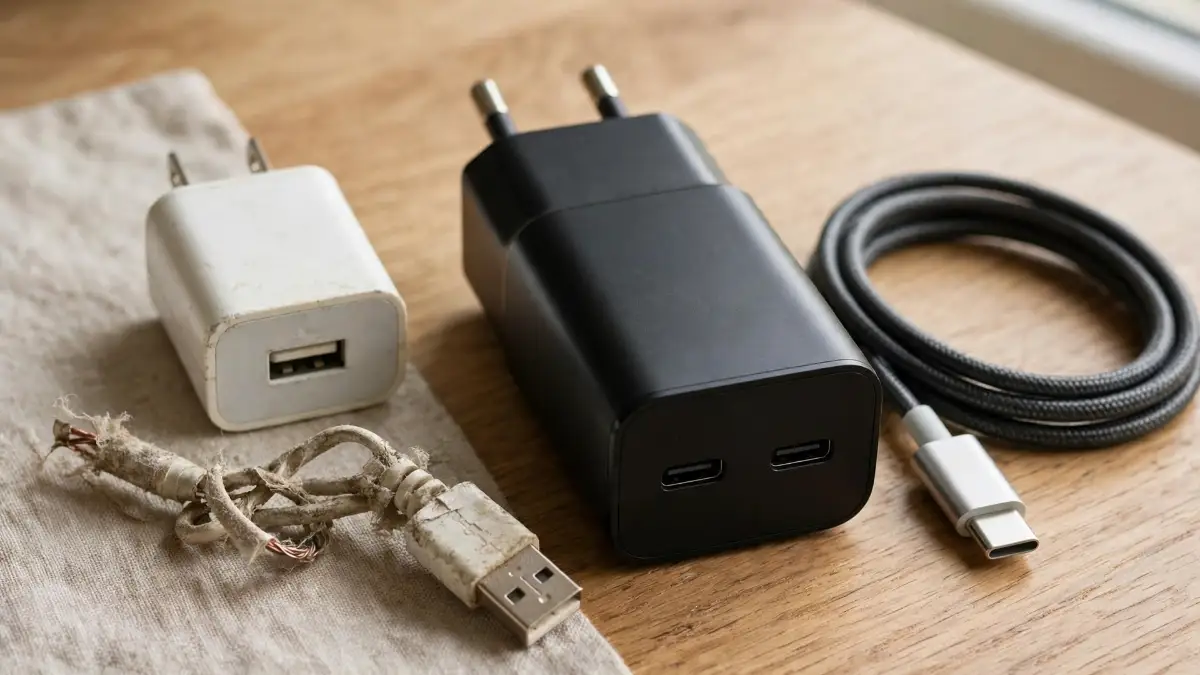
What Normal Charging Looks Like, So You Can Spot the Problem
Before you change anything, it helps to know what normal looks like for your phone. Not every phone charges at the same speed, and that is normal.
A phone that supports fast charging can gain a large chunk of battery in 30 minutes with the right charger and cable. A phone with an old 5-watt charger will crawl by comparison, even if nothing is broken.
The power source matters a lot here. A wall charger made for your phone will usually give it far more power than a laptop USB port, a car port, or a cheap power strip.
Here is a quick test I use. Note your battery percentage, plug in with your usual setup, and leave the phone alone for 15 minutes. Then check the percentage again.
If it barely moved, something in your setup is holding it back. If it jumped a fair amount, your phone may be fine, and the slow feeling may come from how you use it while it charges.
Do this test with the screen off, if you can. A bright screen eats power while you charge, and it can make a healthy charger look weak.
Reason 1: Your Charger Is Too Weak for Your Phone
This is the reason I missed on that bad morning. My old charger looked fine, it fit, and the charging icon appeared. It just did not give my phone enough power.
Chargers are not all the same, even when they look alike. One may give 5 watts, another may give 18 watts, and another may give 30 watts or more.
Your phone will only take what it is built to take. But if your charger gives far less than that, your phone will charge slowly no matter how long you leave it plugged in.
Check the tiny print on your charger, if you can read it. Look for the wattage, or for volts and amps, and compare it with what your phone is meant to use.
And try a known-good charger for one charge, if a friend or family member has one that fits your phone. If your phone suddenly charges at a normal speed, you have found your problem.
I keep my good charger in one spot now, and I do not mix it up with old ones. That one small habit has saved me a lot of mornings like that one.
Reason 2: Your Cable Is Worn Out, or It Was Never Made for Fast Charging
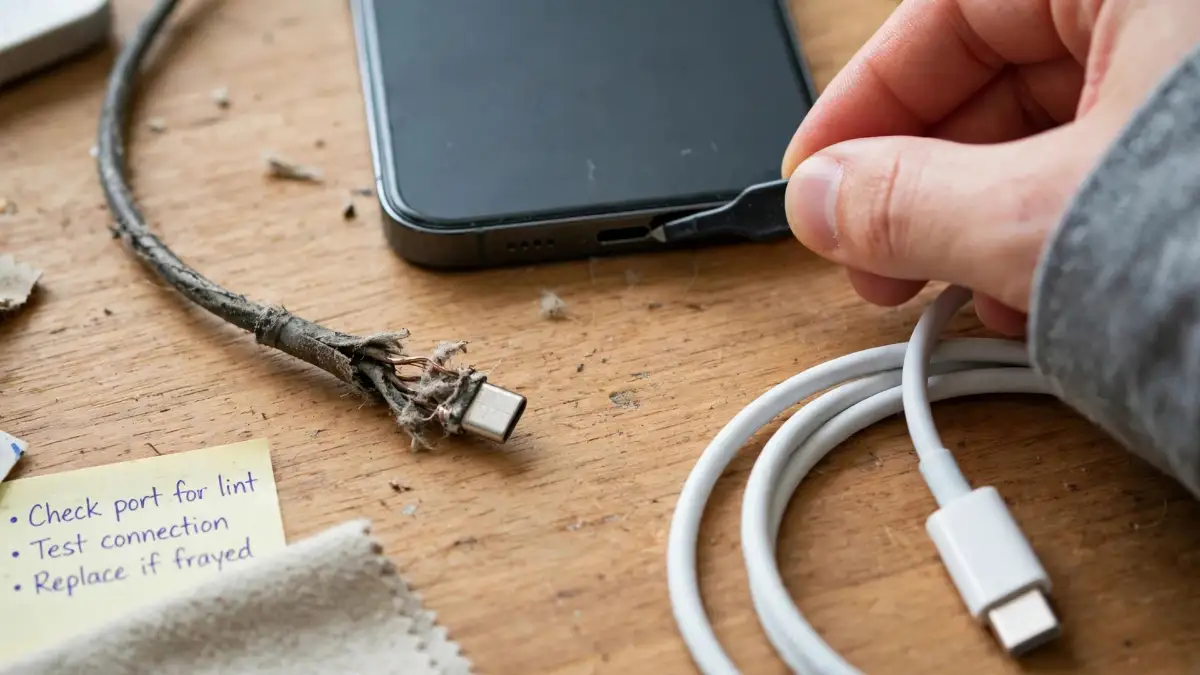
A cable can look fine on the outside and still be the problem. Inside, thin wires bend, weaken, and break a little at a time, especially near the connector.
I once had a cable that only worked if I held it at just the right angle. I told myself it was fine because it still charged sometimes. It was not fine, and it was costing me hours.
Some cables are also made only for basic charging and data, not for fast charging. They will fit, they will show a charging icon, and they will still be slow.
Look at your cable closely. Is it frayed, stiff, bent, or loose at either end? Does charging stop when the cable moves even a little?
Try a different cable that you know is in good shape, and give it the same 15-minute test. If the speed jumps, keep the old cable out of your drawer, so you do not grab it again by mistake.
A cheap cable that cannot carry enough power is not a bargain if it wastes your time every night. A solid, certified cable that matches your phone is worth far more than it costs.
Reason 3: Lint and Dust Are Blocking Your Charging Port
Your phone lives in your pocket, your bag, and your hand all day. Lint finds its way into the charging port, a little at a time, until the cable cannot sit fully in place.
When that happens, the cable may feel loose. Charging may start and stop, or it may work only at one angle, and you may think the cable is broken.
I check my port now with a flashlight, with the phone switched off. I look for a grey, packed layer at the bottom of the port, not for a quick glance in a dark room.
If you see lint, be gentle. Use a soft brush or a wooden toothpick, and lift the lint out bit by bit. Never use a metal tool, and never push hard, because the small pins inside can bend.
And never put liquid into the port to clean it. Water and cleaning sprays can do real harm, and they will not help a dry lint problem.
After a gentle clean, plug in again and see if the cable clicks in more firmly. For a lot of people, that one small clean brings normal charging back in minutes.
Reason 4: Your Power Source Is Weaker Than You Think
A wall socket is usually your best bet for a full-speed charge. Other sources can be much weaker, even when they seem handy.
A laptop USB port, for example, often gives only a small amount of power. It is fine for a slow top-up while you work, but it will not fast-charge your phone.
The same goes for some car ports, old power strips, and long, thin extension leads. They may give power, but not enough power, and your phone will crawl.
I learned this on a long drive once. I plugged in, watched a map app, and watched my battery stay almost flat for an hour. The car port was not broken, it was just weak for that job.
Try the same charger and cable in a wall socket at home, with nothing else sharing that socket. If it charges much faster there, your power source was the problem, not your phone.
And if you use a power bank, check its output too. A small, old power bank may give a slow charge even when it says it is working fine.
Reason 5: You Are Using Your Phone While It Charges
This one is hard to admit, because I do it too. You plug in, then you scroll, watch a video, or play a game, and you wonder why the percentage barely moves.
Think of it like filling a bucket while someone else is scooping water out of it. Power comes in, but power also goes straight back out to the screen and the processor.
Video calls, games, and streaming are the biggest power users here. They also warm your phone up, and heat will slow charging even more, as we will see in Part 2.
For the fastest charge, lock the screen and leave the phone alone for a while. Even 20 minutes untouched can make a clear difference, and I have seen it on my own phone.
If you must use it, turn the brightness down and close the heaviest app. That will not make it fast, but it will stop the worst of the drain.
My Pro Tip: charge first, scroll later. I plug in, make a drink, and only pick my phone up again when it has had a fair head start. It feels strange at first, and it works.
Watch This Before You Buy a New Charger
Watch this before you buy a new charger, because the habits in it affect your charging speed more than a new cable often does.
In the video, you will see the charging habits that wear a battery out, the settings that help on iPhone, Samsung, and Pixel phones, and how to check your battery health. Watch the parts about heat and settings first, because those two ideas come up again in Part 2.
You do not need to change every habit at once. Pick one idea from the video, try it for a few days, and see if your charging feels easier.
Part 2
The Last Three Reasons Most People Miss
If you have checked your charger, cable, port, power source, and how you use your phone, and it is still slow, do not give up yet. The next three reasons are quieter, and they are easy to miss.
They are also the reasons that make people buy a new phone too soon. In most cases, a setting, a hot phone, or an aging battery is doing the damage, not a broken phone.
Reason 6: Heat Is Quietly Slowing Your Charge Down
Your phone is built to protect itself from heat. When it gets too warm, it will slow charging on purpose, so the battery does not take harm.
That is a good safety feature, and it can feel like a fault. I once left my phone on a car dashboard in the sun, plugged in, and watched it barely charge at all.
Heat can come from the sun, from a thick case, from gaming while charging, or from fast charging itself. It can also come from charging under a pillow or a blanket, where heat has nowhere to go.
If your phone feels warm, unplug it and let it cool in the shade, on a hard, cool surface. Take the case off for a while, and do not put it in a fridge to rush it.
For more on heat and what it does to a phone, see my guide on why your phone gets hot and how to cool it down. Heat and slow charging often travel together, and fixing one often helps the other.
Once your phone is cool, plug in again and check the speed. If it improves, heat was a big part of your problem, and keeping it cool will help every charge after this one.
Reason 7: Background Apps, Backups, and Settings Are Eating Your Charge
Even with the screen off, your phone may still be busy. Backups, photo uploads, app updates, and location services can all use power while you charge.
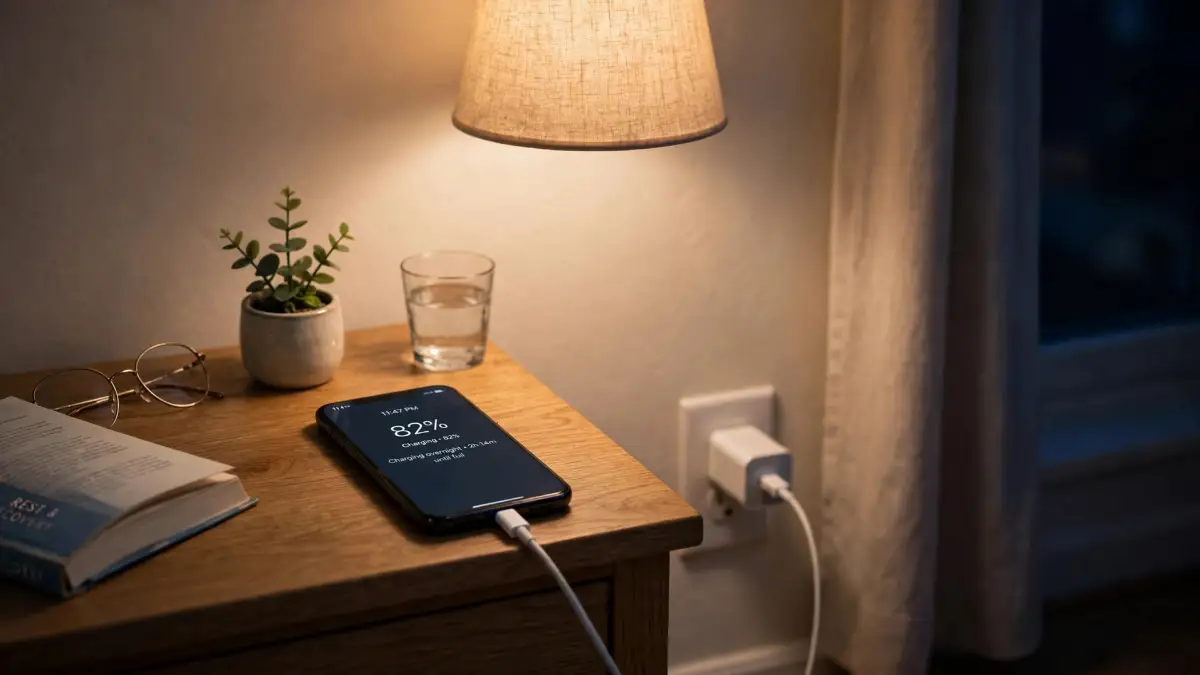
That is why a phone can feel slow overnight, even on a good charger. While you sleep, your phone may be uploading photos, updating apps, and syncing in the background.
Try this test one night. Before you plug in, pause large downloads and photo uploads, and close the apps you do not need. Then check how much it charges in the first hour.
You can also look at two settings that change charging speed on purpose. Some phones pause at 80 percent, or limit charging to protect the battery, until they learn when you usually wake up.
That pause is not a fault. It is meant to help your battery last longer, but it can look like slow charging if you need a full charge right now.
If you are in a hurry, you can turn that setting off for one charge, then turn it back on after. I do that only when I truly need 100 percent before I leave.
And if background apps are a constant problem for you, my guide on how to stop background apps from draining your phone walks through the same idea from the data side, and the steps help with charging too.
Reason 8: An Aging Battery, or a Software Glitch, Is Holding You Back
Batteries do not stay new forever. After a lot of charge cycles, a battery holds less power, and it may also accept power more slowly.
That does not mean you need a new phone right away. It means you need to check the battery health first, before you spend money on anything else.
On many phones, you can find battery health in Settings, under Battery. If the health is much lower than when the phone was new, that is a strong clue.
For a deeper look at what lives inside your phone and how battery life works, see the hardware secrets behind battery life. It helped me stop blaming my charger for a battery problem.
Software can also cause a slow charge. A recent update, a stuck app, or a glitch in how your phone manages power can slow things down for a few days.
Start simple here. Restart your phone once, then try charging again. Then check for a software update, and install it if one is waiting.
If slow charging started right after an update, that update may be part of the story. A restart and a few normal charges often settle it, and a later update may fix it fully.
And if your phone also restarts on its own, or acts strangely in other ways, read my guide on why phones keep restarting and how to fix them. Those signs together can point to a deeper battery or software problem.
A 10-Minute Charging Check You Can Do Tonight
You do not need a whole evening to find the problem. Here is the short check I use now, in order, and it takes about 10 minutes of real work.
- Plug into a wall socket with a known-good charger and cable, and note the battery percentage.
- Leave the phone alone, screen off, for 15 minutes, then check the percentage again.
- If it is still slow, swap the cable first, then the charger, and test again for 15 minutes each time.
- Switch the phone off, check the port with a light, and gently clear any lint you can see.
- Move the phone to a cool spot, take the case off, and close heavy apps and large downloads.
- Restart the phone, check battery health, and check for a software update.
Write down what changed at each step, even in a quick note on paper. That note will save you from testing the same cable twice, and it will help a repair shop later if you do need one.
If one step fixes it, stop there. You do not need to change everything at once, and changing one thing at a time is how you learn what actually worked.
Habits That Keep Charging Fast After Tonight
Fixing slow charging once is good. Keeping it fast is better, and it mostly comes down to small habits, not big purchases.
Keep your good charger and cable in one place, and keep old, weak ones out of that spot. I learned that lesson the hard way, and my mornings are calmer for it.
Charge on a hard, cool surface when you can, not under a pillow or in direct sun. Let your phone cool before a fast charge if it has been gaming or out in the heat.
Try to avoid running your battery down to zero every day, and avoid leaving it at 100 percent for a long time if you can help it. Small, regular top-ups are often kinder to a battery than deep drains.
For daily habits that help a battery last longer overall, see easy habits for a longer battery life. The habits there and the checks here work well together.
And do not believe every fast-charging claim you see on a box. My guide on fast-charging myths and whether a high-speed adapter is safe explains why a big wattage number alone does not guarantee a fast charge.
The charger, the cable, and your phone must all agree on the same charging standard. If one of them does not, your phone will fall back to a slower speed, and that is normal, even if it is annoying.
Mistakes That Make Slow Charging Worse
A few common mistakes can turn a small charging problem into a bigger one. I have made some of these myself, so I will name them plainly.
Do not clean your port with a metal pin, a knife, or anything sharp. Those tools can bend pins, scratch contacts, and make charging worse, or stop it altogether.
Do not use a charger that smells burnt, feels cracked, or gets very hot. Unplug it, stop using it, and replace it with a solid, certified charger that fits your phone.
Do not put a hot phone in a fridge or freezer to cool it fast. Sudden cold can cause moisture inside, and that moisture can harm parts you cannot see.
Do not ignore a swollen battery, a strange smell, or a phone that gets very hot very fast. Stop charging, stop using it, and get help from a trusted repair service. Those signs are not normal slow charging.
And do not buy a new phone first, just because charging feels slow. Test the charger, cable, port, and settings first, because those tests cost little or nothing, and they fix the problem in most cases I have seen.
When It Is Time to Get Help
Most slow charging can be fixed at home, but some signs mean you should stop and get help. Knowing that line matters, and it can keep you safe.
Get help if your battery is swollen, if the back of your phone is lifting, or if you smell something burnt or chemical. Do not charge a phone in that state, and do not try to open it yourself.
Get help if the port is damaged, bent, or loose even after a gentle clean, or if water has been inside your phone. Those problems need hands and tools you likely do not have at home.
Get help if slow charging stays slow with several known-good chargers and cables, in a cool room, after a restart and an update. That pattern can point to a port, battery, or internal problem.
When you do go for help, bring your note from the 10-minute check. Tell the repair person what you tested, what changed, and what did not. That note will save time, and it may save you from paying for a part you do not need.
Your Charging Questions, Answered Straight
Why does my phone charge fast at first, then slow down near the end?
That slowdown near the end is normal for most modern phones. Your phone charges faster when the battery is low, then it eases off as it gets close to full, to protect the battery.
That is why the last 20 percent can feel much slower than the first 20 percent. It is not a fault in most cases, and it is one reason a phone can seem slow even on a good charger.
Is fast charging bad for my battery?
Fast charging adds heat, and heat over a long time can wear a battery out faster. That does not mean you must avoid it completely.
Use fast charging when you need it, and use a normal charge overnight or when you have time. Keep your phone cool while it charges, and that balance will help more than worrying about one fast charge.
Why is wireless charging slower than wired charging?
Wireless charging usually gives less power than a wired charger, and it also creates more heat. Both of those things can slow it down.
If you are in a hurry, use a cable. Save wireless charging for a desk or a bedside, where speed matters less and you can leave the phone alone.
Can I use a charger with more watts than my phone needs?
In most cases, yes, if it is a good-quality charger that uses a standard your phone supports. Your phone and charger agree on a safe power level, and your phone will only take what it can handle.
A higher-watt charger will not force your phone to charge faster than it is built to charge. A cheap, uncertified charger is a different story, and I would avoid those.
How long should a full charge take?
It depends on your phone, your battery size, and your charger. Many modern phones take around one to two hours for a full charge with the right charger, but older phones and weaker chargers take longer.
Time it once with a known-good setup, screen off, in a cool room. That time becomes your own normal, and you can compare future charges against it.
A Simple Way to Think About It From Now On
Slow charging feels personal when it happens to you. It feels like your phone is failing you, right when you need it most.
In my experience, it is usually a chain, not a single broken part. The charger, the cable, the port, the power source, and what your phone is doing all have a say.
Check that chain in order, one link at a time. Start with the cable in your hand, because that is the easiest link to test, and work your way inward to settings and battery health.
Keep the good charger, keep the port clean, keep the phone cool, and leave it alone while it charges. Those four habits alone fix a surprising number of slow-charging mornings.
And if you try the checks here and still feel stuck, write down what you tested. That note turns a vague problem into a clear one, and it makes the next step, whether it is a new cable or a repair visit, much easier to choose.
For background on how lithium batteries charge and why they slow near full, see Battery University on charging lithium-ion batteries. For how USB Power Delivery and PPS affect speed, see this plain explainer on USB Power Delivery. And for a manufacturer guide to the same causes, see HONOR on why your phone charges slowly.
Disclaimer
This guide is for general information only, and it is not professional repair advice. Stop charging and seek help if your battery is swollen, if your phone smells burnt, gets very hot very fast, or shows damage after water exposure. Do not open a phone battery yourself, and do not use metal tools or liquids inside a charging port.
If your phone also drops Wi-Fi while it charges slowly, read my guide on why your phone Wi-Fi keeps dropping and how to fix it at home — repeated reconnecting can drain the battery faster than you expect.