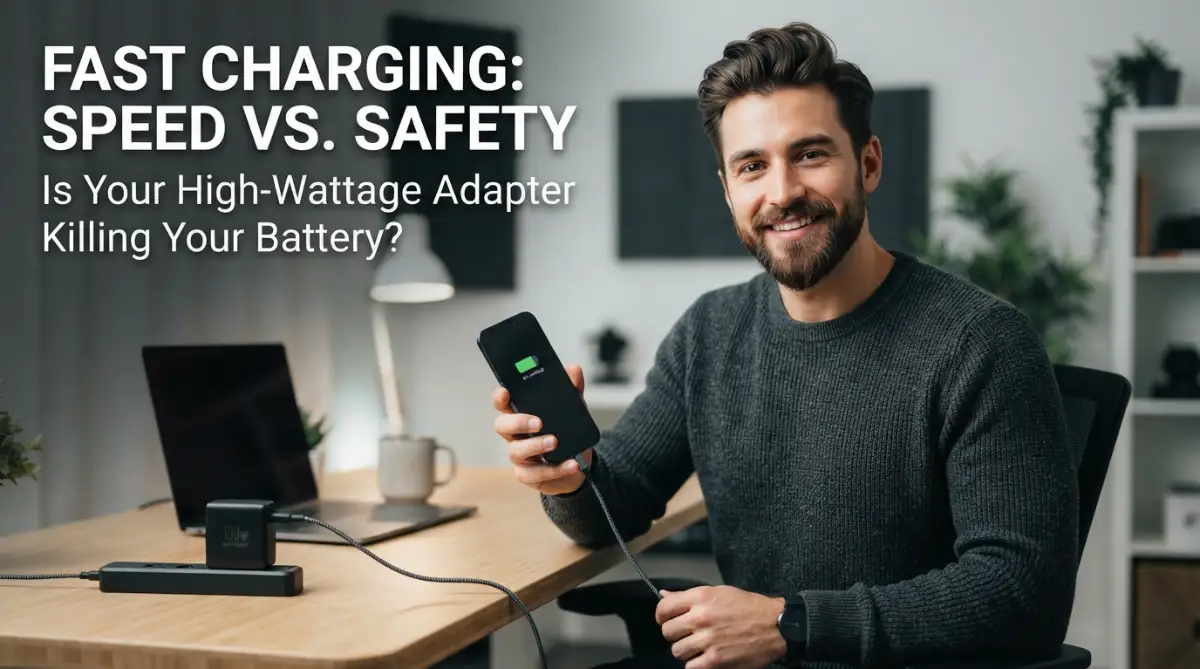
The Fear of the Lightning Bolt: My Personal Struggle with Fast Charging
I know that feeling of staring at a 65W charging brick and wondering if it’s a time bomb for your expensive phone. I’ve spent way too much time touching the back of my device, checking if it’s getting too hot. We’ve all heard the horror stories about batteries exploding or dying in months, but most of that fear comes from not knowing how the tech actually works. I’ve spent the last few months digging into the science to see if we are actually killing our phones or just worrying for nothing.
Every time I plugged it in, I would touch the back of the phone every two minutes. My heart would race if I felt even a little bit of warmth. I kept thinking, "Is this thing going to melt my battery?" or "Will I have to replace this phone in six months?"
This anxiety isn't just mine. I see my friends and family constantly worrying about the same thing. They use slow, old chargers because they are scared of the "fast" ones. We live in a world where we need our devices ready in minutes, yet we are haunted by the fear of hardware failure.
The mental stress of seeing your battery percentage drop and being afraid to charge it quickly is real. You have a busy day ahead, but you are stuck waiting for a slow charger because someone told you fast charging is a "battery killer." It feels like being stuck between a rock and a hard place.
We hear so many conflicting stories online. Some say it's fine, while others show pictures of swollen batteries. This confusion makes us feel like we are gambling with our expensive gadgets. We just want the speed without the permanent damage.
I spent weeks reading technical papers and talking to hardware nerds to find the truth. I wanted to know if my 100W adapter was a ticking time bomb or a modern miracle. What I found changed the way I look at my phone forever.
Cheat Sheet: How to Keep Your Battery Alive
Before we dive into the science, here are the golden rules I follow to keep my phone healthy:
- Avoid the Extremes: Try to keep your battery between 20% and 80%.
- Kill the Heat: If your phone feels like a hot potato, take the case off while charging.
- Quality Matters: Use cables that have "MFi" or "USB-IF" certification.
- Don't Stress the Overnight Charge: Your phone won't explode if you leave it plugged in, but try not to bury it under a pillow!
Understanding the "Handshake" Between Your Phone and Charger
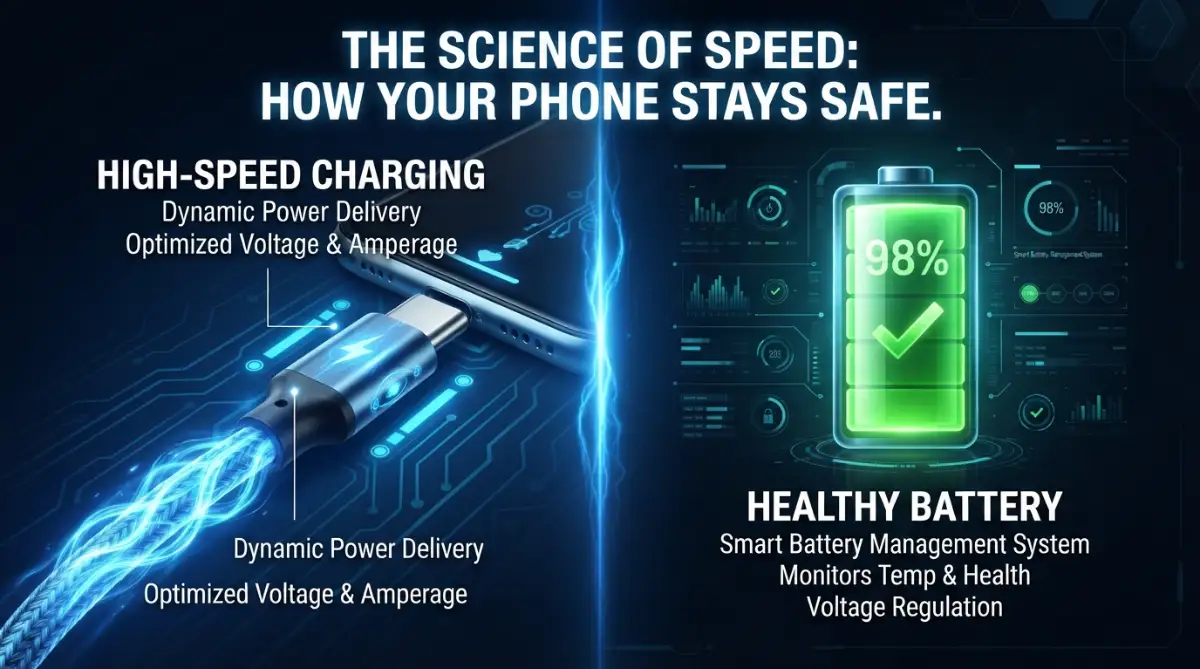
One of the biggest myths is that a high-wattage charger "pushes" all its power into your phone. I used to think of it like a firehose blasting a tiny cup. But that is not how modern electronics work at all.
Your phone and your charger actually "talk" to each other the moment you plug them in. This is what experts call a digital handshake. Your phone is the boss in this relationship, not the wall adapter.
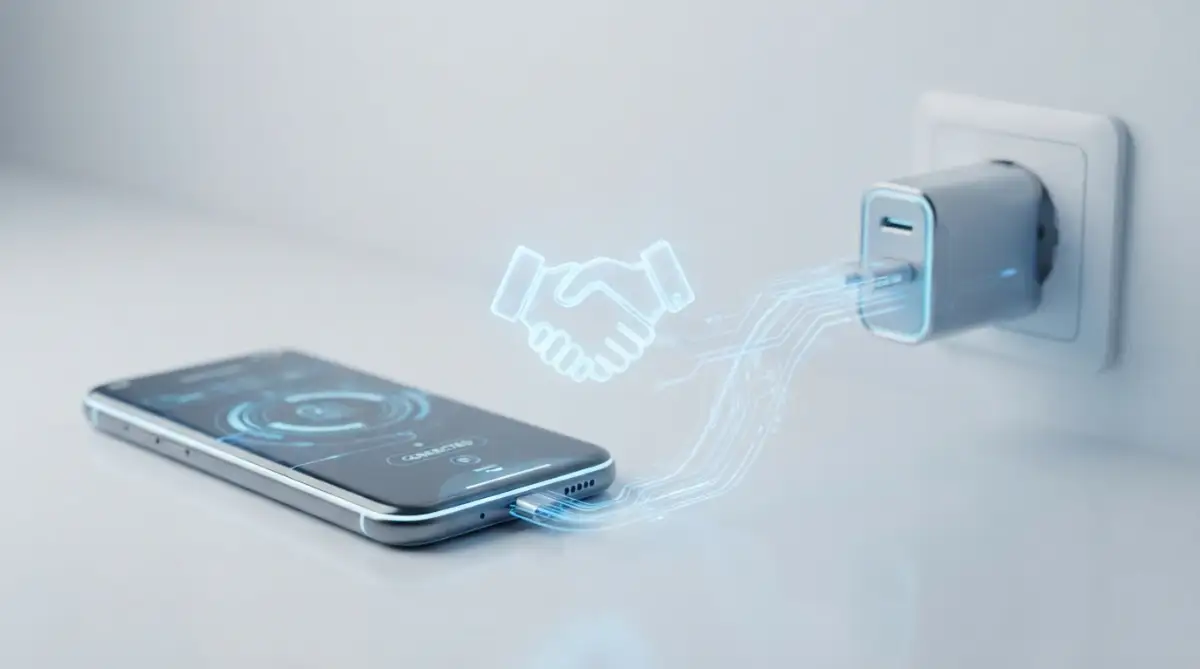
The phone has a built-in charging controller. This tiny chip tells the charger exactly how much power it can handle at any given second. If you plug a 100W charger into a phone that only supports 18W, the phone will only "pull" 18W.
Here is a quick breakdown of what happens when you mix and match chargers. It’s way simpler than you think:
It is like a buffet where the chef has 100 dishes ready, but you only take three. The chef doesn't force you to eat all 100. Your phone takes only what it needs to stay safe and cool.
I once tried using my big laptop charger to charge my tiny Bluetooth headphones. I was so nervous that they would pop or catch fire. I sat there watching them like a hawk for an hour. Nothing happened because the headphones only requested a tiny bit of power, and the charger obeyed.
The Two Phases of Fast Charging Speed
Fast charging doesn't happen at the same speed the whole time. It actually happens in two distinct stages. Understanding this will help you see why your phone doesn't just melt under the pressure.
The first stage is the "Blast Phase." This is when your battery is low, maybe between 0% and 50%. During this time, the charger sends a high amount of voltage or amperage to get you back on your feet quickly.
The second stage is the "Trickle Phase." Once your battery hits around 70% or 80%, the phone's controller tells the charger to slow down significantly. This is why it takes much longer to go from 90% to 100% than it does from 10% to 20%.
This slowdown is a safety measure to prevent the lithium ions from getting too crowded and causing internal stress. It is a very smart system designed to protect the longevity of your hardware.
If you want to see how this works in real-time, watch how your phone's charging speed changes as the battery gets full.
[This video explains the internal chemistry of fast charging and why your battery behaves the way it does.]
The Real Enemy: Heat, Not Just Wattage
If wattage isn't the direct killer, then what is? The answer is heat. Heat is the number one enemy of any electronic component, especially lithium-ion batteries.
When you charge a battery quickly, the chemical reactions inside produce heat. If that heat stays trapped, it can break down the internal structure of the battery over time. This is what leads to "battery health" dropping from 100% to 80% too fast.
Modern fast-charging systems are built to move the heat away from the battery. Some companies put the heat-generating parts in the wall plug instead of the phone. Others use dual-cell batteries so they can charge two smaller batteries at once, which keeps things cooler.
High-wattage adapters are often more efficient at managing this heat than older, cheaper ones. They use materials like Gallium Nitride (GaN) which stay much cooler while handling high power. So, in many cases, a high-quality 65W GaN charger is safer than a cheap 5W knock-off.
Should You Charge Your Phone Overnight?
This is a question I get asked all the time by my worried family members. They think that leaving a fast charger plugged in all night will "overcharge" the battery. Fortunately, that is almost impossible with modern hardware.
Once your phone hits 100%, the charging controller cuts off the power almost completely. It only lets in a tiny "drip" of power if the battery drops slightly. Your phone is smart enough to know when it has had enough to eat.
However, heat is still a factor here. If you leave your phone under a pillow while it's charging, even a slow charger can cause damage because the heat can't escape. Always charge your phone on a hard, flat surface.
I used to charge my phone on my bed every single night until I realized how hot it got. Now, I keep it on a nightstand, and my battery health has stayed much higher for much longer. It's a small change that makes a huge difference.
How to Use Fast Charging Without Any Worries
You don't have to give up the convenience of fast charging to keep your phone safe. You just need to be a little bit smarter about how you use it. Here are some practical steps you can take today.
First, always use high-quality cables and adapters. You don't always have to buy the original brand, but make sure the third-party ones are certified (like MFi for iPhones or USB-IF for Androids). Cheap cables often lack the chips needed for a proper "handshake."
Second, try to keep your phone out of the sun while charging. Charging your phone on a car dashboard in the middle of the day is a recipe for disaster. The combination of fast charging heat and sun heat is too much for any battery to handle.
Third, if your phone feels very hot while charging, take the case off. Some thick or plastic cases act like blankets, trapping all that heat inside. Letting your phone "breathe" helps it maintain a better temperature and stay healthy.
The 20-80 Rule: A Balanced Approach
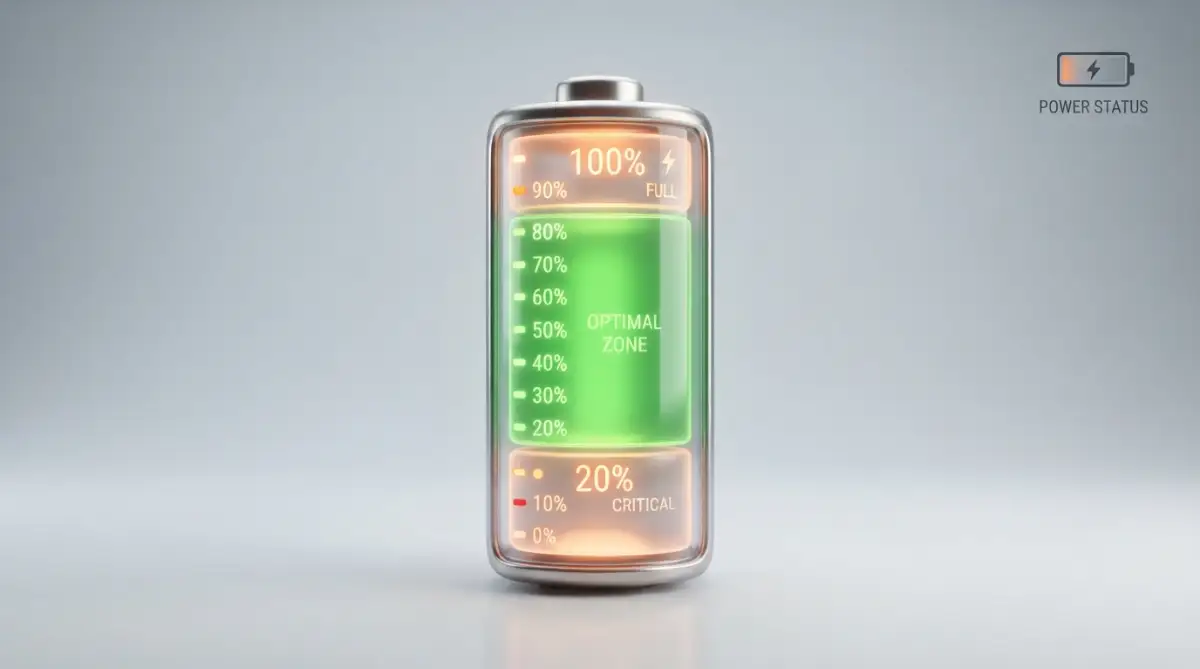
If you are really worried about battery longevity, you can follow the 20-80 rule. Lithium-ion batteries are happiest when they stay between 20% and 80% charge. The extreme ends (0% and 100%) put the most stress on the hardware.
Fast charging is most efficient in that middle range anyway. You can plug your phone in for 20 minutes to get from 30% to 80% and then unplug it. This keeps the battery in its "comfort zone" and minimizes the time it spends getting warm.
Many modern phones now have a setting to stop charging at 80% automatically. If your phone has this, turn it on! It is one of the best ways to ensure your hardware lasts for years without needing a battery replacement.
Following this rule changed my life because I stopped worrying about hitting that 100% mark every time. It gave me back my peace of mind and kept my phone running like new.
Myth vs. Reality: Clearing the Confusion
Let’s look at some common things people say and see if they are actually true. One common myth is that you should "drain your battery to 0% before charging." This was true for old nickel batteries, but it is actually bad for modern phones.
Another myth is that using a different brand's charger will ruin your phone. As long as it is a reputable brand and supports standard protocols like Power Delivery (PD), it is perfectly safe. Your phone will simply take the amount of power it can handle.
Some people think fast charging causes phones to explode. While there have been famous cases of battery failures in the past, they were caused by manufacturing defects, not by the speed of the charger itself. Modern safety standards are incredibly strict.
Quick Myths Check:
- Myth: Charging to 100% every night ruins the battery instantly.
- Reality: It’s not great for the long run, but your phone is smart enough to stop "overcharging."
- Myth: You must use the charger that came in the box.
- Reality: Any high-quality, certified brand (like Anker or Belkin) works just as well.
- Myth: Fast charging is why phones explode.
- Reality: Manufacturing defects cause explosions, not the speed of the electricity.
The reality is that manufacturers want your phone to last at least two or three years. They wouldn't include a fast charger in the box if it was going to destroy the hardware within a few months. They have a reputation to protect, after all.
Why Your Phone Might Feel Hot
It's normal for your phone to feel warm when fast charging. Think of it like a workout for your battery. When you run, you get warm. When a battery moves ions quickly, it gets warm.
The problem only starts if the phone gets so hot that it is painful to touch or if the screen starts to dim. If that happens, your phone's safety system should automatically slow down or stop the charging until it cools down.
If your phone is getting hot even when using a slow charger, that might be a sign of a failing battery or a software issue. It isn't necessarily the fault of the fast-charging technology.
Final Thoughts on Modern Charging Tech
Fast charging is one of the best things to happen to mobile technology. It saves us time and keeps us connected. While heat is a factor, modern hardware is built to handle it with smart controllers and safety protocols.
You don't need to be afraid of that high-wattage adapter sitting on your desk. It is a smart piece of tech designed to work in harmony with your smartphone. Use quality gear, keep it cool, and enjoy the speed.
Your hardware is much tougher than you think. By following a few simple habits, you can enjoy the best of both worlds: lightning-fast speeds and a long-lasting battery.
Stop stressing over the lightning bolt icon. Your phone is smart, your charger is smart, and now, you are better informed too. Go ahead and plug it in!
Master the Art of Battery Care with Expert Hacks
It is one thing to know that fast charging is safe, but it is another thing to make your battery last for several years. I have spent a lot of time testing different methods to see what actually works. Most people just plug their phone in and forget about it, but a few small changes can make a massive difference.
One of the best things you can do is check your phone’s software settings for a feature called Optimized Battery Charging. I started using this feature a while ago, and it really helped my phone stay cool. This setting learns your daily routine and waits to finish charging past 80% until you actually need it.
Another pro tip is to pay attention to your environment. I once left my phone charging on top of a running game console, and it got so hot I couldn't touch it. Always make sure your phone is in a cool, ventilated area when you are using a high-wattage adapter. Heat is the silent killer of mobile hardware, and avoiding it is your best defense.
You should also think about "Battery Calibration" once every few months. This means letting your battery run down to about 10% and then charging it all the way to 100% in one go. Doing this helps the phone's internal sensor stay accurate so it doesn't give you wrong percentage readings.
I also recommend looking into high-quality thermal management concepts, even for mobile devices. Just like a computer needs to stay cool to run fast, your phone needs to shed heat to keep its battery healthy. If you are a heavy user, consider using a small desk fan or a phone cooler during long fast-charging sessions.
If you want to go even deeper, you can download apps that show you the exact temperature of your battery in Celsius. I usually try to keep my battery below 40 degrees while it is plugged into a high-wattage charger. If I see the numbers climbing too high, I simply unplug it for five minutes to let it rest.
For those who use their phones for work, I suggest having two chargers. Use your high-wattage "super" charger for quick top-ups during the day when you are in a rush. Then, use a slower, standard charger if you really must charge it while you sleep. This gives you the best of both worlds without putting constant stress on the hardware.
Taking care of your battery isn't just about the hardware; it's also about the apps you run. Sometimes, dangerous app permissions can cause background processes to drain your battery while it's trying to charge. This creates a "tug-of-war" that generates even more heat, so keeping your software clean is a big part of the secret.

Fatal Errors That Are Quietly Killing Your Device
We all make mistakes, but some of them are costing you a lot of money in repair bills. I have seen people do things that make me want to scream because I know they are destroying their expensive tech. One of the biggest mistakes is using those super cheap cables you find at gas stations or random corner shops.
These cheap cables often lack the safety chips needed to communicate with your high-wattage adapter. Without that "handshake" we talked about, the power flow can be unstable and spike in dangerous ways. This is how you end up with a fried motherboard or a battery that starts to swell like a balloon.
Another huge mistake is "Stress Charging" while doing heavy tasks like 3D gaming or video editing. When you do this, you are hitting the battery from two sides. The fast charger is pumping in energy (heat), and the processor is pulling out energy (more heat). This double-heat attack is the fastest way to ruin your hardware.
I have also noticed people charging their phones inside tight bags or under piles of clothes. This is incredibly dangerous and can even lead to fires in extreme cases. Your phone needs to "breathe" because the back of the phone acts like a heat sink to dissipate warmth during fast charging.
Some users still believe that they need to keep their phone at 100% all the time. They keep it plugged in even when they are sitting right next to the outlet all day. This constant high voltage puts a lot of "physical" stress on the lithium ions inside the battery. It is much better to let it drop to 30% or 40% before plugging it back in.
If you are interested in more easy habits for a longer battery life, you should avoid using your phone as a hotspot while it is fast-charging. The hotspot feature uses a lot of power and generates a ton of internal heat. Combining that with a 65W or 100W charger is asking for trouble.
I also want to warn you about using "Fast Charging" power banks that are not from trusted brands. Some of these portable chargers have very poor voltage regulation. A sudden dip or spike from a low-quality battery pack can damage the sensitive charging port on your phone.
Lastly, please stop ignoring the warning signs. If your phone smells like burnt plastic or if the screen is starting to lift up, stop charging it immediately. These are signs that the internal hardware has already been damaged by heat or bad accessories. Being proactive can save you from a very bad situation.
How to Stay Safe and Connected for the Long Run
To wrap this all up, you don't need to be an engineer to keep your phone healthy. You just need to be mindful of how you treat your device. Technology is meant to serve us, but it needs a little bit of respect in return.
Start by using the 20-80 rule we discussed earlier as much as possible. This simple habit can double the lifespan of your battery compared to someone who always charges to 100%. It is a very small price to pay for a phone that stays "like new" for many years.
Always buy your accessories from brands that have a good reputation. Check for certifications like "USB-IF" or look for professional reviews on sites like The Verge or Android Central. Spending an extra ten dollars on a good cable is much cheaper than buying a new phone.
If you find that your phone is still running slow despite good charging habits, there might be other issues. Sometimes a clean install of your operating system or checking your storage can help. Many people find that switching to solid state drives for their other tech needs makes them appreciate how fast and sensitive modern storage really is.
I want you to feel confident every time you plug your phone into a high-wattage adapter. You now know that your phone is the one in control and that it has many layers of safety built in. As long as you keep things cool and use quality gear, you are in the clear.
The world of mobile hardware is changing fast, and we are getting better tech every single day. By staying informed, you can enjoy all the benefits of high-speed living without the fear of breaking your favorite gadgets. Your phone is a powerful tool, so treat it with the care it deserves.
I personally stopped worrying about my battery health once I understood the science behind it. Now, I use my fast charger every day and my phone still lasts a full day even after two years of heavy use. I want you to have that same peace of mind so you can focus on the things that really matter in your life.
Common Questions About Charging Safety
Can I use a 100W laptop charger for my phone?
Yes, you absolutely can, as long as it is a high-quality USB-C charger. Your phone will only take the maximum power it is designed to handle, which is usually much lower than 100W. The charger and phone will "talk" to each other to make sure the speed is safe.
Is it bad to use my phone while it is fast charging?
Using your phone for light tasks like texting or browsing is fine. However, you should avoid heavy gaming or 4K video recording while fast charging. These activities create a lot of extra heat, which can stress the battery and slow down the charging speed.
Does fast charging make the battery wear out faster?
Technically, fast charging creates more heat, and heat can lead to faster wear over several years. But modern phones have smart cooling and software limits to minimize this damage. If you follow good habits, the difference in battery life is usually very small.
Why does my phone stop fast charging at 80%?
This is a safety feature designed to protect your battery. The last 20% of a charge is the most stressful for the lithium-ion cells. By slowing down the speed, the phone reduces heat and internal pressure, which helps your battery last much longer.
Should I turn off my phone while charging to make it faster?
Turning off your phone will make it charge a little bit faster because there is no power being used by the screen or apps. It also helps keep the phone cooler. However, with modern fast chargers, the time difference is usually not big enough to worry about.
Disclaimer: This article is for informational purposes only. While we provide expert tips based on hardware standards, always refer to your device manufacturer’s official manual for specific charging instructions. We are not responsible for any damage caused by using uncertified or faulty third-party accessories.