Why I Stopped Trusting My Favorite Smartphone Apps
"Ever feel like your phone is stalking you? I’m talking about that creepy moment when you mention a random brand of shoes to a friend, and ten minutes later, an ad for those exact shoes pops up on your screen. It’s not a coincidence, and it’s definitely not magic. For years, I just hit 'Allow' on every app request without thinking. But after realizing my flashlight app knew more about my location than my own mother did, I knew something had to change. Let’s talk about how we can take back control."
A few days later, something strange started happening. I was talking to my friend about buying new running shoes. I hadn't searched for them online yet. Suddenly, my social media feed was filled with ads for the exact shoes we discussed. I felt a cold shiver down my spine.
My phone was listening to me. That simple weather app had been granted permission to hear my private conversations. It felt like a total betrayal of my personal space. I realized then that my privacy was being sold for the price of a free app.
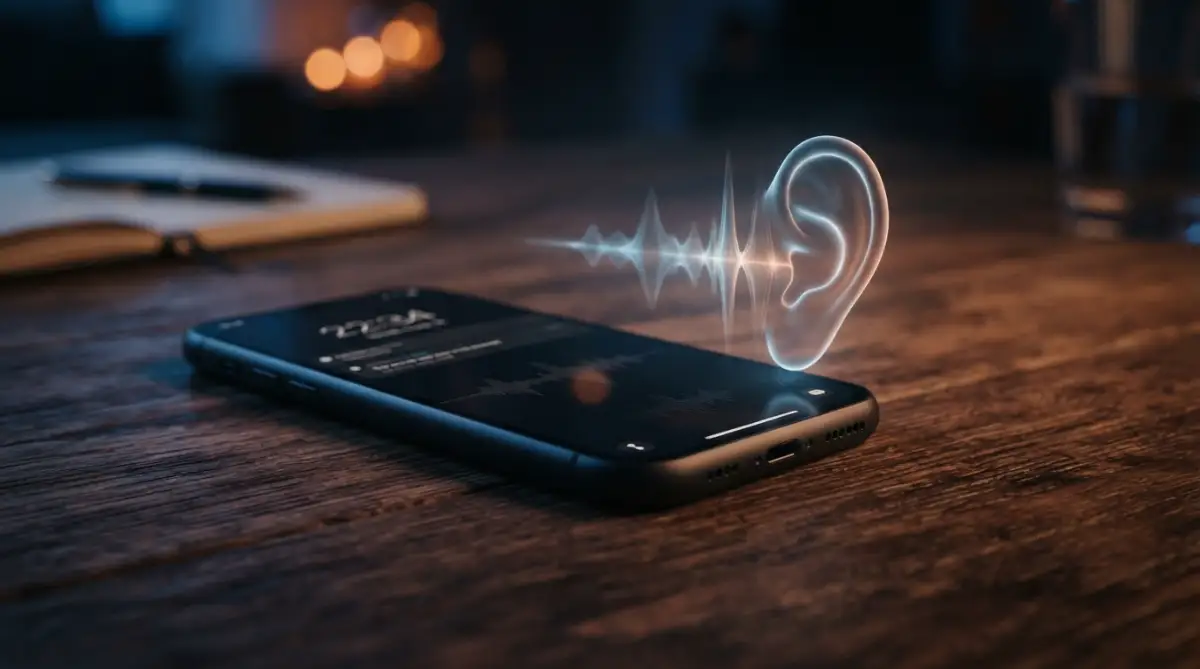
This realization changed how I look at my smartphone forever. I felt exposed and honestly, a bit foolish. I spent the next few hours digging into my settings and I was shocked at what I found. My flashlight app wanted my contact list. My calculator app wanted my GPS location.
It is a scary feeling to realize your own pocket device might be working against you. Most of us just want our phones to work smoothly. We don't want to spend all day reading boring legal terms. But ignoring these requests can lead to serious problems like identity theft or constant tracking.
I know many of you feel the same way. You see a pop-up and feel a tiny bit of anxiety. You wonder if saying "Yes" will haunt you later. You are not alone in this struggle. Millions of people are tired of feeling like their phones are tracking their every move.
We deserve to use technology without giving up our basic right to privacy. It is time to stop the "Allow All" habit and start being smart. My goal is to help you understand exactly what these apps are asking for and how to say no.
"🛑 Too Busy to Read? Here’s My 30-Second Privacy Checklist:
- The 'While Using' Rule: Never set location to 'Always Allow.' Only give access while you are actually using the app.
- Hardware Check: If a basic app (like a calculator) asks for your camera or mic, delete it immediately.
- Audit Monthly: Spend 5 minutes every month in your 'Permission Manager' to see which apps are acting sneaky.
- Update Often: Security patches are your best friend. Don't ignore those 'System Update' pop-ups!"
The Secret Language of App Access Requests
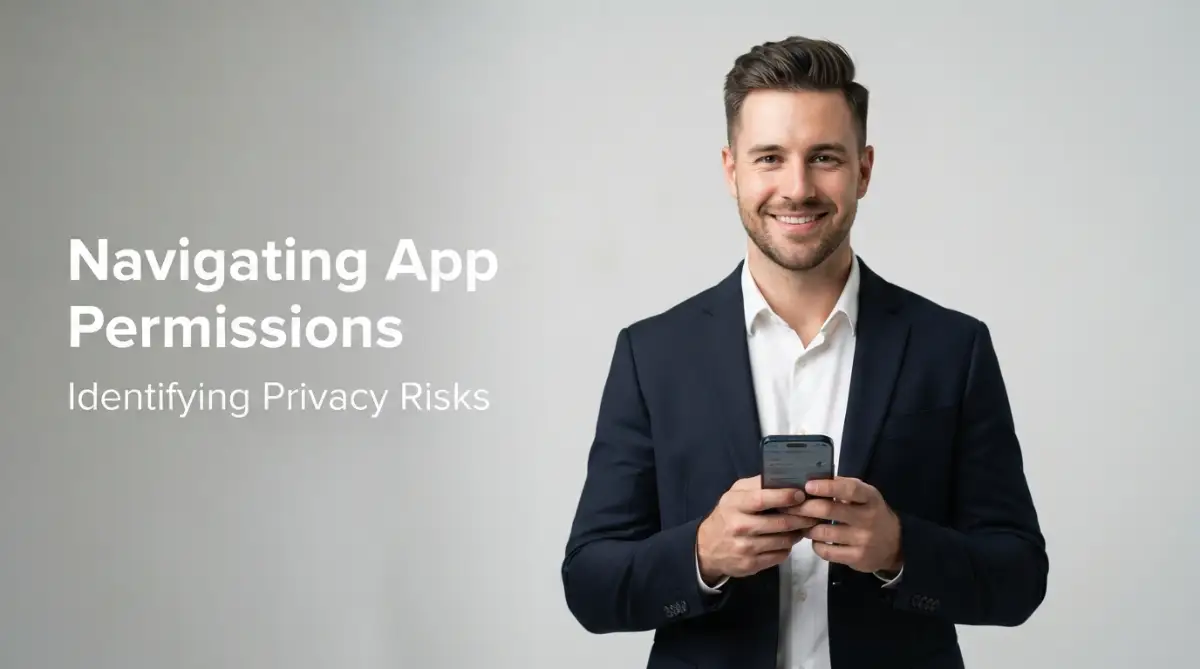
To protect yourself, you need to know what you are looking at. Most apps ask for things they don't actually need to function. This is often just a way to collect data to sell to advertisers. Let's break down the most common requests so you can spot the red flags.
"To make things easier, here is a quick 'Red Flag' guide I use before installing anything new:
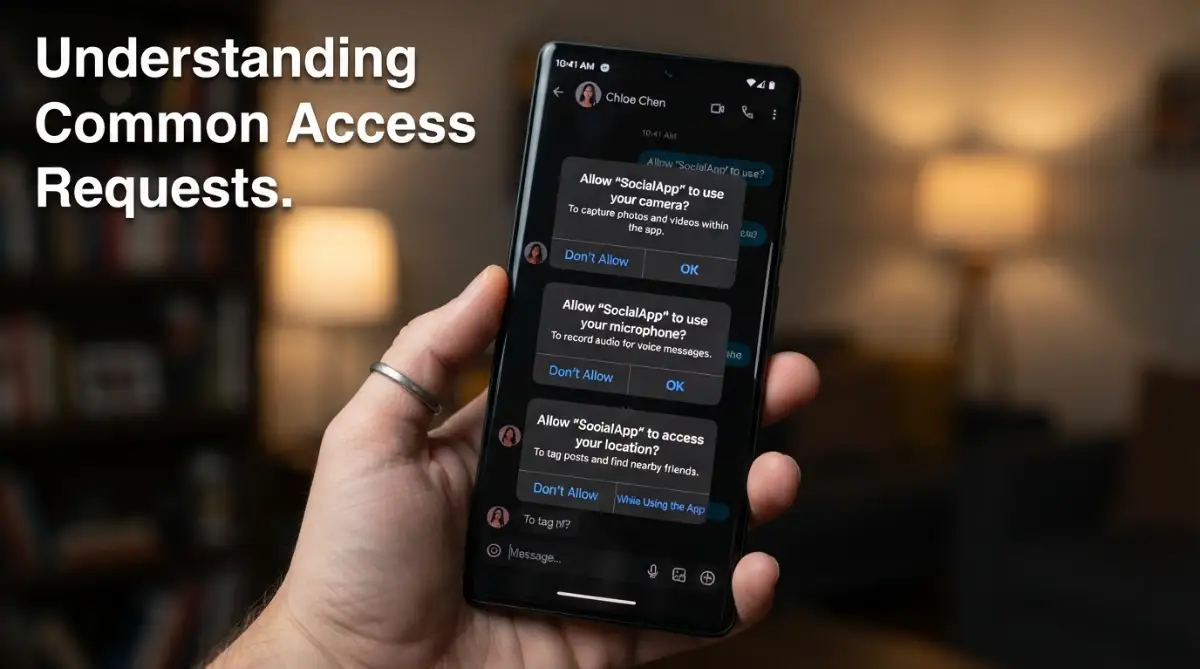
Camera Access: More Than Just Photos
We all love taking selfies or recording videos. Naturally, an app like Instagram needs your camera. But why does a simple puzzle game or a battery-saving app need to see through your lens? When you give an app camera access, it can technically take photos or videos without you knowing.
This is one of the most sensitive permissions you can grant. If a shady app has this power, it could capture images of your home or your face. Always ask yourself if the app’s main job requires a camera. If the answer is no, keep that "shutter" closed.
The Microphone: Is Someone Listening?
As I mentioned in my own story, microphone access is a huge deal. Apps use it for voice commands or recording notes. However, some apps use it to listen for "acoustic fingerprints." This means they listen for TV ads or background sounds to build a profile of your habits.
If an app asks for the microphone and it’s not for calling or recording, be very careful. You can usually find these settings under "Privacy" in your phone's main menu. I highly recommend checking this list frequently to see which apps have been "listening" lately.
Location Tracking: Following Your Every Move
This is perhaps the most common request. Apps want to know where you are to show you local weather or nearby shops. But "Always Allow" location tracking means the app knows where you sleep, where you work, and where you go for coffee.
I used to keep my GPS on for everything. Then I realized that my data was being used to track my daily routine. Now, I only allow location access "While Using the App." This simple change prevents apps from following me while they are sitting in the background.
I once found a simple wallpaper app that had tracked my location for three months straight. I felt so angry at myself for not checking sooner. My pro tip: go to your settings right now and change all "Always Allow" location settings to "Only While Using." It’s a small step that makes a massive difference.
Contact Lists: Mapping Your Social Circle
When an app asks for your contacts, it isn't just looking at names. It is looking at who you know, their phone numbers, and their email addresses. This is how "people you may know" suggestions work. It also helps companies build a map of your entire social life.
If a game wants your contacts to "invite friends," think twice. You are not just giving away your own data; you are giving away the data of your family and friends. Unless it is a communication app like WhatsApp, there is rarely a good reason to share your contact list.
The Best Way to Secure Your Phone Today
If you want to see a live demonstration of how to manage these settings, watch this video. It shows you exactly where to click on both Android and iPhone to lock down your privacy.
Storage and Media Access
This request lets an app read the files on your phone. This includes your private photos, documents, and even downloaded files. While a photo editor needs this, a calculator definitely does not. Allowing this blindly gives an app a key to your digital filing cabinet.
In newer versions of phone software, you can often pick specific photos to share instead of giving access to your whole library. I always suggest using this "Select Photos" option. It keeps the rest of your private memories safe and away from prying eyes.
SMS and Call Logs
This is a high-risk permission. If an app can read your SMS, it can see your private messages and even your two-factor security codes. This is a favorite tool for hackers and malicious apps. Never give this permission unless it is your primary texting app.
I have seen many people lose access to their bank accounts because a fake app read their security codes via SMS. Be extremely picky here. Your text messages are private, and they should stay that way.
How to Audit Your Phone in Ten Minutes
You don't need to be a tech genius to fix your privacy. It just takes a little bit of time and focus. I do this "privacy audit" once a month to make sure no new apps have sneaked into my system.
Checking Android Permissions
On most Android phones, you can go to Settings and then tap on "Apps." From there, you can find a "Permission Manager." This tool is amazing because it shows you a list of permissions (like Camera or Location) and tells you exactly how many apps have access to each.
I suggest going through each category one by one. If you see an app that hasn't been used in a month but still has camera access, turn it off. Android also has a feature that automatically removes permissions from apps you haven't used in a long time. Make sure that is turned on!
Managing Privacy on iPhone
iPhone users have a very clear way to see this too. Go to Settings, then tap "Privacy & Security." Here, you can see the "App Privacy Report." This report is a lifesaver. It tells you exactly when and how often apps have accessed your data in the last seven days.
If you notice a flashlight app accessed your location at 3 AM, you know there is a problem. The iPhone also has a "Safety Check" feature. This is great if you want to quickly stop sharing information with people or apps you no longer trust.
The "Is It Necessary?" Test
Before you install any new app, look at the "Data Safety" section in the App Store or Play Store. This section tells you what data the app collects before you even download it. If a simple tool asks for too much, I just don't download it. There is always an alternative app that respects your privacy more.
I started using a rule: if the app asks for more than three permissions that don't match its function, I delete it. For example, a note-taking app shouldn't need my camera, my location, and my microphone all at once. Stay skeptical. It is the best way to stay safe.
Understanding the Risks of "Free" Apps
We have all heard the saying: "If you aren't paying for the product, you are the product." This is very true in the world of mobile apps. Free apps need to make money somehow. Often, they do this by selling your behavior data to big data brokers.
These brokers combine your app data with your browsing history to create a scary-accurate profile of you. They know your health concerns, your political views, and your shopping habits. This information is then used to target you with ads or even influence your opinions.
When you deny a permission request, you are cutting off a stream of income for these data hungry companies. That is why they make the pop-ups look so urgent. They want you to feel like the app won't work without it. Most of the time, they are lying.
I once tested a "free" fitness tracker. It refused to work unless I gave it access to my contacts. I said no and deleted it. I found another one that worked perfectly without needing to know who my friends were. Always look for the privacy-friendly option.
The Future of Your Digital Safety
Privacy isn't about having something to hide. It is about having the right to choose what you share with the world. Your phone should be a tool for you, not a spy for someone else. Taking these steps today will give you a much more peaceful and secure tomorrow.
"Quick Myth Buster: My Privacy Edition
- Myth: If I close the app, it stops tracking me.
- Fact: Many apps use 'Background Refresh' to keep watching your GPS even when your phone is in your pocket.
- Myth: Incognito mode makes me invisible to apps.
- Fact: Incognito only hides your history from your browser, not from the apps that have direct permission to your hardware."
Keep your eyes open and your settings tight. Your data is valuable, so treat it like the treasure it is. Don't let a "free" app steal your peace of mind. You have the knowledge now; go ahead and use it to protect yourself.
Taking Your Mobile Safety to the Next Level
Once you understand the basics of app permissions, you might feel a little safer. But the truth is, app developers are getting smarter every day. They find new ways to peek into your life without you even noticing.
I learned this the hard way when I noticed my phone battery was dying twice as fast as usual. I checked my settings and found a "hidden" app that was constantly refreshing my location in the background. It wasn't just stealing my data; it was literally killing my hardware. You can read more about how bad app habits hurt your battery life to see what I mean.
To truly stay ahead of these digital snoopers, you need to go deeper into your phone's hidden corners. Most people never look past the main privacy menu, but that is where the real secrets are kept.
Hunting for "Special App Access"
Both Android and iPhone have a secret list of permissions called Special App Access. This is much more powerful than just camera or microphone access. This area allows apps to do things like "Modify System Settings" or "Display Over Other Apps."
If a random game has permission to modify your system settings, it can change your security levels without asking. I always recommend checking this list and turning off anything that feels wrong. If a calculator app can "Draw over other apps," it might be trying to place a fake screen over your bank login to steal your password.
The Danger of Third-Party Logins
We have all seen the button that says "Sign in with Social Media." It is so easy and saves a lot of time. But every time you do this, you are building a bridge between two different companies.
When you use your social account to log into a random photo editor, that app might get access to your friend list, your birthday, and your private photos. I stopped using this feature entirely last year. It is much safer to create a separate account with a strong password. This keeps your main profiles isolated and safe.
Reviewing the "Sensor" Data You Share
Your phone has more than just a GPS; it has an accelerometer and a gyroscope. These sensors track how you move, how fast you walk, and even how you hold your phone. Some apps use this data to guess your health status or even your mood.
While these might seem harmless, they are a piece of the puzzle that companies use to track you. I suggest looking at your "Motion and Fitness" settings on your iPhone or "Sensor" permissions on Android. If an app doesn't need to count your steps, it shouldn't have this data.
Using a Dedicated "Privacy" Browser
Your default mobile browser often keeps a lot of data about what you search for. Even if you manage your app permissions perfectly, your browser can still leak your interests to advertisers. I started using browsers that automatically block trackers and clear history every time I close them.
This creates a clean break between your searches and your apps. It prevents that annoying situation where you search for a product and then see ads for it inside five different apps. Taking control of your browsing is a huge part of keeping your digital life secure.
The Power of Temporary Permissions
Newer phone updates allow you to give an app permission "Only this time." I love this feature. If I need to upload one photo to a website, I don't give it permanent access to my gallery. I give it access for that one single session.
This means the next time I open the app, it has to ask me again. It adds a few seconds to the process, but the peace of mind is worth it. I never have to worry if an app is looking at my photos while I’m sleeping.
Heartbreaking Mistakes That Put Your Privacy at Risk
I have talked to many people who thought they were safe, only to find out their data was being sold on the dark web. Most of the time, it wasn't a complex hack. It was a simple, emotional mistake that anyone could make.
Trusting "Highly Rated" Apps Blindly
We often look at the five-star ratings and think an app must be safe. This is a huge trap. Many shady apps buy fake reviews to look trustworthy. I once downloaded a highly rated "Free Music Player" that turned out to be a massive data scraper.
The app worked great, but it was sending my contact list to a server in a different country every night. Don't let a high rating fool you. Always look at the permissions list before you hit that install button. Your safety is more important than a free song or a funny filter.
Ignoring the "Update" Notifications
I know those update pop-ups are annoying. We often click "Remind me later" for weeks at a time. But these updates usually contain security patches that fix permission "bugs." Hackers love it when you don't update your phone.
When you delay an update, you are leaving a door unlocked in your house. I make it a habit to update my apps and system every Sunday night. It’s a small chore that prevents a major headache later.
Thinking "I Have Nothing to Hide"
This is the most dangerous thought of all. Many people tell me they don't care about privacy because they aren't doing anything wrong. But privacy isn't about hiding secrets. It is about protecting your identity.
If a company knows your home address, your daily schedule, and your credit card habits, they can impersonate you. This can lead to your bank accounts being emptied or your credit score being ruined. You might have nothing to hide, but you definitely have everything to lose.
Setting "Always Allow" for Everything
When we are in a hurry, we just want the app to work. We click "Always Allow" to make the pop-ups go away. But "Always" is a very long time. It gives the app permission to watch you even when you aren't using your phone.
I have seen people lose their privacy because they gave "Always Allow" location access to a weather app they only used once. That app followed them to their doctor’s office and their kid’s school. This kind of tracking is invasive and totally unnecessary.
Forgetting About Old, Unused Apps
We all have those "zombie apps" on our phones. These are apps we downloaded months ago, used once, and forgot about. Even if you don't open them, they might still be running in the background and collecting data.
I make it a rule to delete any app I haven't used in thirty days. If I need it again, I can always download it later. This keeps my phone clean and reduces the number of companies that have access to my private life.
Your Roadmap to a Safer Digital Future
Managing your phone shouldn't feel like a full-time job. It is about building small, smart habits that protect you over time. Once you set your permissions correctly, your phone starts working for you again, not for a data company.
I started this journey because I was scared and tired of being tracked. Now, I feel a sense of freedom every time I open my phone. I know exactly who has access to my camera and who knows where I am. This control is something everyone deserves to have.
You don't have to be perfect. Even if you only change a few settings today, you are already safer than you were yesterday. Start with the apps you use the most. Check their permissions, say no to the ones they don't need, and keep moving forward.
The digital world can be a bit messy, but you don't have to be a victim of it. You are the boss of your device. By taking action today, you are making a choice to protect your future self. It feels good to be in charge, doesn't it?
I want you to take a deep breath and realize that you have the power to stop the spying. My own experience showed me that a few simple clicks can change everything for the better. I am much happier now that I have locked my digital doors, and I know you will be too if you take action right now.
Smart Answers to Your Privacy Questions
Is it safe to give my bank app all the permissions it asks for?
Most bank apps are very safe, but they still don't need everything. They might need your camera to deposit a check or your location to find an ATM. However, they rarely need access to your entire contact list or your health data. Only give what is needed for the specific task you are doing.
Will my app stop working if I deny a permission?
Most modern apps are designed to work even if you say no to some requests. If an app refuses to open because you won't share your location, that is a big red flag. You can usually find an alternative app that works without being so demanding. You can also explore how cloud storage handles your data for more info on app-to-server safety.
Can an app turn on my microphone without me knowing?
Technically, if you have granted the permission, an app can use the microphone in the background. However, modern iPhones and Android phones now show a small green or orange dot at the top of the screen when the microphone or camera is active. If you see that dot and you aren't using a call or recording app, someone might be listening.
What should I do if I find an app has been spying on me?
The first step is to delete the app immediately. After that, you should clear your phone's cache and check your account security settings. It is also a good idea to change your passwords if you think the app had access to your login data. Protecting your home network is also a good next step.
Do "Pro" or "Paid" apps track you less?
Generally, yes. Since you are paying the developer for the software, they don't need to sell your data to make a profit. However, this isn't always true. Always check the privacy policy regardless of whether the app is free or paid.
Disclaimer: The information provided in this article is for educational and informational purposes only. While we aim to provide accurate tips for enhancing your digital privacy, we cannot guarantee total security against all types of cyber threats. Please follow your device manufacturer's official safety guidelines and use your best judgment when installing third-party software.