Why I Almost Threw My New Phone Out the Window
"I spent nearly $1,000 on a phone that promised to last all weekend. Three months later, I was hunting for a wall outlet by 2:00 PM just to keep it alive. It wasn’t a hardware glitch or a 'lemon'—it was my own daily habits that were quietly killing the battery. If you’re tired of seeing that red 15% bar before your workday even ends, I’ve got some honest, tested advice for you. Forget the technical jargon; let’s talk about how you can actually double your phone’s lifespan starting today."
For the first few weeks, it was a dream. But after just a few months, I noticed something scary.
I was barely making it to lunch before my phone hit the dreaded 20% mark. I felt so frustrated and cheated by the big tech companies.
I spent hours searching for answers, thinking I had a "lemon" or a broken device. It turns out, the problem wasn't the phone; it was me.
My daily habits were slowly killing my battery without me even knowing it. I was doing things every day that were making my expensive gadget age way too fast.
I want to share my story so you don't make the same mistakes I did. It is a terrible feeling to be stuck in the middle of a trip with a dead phone and no charger.
The Emotional Tax of a Dying Battery
Having a phone that dies quickly isn't just a technical problem. It is a huge source of daily stress that we often ignore.
It ruins your peace of mind when you can't even go for a walk without worrying if your phone will last. You stop taking photos or playing music just to save that last 5%.
This constant worry makes us feel less free and more tied to a charging cable. We shouldn't have to live our lives based on where the nearest power socket is located.
When our devices fail us, it feels like our connection to the world is being cut off. It affects our work, our safety, and our ability to stay in touch with people we love.
Learning how to fix this is about more than just tech. It is about getting back your freedom and making sure your hard-earned money isn't wasted on a dying device.
We deserve gadgets that work for us, not the other way around. Let's look at the simple things we do every day that cause this mess.
"### ⚡ Your Battery Health Cheat Sheet
Before we dive into the details, here are the 4 golden rules you need to follow:
- The 20-80 Rule: Keep your charge between 20% and 80% to double your battery’s life.
- Kill the Heat: If your phone feels hot, take the case off and stop using it for 10 minutes.
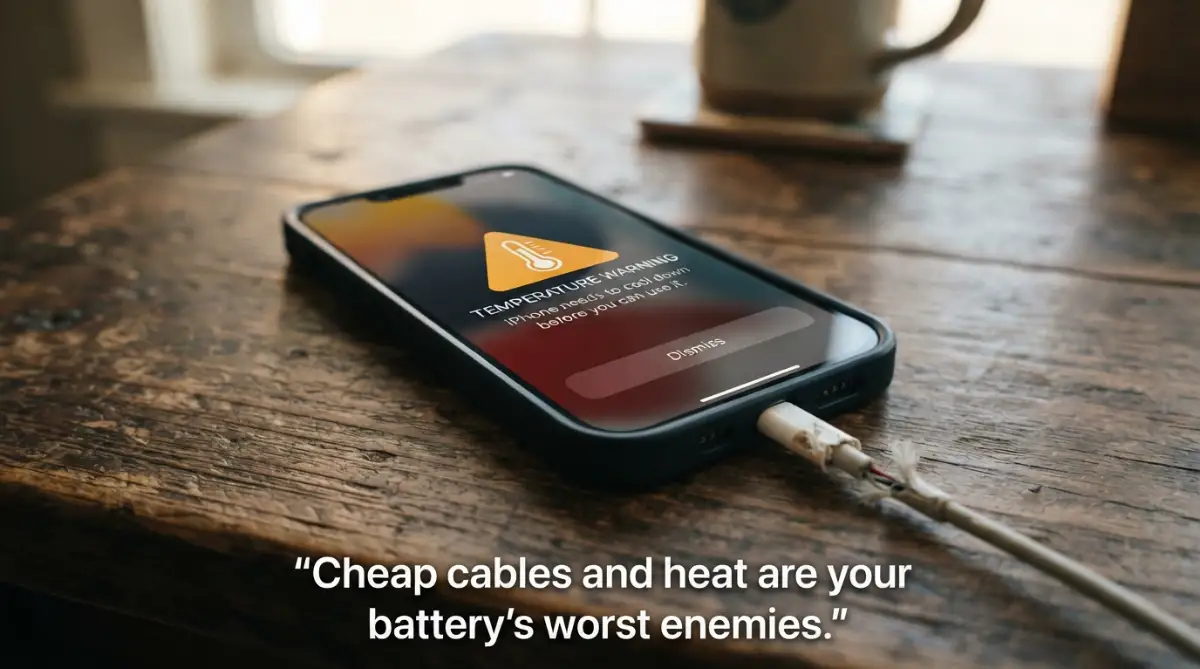
- Avoid 'No-Name' Chargers: A cheap cable can fry your phone's internal power chip.
- Update Wisely: Only update your software when you are on stable Wi-Fi and the phone is cool."
Stop Charging Your Phone to 100% Every Night
Most of us have the habit of plugging in our phones before we go to sleep. It feels good to wake up and see that 100% icon in the morning.
However, this is actually one of the worst things you can do for a lithium-ion battery. These batteries do not like being at the extreme ends of their capacity.
Imagine your battery is like a balloon. If you keep it filled with air to the very limit, the material starts to stretch and weaken over time.
Batteries feel the most "stress" when they are totally full or totally empty. Keeping it at 100% for hours while you sleep puts constant pressure on the internal cells.
This pressure creates heat and chemical changes that shorten the overall life of the battery. You might notice your phone getting warm during those last few percentage points of charging.
A better way is to keep your battery between 20% and 80%. This is often called the "sweet spot" for battery health.
If you can stay within this range, you can double the number of charging cycles your phone can handle. It sounds like extra work, but it saves you a lot of money in the long run.
Heat is the Number One Silent Killer
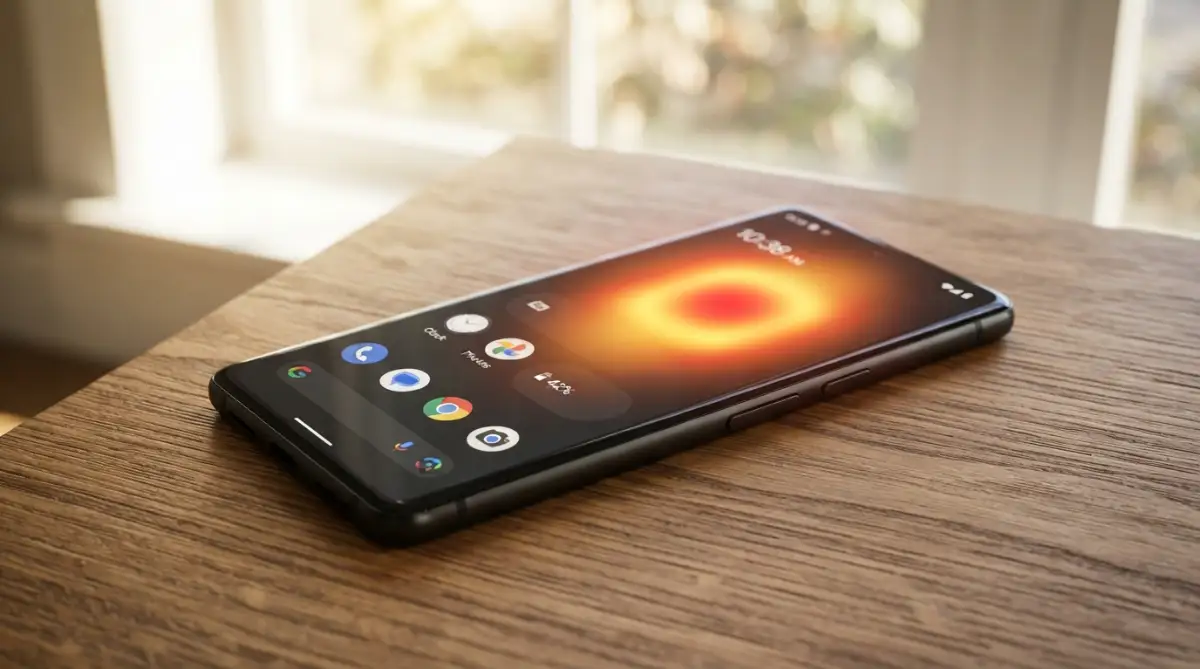
Your phone's battery has a very big enemy, and that enemy is heat. Heat speeds up the chemical reactions inside the battery, causing it to wear out faster.
Many people use their phones while they are plugged in and charging. This is a double whammy of heat generation.
The charging process itself creates heat, and using the screen or playing games creates even more. This can make the battery reach temperatures that are dangerous for its health.
I used to play heavy mobile games while my phone was connected to a fast charger. I noticed the back of the phone was so hot it was uncomfortable to hold.
Pro Tip: One of the biggest mistakes I made was charging my phone under my pillow while I slept. The pillow trapped all the heat, and my phone felt like a hot stone in the morning. Always charge your phone on a hard, flat surface where air can move around it.
If your phone feels hot to the touch, you need to stop what you are doing immediately. Take off the case if you have one, as some thick cases trap heat like a winter coat.
Never leave your phone on a car dashboard or in direct sunlight. Even a few minutes of extreme heat can cause permanent damage that you can never undo.
The Dangers of Using Cheap, Uncertified Cables
We have all been there—you lost your original cable and you need a new one fast. You go to a local shop and buy the cheapest one you can find.
While it might look like a normal cable, the insides are often very different. These cheap cables usually lack the safety chips needed to talk to your phone.
Your phone and your charger need to communicate to manage how much power is flowing. A bad cable can send too much voltage or not enough, which hurts the battery.
It can also lead to "dirty" power delivery, where the electricity fluctuates wildly. This slowly fries the delicate components inside your smartphone.
It is always better to spend a little more on an "MFi" certified cable for iPhones or a high-quality brand for Androids. It is much cheaper than buying a new phone.
"| Charging Mistake | Why It’s Bad | The Better Way |
| :--- | :--- | :--- |
| Charging to 100% | High voltage stress | Stop at 80% |
| Using while gaming | Causes internal heat | Charge first, play later |
| Cheap $2 cables | Unstable power flow | Use Brand-certified cables |
| Leaving it in a car | Extreme heat kills cells | Keep it in the shade |"
I once used a $2 cable from a gas station, and my phone started "ghost touching." The screen was moving on its own because the power supply was so unstable.
Why Fast Charging Isn't Always Your Friend
Fast charging is a great feature when you are in a rush. Being able to get 50% battery in 15 minutes feels like magic.
But this magic comes at a cost. Fast charging forces a lot of electricity into the battery very quickly, which creates a lot of heat.
If you use fast charging every single day, you are putting more wear and tear on your battery than if you used a slow charger. It is like sprinting everywhere instead of walking.
Sprinting is fine once in a while, but if you do it all day, your body will give out. Your battery works the same way.
If you are charging your phone overnight (even though I said not to!), use a slow, old-style charger. Since you have 8 hours, there is no need to rush the process.
Save the fast charger for those times when you really need to leave the house in a hurry. Your battery will thank you for the gentle treatment.
Most modern phones have settings to "slow charge" or "limit battery to 80%." Check your battery settings and turn these features on today.
The Hidden Drain of Background Apps and Syncing
You might think that if you aren't using an app, it isn't doing anything. Unfortunately, that is rarely the case in the world of smartphones.
Many apps stay "awake" in the background, constantly checking for updates or your location. This is like a car engine idling while you are parked.
Social media apps are the biggest offenders. They are always looking for new notifications to show you, which sips power all day long.
If you have 50 apps doing this at once, it becomes a huge drain on your battery. It also makes your phone work harder, creating more internal heat.
Go into your settings and look for "Background App Refresh." Turn it off for any app that doesn't need to be updated every second.
You should also check your location services. Many apps track your GPS even when they don't need to know where you are.
Learn how to properly manage your background settings by watching this helpful guide below.
This video shows you exactly which buttons to press to stop your battery from draining while you sleep.
Screen Brightness and Refresh Rates
The biggest user of power on any smartphone is the screen. It takes a lot of energy to light up millions of tiny pixels.
If you keep your brightness at 100% all the time, you are wasting a massive amount of battery life. It is also hard on your eyes, especially indoors.
Try using "Auto-Brightness." Your phone will use its light sensor to adjust the screen to a comfortable level based on your room.
Another modern feature is the "High Refresh Rate" (90Hz or 120Hz). This makes scrolling look very smooth, but it uses much more power.
If you don't care about super-smooth scrolling, you can set your screen to a standard 60Hz. Most people can't even tell the difference after a few minutes.
Using "Dark Mode" is another great trick, especially if your phone has an OLED screen. In dark mode, the black pixels are actually turned off, which saves energy.
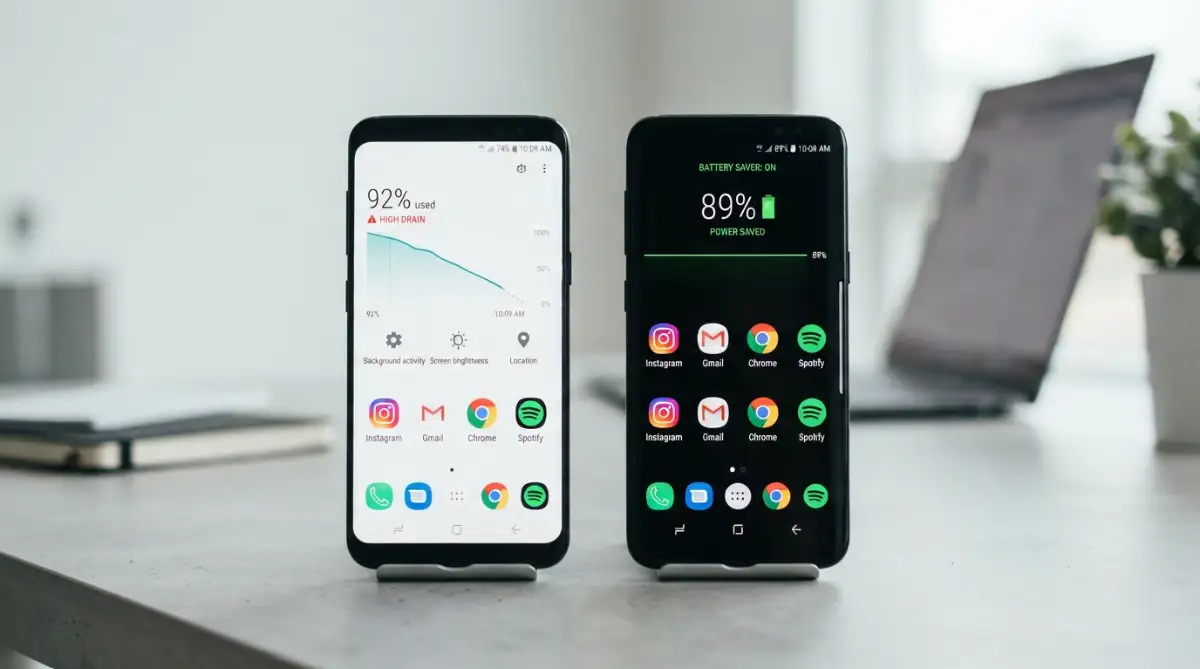
It looks cool, is better for your eyes at night, and keeps your battery running longer. It is a win-win-win situation for everyone.
Avoid Letting Your Phone Hit 0%
Just like charging to 100% is bad, letting your phone die completely is also a big mistake. When a battery hits 0%, it can fall into a "deep discharge" state.
Sometimes, if a battery stays at 0% for too long, it might never turn on again. This is because the chemical balance inside becomes unstable.
Most phones are programmed to shut down before the battery is truly empty to protect itself. But you shouldn't rely on that safety feature every day.
Try to plug your phone in when it reaches about 15% or 20%. This keeps the ions moving smoothly without the "panic" of a total shutdown.
Think of it like a car. You don't wait until the gas tank is completely bone-dry before you go to the gas station.
Keeping a little bit of "reserve" power helps maintain the health of the lithium-ion cells. It prevents the internal resistance from building up too fast.
The Impact of Extreme Cold on Your Device
We talk a lot about heat, but extreme cold is also a silent battery killer. If you live in a very cold place, you might notice your phone dying at 30%.
Cold temperatures make the internal resistance of the battery go up. This means the battery can't deliver the power the phone needs to stay on.
While cold usually doesn't cause permanent damage like heat does, it can cause "sudden death" moments. This can be dangerous if you are outside and need your phone for an emergency.
If you are out in the cold, keep your phone in an inside pocket close to your body. Your body heat will keep the battery at a happy temperature.
Never try to charge a frozen phone. Let it warm up to room temperature first. Charging a very cold battery can cause permanent chemical damage.
Batteries are like humans; they are the happiest when they are at a comfortable room temperature. Treat them like you would treat yourself.
Keep Your Software Updated (Most of the Time)
Software updates often include "battery optimizations." Engineers at Apple and Google are always finding ways to make the code run more efficiently.
When the code is efficient, the processor doesn't have to work as hard. When the processor works less, it uses less battery and stays cooler.
However, there is a small catch. Sometimes, a brand-new update might have "bugs" that cause a temporary battery drain.
If you see everyone on the internet complaining about battery life after an update, wait a week. Usually, the company will release a small "fix" very quickly.
But overall, staying on the latest version of your OS is better for your device. It keeps your phone secure and running with the latest power-saving tricks.
Don't ignore those update notifications forever. They are often the key to keeping an older phone feeling fast and healthy.
Summary of the First Steps
We have covered a lot of ground today. We learned that the "0% to 100%" habit is hurting our devices more than we thought.
We looked at how heat, cheap cables, and fast charging are all secret enemies of our phone's lifespan. We also touched on how screen settings and cold weather play a role.
The good news is that these are all easy things to change. You don't need to be a tech genius to take better care of your smartphone.
By making small changes today, you can make your phone last an extra year or two. This saves you hundreds of dollars and reduces electronic waste.
In the next part, we will look at even more advanced ways to protect your device. We will talk about signal strength, Wi-Fi vs. Data, and how to check your actual battery health.
Stay tuned because your phone's life depends on it! You have the power to stop being a "battery killer" right now.
Going Beyond the Basics: Professional Secrets for Battery Longevity
Many people think that simply avoiding heat and using a good cable is enough. While those steps are a great start, there are deeper layers to how your phone manages power. If you want your device to last four or five years instead of two, you need to understand battery calibration.
Your phone has a tiny computer inside that calculates how much energy is left. Sometimes, this computer gets confused and shows the wrong percentage. You might see your phone jump from 15% to 5% in a single minute. This is often because the software hasn't been "reset" in a long time.
To fix this, you should let your battery drop to about 5% once every few months. Then, charge it all the way to 100% without stopping. This helps the software "re-learn" where the top and bottom of the battery capacity are. It keeps your battery readings accurate so you aren't left with a dead phone when you thought you had more time.
Another major drain that people ignore is the "searching for signal" phase. When you are in a basement or a rural area with bad service, your phone works overtime. It pumps more power into the antenna to try and find a tower. This creates a massive amount of internal heat and drains the battery in a few hours.
If you know you are going into an area with no service, just turn on Airplane Mode. It stops the phone from shouting into the void for a signal that isn't there. This simple trick can save up to 30% of your battery during a long day of hiking or traveling. If you are planning a trip, you might also want to learn how to fly like a pro to stay organized and keep your tech ready.
Wi-Fi is almost always better for your battery than cellular data (4G or 5G). Using a cellular connection requires the phone to communicate with a tower miles away. Wi-Fi only has to talk to a router in the same room. Whenever possible, stay connected to a trusted Wi-Fi network to give your battery a break.
For those who use their phones for heavy work or study, managing focus is a great way to save energy. When you stop jumping between apps, your processor stays in a low-power state. You can read about how to stop multitasking to improve your own productivity and your phone's battery life at the same time.
Scientific research shows that lithium-ion batteries are happiest when they stay at room temperature. According to the Journal of Power Sources, keeping a battery even 10 degrees cooler can extend its life by months. This is why you should never leave your phone on a laptop that is running hot.

Are You Falling for These Common Battery Myths?
We often see "Battery Booster" or "Phone Cleaner" apps in the app store. They promise to speed up your phone and make the battery last twice as long. I want to be very honest with you: most of these apps are completely useless. In fact, many of them are actually harmful to your device.
These apps work by force-closing every other app running in the background. While this sounds good, it actually makes your phone work harder. When you go to open your messages again, the phone has to load the whole app from scratch. This takes more power than if the app had just stayed "frozen" in the background memory.
Modern smartphones are very smart at managing their own memory. They know how to put apps to sleep when they aren't being used. By using a "task killer" app, you are fighting against the phone’s built-in logic. This constant opening and closing of apps creates a cycle of heavy CPU usage and heat.
I used to be obsessed with these cleaner apps until I noticed my phone was getting hotter when I used them. I realized I was paying with my battery life for a "feature" that did nothing. It is much better to just go into your settings and manually uninstall apps you never use.
Another mistake is leaving every single "extra" feature on all the time. This includes things like Bluetooth, NFC, and Ultra-Wideband (UWB) tracking. If you aren't using a smartwatch or wireless headphones right now, turn off the Bluetooth. It is like leaving the lights on in every room of your house even when you are only in the kitchen.
Many people also forget to clean their charging ports. Over time, pocket lint and dust get stuck inside the small hole at the bottom of your phone. When you plug in your charger, the lint prevents a solid connection. This can cause the phone to charge slowly or stop and start repeatedly.
When the connection is weak, it can create "arcing," which is a tiny electrical spark. This generates localized heat right at the bottom of your phone. Use a non-metal toothpick or a small brush to gently clean out your charging port every few months. You will be surprised at how much dirt comes out and how much better your phone charges.
If you treat your phone like a delicate piece of machinery, it will reward you. Neglecting these small physical details is what leads to those "sudden failures" that we all hate. Just like protecting your EV battery, smartphone care is all about consistency and avoiding extreme stress.
The Hidden Danger of Low-Power Modes
Almost every phone has a "Low Power Mode" or "Battery Saver" button. While this is a great tool, some people leave it on 24/7. They think they are being extra safe, but this can cause some issues. When this mode is on, your phone stops syncing your mail and slows down the processor.
If you are always in low power mode, you might miss important notifications or security updates. It also means your phone is running at a lower performance level than what you paid for. It is better to use this mode only when you actually drop below 20%.
Using the right power adapter is also a very big deal. Many people use a high-wattage laptop charger to charge their tiny phones. While most modern phones can handle this, it still pushes the battery to its limits. If you have time, use the charger that came in the box or one with the exact same power rating.
Managing Your Digital Health for Physical Longevity
The way you use your phone on a daily basis is the biggest factor in how long it lasts. If you are constantly checking your phone for no reason, you are waking up the screen and the processor. This "micro-usage" adds up to hours of screen time that you didn't even realize you were using.
Try to set "Do Not Disturb" schedules for when you are sleeping or working. This prevents the screen from lighting up every time you get a spam email or a random social media like. Each time that screen turns on, it eats a little bit of your battery's future.
I have found that using a physical watch or a dedicated alarm clock helps me stay off my phone. If I don't pick up the phone to check the time, I don't get sucked into social media. This habit change saved my mental health and my phone's physical health at the same time.
If you are struggling with stress or burnout from being "always connected," it might be time for a change. You can look at some sustainable work habits to find a better balance. Your devices are meant to be tools, not something that controls your entire life.
Taking Charge of Your Device's Future
Protecting your smartphone battery is not about one single "magic" trick. It is about a collection of small, smart habits that you do every single day. From choosing the right cable to keeping your phone out of the sun, every action counts.
When you take care of your battery, you are actually taking care of your wallet. Buying a new phone every two years because the battery is dead is a very expensive mistake. If you can make your phone last four years, you have effectively cut your technology costs in half.
I want you to feel empowered to take control of your tech. You don't have to be a victim of "planned obsolescence." With the right knowledge, you can outsmart the system and keep your device running like new. It starts with just one small change, like unplugging your phone before it hits 100%.
Think about how much we rely on our phones for safety, work, and connection. Keeping your battery healthy is a form of self-care. It ensures that when you really need to make a call or find a map, your phone won't let you down.
Since I started following these exact rules, my three-year-old phone still has 92% battery health. I no longer carry a heavy power bank in my bag, and I don't panic when I see the 20% warning. I want that same peace of mind for you, and I know you can achieve it starting today.
Myth vs Fact
"### Quick Myths You Should Stop Believing Now
- Myth: You must charge your new phone for 24 hours first.
- Fact: Modern batteries are ready to go right out of the box.
- Myth: Closing apps saves battery.
- Fact: Opening them again actually uses more power. Just let them stay 'frozen' in the background.
- Myth: Overnight charging will make your phone explode.
- Fact: Modern phones stop the flow, but 'trickle charging' still keeps the battery stressed."
Common Questions About Phone Battery Health
Should I let my phone die completely before charging?
No, you should avoid letting it hit 0% whenever possible. Most modern lithium-ion batteries are stressed when they are totally empty. It is best to plug in your charger when you reach around 15% to 20% to keep the battery chemicals stable.
Is it okay to use my phone while it is charging?
Using your phone for light tasks like texting is fine, but avoid heavy gaming or video streaming while plugged in. This creates too much heat because the battery is charging and discharging at the same time. High heat is the fastest way to permanently damage your battery's capacity.
Does "Dark Mode" really save battery life?
Yes, but only if your phone has an OLED or AMOLED screen. On these screens, black pixels are completely turned off and consume zero power. If your phone has an older LCD screen, dark mode won't save much power, but it is still easier on your eyes at night.
Can a fast charger damage my battery over time?
Fast chargers are safe to use, but they do generate more heat than slow chargers. If you have plenty of time, such as when you are at your desk or sleeping, using a standard charger is gentler on the battery. Save the fast charger for those moments when you are in a genuine hurry.
A Note on Device Safety
This information is for educational purposes and based on general smartphone battery science. Always refer to your specific device manufacturer's guidelines for the best results. If your battery is swelling, leaking, or extremely hot to the touch, stop using the device immediately and seek professional repair services to avoid any risk of fire or injury.