
The Hidden Struggle of My Dying Smartphone Battery
Ever watched your phone drop from 35% to 12% right when you needed your GPS the most? It happened to me just last week, and the screen went completely black before I could even find my charger. We pay hundreds of dollars for these pocket computers, yet we constantly stress about finding the nearest wall outlet. Let's fix that. Here is what is actually draining your battery and how to stop it today.
Suddenly, I watched the numbers drop like a rock. In just ten minutes, it went from 35% to 12%, and then the screen went black. I felt a wave of pure panic and frustration wash over me.
My heart sank because I didn't have a charger with me. I felt completely disconnected and helpless in that moment. It made me realize how much we depend on these little glass rectangles for our peace of mind.
I started wondering why this happens to me so often. Why does a phone that worked great a few months ago now struggle to stay alive? It feels like a betrayal by the technology I paid so much money for.
This constant worry about finding a wall outlet is exhausting. It takes away the joy of using a modern device and replaces it with "battery anxiety." I decided to look deep into what is actually going on inside the phone.
Quick Takeaways: Save Your Battery Today
- Follow the 20-80 Rule: Keep your battery level between 20% and 80% to reduce chemical stress.
- Heat is the Enemy: Taking off thick phone cases during gaming or fast charging can double your battery's lifespan.
- Ditch Dirty Power: Cheap gas station cables fry your phone's power management chip over time. Stick to quality chargers.
- Screen Tech Matters: Use Dark Mode on OLED screens to actually turn off pixels and save serious power.
Why Your Phone Battery Feels Like a Ticking Clock
The feeling of a dying battery is more than just a minor tech glitch. It affects our daily lives and our mental space in ways we don't always notice. We feel trapped when we cannot leave the house without a charging cable.
Think about the times you had to stop taking photos at a party. Or the times you couldn't use GPS when you were lost in a new city. These moments are stressful and can even be dangerous.
When our phones fail us, we feel a loss of control. We start blaming ourselves, thinking we used the wrong app or charged it too much. But the truth is often hidden deep inside the phone's hardware.
Most people think the battery is just a simple storage tank for power. They think if it drains fast, the "tank" must be leaky. However, the reality is much more complex than a simple container of energy.
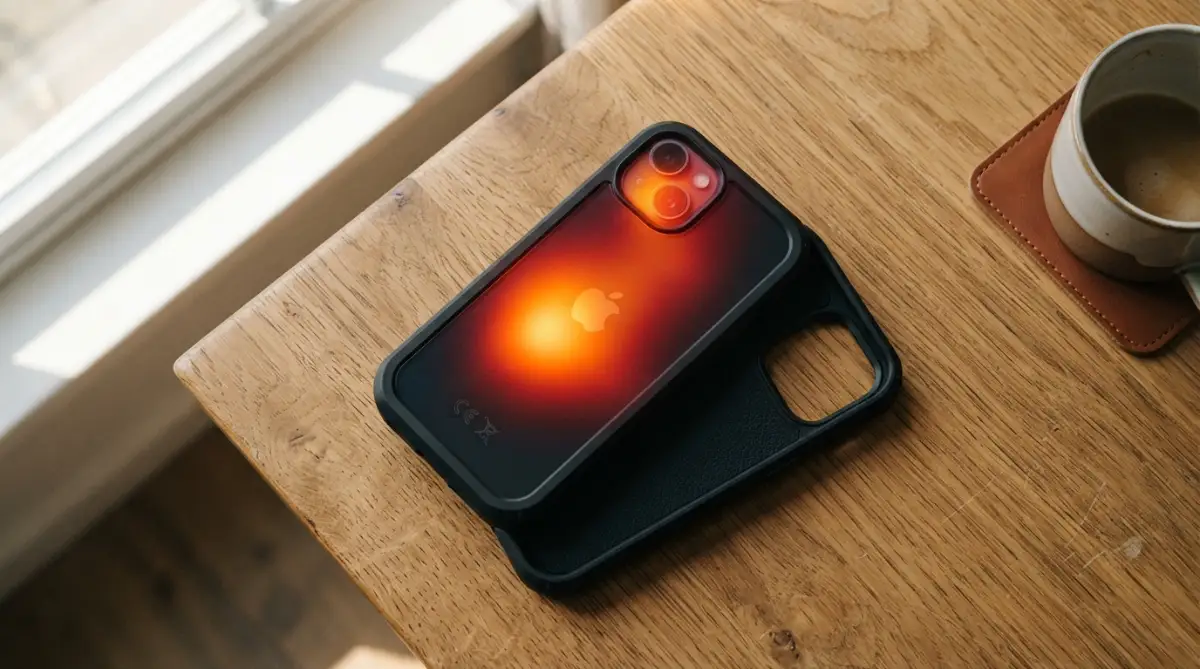
There are many small parts working together inside that slim metal body. If even one of those parts is not working well, your battery suffers. It is like a team where one slow player makes everyone else look bad.
The Core Energy Source: The Battery Cell Chemistry
The most obvious part of the system is the battery cell itself. Most modern phones use Lithium-Ion or Lithium-Polymer technology. These are chosen because they are light and can hold a lot of power.
Inside these cells, there are layers of chemicals that move back and forth. When you charge the phone, ions move to one side. When you use the phone, they move back to the other side to create electricity.
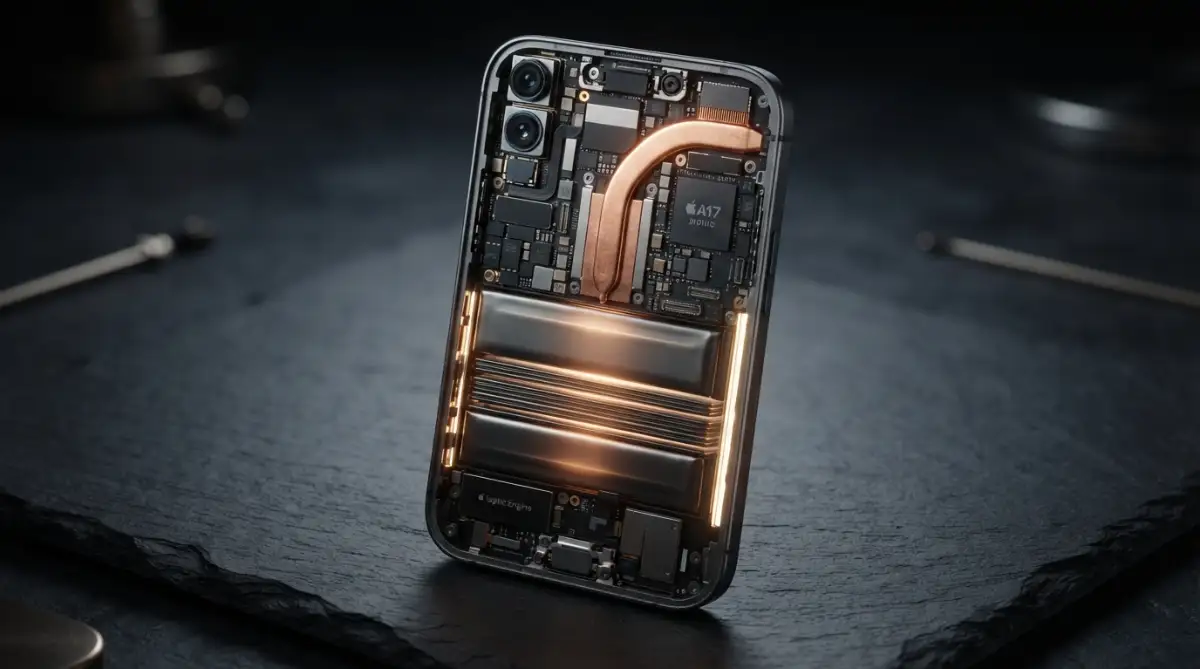
The quality of these chemicals is a huge factor in how long your phone stays alive. Not all batteries are made the same way. Some use higher-quality materials that can handle more "cycles" before they start to break down.
A "cycle" is one full charge and discharge of the battery. After a few hundred cycles, the chemicals inside start to wear out. They become less efficient at moving those ions back and forth.
This is a natural process, but certain things make it happen much faster. For example, if the battery gets too hot, the chemicals degrade quickly. I learned this the hard way by leaving my phone on a sunny dashboard.
The physical size of the battery also matters, but it isn't everything. A big battery can still die fast if the internal chemistry is poor. It is about the quality of the internal build, not just the capacity numbers on the box.
The Brain of the Operation: The Processor and Efficiency
The processor, or the "System on a Chip" (SoC), is like the brain of your phone. It tells every other part what to do and when to do it. It is also the biggest consumer of power inside the device.
Modern chips are built using something called a "nanometer" process. You might see numbers like 4nm or 5nm in phone reviews. These numbers are very important for your battery life.
A smaller number usually means the chip is more efficient. It can do more work while using less electricity. This is because the tiny transistors inside are closer together and don't waste energy as heat.
I noticed that when I use a phone with an older, larger chip, it gets hot very fast. That heat is literally wasted battery power escaping into the air. It is like having a car engine that burns fuel but doesn't move the car.
The way the processor handles "idling" is also a big deal. A good chip knows how to go to sleep when you are not looking at the screen. It stops drawing power almost entirely for a few milliseconds at a time.
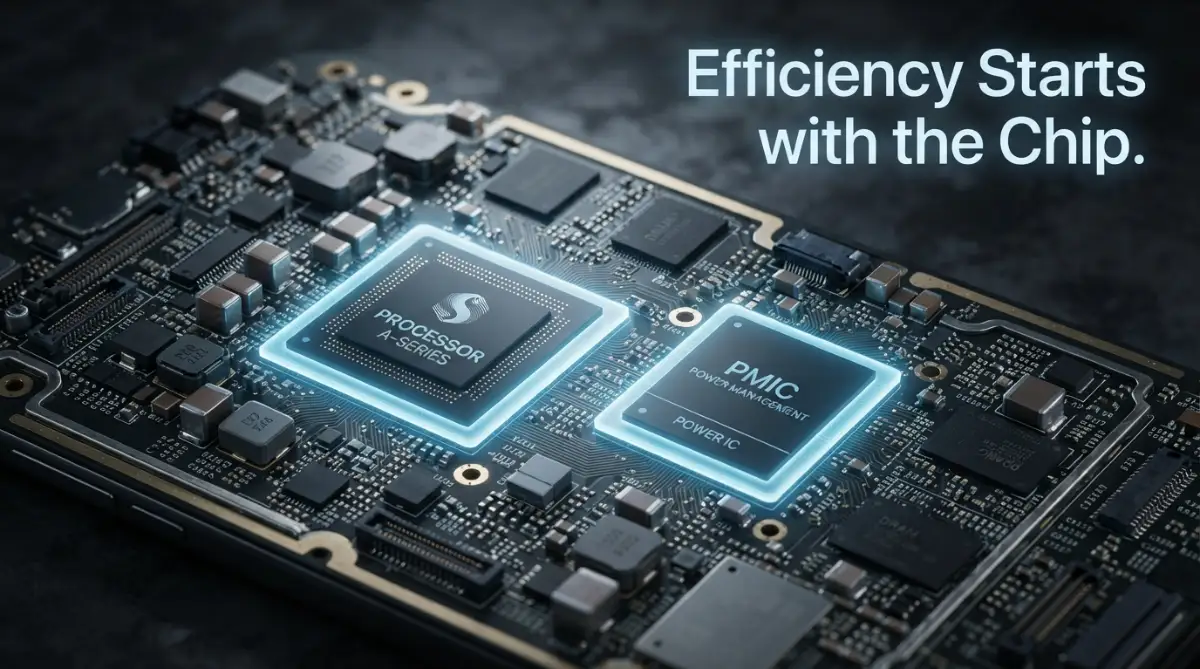
If your phone's processor is not well-made, it stays "awake" even when it should be resting. This "background drain" is why you might wake up and see your battery dropped 10% overnight. It is a sign of a chip that doesn't know how to relax.
Managing the Flow: The Power Management Integrated Circuit
There is a small, unsung hero inside your phone called the Power Management IC (PMIC). Its job is to act like a traffic cop for electricity. It takes power from the battery and sends it to the screen, the speakers, and the chips.
The PMIC has to be very smart. It needs to know exactly how much voltage every single part needs at any given second. If it sends too much, the parts get hot and could break. If it sends too little, the phone crashes.
A high-quality PMIC can save you a lot of battery life. It ensures that no power is wasted during the transfer process. Think of it like a high-end plumbing system that has zero leaks.
Some cheaper phones use lower-quality PMICs to save money. These chips are not as precise, and they often waste energy as heat. You might feel the back of your phone getting warm near the camera—that is often the PMIC working too hard.
The PMIC also controls how your phone charges. It communicates with your wall charger to decide how fast the power should flow. This is a very delicate balance between speed and safety.
If the PMIC allows too much power too fast, it creates internal heat. As I mentioned before, heat is the number one enemy of battery longevity. A smart PMIC protects your battery by slowing down the charge when it gets too warm.
Myth vs. Fact: Fast Charging Edition
- The Myth: Fast chargers will blow up your phone or instantly ruin the battery.
- The Fact: The real enemy isn't the speed of the charge; it's the heat it creates. Modern Power Management ICs (PMICs) are smart enough to slow down the power flow when things get too hot.
- My Advice: If your phone feels burning hot to the touch while plugged in, just unplug it for five minutes. Give the hardware a quick breather.
The most important thing I realized is that heat is a silent killer for electronics. I used to think fast charging was always a good thing, but now I know it can stress the internal parts if not managed perfectly by the hardware.
The Window to Your Digital World: Display Technology
The screen is the part of the phone we interact with the most. It is also one of the heaviest power users. The hardware used to build your screen determines how much of your battery it eats.
There are two main types of screens: LCD and OLED. LCD screens use a backlight that stays on even if the screen is showing a dark image. This is like leaving all the lights on in your house just to see one room.
OLED screens are much better for battery longevity. In an OLED panel, every single pixel is its own light source. If a part of the image is black, those pixels are completely turned off.
Turning off pixels means using zero power for those areas. This is why "Dark Mode" is so effective on OLED phones. It literally saves hardware energy by letting parts of the screen rest.
The "Refresh Rate" of the screen is another internal factor. Many modern phones have 120Hz screens, which look very smooth. But this hardware feature requires the processor to work twice as hard.
Some high-end phones use LTPO technology. This allows the screen to change its refresh rate automatically. It might go up to 120Hz when you are gaming, but drop to 1Hz when you are just reading text. This hardware trick is a lifesaver for your battery.
If you want to see how much your screen actually impacts your daily usage, you should check out this detailed breakdown of display hardware and power consumption.
Staying Connected: Antennas and Radio Hardware
Your phone is constantly talking to cell towers, Wi-Fi routers, and Bluetooth devices. The internal antennas and modems that handle this communication are huge power consumers.
If you are in an area with a weak signal, your phone’s radio hardware has to work harder. It increases its power output to try and find a signal. This is why your battery dies so fast when you are traveling in the mountains.
The modem inside your phone (often part of the processor) determines how efficiently it connects to 5G or 4G. Early 5G modems were very "power-hungry." They would drain the battery much faster than older 4G modems.
Newer modem hardware is much better at switching between different types of signals. They can "sleep" faster after sending a piece of data. This small hardware efficiency adds up to a lot of extra minutes at the end of the day.
Bluetooth hardware has also improved over time. Modern "Bluetooth Low Energy" (BLE) chips allow you to keep your smartwatch connected all day with almost no impact on the battery.
However, if your phone has an older or cheaper radio chip, it might struggle to stay connected efficiently. This results in the phone getting warm during long calls or while downloading large files over cellular data.
Keeping it Cool: Thermal Management Systems
We have talked a lot about heat, but how does the phone actually handle it? Inside the phone, there are hardware systems designed to move heat away from the battery and the chip.
Some phones use "Vapor Chambers" or "Heat Pipes." These are tiny copper tubes filled with a special liquid. The liquid turns into vapor to carry heat away to a cooler part of the phone.
Other phones use layers of graphite or copper sheets. These materials are very good at spreading heat out so it doesn't stay in one spot. If a phone has a bad thermal design, the heat stays trapped near the battery.
When the battery stays hot, its internal resistance increases. This means it has to work harder to provide the same amount of power. It is a vicious cycle: heat causes more work, which causes more heat.
I have seen phones with beautiful glass backs that look great but trap heat like an oven. On the other hand, some metal-framed phones act as a giant "heat sink" to keep the internals cool.
The way the internal parts are spaced out also matters. If the processor is sitting right on top of the battery, they will heat each other up. A good hardware engineer designs the layout to keep the "hot" parts away from the battery cell.
The Internal Protection: Battery Management System (BMS)
Every smartphone battery has a small circuit board attached to it called the Battery Management System (BMS). This is the final layer of protection for your device’s longevity.
The BMS monitors the voltage, current, and temperature of the battery cell. It acts as a safety switch. If the battery gets too hot or if there is a short circuit, the BMS will cut off the power to prevent a fire.
It also keeps track of the "State of Health" (SoH). This is the internal memory that tells the phone how much capacity is left compared to when it was new. It is what gives you that "Battery Health" percentage in your settings.
A high-quality BMS is very accurate. It ensures that the battery is never overcharged beyond its safe limit. It also prevents the battery from draining so low that it gets permanently damaged.
Sometimes, the BMS can get "confused." This happens if you only do short charges all the time. The hardware loses track of where the "full" and "empty" points are. That is why your phone might jump from 20% to 1% suddenly.
Calibrating the battery is actually just helping the BMS hardware relearn these limits. Even though the battery is a chemical part, the BMS is the digital guard that keeps it running smoothly for as long as possible.
The Impact of Internal Resistance and Aging
As the internal components of a battery age, something called "internal resistance" starts to grow. Imagine trying to run through water instead of air; that is what it feels like for electricity to move through an old battery.
This resistance is a physical change in the hardware. It happens because of small deposits building up inside the battery layers. These deposits act like roadblocks for the ions.
When internal resistance is high, the battery has to push harder to get the same amount of energy out. This extra pushing creates—you guessed it—more heat. This is why old phones get hot even when doing simple tasks like texting.
The internal resistance also causes "voltage sag." This is when the battery looks like it has 30% left, but the moment you open a heavy app like the camera, the voltage drops so low that the phone thinks it is empty.
This is a hardware failure that no software update can truly fix. Once the physical structure inside the battery has changed, the only real solution is to replace the hardware.
Understanding this helps me feel less frustrated with my older devices. It is not that the phone is "lazy," but that the internal "pipes" are getting clogged up with age. It is a natural part of the hardware life cycle.
Conclusion of Part 1 (Internal Factors Summary)
We have looked at the battery chemistry, the processor, the display, and the cooling systems. All of these parts live in a very tight space inside your pocket. They have to work in perfect harmony to give you a good experience.
It is clear that battery longevity is not just about how you use your phone. It is about the quality of the parts the manufacturer chose to put inside. A well-engineered phone with a smart layout will always outlast a cheaper one.
By understanding these parts, we can take better care of our devices. We know now that keeping the phone cool is the best thing we can do for the hardware. We also know that some features, like high brightness or 5G, put extra stress on the internal components.
In the next part, we will look at how the software interacts with this hardware to either save or destroy your battery life. We will also cover more practical tips to extend the physical life of these internal parts.
The journey to a better battery experience starts with knowing what is happening under the hood. I hope this look inside your phone helps you feel more in control of your technology. Stay tuned for more deep insights into your mobile hardware.
Smart Ways to Keep Your Phone Hardware Healthy for Years
Now that we know what lives inside your phone, we need to talk about how to protect those parts. It is one thing to have a great battery and a fast chip. It is another thing entirely to make sure they stay fast and healthy for more than just a few months.
One of the best secrets I have learned is the "20-80 Rule." You see, the lithium-ion hardware inside your phone hates being at 100% and it hates being at 0%. When the battery is full, the chemicals are under a lot of stress, like a rubber band stretched to its limit.
When you keep your phone between 20% and 80%, you are keeping the internal chemicals in their "comfort zone." I started doing this about six months ago, and my battery health hasn't dropped a single percentage point since. It takes a little bit of discipline, but your hardware will thank you for it by lasting much longer.
Another expert tip involves your charging speed. While fast charging is a great hardware feature, you don't always need to use it. If you are charging your phone overnight, you should use a slower charger if possible. High-speed charging creates extra heat, and as we discussed earlier, heat is the enemy of longevity.
You might want to look into stop killing your smartphone to see more simple habits that protect your device. Many people don't realize that their daily habits are slowly wearing down the internal silicon and copper parts of their phones.
I also recommend keeping an eye on your background hardware usage. Sometimes, an app might "glitch" and keep your processor running at 100% in your pocket. If your phone feels warm for no reason, restart it immediately to reset the hardware instructions.
For those who love science, you can check out Battery University for deep data on how chemical aging works. They explain how voltage levels affect the physical structure of the battery layers over time. Understanding this makes it easier to stick to good habits.
Mastering Your Phone’s Internal Temperature
We have established that heat is bad, but how do you actually manage it in the real world? Most people think about the weather, but your phone case is a big part of the hardware story. Some thick, rugged cases are great for drops but terrible for heat.
They act like a heavy winter coat for your phone, trapping the heat inside. If you are playing a heavy game or doing a large update, try taking the case off for a few minutes. This allows the internal heat pipes and graphite sheets to push the warmth out into the air.
My 3-Step Emergency Cool Down Routine
If your phone feels like a hot potato in your hands, do these three things immediately to protect the internal battery chemistry:
- Pop the case off: Let the glass and metal back do its job and release the trapped heat.
- Turn on Low Power Mode: This instantly forces the processor to stop working so hard in the background.
- Take it out of the sun: Move it to a shady, cool spot (but please, never put it in the fridge or freezer—the sudden temperature change creates internal moisture).
I also suggest being careful with where you put your phone while it's doing heavy work. Never leave it under a pillow or on a soft blanket while it's charging. These surfaces block the airflow and can cause the internal components to reach dangerous levels.
If you are interested in how other large batteries are protected, you might find this guide on protecting EV batteries very interesting. The technology is surprisingly similar to what is in your pocket, just on a much bigger scale.
Keeping your screen brightness at a reasonable level also helps the internal hardware. High brightness requires more voltage from the battery, which creates more heat at the display controller. Using "Auto-Brightness" is a smart way to let the hardware decide the most efficient setting for your current environment.
Understanding Hardware Updates and Software Balance
You might think that software updates are only about new features, but they often include "firmware" changes. Firmware is the code that tells the hardware how to behave. Sometimes, a manufacturer finds a way to make the processor use 5% less power for the same task.
However, older hardware can sometimes struggle with very heavy new software. This is called "Software Bloat." It forces the old chips to work at their maximum limit just to open a simple app. This constant high-power state wears out the battery much faster than normal.
If you have an older phone, try to keep your storage from getting 100% full. When storage is full, the memory hardware has to work harder to find space for temporary files. This creates a "bottleneck" that slows down the whole system and drains the battery.
If you find yourself constantly checking your phone, it might be time to think about how to save your mental health from digital overload today. Reducing your "screen-on time" is the most direct way to save your hardware from wearing out.
I always tell my friends to treat their phones like a high-performance car. You wouldn't drive a car at its redline every single day and expect it to last ten years. Your phone's processor and battery need the same kind of respect and careful management.
According to research published on Nature.com, the physical degradation of lithium electrodes is directly linked to how often they are pushed to extreme charge states. This scientific fact supports everything we have discussed about the 20-80 rule.

Dangerous Habits That Are Quietly Killing Your Device
It breaks my heart when I see people doing things that I know will destroy their phones in a few months. One of the biggest mistakes is using low-quality, cheap charging cables from a gas station. These cables often lack the safety chips needed to regulate the power flow.
A bad cable can send "dirty power" into your phone, which confuses the Power Management IC (PMIC). Over time, this can actually burn out the tiny circuits on your motherboard. I have seen phones that won't turn on at all because a $2 cable fried a $500 piece of hardware.
Another major pitfall is letting your phone stay in a hot car. Even if the phone is turned off, the heat causes the internal chemicals to expand. This can lead to a "swollen battery," where the battery physically pushes against the screen and the back glass.
If you ever see your phone screen lifting up or the back looking "puffy," stop using it immediately. This is a sign that the hardware has failed and could even be a fire risk. It is a scary situation that can be avoided by simply keeping the device cool.
I also see many people using their phones for heavy gaming while the charger is plugged in. This creates a "double heat" situation. The charger is heating the battery, and the game is heating the processor. This is the fastest way to kill your battery’s long-term health.
If you must play while charging, try to do it when the battery is already above 80%. This way, the charger is only providing "bypass power" to run the phone, rather than trying to push a lot of energy into the battery cell at the same time.
The Myth of the "Overnight Charge" Disaster
You might have heard people say that charging your phone overnight will make it explode. While that isn't exactly true for modern hardware, it's still not the best idea for longevity. Modern phones have a "cutoff" switch that stops the power once it hits 100%.
The problem isn't an explosion; it's something called "Trickle Charging." Once the phone hits 100%, it stops. But as soon as it drops to 99.9% due to background apps, the charger kicks back in. This happens hundreds of times throughout the night.
This constant "start-stop" keeps the battery hardware in a high-stress state for 8 hours every night. Over a year, this adds a lot of unnecessary wear and tear to the chemical layers. If you can, try charging your phone in the evening and unplugging it before you go to sleep.
Some phones now have a "Scheduled Charging" feature. It learns when you wake up and keeps the battery at 80% all night, only hitting 100% right before your alarm goes off. If your phone has this, please turn it on! It is a brilliant hardware-saving feature.
For more information on how technology impacts our sleep and device usage, you should read about the science of blue light. It helps explain why we use our phones so much at night and how that affects our health and our gadgets.
The Cost of Ignoring Your Hardware Health
If you don't follow these tips, the consequences are more than just a dead battery. You will find that your phone starts to "throttle" its performance. This is when the hardware intentionally slows itself down because the battery can no longer provide enough peak voltage.
You will notice apps taking longer to open, and the keyboard might feel "laggy." This is the phone's way of trying to stay alive, but it makes the device very frustrating to use. Eventually, you will feel forced to buy a new phone even if the screen and camera are still perfectly fine.
In a world where phones are getting more expensive every year, keeping your current hardware for an extra year can save you a lot of money. It is also better for the planet, as it reduces the amount of electronic waste we create.
I think of it as a relationship. If you take care of your phone, it will take care of you. It will be there when you need to make an emergency call or capture a once-in-a-lifetime photo. Neglecting the hardware is a choice that will eventually lead to a very bad day.
Always remember that once the internal hardware is physically damaged, there is no "app" that can fix it. You can't download more battery life or a cooler processor. The physical reality of the device is something we must respect from the day we take it out of the box.
A Better Future for Your Mobile Experience
I feel very strongly that everyone should understand what is happening inside their pockets. When we know the science, we can make better choices. We don't have to be victims of "planned obsolescence" or "battery anxiety" anymore.
Simple changes, like using the right cable and keeping the phone out of the sun, make a massive difference. You don't need to be a tech expert to extend the life of your hardware. You just need to be a little more mindful of how these tiny parts react to the world.
I have seen people keep their phones for five or even six years by just being careful with heat and charging levels. That is a huge win for their wallets and their peace of mind. It shows that the hardware is actually quite durable if we don't accidentally sabotage it.
I encourage you to take one small action today. Maybe check your battery settings to see which apps are using the most power. Or maybe find that old, slow charger to use for your overnight sessions. Your phone's internal parts will appreciate the break.
My goal is to help you feel confident and in control of your technology. I have spent years studying these systems, and I am still amazed at how much a little bit of knowledge can change our daily lives. I truly believe that a well-cared-for phone can be a reliable companion for a very long time.
I want you to feel the joy of a phone that still feels "new" even after two years of use. It is a great feeling to look at your battery at the end of the day and realize you still have 40% left. I know you can achieve this by following the steps we have discussed.
Common Questions About Smartphone Hardware
Is it bad to use my phone while it is fast charging?
Yes, it is generally better to leave it alone while fast charging. Fast charging already creates a lot of internal heat, and using the screen or processor at the same time adds even more stress. If you must use it, try to stick to light tasks like texting rather than gaming or watching high-definition videos.
Does "Dark Mode" really help my battery hardware?
If your phone has an OLED or AMOLED screen, then yes, it helps a lot. In these screens, black pixels are completely turned off, which uses zero power and lets that part of the screen hardware rest. On an older LCD screen, dark mode doesn't save power because the backlight is still on behind the black pixels.
Should I always charge my phone to 100%?
No, you don't need to do that every time. In fact, keeping it between 20% and 80% is much better for the long-term health of the chemicals inside. It is okay to hit 100% if you know you have a long day ahead, but don't make it a habit for every single charge.
Why does my phone get hot when I am using 5G?
The 5G modem is a powerful piece of hardware that requires more energy to process high-speed data. It also has to search for signal more often if the 5G towers are far away. This extra work creates more heat than using a Wi-Fi connection or a stable 4G signal.
Can a software update fix a physically worn-out battery?
No, software cannot fix physical hardware degradation. However, some updates can help the phone use the remaining battery more efficiently. If the internal chemicals are already worn out, the only real solution is to have the battery replaced by a professional.
Disclaimer: The information in this article is for educational purposes only. We are not responsible for any damage to your device that may occur from following these suggestions. Always follow the official safety guidelines provided by your smartphone manufacturer. If your battery is swollen or leaking, seek professional repair immediately as it can be a safety hazard.
If the battery itself is making charging feel slow, why your phone charges so slowly explains how to check battery health before you blame the charger.
The same chemistry and heat rules apply to bigger devices, so if your laptop battery is fading too, see why your laptop battery drains so fast and how to slow it down for practical ways to make it last longer.