The Daily Cable Confusion: A Story of Wasted Time
Let's start with a crazy fact: last week, I bought my fourth charging cable this month because the other three refused to connect my external monitor. It turns out, that little oval port on the side of our laptops is hiding a massive secret. If you are tired of wasting your hard-earned money on wires that do absolutely nothing, let me show you exactly how to pick the right one every single time.
I felt so frustrated that I just wanted to sweep everything off the table. Why does connecting a simple device have to feel like solving an impossible puzzle? I ended up buying three different cables online, wasting a lot of hard-earned money.
Every single day, thousands of people face this exact same headache. You buy a new hard drive or a shiny new monitor, expecting a smooth setup. Instead, you get a "device not recognized" error message flashing on your screen.
This kind of everyday tech trouble quietly ruins our peace of mind. We just want our devices to work together without needing an engineering degree. Instead, we spend hours watching random tutorials, trying to figure out why a cable that fits perfectly into a port simply refuses to do its job.
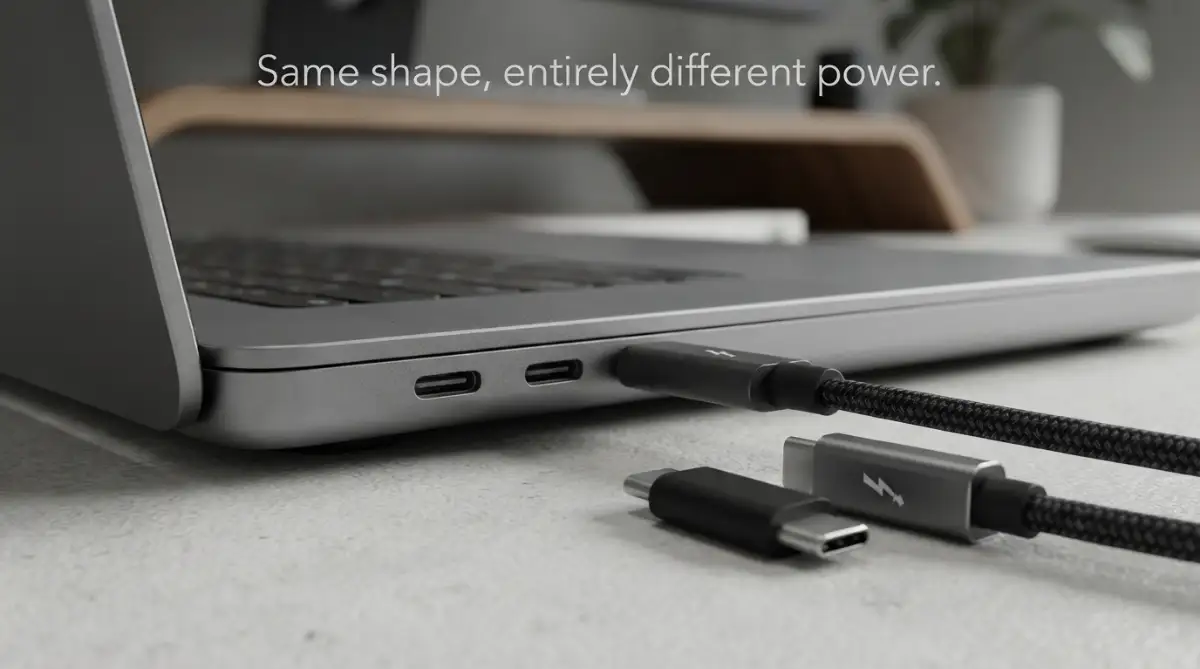
Quick Cheat Sheet for Buying Cables:
- Check the Logo: Always look for the tiny lightning bolt symbol if you want fast video and heavy charging.
- Read the Box: Make sure it specifically says "Power Delivery" and "DisplayPort" before paying.
- Label Everything: Use cheap colored tags on your wires at home so you never mix up a slow charger with a fast video cord again.
The Hidden Truth Behind the Oval Port
Let us clear up the biggest misunderstanding right now. The physical shape of the port is not the same as the technology hiding inside it.
Think of the shape as a simple doorway in your house. Anyone can walk through a doorway, but what they do once inside is a totally different story.
USB Type-C is just the name of that physical oval doorway. It is simply a shape.
Thunderbolt, on the other hand, is the highly intelligent brain moving the traffic through that doorway. It determines how fast things move and how much power gets shared.
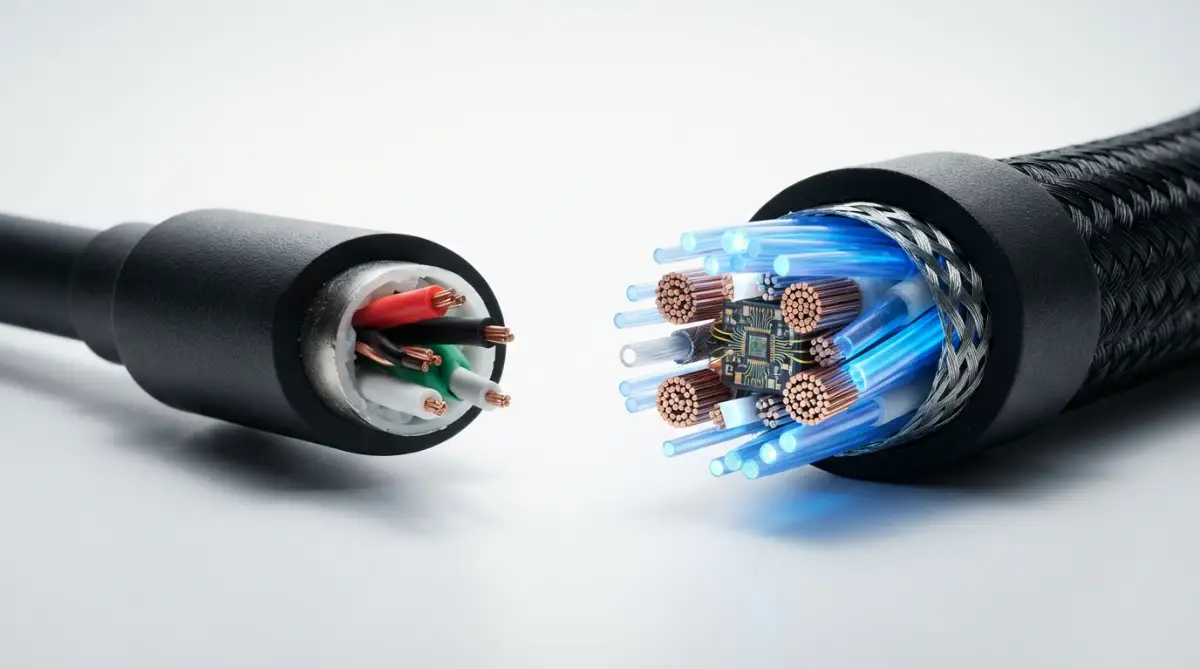
Myth vs. Reality: The Cable Trap
Myth: If a cable has that small oval shape on both ends, it will give me super-fast data speeds and charge my laptop.
Reality: Many cheap oval cables are only designed to transfer tiny amounts of power. They might take ten hours to transfer a single video file.
.How Speed Really Affects Your Daily Routine
When we talk about data transfer, the numbers can sound a bit boring. However, these numbers completely change how you experience your workday.
A standard connection might offer a speed of 5 to 10 gigabits per second. If you are moving a folder full of family vacation photos, you might have enough time to go make a cup of coffee.
Now, imagine having a connection that offers up to 40 gigabits per second. That same massive folder of photos transfers before you even have the chance to stand up from your chair.
This massive speed jump is what Thunderbolt brings to the table. It is like replacing a bumpy dirt road with a perfectly smooth, multi-lane highway.
Real-World Speed Test: Moving a 10GB 4K Movie
- Basic Cheap Wire (USB 2.0 speeds): About 3 to 4 minutes of waiting.
- Standard Type-C (5 Gbps): Around 20 seconds.
- Premium Thunderbolt (40 Gbps): Less than 3 seconds.
Watch This to See the Magic in Action
If you are still wondering how these two technologies look when tested side-by-side, you have to see this speed test. The difference in performance will completely shock you!
The Power Problem: Why Your Laptop is Not Charging
Have you ever plugged in your computer, seen the charging icon pop up, but watched the battery percentage slowly drop anyway? This is a very common nightmare.
Not all wires can carry enough electricity to keep a hungry computer alive. Some are only built to carry a tiny trickle of power.
Thunderbolt standards demand a very high level of power delivery. If a cable carries that special lightning bolt logo, it is guaranteed to handle heavy electrical loads safely.
This means you can leave your heavy, bulky charging brick at home. You can just use one high-quality cord to connect to a monitor that powers your computer while showing your screen.
My desk used to look like a snake pit of messy wires before I understood this trick. I actually spent 50 bucks on a generic cord that looked great but completely failed to charge my laptop during a work trip. That forced me to learn this lesson the hard way. Always check the power rating before you buy anything.
Connecting Multiple Screens Without the Mess
Many of us love working with two or three screens at the same time. It makes reading documents and browsing the web so much easier.
With basic connections, adding multiple screens usually means buying expensive adapters and messy hubs. You end up plugging five different things into your computer just to get your desktop to show up.
Thunderbolt introduces a magical feature called daisy-chaining. This allows you to connect your computer to monitor A, and then connect monitor A directly to monitor B.
Your computer only needs one single cord plugged into it. The monitors share the signal automatically, keeping your workspace incredibly clean and stress-free.
A Simple Breakdown of the Features
Sometimes, seeing the facts side-by-side makes the choice much easier. Let us look at a quick comparison of what you can expect from these two options.
How to Spot the Right Cable in the Store
Finding the right accessory in a crowded store does not require technical genius. You just need to know exactly what secret symbols to look for on the packaging.
Standard accessories usually have a simple, branching tree logo painted on the plastic. This tells you it is meant for basic, everyday tasks like connecting a mouse or a keyboard.
Premium cords will have a tiny lightning bolt painted right on the metal connector. They usually have a small number next to that bolt, telling you exactly how much speed they can handle.
If you see that lightning bolt, you can relax. You are holding a premium product that has passed very strict testing to ensure it works perfectly every time.
Making the Smart Buying Decision
You do not always need the most expensive option on the shelf. It completely depends on what you are trying to achieve today.
If you just need to charge your wireless headphones or your phone overnight, buying an expensive, premium cord is a waste of money. A basic, sturdy option will do the job perfectly well.
However, if you are a photographer, a video editor, or someone who loves dual-screen setups, you need the premium option. Spending a little extra upfront will save you hours of waiting and endless frustration later.
Always read the back of the box before you open your wallet. Look for the exact words "Power Delivery" and "DisplayPort" if you want to connect screens and charge batteries simultaneously.
Taking Control of Your Tech Setup
Understanding your gadgets shouldn't feel like an endless chore. Once you know the difference between the physical shape and the brain inside, you hold all the power.
You can confidently set up a home office that looks clean and works perfectly. You can stop wasting money on accessories that do not fit your specific lifestyle.
Technology is supposed to make our days smoother, not harder. By choosing the right connection, you are taking a simple but powerful step toward a frustration-free digital life.
Smart Strategies for Building a Clean Desk Setup
Now that we understand the basic differences between the simple oval doorway and the powerful brain behind it, we can actually start improving our daily tech lives. Setting up a home office or a gaming station does not have to be a confusing mess.
If you want a truly professional and clean workspace, you need to start thinking about docking stations. A premium dock acts like a central command post for all your gadgets.
You can plug your mouse, keyboard, dual monitors, and internet cable directly into this single metal box. Then, you simply run one single premium Thunderbolt wire directly to your computer.
This single connection handles everything at once. It sends power to charge your battery, pushes video to your screens, and pulls internet data all at the same exact time. You will never have to plug in five different things when you sit down at your desk again.
How to Test Your True Transfer Speeds
Many people buy expensive equipment and just assume it is working at maximum capacity. You really should not leave this to chance.
There are many free software tools available online that let you measure exactly how fast your data is moving. I highly recommend running a quick speed test the next time you connect an external drive.
If you bought a premium cord but your speed test shows very low numbers, something in your setup is creating a bottleneck. This usually happens when you plug a premium wire into an older, slower port on an older laptop.
Knowing how fast you are moving files to your modern solid-state drive will save you hours of waiting. It is always better to know your true speeds rather than guessing.
The Magic of Active Versus Passive Cords
Here is a secret that most electronics store employees do not even know. The length of your wire completely changes how it performs.
A passive cord is basically just a simple copper wire wrapped in plastic. It works perfectly fine for short distances, usually under three feet.
However, if you try to push massive amounts of data over a long distance, the signal gets weak and confused. To solve this, engineers created something called active cords.
These active options actually have tiny computer chips built directly into the metal connectors at both ends. These chips boost the signal, allowing you to stretch a high-speed connection across a large room without losing a single drop of speed.
If you are setting up a complex studio, always check Intel's official technology standards to understand which length is right for your specific gear. Buying an active option is expensive, but it is entirely worth the money for a large desk setup.
Creating a Foolproof Labeling System
Once you start buying different types of accessories, they will all get mixed together in your desk drawer. Because they share the exact same physical shape, it becomes impossible to tell them apart by just looking at them.
I highly recommend buying a cheap pack of colored tape or small cable tags. Every time you open a new box, immediately wrap a small colored tag around the wire.
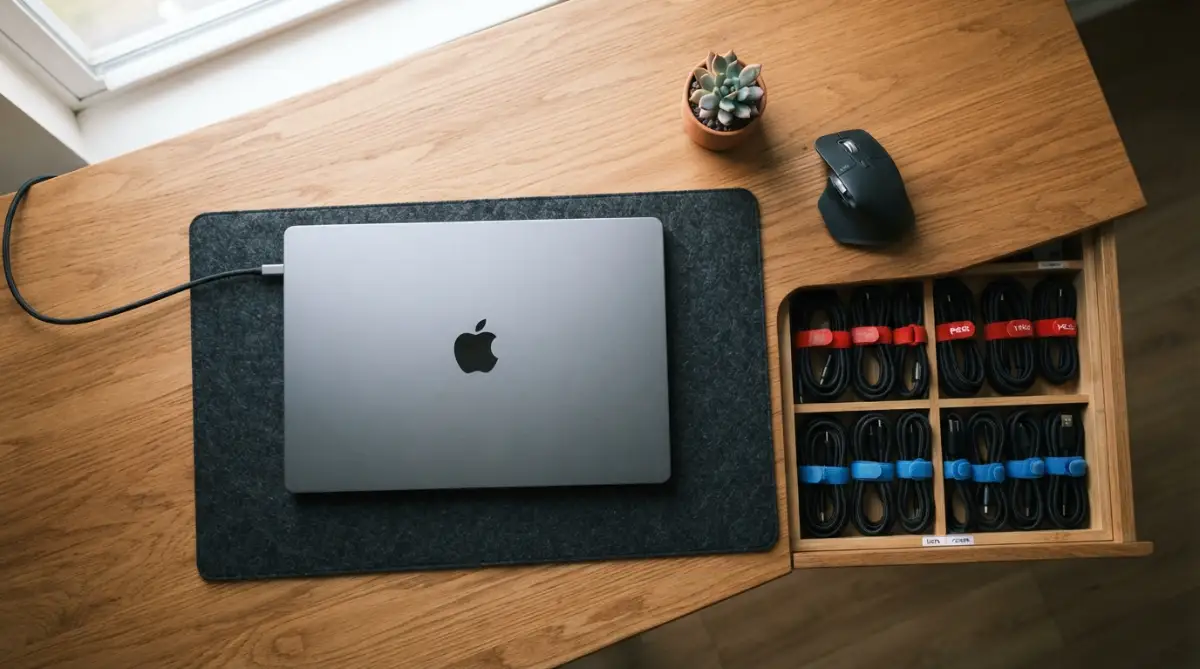
You can use red tape for cables that only provide power, and blue tape for cables that handle high-speed video. This tiny habit will save you a massive amount of frustration when you are packing a bag for a coffee shop work session.
You will never accidentally grab a slow charging wire when you actually need to present a video at an important meeting. Organizing your gear is a very simple step that completely removes digital stress from your daily routine.

Costly Tech Errors You Need to Stop Making
We all love finding a good deal, but buying heavily discounted electronics is often a terrible idea. This is completely true when it comes to power and data delivery.
The most common error people make is buying no-name, generic cords from a local gas station or a random online seller. These ultra-cheap options look perfectly fine on the outside, but they are hiding a very dangerous secret inside.
To save money, cheap manufacturers completely skip adding the safety resistors that regulate electrical flow. When you plug this cheap wire into your expensive phone or computer, it can deliver the wrong amount of electricity.
This unexpected surge of power can actually fry the sensitive internal parts of your machine. Before you know it, you are dealing with burnt physical motherboard hardware that costs hundreds of dollars to repair.
Always look for products that have passed official USB compliance testing to ensure they are safe for your valuable electronics. Paying ten extra dollars today is much better than replacing a broken laptop tomorrow.
Plugging Power Into the Wrong Place
Just because an oval hole exists on the side of your computer does not mean it can handle heavy electricity. Many affordable laptops have multiple oval ports, but they do very different things.
One port might be strictly designed just for sending files to a flash drive. Another port right next to it might be designed specifically to handle a wall charger.
If you accidentally plug your heavy laptop charger into the data-only port, the computer will simply ignore it. You will sit there working for three hours, only to have your screen suddenly go black because the battery died.
Always look closely at the tiny symbols printed on the plastic shell of your laptop. A small battery icon or a tiny plug icon will clearly show you exactly where the power actually belongs.
Pro-Tip: The Wattage Rule for Laptops
Never buy a power brick or cord blindly. Look at the bottom of your laptop. If it says it needs 65W to charge, buying a 20W phone wire will not work at all. Your battery will actually drain while plugged in. Always buy a wire clearly labeled "100W Power Delivery" to stay on the safe side.
Understanding this helps in keeping your machine healthy and keeping a longer battery life over the long run. Do not just blindly plug things in and hope for the best.
The Danger of Stacking Too Many Adapters
When people switch to a new modern laptop, they often realize their old accessories no longer fit. Instead of buying new gear, they try to fix the problem by connecting multiple cheap adapters together.
They will plug an old square USB into an oval adapter, and then plug that adapter into a video hub. This creates a wobbly, fragile tower of plastic hanging off the side of the computer.
Every time you add a new adapter into the chain, you create a new point where the connection can fail. If someone bumps the table, the signal drops out completely, and you might lose the file you were saving.
This messy setup also creates unusual heat, which can lead to high-speed adapter safety issues. It is always much safer and faster to use a single, direct cord that is built specifically for your modern port.
Assuming Every Cable Supports Video
This is perhaps the most frustrating trap of all. You buy a nice, thick cord, connect it to your brand new curved monitor, and the screen stays entirely black.
Not all data connections carry video signals. Sending a high-resolution image to a screen requires a very specific internal wiring setup called DisplayPort technology.
Many standard cords are built specifically for transferring basic files or relying on remote cloud storage. They literally lack the physical copper wires inside to carry a heavy video signal.
To avoid this dark screen nightmare, always read the product description carefully. You must look for explicit mentions of video display standard certifications or the specific Thunderbolt lightning bolt logo.
Common Questions About Port Compatibility
Can I plug a standard oval cord into a premium lightning bolt port?
Yes, you absolutely can do this without breaking anything. The advanced port is smart enough to recognize a basic cord and will simply adjust its speed to match the slower connection. You will not get maximum speed, but it will work perfectly for simple tasks.
Will buying an expensive premium wire make my old, slow laptop faster?
No, a fast wire cannot magically speed up a slow computer. The connection will only run as fast as the slowest part of your setup. If your laptop only has a basic port, buying a high-end wire is just a waste of your money.
Why are the premium active options so incredibly expensive?
These products are expensive because they contain real microchips hidden inside the metal tips. They also undergo extremely strict testing based on consumer electronic safety reports to ensure they never catch fire or damage your gear. You are paying for advanced engineering, not just rubber and copper.
Does my everyday smartphone really need this massive amount of speed?
For almost everyone, the answer is no. Most modern smartphones do not even support ultra-high-speed data transfers anyway. A basic, high-quality standard cord is all you need to charge your phone and move a few photos around.
Your Simple Action Plan for Tomorrow
Technology should never feel like a confusing wall blocking your productivity. Now that you understand the hidden language of these ports, you can completely take control of your digital life.
The next time you walk into a technology store, you will not have to guess which box to pick up. You will know exactly how to look for the lightning bolt logo, check for power ratings, and match the wire to your specific needs.
This simple knowledge means you will stop wasting money on accessories that do not work. You can finally build that perfectly clean, one-wire desk setup that makes working from home a true pleasure.
Take a quick look at your current desk right now. Unplug the messy adapters, check your current wire labels, and start thinking about how you can simplify your daily routine. When everything connects effortlessly, even adjusting your screen settings and managing your daily tasks becomes a joy.
I wasted so much money on the wrong gadgets before learning these incredibly simple rules. My desk is finally completely clean, and I want the exact same stress-free experience for you today. You now have all the confidence you need to connect your devices without any fear.
Disclaimer: The information provided in this article is for educational and informational purposes only. Technology standards frequently update, so always check the manufacturer’s guidelines before purchasing accessories or connecting new devices to your computer hardware. We are not responsible for any damage caused by incompatible hardware setups.