My Nightmare With the "Remind Me Tomorrow" Button
You know that little "Update Now" popup you swiped away this morning? I used to do the exact same thing, thinking it was just a waste of time. But ignoring that tiny screen alert ended up costing me my privacy and a whole lot of stress. Let me show you why hitting "remind me tomorrow" is a massive mistake, and how fixing it takes less than five minutes.
I felt like I was saving time by skipping these downloads. My laptop, my smart TV, and even my Wi-Fi router were all running on old software, and I was completely fine with it. That was until my home security camera got hacked while I was sleeping. I woke up to find my personal network compromised, and all because I ignored a tiny security patch.
It felt like an absolute violation of my privacy. The worst part was knowing I could have easily prevented this entire disaster with a simple tap on my screen. This terrifying experience completely changed how I view those daily notification pop-ups.

Every time you ignore a system alert, you are leaving a digital window wide open for cybercriminals. Hackers are constantly looking for easy targets, and an outdated operating system is their favorite entry point. People are losing their hard-earned money from banking apps simply because they delayed a quick download.
The mental stress of dealing with stolen identity or hacked social media accounts is absolutely exhausting. Your daily peace of mind gets destroyed the moment you realize a stranger has access to your private gallery. We lock our front doors every single night to stay safe, yet we leave our digital lives completely exposed.
Quick Takeaways: What You Need to Do Today
- Stop treating system alerts like annoying chores; they are your primary defense against hackers stealing your money.
- Turn on the automatic download feature in your settings so your phone can fix bugs while you sleep.
- Keep your smart home gadgets (like internet routers and TVs) on a completely separate Wi-Fi network for extra safety.
- Never click on random text messages claiming you need an urgent system download.
The Invisible Shield: What Happens When You Actually Update
Think of a software patch like taking your car to the mechanic for a routine brake check. You wouldn't drive your family around with faulty brakes just because you were too busy to visit the garage. Your electronics need that exact same level of maintenance to protect your valuable information.
Pro Tip: I always plug my devices into the charger and connect to home Wi-Fi right before going to bed. Then, I manually start the download so my phone can install everything while I sleep, ensuring I never waste my daytime hours waiting on a loading screen.
Let me break down exactly how these patches protect your digital life on a daily basis. Hackers spend all day looking for weak spots in popular software programs. When they find a hole, they immediately try to exploit it to steal your passwords.
Tech companies have entire teams of smart engineers fighting back against these threats. The moment they discover a weak spot, they build a digital lock to fix it. That new lock is exactly what is waiting inside that notification you keep ignoring.
Are you wondering exactly how hackers sneak into your phone? Watch this quick breakdown to see the hidden dangers of outdated software.
Real Alert vs. Scam Popup: How to Tell the Difference
- Where did it appear? Real updates show up inside your main settings menu. Fake ones pop up while you browse random websites or arrive as urgent text messages.
- Is it rushing you? Scam alerts often use countdown timers or threaten to lock your account right away. Official patches just sit quietly in your settings app.
- Does it ask for personal info? Your phone will never ask for your email, password, or credit card just to install a basic system fix.
Locking Down Your Smart Home Ecosystem
Your mobile phone is not the only thing that needs your attention today. Our homes are now filled with smart bulbs, robotic vacuums, and internet-connected speakers. These amazing gadgets make our lives incredibly convenient, but they also bring unexpected risks.
Many people never even think to check their Wi-Fi router for a system refresh. If your router is running on old software, every single device connected to it is at risk. A hacker only needs to compromise one weak smart plug to gain access to your entire home network.
Once they get inside, they can easily intercept your private emails or watch you through your own cameras. This is not science fiction; it happens to normal people every single day. Taking five minutes to log into your router's app can save you months of severe anxiety.
Myth vs Reality: The Fear of Slower Devices
Let us talk about a massive misunderstanding that stops people from pressing the install button. Many folks believe that new software is purposely designed to make their older phones run slower. They think tech companies are secretly trying to force them to buy a brand new model.
While it is true that massive updates can sometimes be heavy for very old hardware, the security benefits always outweigh the risks. Running old software is far more likely to slow down your phone because it becomes infected with hidden malware.
Hackers use background viruses to mine cryptocurrency or send spam, which drains your battery and freezes your screen. A fresh patch usually cleans out these bugs and helps your processor run much more efficiently. You are actually extending the life of your gadget by keeping its brain healthy and current.
Myth vs. Fact: Does Updating Ruin Your Battery?
- The Myth: Tech companies send heavy software to drain your battery on purpose so you have to buy a brand new phone.
- The Fact: Right after an install, your phone re-organizes its background files. This heavy lifting uses extra power for about 24 to 48 hours. After that sorting process is done, your battery life usually improves because the new code runs much faster!
Fixing the Annoying Glitches You Hate
Have you ever noticed your favorite messaging app crashing right when you try to send a photo? Or maybe your Bluetooth headphones randomly disconnect in the middle of a great song. These annoying daily glitches are often caused by outdated background files clashing with new apps.
Developers are constantly releasing small tweaks to make sure all your hardware plays nicely together. When you finally accept the installation, you are not just getting security fixes. You are getting a smoother, faster, and much less frustrating user experience.
Sometimes, they even sneak in fun new features or better camera filters that you would completely miss out on otherwise. It feels amazing to wake up to a phone that suddenly works faster and has new tools to play with. You are essentially getting a free upgrade just for taking a few minutes to tap the screen.
Protecting Your Financial Freedom
We live in an era where our entire financial life is stored right inside our pockets. You probably use your screen to pay for groceries, split dinner bills with friends, and check your bank balance. This means your personal banking details are constantly floating through the airwaves.
Financial institutions spend millions of dollars creating secure apps, but those apps rely on your phone's core system. If your core system has a known security hole, all that bank-level encryption becomes completely useless. Cyber thieves can use simple spyware to record your screen while you type in your banking password.
By ignoring a small five-megabyte patch, you are literally gambling with your hard-earned savings. It is incredibly important to understand that your bank might not refund your stolen money if they find out your device was recklessly left unprotected. Staying current is the absolute best insurance policy for your personal wealth.
How to Build a Frictionless Routine
The best way to solve this problem is to completely remove the human element from the equation. Almost every modern gadget has a setting that allows it to manage this process entirely on its own. You just need to spend a few minutes today to set it up properly.
Go into your general settings and look for the automatic download option. Turn this feature on for your mobile, your tablet, and especially your personal computer. Once you do this, the machine will wait until it is plugged into the wall and connected to a stable network.
It will silently handle all the heavy lifting while you are resting comfortably in your bed. You will wake up every single morning with maximum protection and zero daily interruptions. It is the easiest and smartest tech habit you can possibly build for your future safety.

Going Beyond the Basics: Expert Tactics for Bulletproof Devices
Once I realized how dangerous it is to ignore system alerts, I completely changed how I manage my electronics. You cannot just rely on your smartphone to do all the heavy lifting. You need a simple, reliable strategy to keep every single connected screen in your house protected.
I want to share some incredibly effective habits I use to stay completely secure. These are not complicated tech tricks; they are simple routines anyone can follow. The goal is to build a digital fortress around your personal information without spending hours doing it.
One of my favorite strategies is scheduling a specific "tech health check" at the end of every month. I grab a cup of coffee, sit on my couch, and manually check my smart home accessories. I look at my smart TV, my digital thermostat, and my wireless speakers to see if they need attention.
Many people completely forget that their television runs on a complex operating system, just like a laptop. I learned this the hard way when a friend's smart TV got infected with malicious software. Hackers used a well-known vulnerability to freeze his television screen until he paid a ransom.
If he had simply downloaded the latest patch, he would have completely avoided that incredibly stressful situation. This is why reading up on securing your home Wi-Fi setup is absolutely necessary if you own smart appliances. Your internet router is the main gate to your house, and keeping it patched is your first line of defense.
Another excellent habit is learning how to separate your important gadgets from the rest of your network. Most modern routers allow you to create a "guest network" with just a few taps. I always put my smart bulbs and robotic vacuums on this separate network.
If an attacker somehow breaches my smart toaster because of outdated software, they cannot jump over to my laptop. My work computer and my online banking apps remain perfectly isolated and safe. Top security researchers and national cybersecurity recommendations for patching devices strongly suggest using this exact network separation technique.
You should also pay close attention to how your apps behave in the background. Sometimes, an old app will constantly search for a connection, draining your battery and causing weird system glitches. I highly recommend learning about managing background app behavior so you can keep everything running smoothly.
Finally, you need to understand the concept of "End of Life" for your electronics. Every single manufacturer eventually stops sending security patches to older models. Once your phone or tablet reaches this stage, it becomes incredibly risky to use for online banking or private emails.
If you absolutely must keep using an unsupported tablet, take it entirely offline. I use an old, unsupported iPad strictly as a recipe book in my kitchen, completely disconnected from my home internet. This way, I get to keep enjoying the hardware without inviting cybercriminals into my home network.

The Silent Traps: Dangerous Habits You Must Break Today
Even when we try our absolute best to stay secure, we often fall into invisible traps. I have watched so many friends make tiny mistakes that completely ruined their digital safety. Let us talk about the most common errors people make so you can avoid these exhausting headaches.
The "Storage Full" Dilemma
This is probably the single biggest reason people hit the "remind me later" button. Your screen pops up with a message saying you need two gigabytes of free space to download the latest security patch. Instead of deleting old videos, most people just dismiss the notification and forget about it.
I understand how hard it is to delete precious memories or uninstall favorite games. But by refusing to clear up a little space, you are leaving your entire photo gallery exposed to thieves. The stress of permanently losing your files to a hacker is much worse than deleting a few duplicate selfies.
Make it a habit to regularly move your old photos to a hard drive or cloud service. If you are struggling with a slow machine, check out this guide on speeding up your aging computer to help clear out unnecessary junk files. Freeing up storage space allows your system to download protective patches without any frustrating interruptions.
Blindly Trusting Fake Upgrade Notifications
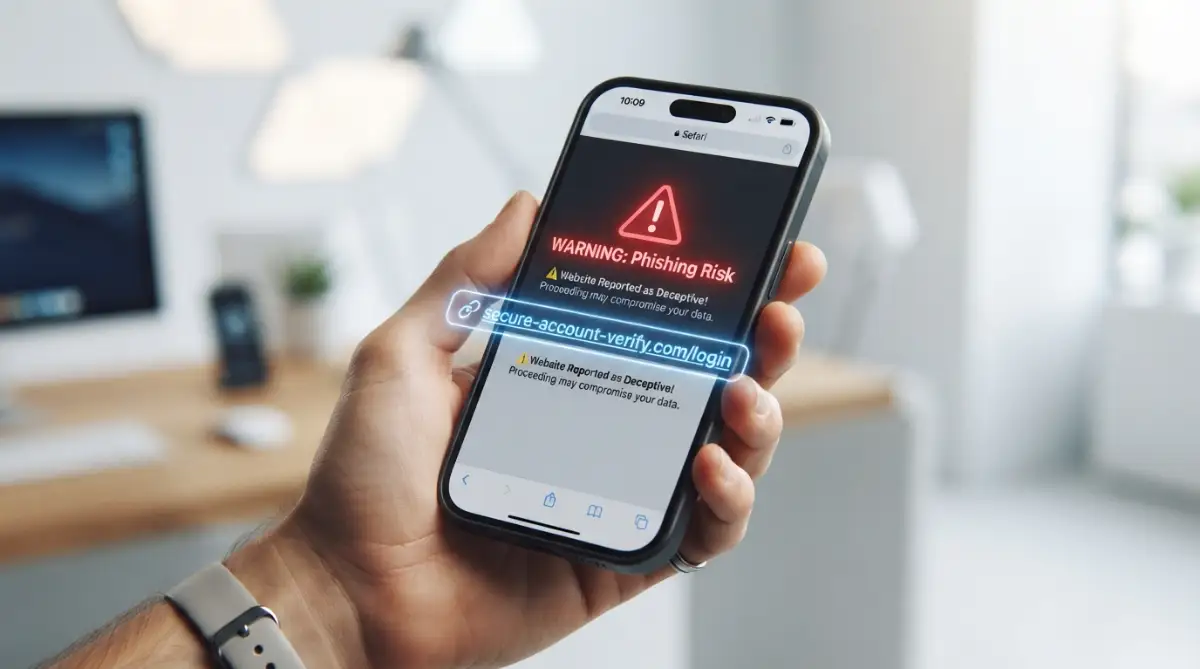
Hackers are incredibly clever, and they know we are learning to be better at downloading patches. Because of this, they now create fake pop-ups and emails designed to look exactly like an official system alert. They will send you an urgent text message claiming your account will be locked unless you download a specific file.
This is a massive trap designed to trick you into installing dangerous spyware yourself. An official system patch will never be sent to you via a random text message or a suspicious email link. You should only ever download system improvements directly from your main settings menu.
If you ever feel unsure about an alert, take a moment to read about spotting fake upgrade emails to protect yourself. Staying calm and verifying the source is always better than rushing into a catastrophic mistake. Real tech companies will just place a silent notification in your settings app, waiting patiently for your approval.
Ignoring App Permissions on Old Software
When you refuse to upgrade your operating system, you also lose out on massive privacy controls. Every year, tech companies release new tools that allow you to block apps from tracking your location or listening to your microphone. If you stay on an older version, you are giving away your personal data for free.
I used to let every single app access my camera and microphone because I simply did not know any better. Once I upgraded my phone, the new operating system immediately warned me that a random calculator app was tracking my daily location. I was completely shocked to see how much of my privacy was leaking out into the world.
If you want to take back control of your personal information, start by understanding risky app permissions on your newly updated phone. Privacy advocacy groups and digital privacy advocacy groups constantly highlight how upgrading your software is the fastest way to stop unwanted tracking.
Thinking Antivirus Replaces Core Fixes
Many folks buy an expensive antivirus program and assume they are completely invincible. They think this third-party app will catch everything, so they ignore the actual core system alerts. This is like putting a heavy padlock on your front door but leaving all your ground-floor windows wide open.
An antivirus program is just a tool sitting on top of your main system. If the foundation of your system has a massive crack in it, the antivirus cannot always stop the attack. You must repair the foundation first by pressing that install button.
To really understand how bad things can get, you should look into preventing ransomware attacks and how they bypass standard virus scanners. Hackers actively look for people who rely solely on third-party security apps while ignoring core system maintenance.
Your Action Plan for a Safe and Stress-Free Digital Life
We have covered a massive amount of ground today, and I really hope you feel empowered. Taking care of your personal electronics should never feel like an intimidating chore. It is simply about building a few smart habits that run quietly in the background of your life.
You do not need a computer science degree to outsmart modern cybercriminals. You just need to stop delaying the inevitable and let your gadgets do the protective work they were designed to do. Every time you accept a download, you are instantly making yourself a much harder target to attack.
Think of this process as basic hygiene for your digital lifestyle. Just like you brush your teeth to prevent cavities, you patch your software to prevent data breaches. Keeping your hardware physically clean is also great, which you can learn about in this guide on physical maintenance for your hardware.
Your immediate homework for today is incredibly simple. Grab your smartphone, go to your main settings, and check if you have any pending downloads waiting for you. If you do, plug your device into a wall charger and hit the install button right now.
Once your phone is secured, walk over to your laptop and do the exact same thing. Do not let these small tasks pile up until they become a massive security threat. According to federal guidelines on hardware lifecycles, staying proactive is the absolute best defense mechanism you possess.
You deserve to browse the internet, check your bank account, and share photos with your family without fear. Stop giving hackers an easy path into your personal life just to save five minutes of waiting.
My personal promise to you: I have completely stopped ignoring these warnings, and I sleep so much better knowing my digital front door is locked tight. My devices finally work for me, not the other way around, and I want you to experience that exact same peace of mind today.
Burning Questions People Always Ask About Device Patches
Will installing a new patch delete my personal photos and files?
No, regular system improvements are designed to protect your existing files, not erase them. However, technology can sometimes experience random glitches during a heavy restart process. I always recommend backing up your most precious photos to a cloud service just to be completely safe.
Why does my phone get so hot during the installation process?
Your phone gets warm because the internal processor is working incredibly hard to rewrite complex system files. This is completely normal behavior and nothing to worry about. Once the installation is finished and the screen reboots, the temperature will quickly return to normal.
Can I just skip an update if my phone is working perfectly fine right now?
I highly advise against skipping them, even if everything seems perfectly fine on the surface. Many dangerous software bugs operate silently in the background, completely invisible to the user. Skipping a patch means leaving a known vulnerability wide open for cybercriminals to easily exploit.
What happens if my gadget is simply too old to receive new software?
When a device is too old, manufacturers stop sending it safety patches, which is called "End of Life." If you reach this point, it is incredibly dangerous to use that gadget for banking or online shopping. You should either upgrade to a newer model or completely disconnect the old hardware from the internet.
Disclaimer: The information provided in this article is for educational and informational purposes only. While every effort has been made to ensure the accuracy of the security tips discussed, technology evolves rapidly. We are not responsible for any data loss, hardware issues, or security breaches that may occur. Always back up your data before performing system modifications and consult with a certified IT professional for complex technical issues.