The Silent Software Trap That Almost Broke My Entire Company
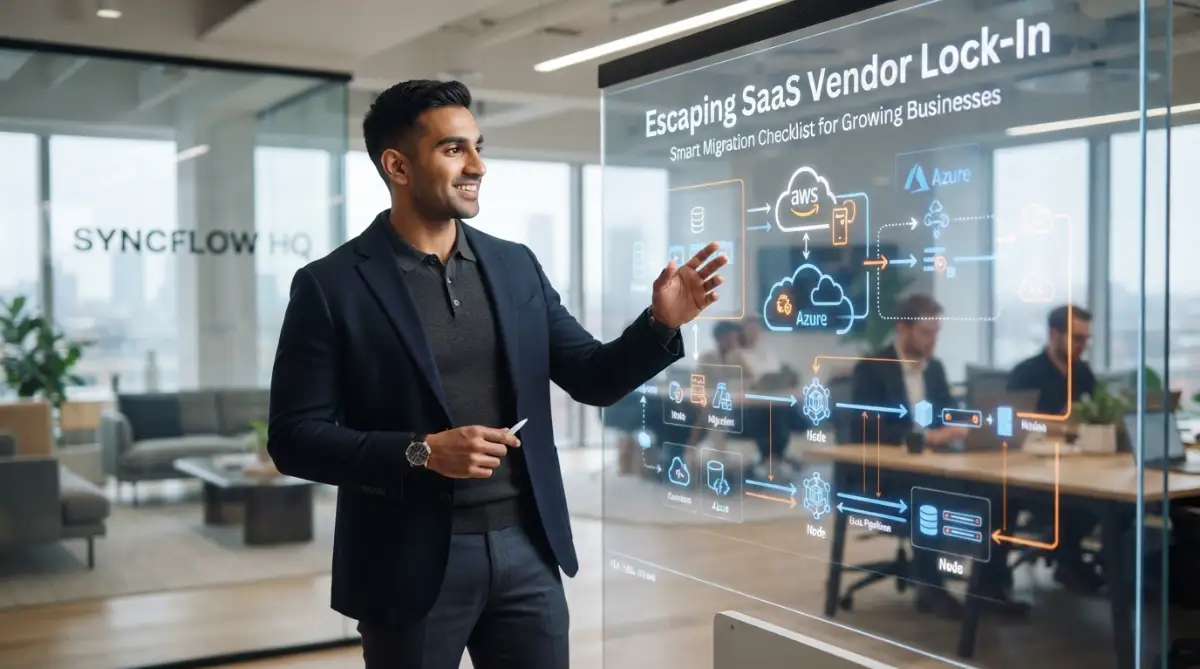
Most software companies do not trap you with bad service; they trap you with your own data. You sign up to save time, but two years down the road, pulling your customer history out costs more than staying on an overpriced plan. If your core business cannot survive walking away from a vendor by Friday afternoon, you do not own a software subscription—the software vendor owns your company. Here is how you take back your leverage before the next renewal bill hits your inbox.
My heart sank even deeper once I pulled up our original electronic agreement and started reading the fine print. Hidden behind complex technical jargon were outrageous data export fees, restricted API quotas, and proprietary database formats designed to keep us stuck forever. That brutal sleepless night showed me the harsh reality of software lock-in firsthand.
Many ambitious entrepreneurs and operational leaders step straight into this quiet trap with complete confidence. You sign up for a shiny new platform because its onboarding looks effortless and its flashy dashboard promises to resolve your everyday bottlenecks. Everything feels wonderful at first, but over time the platform quietly weaves itself into every single operational vein of your company.
The most frustrating part is feeling utterly powerless as your customer support quality dips due to sluggish system performance. No business owner should ever have to hand over total control of their company destiny to an external software vendor.
Fast Takeaways: How to Protect Your Business from SaaS Traps
- Lock-in is structural: Vendors rely on messy export formats and expensive egress fees to keep you paying.
- Guard your data daily: Automatically pull raw snapshots into vendor-neutral cloud storage so you always hold the cards.
- Keep logic independent: Document your automations and calculation rules in plain text rather than building them only inside proprietary dashboards.
- Test before you jump: Always run old and new tools side by side for at least two full business billing cycles before cutting the cord.
Understanding How Modern Software Traps Your Daily Operations
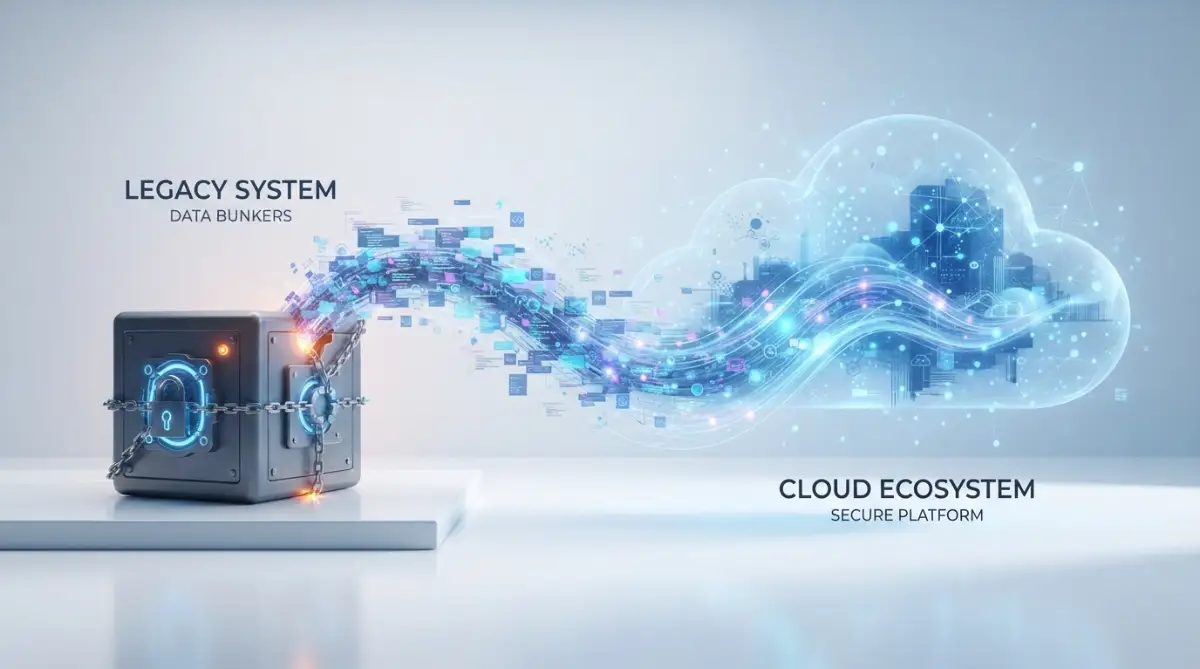
Software lock-in is rarely an accident created by lazy engineering. Modern software providers intentionally build friction into their platforms to keep your subscription active month after month. They understand that if leaving their system costs you too much time, money, and sanity, you will simply keep paying whatever price they demand.
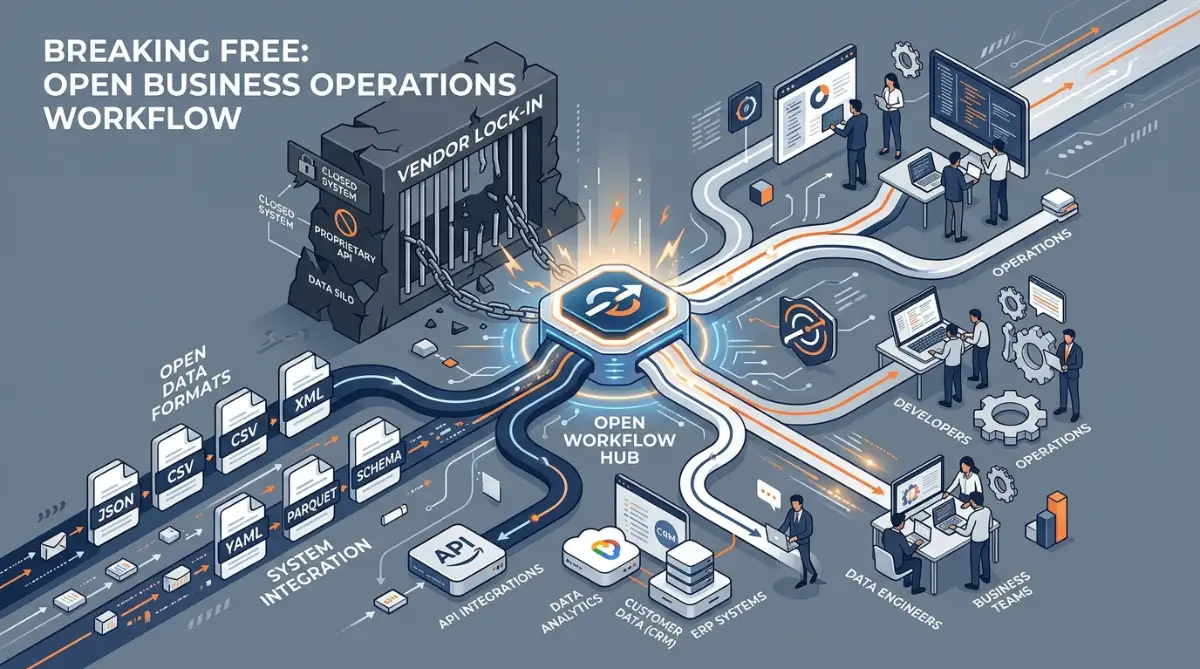
To take back your freedom, you must first recognize the specific walls built around your business. These barriers usually fall into three main buckets: data lock-in, operational lock-in, and financial lock-in. Identifying which barrier affects your company most is the first real move toward regaining your independence.
The Myth of Simple Data Ownership
Most providers proudly announce that you own your data from day one. While that statement sounds comforting on paper, it often means very little when you try to pull your data out. Owning raw information does you zero good if that information comes out as an unreadable mess of disconnected files.
Some systems allow you to export flat spreadsheet files, but they completely strip away your historical communication logs, custom field mappings, and audit trails. When you try moving to a new platform, you realize that your customer history has vanished into thin air. Without that relational context, your customer support agents are flying blind from the very first morning.
The Invisible Chains of Workflow Dependency
Operational lock-in happens when your internal team members build their daily habits around proprietary tools and custom automations. Over several years, simple routines become complex processes that only work inside that one specific environment. Nobody documents how things work behind the scenes because the software seems to handle it automatically.
When key employees depend entirely on specialized interface buttons, asking them to switch platforms triggers instant anxiety and resistance. The fear of making mistakes on a new tool creates severe internal pushback against migration plans. Breaking free requires untangling these daily human habits before you even touch a single line of data.
Critical Questions to Ask Before Moving Your Core Operations
Before you take down your current operational foundation, you must conduct a thorough, hard-nosed interrogation of your options. Asking the right questions early saves you from trading an old trap for a shiny new cage. Here are the core evaluations every leadership team must make.
Question 1: How Easily Can We Pull Clean, Relational Data Out?
Never accept a sales representative telling you that data export is simple without watching them perform a live demonstration. Ask them to show you an actual export package containing complex customer interactions, linked support tickets, and timestamped transactions. You need to verify whether the data comes out in standard formats like JSON, CSV, or standard SQL dumps.
Inquire directly about data extraction rate limits and extra costs. Some vendors let you put data in for free, but charge massive egress fees when you attempt to pull large databases out. If an outgoing transfer takes weeks because of artificial speed caps, your business operations will suffer immense disruption.
The 48-Hour Vendor Data Sanity Test:
Before you sign any cloud contract, run this quick check:
- Demand a raw JSON or CSV export of 50 sample client profiles with linked message histories.
- Try opening and joining those files in an independent spreadsheet or open database without using their proprietary viewer.
- Check the contract for data egress caps; if they charge you per gigabyte just to download your own records, treat it as a red flag immediately.
Question 2: Does the New Platform Support Open API Standards?
A modern business platform must communicate freely with your other business tools without requiring costly third-party bridge connectors. You need to know if the vendor provides open, modern API documentation that your technical team or contractors can inspect right away.
Ask tough questions about daily API request limits, webhook capabilities, and real-time synchronization options. If a system does not support webhook triggers, your team will waste valuable resources polling the system for updates. Closed ecosystems restrict your ability to attach smart automation tools as your operational needs evolve.
Watch this comprehensive breakdown to understand how top engineering teams plan seamless software migrations without risking system downtime.
Question 3: What Does Business Continuity Look Like During the Switch?
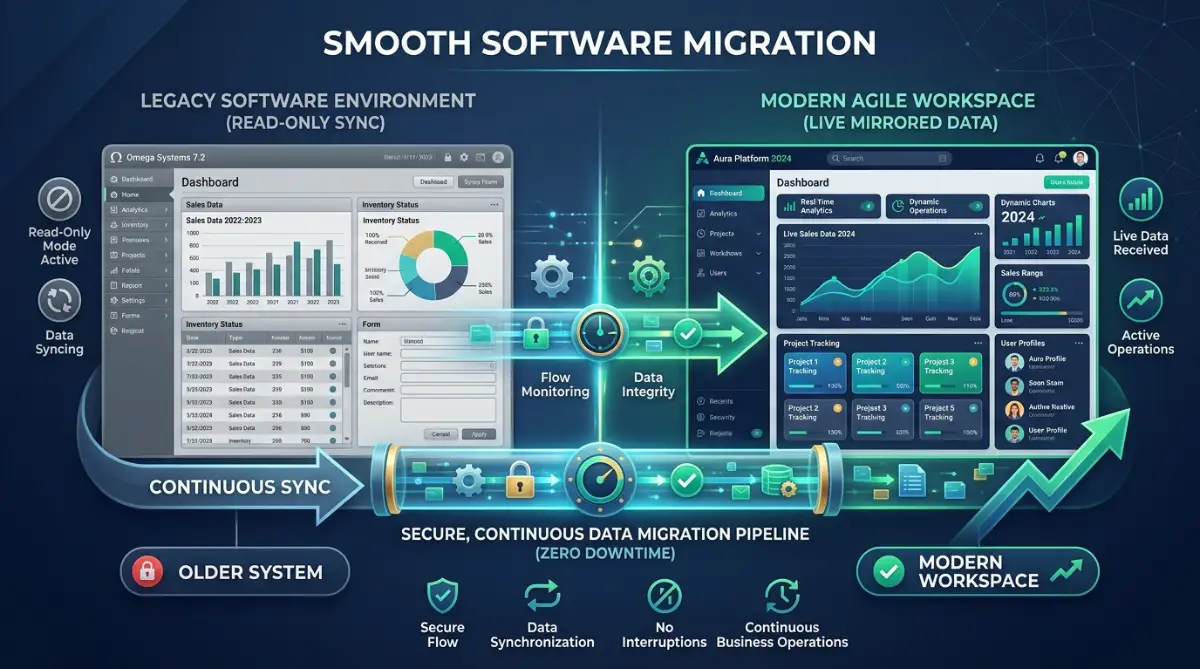
Migrating a live business is like swapping an airplane engine mid-flight. You cannot afford to shut down customer billing, order processing, or support tickets for two days while data copies over. You must ask potential providers how they handle parallel runs and staged rollouts.
Find out if the new platform supports dual-sync setups where both the old and new systems run simultaneously for a validation period. A reliable provider should provide sandbox environments that mirror your live operations down to the smallest detail. Testing your daily routines inside a realistic practice environment prevents shocking surprises on launch morning.
Myth vs. Reality in Software Migration
- Myth: Moving to a modern platform always solves internal efficiency problems right away.
- Reality: A new tool only highlights broken internal processes faster if you fail to clean your workflows first.
- Myth: Exporting your database guarantees a complete backup of your business records.
- Reality: Most standard exports drop relational dependencies, user permissions, and custom formula fields.
- Myth: Open-source or headless software always eliminates vendor lock-in entirely.
- Reality: Open tools can create severe developer lock-in if your internal team lacks the technical skills to maintain them.
Protecting Your Team and Budget from Transition Shock
A software migration is far more than an IT project; it is an emotional event that affects every single worker in your company. If you push a new system onto your team without adequate preparation, internal productivity will drop off a cliff. Managing the human side of the transition requires deliberate empathy and clear communication.
Plan for a temporary dip in operational speed during the first few weeks following the migration. Even the most intuitive user interfaces require mental adjustments from people who have used the old platform for years. Providing dedicated office hours where staff can ask questions without judgment helps reduce anxiety quickly.
Mapping Your Internal Dependencies Before Signing Anything
Take an honest inventory of every spreadsheet, browser extension, and third-party connector currently wired into your primary system. Many companies forget about tiny background automations until those automations break after the old account closes. Documenting these micro-connections prevents costly operational interruptions.
Assign a specific team member to serve as the internal champion for each department during the planning phase. This person collects feedback directly from frontline workers who actually touch the software every hour. Frontline employees catch practical usability issues that upper management almost always overlooks during sales calls.
My Personal Wake-Up Call with Long-Term Contracts
I used to believe that committing to a three-year contract was a brilliant way to lock in a steep twenty-five percent discount for my company. That mistake ended up costing my business thousands of dollars when our operational needs shifted twelve months later and the provider refused to modify our agreement. I spent two painful years paying monthly invoices for seats my team stopped using simply because I wanted to save a few pennies up front.
Evaluating the True Total Cost of Ownership
Looking only at the monthly software subscription fee gives you a dangerously distorted view of your actual expenses. Software costs are like icebergs; the initial license fee represents the small visible tip above the waterline. The massive expenses lie underneath in the form of setup services, data sanitization, team training, and parallel license fees.
Account for the Hidden Costs of Data Sanitization
Moving dirty data from an old system into a new platform is a recipe for operational disaster. You will inevitably find duplicate customer profiles, obsolete email addresses, and broken transaction logs that must be scrubbed manually. This cleanup work takes dozens of hours of focused human effort that many businesses forget to calculate.
Calculate the cost of running both systems side by side for at least one to two billing cycles. You must keep your old platform accessible as a read-only archive until you confirm every single record matches up perfectly. Rushing to cancel the old subscription to save a single month of fees can lead to permanent data loss.
Reviewing the Legal Fine Print on Exit Clauses
Before signing any software contract, turn immediately to the termination and exit assistance clauses. Look closely at what the provider promises to do when your relationship ends. Will they provide dedicated technical assistance to help you extract your assets, or will they simply delete your account after thirty days?
Insist on clear contract wording that obligates the vendor to hold your data safely for at least sixty days following termination. This buffer gives your team time to catch missing files or run secondary verification scripts. A trustworthy vendor will never hesitate to put fair, cooperative exit conditions in writing.
Preparing Your Business for True Software Freedom
Escaping SaaS vendor lock-in does not mean you should avoid using commercial cloud software altogether. Modern tools provide incredible speed, security, and power that allow small teams to accomplish massive goals. The goal is not avoiding external software, but maintaining your sovereign right to choose who earns your business.
When you structure your data storage around open standards and maintain clear process documentation, you regain your bargaining power. Vendors treat you with far greater respect when they know you can pack up your digital operations and move smoothly whenever they fail to deliver. Software should always remain a flexible asset that serves your vision, never an inescapable cage that controls your future.
Advanced Strategies for Total Software Independence
Building long-term software independence requires moving from passive subscription renting to active digital ownership. You do not need to build everything from scratch to protect your business freedom. Instead, you need smart architectural safeguards that keep your core data and daily operations under your direct command.
Building an Independent Middleware Buffer
Smart companies never connect their primary operational software directly to secondary tools without a safety buffer. Setting up an intermediary layer allows your business to swap out software providers without disturbing connected tools. When you manage your data routing through standard connectors, changing a core platform only requires updating a single endpoint.
This middle buffer acts like a universal adapter for your entire organization. If your primary subscription vendor raises prices or removes necessary functionality, your internal workflows remain completely untouched. You simply point your data streams toward a different destination and resume normal daily business.
Learning the basics of connecting isolated software applications with webhooks gives your operations team the power to bypass restrictive vendor ecosystems. You can direct event triggers into an independent storage hub before the provider processes them. That simple routine ensures that a pristine copy of every transaction lives on servers you actually manage.
Maintaining an External Data Lake
Never allow your live cloud vendor to serve as your only historical record storage. Many businesses discover far too late that their operational histories are locked behind proprietary search interfaces. Storing your own raw transaction records prevents vendors from using your historical archives as leverage against you.
Set up an automated script or scheduled task that pulls daily data snapshots into vendor-neutral cloud storage buckets. Following formal recommendations like the NIST guidelines on cloud interoperability and data portability ensures your records remain accessible across different operating environments. Storing your records in open formats like JSON, CSV, or Parquet guarantees you can read your data decades down the road.
Before storing sensitive business data independently, make sure your team focuses on securing your cloud storage backups with strong client-side encryption. Protecting this secondary archive safeguards your business from accidental exposure while keeping your migration options completely open. Data sovereignty means absolutely nothing if your external backups remain vulnerable to unauthorized access.
The 3-2-1 SaaS Defense Rule I Use in My Operations:
- 3 Total Copies: One live inside the active vendor app, one automated nightly copy in an independent cloud bucket (like AWS S3 or Backblaze), and one monthly offline copy.
- 2 Separate Formats: Never back up database files in proprietary formats. Keep one version in plain relational tables (CSV/SQL) and one in raw nested files (JSON).
- 1 Independent Account: Host your backup storage under an email and billing account that no software vendor or external contractor can access.
Decoupling Business Logic from Interface Tools
One of the sneakiest ways software providers keep you trapped is by hosting your core business logic inside their custom automation engines. When your calculations, validation checks, and customer routing rules live inside a vendor dashboard, leaving becomes a nightmare. Rebuilding thousands of complex conditional branches in a new tool can stall your company for months.
Document every single calculation rule, approval chain, and assignment trigger inside clear, platform-neutral standard operating manuals. Storing this logic in plain English documentation ensures any competent specialist can rebuild your systems elsewhere. Treating your operational rules as intellectual property separate from the software keeps your company nimble.
As your automation requirements grow, consider comparing open-source solutions against proprietary software to identify areas where open frameworks serve you better. Open frameworks give you full visibility into the source code, eliminating unexpected structural changes. The more control you maintain over your business logic, the less leverage an outside vendor has over your daily operations.
Enforcing Strict Data Contracts
Before adding any new platform to your tech stack, establish clear data standards that the vendor must satisfy. A data contract defines how fields are structured, how timestamps are handled, and how updates get shared with external tools. If a software tool cannot deliver structured updates according to your standards, it should not handle your core business operations.
Adopting public schemas aligned with the W3C data interchange standards prevents providers from organizing your records into proprietary, unreadable shapes. When every tool in your stack communicates using standard schema definitions, transferring accounts feels like moving furniture into a new office instead of rebuilding the building. Standards eliminate the expensive translation layers that vendors use to slow down customer departures.

Costly Migration Pitfalls That Can Paralyze Your Business
Attempting to escape an unfavorable software contract without adequate preparation can trigger disasters worse than the lock-in itself. Leaders often get so angry about unfair subscription pricing that they rush headfirst into poorly planned migrations. Avoiding these common traps is the difference between a smooth transition and weeks of operational chaos.
The Catastrophic "All-at-Once" Cutover
The single most dangerous move an operations team can make is shutting off the old platform overnight and turning on the new one the following morning. No matter how many sandbox tests you perform, live customer interactions always uncover edge cases you never anticipated. A sudden cutover leaves your team with zero backup plan when things break during peak business hours.
I watched an established distributor nearly ruin their client relationships by attempting a weekend cutover of their order management system. On Monday morning, order routing failed, shipping labels printed with missing address lines, and the support phone lines melted down. They had already severed ties with their previous vendor, leaving them stranded with no way to roll back the changes.
Always run both platforms in parallel for a minimum of two full business cycles before pulling the plug on the old system. Parallel testing allows your team to verify balance sheets, customer records, and communication logs against live baselines. If the new tool experiences an unexpected outage, your daily business operations continue smoothly on the legacy platform.
Ignoring the Human Learning Curve
Software migrations do not fail because of technical bugs alone; they fail because human beings reject sudden disruptions to their daily routines. When you force employees to adopt an unfamiliar interface without sufficient training, productivity drops and frustration boils over. Stressed employees will secretly build unauthorized spreadsheets to avoid using the new tool entirely.
Investing early in transitioning your team to new software platforms protects company morale and prevents costly employee turnover. Provide your staff with dedicated sandbox hours during the workday so they can explore the new interface without fear of ruining real client files. When employees feel supported during a tech transition, they become active helpers rather than stubborn roadblocks.
Overlooking Sneaky Egress Penalties and Renewal Windows
Many companies plan their entire migration schedule without checking their current contract renewal calendar. If you miss your formal notice window by a single day, many providers automatically renew your subscription for another full year. This oversight forces companies to pay for two overlapping enterprise software subscriptions simultaneously, draining capital needed for growth.
Always audit your agreements for unexpected renewal costs and hidden subscription charges at least ninety days before any planned transition. Some vendors also impose massive outgoing network fees when you download gigabytes of customer records in a short window. Factor these egress penalties into your budget early so unexpected exit fees do not derail your migration plans.
The Disaster of Migrating Uncleaned Data
Transferring your existing database directly into a new tool without an extensive cleanup is like moving broken furniture into a newly built home. Over years of daily operations, your database accumulates duplicate contacts, obsolete product listings, and half-finished records. Shoveling that clutter into a fresh platform ruins search accuracy and wastes expensive storage tiers from day one.
Regularly auditing your software stack to cut unnecessary bloat keeps your database trim and makes data migrations far less expensive. Clean your records before you write a single export script. Purge inactive contacts, consolidate duplicate customer profiles, and establish clear field validation rules so your new platform launches with pure, actionable data.
Migration Decision Matrix: Do's and Don'ts
Taking Control of Your Business Technology Stack
Breaking free from SaaS vendor lock-in is ultimately about regaining control over your company's future. When you manage your software relationships with clear boundaries and independent data backups, you eliminate the fear of surprise price hikes. Technology should always serve as an engine that accelerates your business goals, not an anchor that holds you back.
Begin your journey by auditing your single most vulnerable operational tool this week. Inspect your export capabilities, review your contract terms, and start backing up raw records to an independent destination. Taking small, deliberate actions today guarantees that your business remains adaptable, profitable, and completely under your own direction.
I know how scary it feels to step away from a platform that holds your entire business history, but staying trapped in a bad partnership hurts much more. You have worked far too hard building your company to let an inflexible software vendor dictate your operational freedom. Take that first step today, review your agreements with confidence, and build a business that nobody can hold hostage.
Answers to Common SaaS Migration Dilemmas
How long does a typical core business software migration take?
A well-planned migration for a small to medium business usually takes between six and twelve weeks from start to finish. This timeframe allows adequate space for data cleaning, API configuration, team sandbox practice, and parallel system verification. Rushing the process in less than a month almost always causes operational errors and severe team frustration.
Will moving to a new software vendor hurt our daily customer service?
Your customer support quality will stay steady as long as you avoid sudden cutovers and maintain legacy access during the transition. Running both systems side by side guarantees your service agents can pull up historical client records without missing a beat. Make sure to train your front-line team on the new ticketing interface before routing live client requests through it.
What should we do if our vendor refuses to provide our data in a usable format?
Review the terms of service and relevant consumer protection laws like the EFF digital rights initiatives on data sovereignty to determine your legal rights. Most regions require cloud providers to return business data in a reasonably accessible format upon request. If the vendor remains uncooperative, use automated scraping tools or standard API endpoints to pull your information out incrementally.
Is open-source software safer from vendor lock-in than proprietary SaaS?
Open-source platforms eliminate commercial subscription lock-in because you have complete access to the underlying code and database structure. However, they can introduce technical lock-in if your company lacks in-house developers capable of maintaining the system updates. Balance your internal technical skills against the recurring convenience of managed cloud tools before deciding.
Professional Disclaimer
The information presented in this guide is provided for educational and informational purposes only. Migrating enterprise software systems, cloud databases, and core operational workflows involves inherent technical and operational risks. Always consult with certified IT security specialists, enterprise software architects, and legal counsel before terminating vendor contracts, executing data migrations, or altering corporate IT infrastructure. The author and publisher assume no liability for data loss, operational disruption, or financial damages resulting from the implementation of these strategies.