The Hidden Stress Behind Modern Software Decisions
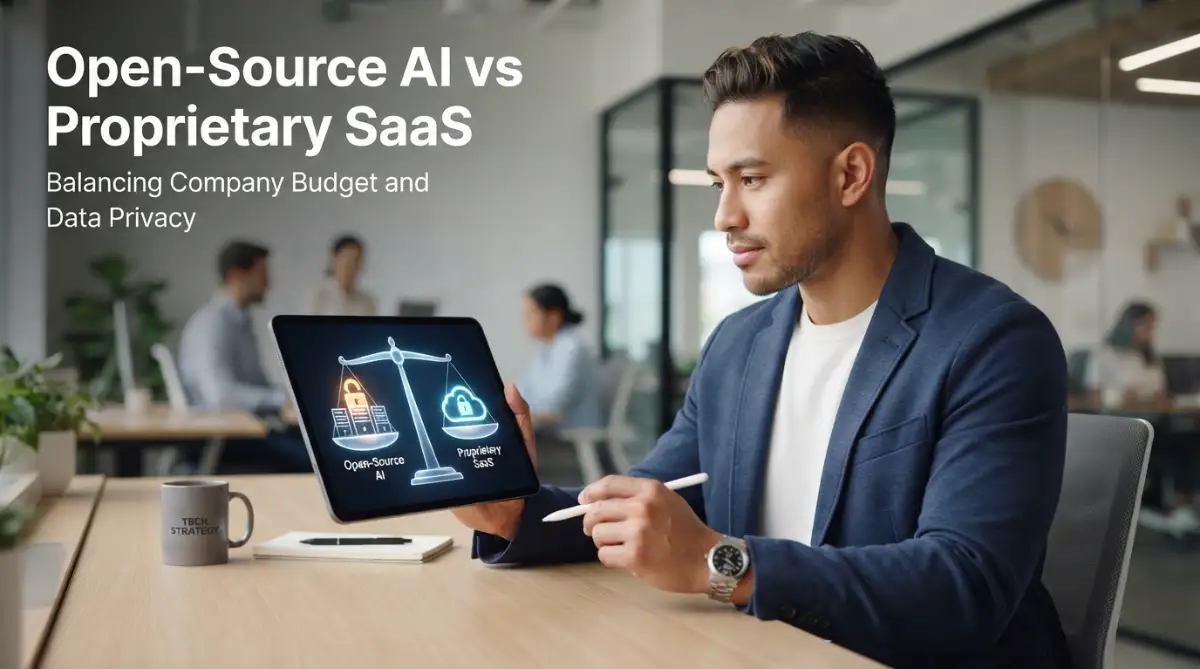
Most teams adopt cloud AI tools for speed, but the surprise invoice at the end of the month quickly kills that excitement. You want fast tools that help your team ship work, yet you cannot afford runaway API bills or private customer data leaking onto public servers. Before you lock your team into an expensive subscription or spend thousands on dedicated servers, you need to know which path actually saves you cash. Here is the realistic breakdown of running private models versus paying monthly cloud licenses, without the marketing hype.
Just twelve hours later, our compliance officer walked straight into my office with a stern expression on her face. She asked me a simple question that made my stomach turn: "Did your team feed internal customer records into a public cloud tool?"
I had no good answer for her, and that single moment sparked a complete internal crisis. We had chased quick convenience without thinking about long-term cash flow or legal liabilities. I spent the next three weeks auditing our entire digital setup, talking to our engineers, and trying to fix the mess.
Many business owners and team leads face this exact struggle right now. You want your workers to move fast and finish tasks without friction, but every click seems to cost extra money.
The monthly bills creep up quietly as your staff starts relying on automated cloud tools for daily work. What feels like a cheap ten-dollar subscription suddenly multiplies across fifty team members and thousands of automated queries.
At the same time, the fear of quiet data leaks hangs over your head every single working day. You read horror stories about customer details getting scraped or used to train third-party public models.
Your legal team demands zero risk, while your financial department begs for predictable, steady expenses. You feel trapped between buying an expensive cloud tool that works immediately or spending weeks setting up your own private system.
The noise online makes it even worse because every vendor claims their system is totally safe. Meanwhile, hardcore tech purists insist that you must build and host everything inside your own building.
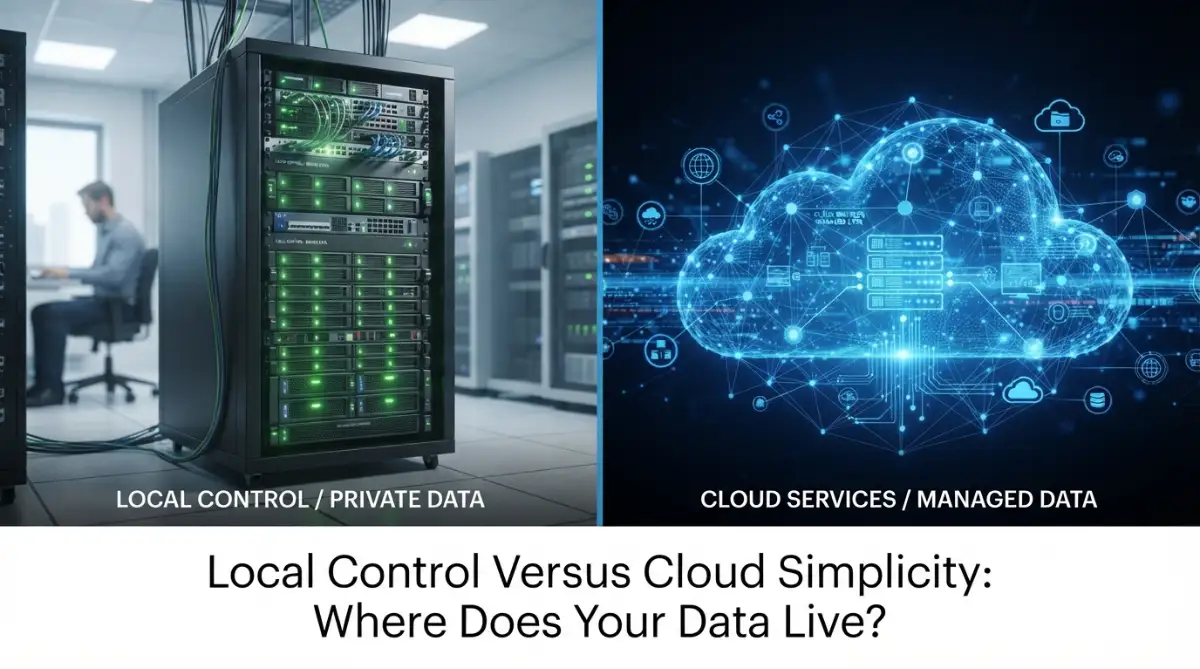
Executive Summary: Quick Decision Guide
- Pay-As-You-Go Fits Small Teams: If you run a team under 20 people with casual workloads, proprietary SaaS saves money because you skip expensive server setups.
- Self-Hosting Protects High Volume: If your team processes millions of words daily or handles strictly confidential customer records, private open weights offer fixed monthly costs and complete data privacy.
- The Hybrid Sweet Spot: Most businesses get the highest return by using commercial tools for public marketing drafts while keeping internal customer records behind a private local model.
Defining the Contenders: How These Two AI Paths Actually Work
To make a smart financial decision, you must look past the flashy marketing claims. Both options can process text, summarize documents, and automate repetitive tasks, but they operate on fundamentally different foundations.
What Proprietary AI SaaS Brings to the Table
Proprietary software tools run entirely on remote servers owned and operated by large external corporations. You sign up, enter a credit card, and get instant access through a browser window or an API key.
The vendor handles everything under the hood, including server maintenance, speed optimization, and regular model updates. You never have to worry about buying expensive graphic cards or hiring specialized server administrators.
However, you never get to see the actual weights or code driving the tool. You simply feed your company data into their black box and trust that their output aligns with your business goals.
The Inner Workings of Open-Source AI Models
Open-source models offer completely visible, downloadable weights and instructions that anyone can inspect and run. You download the foundational files and choose exactly where you want to store and run them.
You can run these engines on a private local desktop, an on-premise physical server, or your own dedicated cloud space. Because the architecture is transparent, your internal developers can customize, trim, or fine-tune the system to suit specific tasks.
You hold the master keys to the system, but you also take on every ounce of technical responsibility. If the system slows down or crashes during a busy workday, fixing it falls entirely on your shoulders.
Evaluating the Financial Impact: Predictable Assets vs Usage Tolls
The monetary difference between these two paths comes down to capital investments versus ongoing operational expenses. Many leaders make the mistake of only looking at the starting price tag without factoring in maintenance.
The True Cost of Proprietary SaaS Subscriptions
Commercial SaaS options appear wonderfully cheap on day one. You pay a small monthly seat license, or you pay fractions of a penny per thousand words processed.
For small teams running occasional tasks, this pricing structure keeps spending low and manageable. You only pay for what your employees consume during their active working hours.
The financial pain begins when your business starts scaling its daily operations. High-volume document processing, customer support bots, and internal search tools generate millions of tokens very quickly.
Before you realize it, your small monthly subscription balloons into an unpredictable utility bill that fluctuates wildly every quarter. You also face sudden price changes whenever the vendor decides to update their subscription tiers.
The Real Cost of Running Open-Source Models
Running open weights locally sounds free at first glance, but software is never truly free. You avoid per-token charges, but you must invest in heavy computing power to make the software run smoothly.
A capable setup requires high-end server processors, massive amounts of memory, and fast graphic accelerators. If you rent private instances in a clean cloud space, you still face fixed hourly or monthly server fees.
You also need human talent to manage the setup. An engineer who knows how to optimize and serve private weights commands a healthy salary that easily overshadows basic software licenses.
However, once your hardware foundation is set, your marginal cost per query drops almost to zero. Whether your team processes ten documents or ten thousand documents a day, your hardware cost stays remarkably stable.
Myth vs. Reality: The True Monthly Cost
- Myth: "Running open-source models on your own servers is 100% free."
- Reality: While open models do not charge per token, you still pay for hardware and power. A rented cloud GPU instance capable of running a 70B model smoothly costs between $300 and $600 each month.
- My Rule of Thumb: If your team generates under 5 million tokens a month, stick with commercial cloud APIs. Once your daily workloads push past 15 to 20 million tokens, self-hosting pays for itself within 90 days.
Data Privacy and Legal Realities: Where Does Your Information Go?
Privacy is no longer just a minor IT concern; it is a legal requirement that can make or break an enterprise. The way a system handles your trade secrets, financial records, and client records must guide your final choice.
Privacy Hazards in the Proprietary Cloud
When you use a commercial web service, your data travels over the open internet to a remote corporate data center. Even if the vendor promises enterprise-grade encryption, your private data still lives on hardware you do not own.
Many standard commercial tiers explicitly state in their terms that user prompts may be reviewed or used for system training. Even if you pay for premium business tiers that promise zero training on your data, policy updates happen frequently.
A single rogue employee at a remote vendor, a sloppy software update, or an unexpected server breach can expose your customer files. If you operate in healthcare, finance, or legal defense, sending raw records to third parties can trigger severe regulatory fines.
How Open-Source Models Protect Company Secrets
With self-hosted open models, your sensitive records never have to leave your internal network. You can run the entire intelligence layer behind an air-gapped firewall with zero connection to the outside world.
Your staff can process confidential medical forms, patent drafts, or merger agreements without risking a data leak. Even your internet service provider cannot see what your team is typing into the system.
This local setup guarantees complete data sovereignty. You dictate who accesses the storage, how long logs are kept, and when files are permanently deleted.
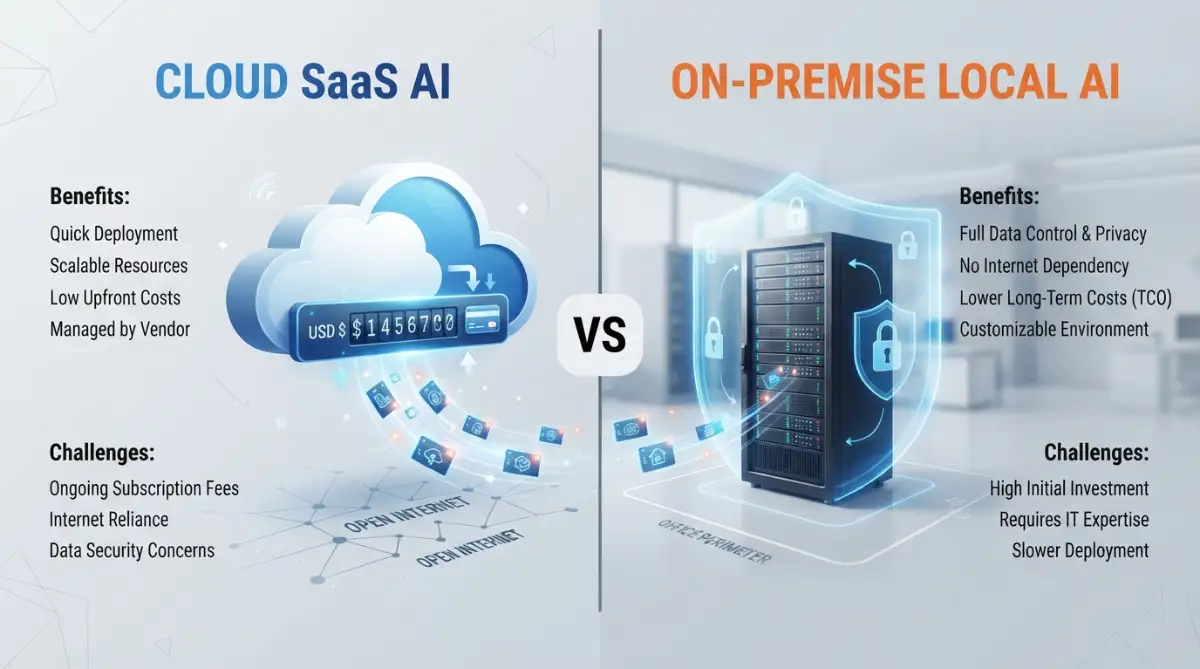
Direct Feature Comparison: Open Source vs. Proprietary SaaS
To help you view these options clearly, here is a breakdown of how both approaches compare across key operational categories:
Performance, Accuracy, and Speed in Real-World Tasks
The quality of daily answers determines whether your team actually uses the tool you provide. In past years, commercial mega-models crushed smaller public models in reasoning, but that massive gap has closed dramatically.
Everyday Office Work and Document Summaries
For standard office writing, drafting customer emails, and summarizing meeting transcripts, modern open weights perform remarkably well. A mid-sized open model can summarize a fifty-page report just as accurately as an expensive proprietary tool.
These models run fast on modest hardware, giving your workers snappy responses without hitting rate limits. Unless your work requires complex multi-step legal reasoning, you rarely need the massive computing footprint of a closed giant.
Advanced Coding and Deep Complex Logic
When it comes to advanced mathematical proofs or massive software engineering projects, top proprietary clouds still maintain a noticeable edge. Their massive training scale allows them to spot subtle programming bugs and write complex scripts with fewer mistakes.
If your team relies heavily on automated code creation across diverse programming languages, proprietary systems often save valuable debugging hours. They handle messy, open-ended research prompts with greater nuance and fewer factual inventions.
However, targeted open models that are fine-tuned specifically on clean internal codebases can outperform generic cloud models in specialized enterprise tasks. Customization often beats raw model size.
Technical Maintenance and the Burden of Support
Software that breaks down during a product launch is worse than having no software at all. Before picking a path, you must assess whether your internal staff can handle ongoing system upkeep.
The Relief of Managed SaaS Maintenance
The biggest selling point of proprietary software is simple peace of mind. If a server rack catches fire on the other side of the country, an army of vendor engineers works through the night to fix it.
Your team wakes up, logs in, and gets right back to work without ever thinking about server patches. You automatically receive the newest speed improvements, user interface updates, and security patches without lifting a finger.
This hands-off convenience allows your staff to focus purely on your core product rather than spending time managing software plumbing. For lean teams without dedicated server engineers, this advantage alone often justifies the higher subscription costs.
The Realities of Self-Hosting Open Models
Running your own setup means you are the technical support team. When memory runs out, when an update corrupts a model file, or when response times slow to a crawl, your developers must troubleshoot the problem.
You must handle user access controls, manage network bandwidth, and build clean user interfaces so non-technical workers can use the models. Without a proper interface, an open model is just a raw terminal window that terrifies regular office workers.
Pro Tip: Early on, I made the painful mistake of deploying an open model without building a clean internal web interface for our non-technical staff. My team completely ignored the tool for two months simply because they hated using basic terminal prompts, which cost us valuable time. I learned that user adoption depends just as much on a friendly interface as it does on raw processing power.
Vendor Lock-In: The Risk Nobody Talks About
Relying completely on an external vendor creates a dangerous form of operational dependence. When a company builds its daily workflows around a closed system, switching providers later becomes an expensive nightmare.
If a vendor changes its acceptable use policy, hikes prices by fifty percent, or terminates a specific feature, your business must adapt instantly. You have no legal recourse, and you cannot export the engine that your team spent months adapting to.
With open-source foundations, you own your workflow from start to finish. If your current cloud hosting provider raises its server rates, you simply move your model weights and data containers to another hosting company.
This portability gives your business strong negotiating power and protects your operational continuity. You remain completely in charge of your own digital future.
A Strategic Framework for Deciding Your Next Move
Making the right decision requires looking honestly at your monthly balance sheet, your legal obligations, and your team's technical skills. There is no single universal answer, but there is always a clear right answer for your specific situation.
When You Should Choose Proprietary SaaS
Pick a commercial SaaS tool if your business meets these conditions:
- Your staff has fewer than twenty people and lacks dedicated server or system engineers.
- The data your team processes consists of public information, standard marketing copy, or non-sensitive notes.
- You need a working, polished solution active this afternoon rather than next month.
- Your monthly usage stays low enough that unpredictable token bills will not break your budget.
When You Should Invest in Open-Source Models
Move toward private, self-hosted open models if your business meets these conditions:
- You handle strictly regulated patient records, financial transactions, or proprietary engineering blueprints.
- Your operations require high-volume, automated query processing where per-token pricing would destroy your profit margins.
- You already have an internal technical team capable of managing private servers or dedicated cloud instances.
- You want to customize an intelligence engine specifically on your own private business documentation.
Many growing companies end up choosing a smart hybrid approach. They use quick commercial tools for creative marketing brainstorms while processing sensitive customer records through private open systems behind their own firewall.
This balanced strategy keeps daily costs manageable while locking down company secrets against outside eyes. By looking closely at your real usage and your privacy requirements, you can build a software setup that supports your team without draining your bank account.
Smart Architecture Strategies to Squeeze Maximum Value from Both Worlds
Getting the best return on your software investment requires looking beyond a simple all-or-nothing choice. The most effective teams do not pick one camp and abandon the other completely. Instead, they build smart hybrid pipelines that protect their budget while locking down confidential company files.
Deploying the Intelligent Router Strategy
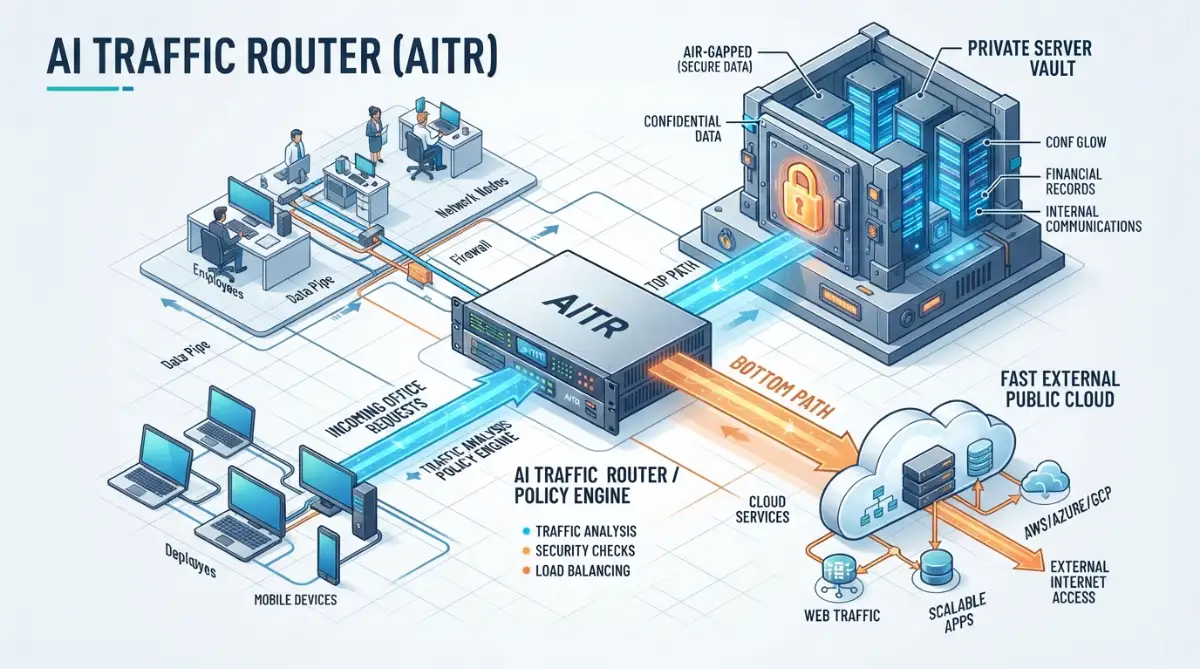
A smart gateway acts like a digital traffic cop sitting between your workers and your AI engines. When an employee asks a simple question or pastes customer text, the router inspects the request first.
If the prompt contains sensitive internal details, the router directs it straight to a private, self-hosted system. If the request is a generic creative task like drafting a public press release, the router pushes it to a high-speed commercial tool.
This single workflow lets you enjoy the raw speed of commercial tools without risking protecting proprietary data against exposure. It also helps you avoid spending premium subscription tokens on repetitive everyday tasks.
Implementing Semantic Caching to Slash Recurring Bills
Most companies ask their automated assistants the exact same questions dozens of times every week. Employees frequently request summaries of the same internal handbook, product spec, or return policy.
Without caching, your system burns through expensive computing power or per-token charges every single time a question is asked. By setting up a semantic cache, your system stores previous answers inside an internal database.
When a new prompt arrives with the same meaning, the system serves the saved answer instantly with zero computing expense. This simple adjustment often cuts monthly operational token bills by thirty to fifty percent almost immediately.
Shrinking Hardware Needs Through Model Quantization
You do not need to buy massive supercomputers to run open-weight models effectively inside your office. Modern model compression, known as quantization, shrinks large weights into compact packages that run on modest hardware.
Quantized models use four-bit or eight-bit integer math instead of heavy floating-point numbers. This compression drops system memory requirements by more than half while preserving nearly all the original reasoning quality.
Your team can run capable assistant models on off-the-shelf business desktops or single rented graphic cards. Following recognized security benchmarks, such as the OWASP Top Ten security standards for large language tools, guarantees your local setup stays protected against unexpected prompt injections.
Grounding Systems with Private Document Indexing
Many companies wrongly assume they need to retrain a massive model to make it understand internal company files. Retraining weights from scratch is extraordinarily expensive and demands immense computing resources that most businesses cannot justify.
A far better approach is connecting a smaller open engine to an internal document index using basic search retrieval. The model reads relevant snippets of your private handbooks only when answering a specific prompt.
Your customer databases remain safely housed inside your local storage perimeter without leaving your control. By learning securing cloud storage configurations, your engineering team can isolate confidential records while still giving staff fast answers.
Quick 3-Step Verification for Private Data Safety:
- Network Isolation: Ensure your inference server has no outbound internet route enabled during data processing.
- RAM-Only Processing: Set temporary scratch buffers to dump memory automatically after a query finishes so prompts never sit on disk caches.
- Access Auditing: Require your engineers to use individual role-based keys rather than sharing one master administrator login across the office.

Operational Blind Spots That Drain Budgets and Compromise Records
Rushing into any new software commitment without clear guardrails leads to painful surprises. Too many businesses stumble into predictable traps that harm their cash reserves or expose them to legal scrutiny.
The Illusion of Free Open Source
The biggest trap in the open software movement is assuming that free code translates to zero operational expense. While you never pay licensing fees for open weights, the peripheral infrastructure costs add up rapidly.
High-capacity servers consume significant electricity and require dedicated cooling if maintained on site. If you host them through private cloud providers, bandwidth transfer fees and storage instances appear on your monthly ledger.
Furthermore, your engineering team spends valuable hours configuring drivers, updating dependencies, and handling system downtime. If your developers spend half their week babysitting a server cluster, your real payroll costs skyrocket.
Blind Trust in Commercial Privacy Toggles
Many team managers believe checking an enterprise privacy box on a third-party platform completely eliminates their legal exposure. In reality, commercial terms of service change regularly, often with very little warning to everyday users.
You must understand how remote cloud systems handle internal encryption before trusting external vendors with trade secrets. Many external services keep readable temporary logs on intermediate servers for debugging or trust-and-safety audits.
Recent regulatory warnings from agencies like the Federal Trade Commission notices regarding commercial algorithm accountability prove that businesses remain legally liable for where their customer records end up. Relying on vague vendor promises without an independent audit creates dangerous compliance vulnerabilities.
The Menace of Shadow Tools in Daily Workflows
When management restricts external tools without offering a fast internal alternative, employees take matters into their own hands. Frustrated workers copy company memos and customer tickets into free personal accounts on their phones to get work done quickly.
This unauthorized shadow activity completely shatters your corporate security perimeter. You lose all visibility into what data leaves your walls, exposing your brand to massive regulatory liabilities.
Leadership teams must prevent this friction by actively auditing software stacks to eliminate bloat and delivering responsive tools that employees actually enjoy using. If your internal tools feel clunky and slow, staff will always look for risky shortcuts.
Over-Engineering Before Proving Real Business Value
A common technical misstep is building an elaborate, custom self-hosted infrastructure before validating whether employees need the tool. Teams spend six months buying expensive server racks only to find out their staff just needed a basic writing assistant.
Starting too big ties up valuable capital that could be used for hiring or product development. Always begin with small, focused experiments that prove tangible time savings before committing to heavy hardware purchases.
To maintain clear operational discipline, review this practical summary of smart behaviors versus risky habits:
- Do: Run small pilot tests with sample data before buying long-term hardware or signing annual contracts.
- Do: Keep strict internal logs showing which departments access internal intelligence models.
- Do: Review official risk frameworks like the National Institute of Standards and Technology guidelines on automated systems to benchmark your safety policies.
- Don't: Paste unencrypted customer names, credit details, or health notes into standard consumer cloud interfaces.
- Don't: Assume an open-weight model runs without regular software patches and dependency updates.
- Don't: Let individual departments buy separate AI tools without central security approval.
Building an AI Strategy That Grows with Your Business
Creating a stable technology foundation does not require endless compromise or sleepless nights over ballooning invoices. Success comes down to matching each specific business task to the platform best suited to handle it.
Use proprietary SaaS platforms when you need instant access, top-tier creative writing, and non-sensitive brainstorming capabilities. Let external engineering teams handle the heavy maintenance while your staff focuses purely on shipping work and closing deals.
Turn to private open-source models whenever your workflow touches sensitive customer records, trade secrets, or regulated information. Running your own models gives you complete independence from vendor price hikes and keeps your operational assets directly under your command.
By taking a phased approach, you protect your company balance sheet while keeping your private data firmly behind your own lock and key. The power to design an intelligent, safe, and cost-effective digital workplace is entirely within your reach.
Straight Answers to Common Budget and Privacy Dilemmas
Can small businesses realistically run open-source models without hiring expensive engineers?
Yes, modern desktop tools and user-friendly server managers make it possible to run lightweight models on modest hardware. Non-technical staff can interact with these models through clean web interfaces without typing a single command line. However, if your team needs complex custom connections across multiple internal databases, having part-time technical support is highly recommended.
How do I know if a commercial cloud tool is using my company data for training?
You must carefully review the vendor's commercial terms of service and enterprise privacy documentation. Free or standard consumer tiers almost always reserve the right to review prompts and use inputs to train future models. Paid enterprise tiers typically offer written zero-retention agreements, but you should verify these terms directly with their legal team.
Is running an open-source model always cheaper than paying for a monthly SaaS plan?
Not always, especially for small teams with light or irregular usage. If you only process a few hundred queries each month, paying a minor per-seat subscription is much cheaper than maintaining dedicated server hardware. Open-source models become financially superior when your query volume scales into millions of tokens and predictable fixed costs become necessary.
What digital rights should my company verify before using open-weight models?
You should check the specific license under which the model weights are distributed. Many open models allow unrestricted commercial use, while others restrict deployment if your business exceeds a certain monthly active user threshold. Consulting resources from consumer privacy advocates like the Electronic Frontier Foundation recommendations on consumer digital rights can help you understand how open licenses protect your software ownership.
Regulatory and Policy Disclaimer
This article is prepared for informational, educational, and workflow optimization purposes only and does not constitute formal legal, financial, or cybersecurity advice. Data privacy laws, enterprise compliance requirements, and commercial software licensing terms vary significantly across jurisdictions, industries, and business scales. Always consult qualified legal counsel, certified data compliance officers, and IT security professionals before making architectural changes or processing sensitive customer records through automated digital platforms.