The Nightmare of Losing Control Over Your Hard Work
Let’s be honest—saving your business files online often feels like handing your wallet to a complete stranger and hoping they don't look inside. You pay your monthly subscription, hit "upload," and cross your fingers that your client data won't end up scattered across the internet. If you have ever felt a spike of blind panic when a cloud drive refused to load right before a major meeting, you are definitely not alone. Today, we are cutting through the confusing tech jargon to look at exactly who has access to your hard work, what happens when you hit save, and how you can easily lock down your digital life for good.
It was a late Tuesday evening, and I was trying to access a highly sensitive client folder on my primary cloud drive. I needed to double-check a single document before a big morning meeting.
Instead of my organized files, my screen froze entirely, and a strange, unfamiliar error message popped up on my dashboard.
A million terrible thoughts rushed through my mind all at once. I could practically hear my own heartbeat echoing in the silent office.
Had someone hacked into my account and stolen my client's confidential data? Was my entire business reputation about to be completely ruined over a simple online storage glitch?
That night changed everything about how I view online software and the safety of my digital life. My files eventually loaded after a terrifying ten-minute server delay, but the damage to my peace of mind was already done.
I realized that hitting the "upload" button means blindly handing over your most valuable business assets to total strangers. We trust these invisible servers to hold our financial records, customer details, and private creative work.
Yet, most of us have absolutely no idea what actually happens to our files once they leave our computer screens. We just cross our fingers, pay our monthly subscription fees, and hope for the best.
The fear of losing your hard work, facing legal trouble over leaked customer data, or dealing with a ransomware attack is a heavy burden to carry. It drains your energy and distracts you from actually growing your business.
We deserve to know exactly how our digital properties are being guarded behind those slick software interfaces.
Quick Takeaways for Protecting Your Files:
- Understand the difference between your data traveling (Data in Transit) and resting (Data at Rest).
- Switch your two-step login from text messages to an Authenticator App today.
- Stop sharing "anyone with the link" access; always invite people by their specific email addresses.
- Remove access for old employees and freelancers the exact day they leave.
Demystifying the Magic: What Actually Happens to Your Data?
When you save a document to a modern software platform, it does not just float up into a fluffy white cloud in the sky. Your data travels through a complex, highly engineered system designed specifically to keep bad actors out.
Understanding this system is the first step to regaining your confidence. You do not need to be a computer scientist to grasp the basic rules of digital safety.
Think of your data as highly valuable cash. You would never just hand your cash to a random person on the street and ask them to hold it for you.
You would put it in a secure bank, transported by an armored truck, guarded by security cameras and heavy steel vaults. Good software companies treat your business files with that exact same level of extreme paranoia.
They use a system called encryption, which is basically a secret language that only authorized people can read. If a thief somehow breaks in and steals the files, all they get is a pile of unreadable, scrambled nonsense.
Cloud Encryption: Myth vs. Fact
- Myth: If a hacker steals my files from the cloud server, they can easily read my business plans.
- Fact: Without the proper encryption key, your stolen files just look like a massive wall of random numbers and letters. It would take a supercomputer millions of years to guess the right combination to make it readable.
- Myth: "Incognito Mode" protects my files while I upload them.
- Fact: Incognito mode only hides your browsing history from other people using your physical computer. It does absolutely nothing to protect your files while they travel across the internet.
Let us break down the exact methods these companies use to lock down your digital life, step by step.
The Armored Truck: Protecting Your Files on the Move
The most dangerous time for your data is the exact second it leaves your computer. As your file travels over your Wi-Fi connection and through the internet, it is highly vulnerable to interception.
Hackers love to sit in the middle of these digital roads, trying to catch unprotected files as they fly by. This is especially common if you are working from a public place, like a local coffee shop or an airport lounge.
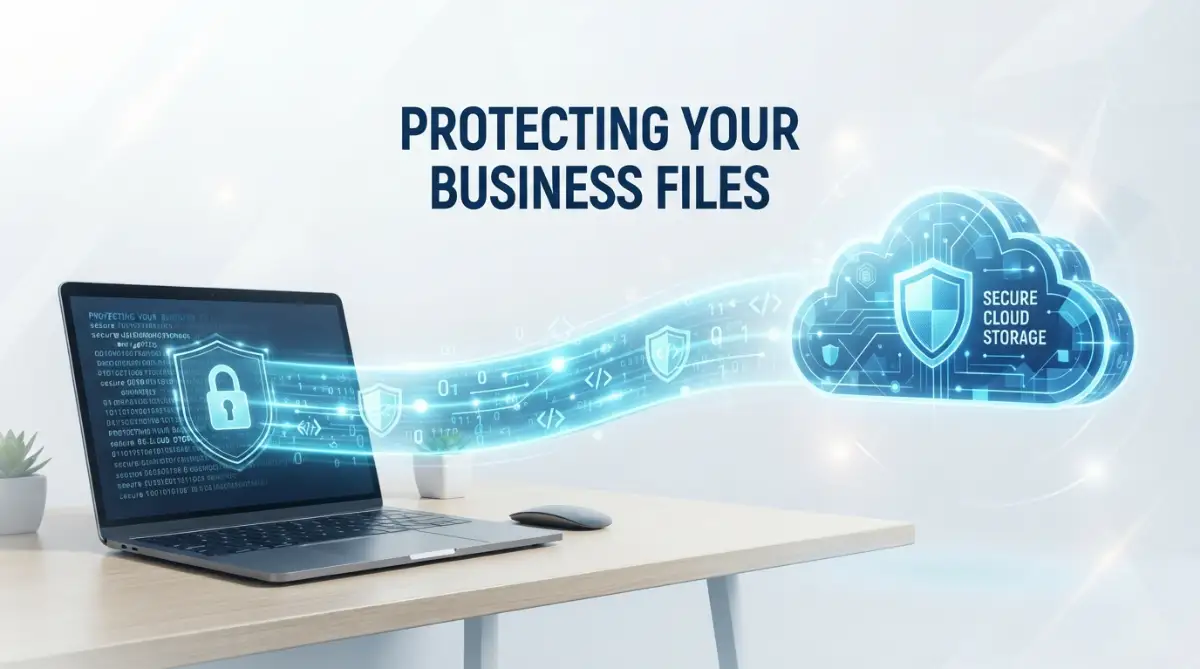
To stop this, software providers use something called Data in Transit Encryption.
Imagine placing your document inside a thick, indestructible steel safe before you even take it out of your house. The safe is then loaded onto a heavily armed transport truck.
Even if a digital highway robber manages to hijack the truck, they cannot open the safe. They just have a heavy metal box they can do absolutely nothing with.
In the tech world, this is usually done using strong SSL or TLS protocols. Whenever you see that tiny little padlock icon next to a website address in your browser, you are looking at this armored truck in action.
It ensures that the conversation between your laptop and the software server is completely private and impossible to spy on.

The Bank Vault: Keeping Information Safe While It Sleeps
Once your file safely arrives at the software provider's data center, it needs a permanent, safe place to live. This is where Data at Rest Encryption comes into play.
Your files are not just sitting open on a digital desk waiting for someone to walk by and read them. Instead, the moment they arrive, they are instantly scrambled into an unreadable mathematical puzzle.
The industry standard for this process is called AES-256 encryption. To give you an idea of how strong this is, the military uses this exact same math to protect state secrets.
If a cybercriminal somehow managed to physically break into the server building and steal the actual hard drives, they would still be totally out of luck. Breaking this type of math would take modern computers millions of years to guess the right combination.
Your files stay perfectly frozen in this scrambled state until you log back in and request them.
Here is a hard truth I had to learn the hard way: always turn on multi-factor authentication, even if it feels annoying. I used to rely on just a strong password, but after a near-miss with a phishing scam, I realized that a password is only a single locked door. Adding that second step is like hiring a security guard to stand right in front of that door.
Which Security Guard Should You Hire? (MFA Methods Ranked)
- SMS Text Messages (Low Security): Better than nothing, but hackers can trick your phone company into sending your texts to their phone instead (SIM swapping).
- Authenticator Apps (High Security): Apps like Google Authenticator create temporary codes directly on your phone. Since it doesn't use the phone network, it is much harder for hackers to intercept.
- Physical Security Keys (Maximum Security): A small device (like a YubiKey) that you physically plug into your computer. You cannot log in without it, making remote hacking almost impossible.
Who Holds the Master Key? The Reality of Access
Encryption is amazing, but it naturally brings up a very important question. If the files are locked into an unreadable puzzle, who actually holds the key to unlock them?
This is where things get incredibly interesting, and it is a major factor you should look for when choosing a software partner.
Many standard services hold the encryption keys for you. This makes things very convenient. If you forget your password, you can simply click a button, verify your email, and they will help you reset it and get your files back.
However, this also means that the company itself technically has the ability to unlock and view your data if they are legally forced to do so.
For maximum privacy, some specialized platforms offer Zero-Knowledge Encryption.
In a zero-knowledge system, you are the only person in the universe who holds the key. The software company provides the locked vault, but they literally throw away their copy of the key.
This means your privacy is absolute. Even the engineers who built the system cannot see what you have saved inside.
The catch? If you lose your master password in a zero-knowledge system, your data is gone forever. There is no password reset button, because the company cannot unlock the door for you.
Building an Invisible Wall: Controlling Who Gets Inside
Encryption handles the math side of security, but human behavior is entirely different. Most data leaks do not happen because a genius hacker broke the code.
They happen because someone accidentally left the front door wide open.
Top-tier software providers spend an enormous amount of money building strict access controls. They operate on a simple rule called the Principle of Least Privilege.
This means that an employee at the software company only gets access to the exact tools they need to do their specific job, and nothing more. A marketing intern at the company cannot randomly browse through the server files where your data lives.
On your end of the software, good platforms give you the same level of control over your own team.
You can set strict roles for your employees. Maybe your accountant can view financial files, but they cannot delete them. Maybe your temporary contractor can only view files for a single week before their access automatically expires.
By controlling exactly who can see, edit, or share specific documents, you drastically lower the chances of an accidental leak.
The Undercover Guards: Continuous Monitoring and Testing
Security is never a "set it and forget it" task. The internet is full of bad actors who constantly invent entirely new ways to break into systems.
Because of this, reliable software companies employ dedicated security teams who essentially play digital defense all day long. They use smart monitoring tools that watch the network for anything acting strange.
If someone tries to log into your account from London, and then ten minutes later tries to log in from Tokyo, the system immediately recognizes that this is physically impossible. It will instantly lock the account down and send you an urgent warning.
Beyond just watching for attacks, these companies actually hire friendly hackers, known as Penetration Testers.
These professional rule-breakers are paid a lot of money to try and smash into the company's own defenses. They look for tiny cracks in the software code before the actual bad guys can find them.
When they find a weakness, the engineering team rushes to patch the hole immediately. It is a constant, endless game of digital cat and mouse.
Making Sense of the Alphabet Soup: Compliance and Audits
When you read through the security page of a software website, you will often see a messy alphabet soup of acronyms. You might see terms like SOC 2, ISO 27001, HIPAA, or GDPR.
While these look intimidating, they are actually your best friends. They are proof that the company is not just making empty promises about keeping your data safe.
Think of these certifications like health inspections for a restaurant.
A restaurant owner can promise you their kitchen is perfectly clean. But you will feel much better if a strict, independent government inspector unexpectedly shows up, checks every corner, and gives them an official "A" grade.
That is exactly what a SOC 2 audit is. An outside team of strict auditors comes into the software company and deeply examines every single security practice they have.
They check the server rooms, review the employee background checks, and test the digital locks. If the company passes, they get an official report proving they handle data responsibly.

Always look for these independent certifications before trusting a new platform with your business files.
Preparing for the Worst: Redundancy and Backups
Even with the best locks in the world, physical disasters still happen. Servers are real machines sitting in physical buildings.
What happens if a massive hurricane floods the data center where your files live? Or if a freak electrical fire destroys a row of hard drives?
To protect you against bad luck, professional cloud services use Data Redundancy.
They do not just save your file in one single place. The moment you upload a document, the system automatically creates multiple encrypted copies and scatters them across different geographical locations.
If a data center in New York goes completely dark, a backup server in Texas instantly takes over without you ever noticing. Your files remain totally safe and accessible, no matter what mother nature throws at the physical servers.
This level of disaster preparation is something a small business could never afford to build on their own. It is one of the biggest hidden benefits of trusting a high-quality cloud platform.
The Human Element: Your Role in the Security Chain
We have talked extensively about all the incredible technology protecting your data behind the scenes. But there is one final, uncomfortable truth we need to address.
The absolute strongest lock in the world is completely useless if you leave the key right under the welcome mat.
The vast majority of data problems are caused by simple human errors on the user's end. Reusing the exact same weak password for your email, bank, and cloud storage is a massive risk.
If a hacker steals your password from a poorly secured fitness app, they will immediately try that same password on your important business software.
You have to take personal responsibility for your side of the security chain. Use a trusted password manager to generate long, random passwords for every single account you own.
Educate your team about phishing emails. Hackers know it is too hard to break through the software's encryption, so they will simply send your employees a fake email pretending to be the CEO, asking them to click a malicious link.
By combining the heavy-duty encryption of top software platforms with your own smart security habits, you create a digital fortress that is incredibly difficult to breach. You can finally stop worrying about losing everything and get back to actually running your business with total peace of mind.
Taking Charge of Your Digital Vault: Insider Tactics for Absolute Safety
Understanding the hidden math behind digital locks is only the beginning of your journey. To truly protect your hard work, you need to turn that basic knowledge into an unbreakable daily routine.
Many business owners make the mistake of assuming the software will automatically handle everything for them. They pay their monthly fee, upload their sensitive folders, and completely forget about active management.
This passive approach is exactly how small mistakes turn into massive headaches. You have to actively build a culture of privacy within your own daily operations.
Let us explore a few advanced, practical habits that separate the absolute beginners from the true professionals. These are simple changes you can make right now without needing a computer science degree.
First, you need to rethink how you handle your passwords entirely. A shockingly high number of people still use the names of their pets or their favorite sports teams to lock down their business finances.
Instead of trying to memorize complex strings of letters and numbers, start using a dedicated password manager. These tools act like a highly secure digital safe that generates and remembers impossible-to-guess passwords for every single platform you use.
You only need to remember one strong master password to open the safe. According to official password guidelines from the National Institute of Standards and Technology, using long passphrases instead of complex short words is the smartest way to stop brute-force attacks.
Once your passwords are solid, you must upgrade your multi-factor authentication (MFA) methods immediately. Getting a text message code to your phone is better than nothing, but it is no longer the safest option available.
Hackers can actually trick mobile carriers into transferring your phone number to a new SIM card. This means they will receive your private login texts directly to their own devices.
To prevent this, switch to a dedicated Authenticator App like Google Authenticator or Authy. These apps generate fresh, temporary login codes directly on your physical device, completely bypassing the vulnerable cellular network.
Another excellent habit is performing a monthly audit of your shared folders and external links. You would be amazed at how many forgotten files are just sitting in the open because of an old project.
Think back to a freelance graphic designer you hired three months ago to create a simple logo. Did you ever go back into your system and revoke their access to your main creative folder?
If that freelancer's laptop gets compromised today, your business files are suddenly exposed to whoever stole their machine. By proactively auditing your software stack to prevent bloat and managing user roles, you instantly close these invisible backdoors.
You should also be incredibly careful about connecting third-party plugins to your main workspace. We all love finding a free PDF editor or a quick scheduling app to save a little time.
However, when you click "Allow Access" for these random apps, you are basically handing them a copy of your master house key. They can often read, edit, and even delete the files living inside your main storage drive.
Before integrating any new tool, always check exactly what permissions it is asking for. If a simple calendar plugin demands full access to read all your stored documents, deny the request and find a safer alternative.
You can learn much more about securing cloud storage effortlessly by making these routine checks a natural part of your Friday afternoon schedule.
Finally, consider adding your own layer of local encryption for highly sensitive materials before they even reach the internet. If you are dealing with tax records or private health data, use a desktop program to lock the files locally first.
When you upload this pre-locked folder, the platform encrypts it again. This creates a double-layered vault that makes unauthorized access practically impossible, giving you ultimate peace of mind.

Dangerous Blind Spots: Everyday Habits That Put Your Business at Risk
Even the most expensive, military-grade security systems can be easily defeated by a single human error. People often focus entirely on outside threats, completely ignoring the massive risks they create with their own daily habits.
One of the most terrifying mistakes business owners make is aggressively overusing the "Anyone with the link can view" sharing setting. This tiny dropdown menu is responsible for some of the biggest data leaks in modern history.
When you generate a public link, you are essentially removing all the heavy encryption doors and placing your file on a public sidewalk. You might think it is safe because you only emailed the link to a single trusted client.
But what happens if that client accidentally forwards the email to the wrong person? What if they paste that link into a public forum or an unencrypted chat room?
Search engine web crawlers are constantly scouring the internet for open links just like these. Within hours, your private financial projection could easily show up in standard web search results for anyone to download.
Instead of relying on open links, always take the extra ten seconds to invite people by their specific email addresses. This forces the platform to verify exactly who is trying to open the document before granting them entry.
Another major pitfall is completely ignoring software updates and blindly clicking "remind me later." People treat update notifications like annoying pop-up ads that only exist to interrupt their workflow.
In reality, most of these updates are emergency patches designed to fix newly discovered holes in the system code. When hackers find a crack in a popular program, they immediately start scanning the internet for users who have not updated yet.
According to cybersecurity infrastructure experts at CISA, delaying these simple updates leaves your entire network exposed to known, easily preventable attacks. Make it a strict company policy to restart computers and apply patches the exact moment they become available.
A completely new threat emerging right now involves blindly feeding company secrets into free artificial intelligence platforms. Employees often copy entire meeting transcripts or private code snippets into AI chat boxes to generate quick summaries.
They do not realize that many of these free services actively use user inputs to train their public models. Your highly confidential business strategy could easily be memorized by the machine and accidentally repeated to a competitor.
You have to set clear rules for your team regarding protecting proprietary data from AI risks before someone unknowingly gives away your most valuable assets.
We also see businesses completely failing at the offboarding process when an employee leaves the company. Firing someone or having them resign is always stressful, and revoking their digital access is often completely forgotten in the chaos.
An angry former employee who still has access to your central drive can do an unbelievable amount of damage in just a few minutes. They can permanently delete client folders, steal your active email lists, or purposely corrupt your main project files.
The Open Worldwide Application Security Project (OWASP) constantly warns that broken access control is a leading cause of severe internal breaches.
To stop this nightmare scenario, you must create a mandatory offboarding checklist. The very moment a team member officially leaves, their email should be suspended, their passwords reset, and their remote access instantly terminated.
Do not let convenience blind you to reality. Taking shortcuts with permissions and ignoring basic hygiene rules will eventually catch up to you, and the resulting damage is rarely cheap to fix.
Moving Forward With Unbreakable Confidence
Securing your digital workspace does not require a massive IT budget or weeks of stressful technical training. It just requires a simple mindset shift and a commitment to doing the small things right every single day.
You now understand the incredible invisible technology working around the clock to protect your files. From data in transit encryption acting like an armored truck, to heavy-duty vaults freezing your information while it sleeps.
You know that the absolute best platforms prioritize strict privacy, continuous testing, and independent audits to guarantee their promises are real.
But most importantly, you now recognize your own immense power in this equation. By managing your passwords properly, utilizing authenticator apps, and controlling who gets the master key, you build a wall that practically no one can climb over.
Start small tomorrow morning. Pick just one shared folder and review exactly who still has permission to look inside.
Take five minutes to research password managers, or finally learn about automating daily administrative tasks safely without compromising your network. Every tiny step you take actively reduces your anxiety and strengthens your business reputation.
As the Electronic Frontier Foundation consistently reminds us, privacy is not a luxury, it is a fundamental right you must actively defend. You have the tools, the knowledge, and the strategy to keep your hard work completely safe from wandering eyes.
I know exactly how overwhelming all this tech stuff felt when I first started organizing my own business online. My biggest realization was that waiting for a disaster to happen is the most expensive mistake you can possibly make.
I took control of my digital habits, locked down my permissions, and finally stopped worrying every time I hit the upload button. You have the exact same power to build a safe, stress-free environment for your own ideas starting right now.
Clearing Up the Confusion: Your Top Cloud Privacy Questions
Can software company employees actually read my private documents?
In most standard setups, technical engineers have the ultimate ability to access files if legally required. However, if you choose a service that offers strict zero-knowledge encryption, no one at the company can ever see your data because you are the only one holding the master key.
What happens to my specific files if the main cloud server completely crashes?
Top-tier platforms automatically create multiple scrambled copies of your work and store them in completely different geographic locations. If one server building loses power or crashes, a backup center instantly takes over, keeping your files perfectly safe and available.
Is zero-knowledge security the best choice for every small business?
It offers the absolute highest level of privacy, but it comes with a major risk you must accept. If you ever forget your master password in a zero-knowledge system, the company cannot help you reset it, and your files will be permanently lost forever.
How often should I actively review who has access to my business folders?
You should make it a habit to perform a quick manual audit at least once every single month. Additionally, you must immediately review and revoke access the exact moment a freelancer finishes a project or an employee leaves your company.
Does compressing my large files before uploading them lower my security?
No, compressing a file into a ZIP folder does not weaken the protective math used by the platform. In fact, many people prefer to add their own local password to a compressed folder before uploading it, adding an extra layer of defense.
Disclaimer: The information provided in this article is for educational and informational purposes only and should not be considered professional cybersecurity or legal advice. Software features, security protocols, and digital threats change frequently. Always consult with a certified IT professional or cybersecurity expert before making significant decisions regarding your business data architecture or compliance requirements.