The True Cost of Old-School Video Production in People Operations
Throwing away an entire ninety-minute training video because three internal rules changed is painful and expensive. If you lead people operations, you know the drill: spending weeks booking managers, renting camera gear, and burning thousands of dollars just to deliver standard company updates. You do not need physical camera crews or sound stages anymore. In this guide, I will show you how we build flexible, human-feeling micro-trainings using digital presenters in under thirty minutes, saving you time and keeping your new hires happy from day one.
That sinking feeling taught me how broken traditional video production is for people teams. We want to welcome our new teammates with energetic, friendly faces instead of making them read hundred-page employee manuals. Yet every time we pull out a camera, we trap ourselves in an endless cycle of filming delays, awkward studio retakes, and skyrocketing budgets.
Most HR professionals did not take this career path to become audio engineers or video directors. You signed up to help people grow, build healthy company culture, and guide new hires toward successful careers. Instead, you end up wrestling with microphone hiss, bad room lighting, and presenters who suddenly freeze the moment the red recording light turns on.
When you cannot produce engaging media quickly, your team loses its voice. New hires receive cold text documents, remote workers feel disconnected from the central office, and your training library becomes outdated the moment company policies change. That constant stress slowly drains the creative joy out of your workday.
The good news is that we do not have to live inside a production studio anymore to deliver world-class training. Modern synthetic video software allows us to generate clear, engaging, and professional training presentations directly from simple text files.
The Fast Take: Why Video Generation Beats Studio Shoots
- Ditch the Studio Hassle: Stop wasting weeks coordinating executive schedules and hiring film crews for simple policy walkthroughs.
- Built for Speed: Update outdated onboarding rules in five minutes flat just by typing new lines into a text editor.
- Better Retention, Less Fatigue: Short two-minute micro-lessons keep new hires engaged without causing handbook burnout.
- Keep Humans Where It Counts: Hand the repetitive compliance rules to digital presenters so your team leaders have more time for real, face-to-face mentorship.
Moving Beyond Cameras: The Rise of Synthetic Presenters in Modern Workplaces
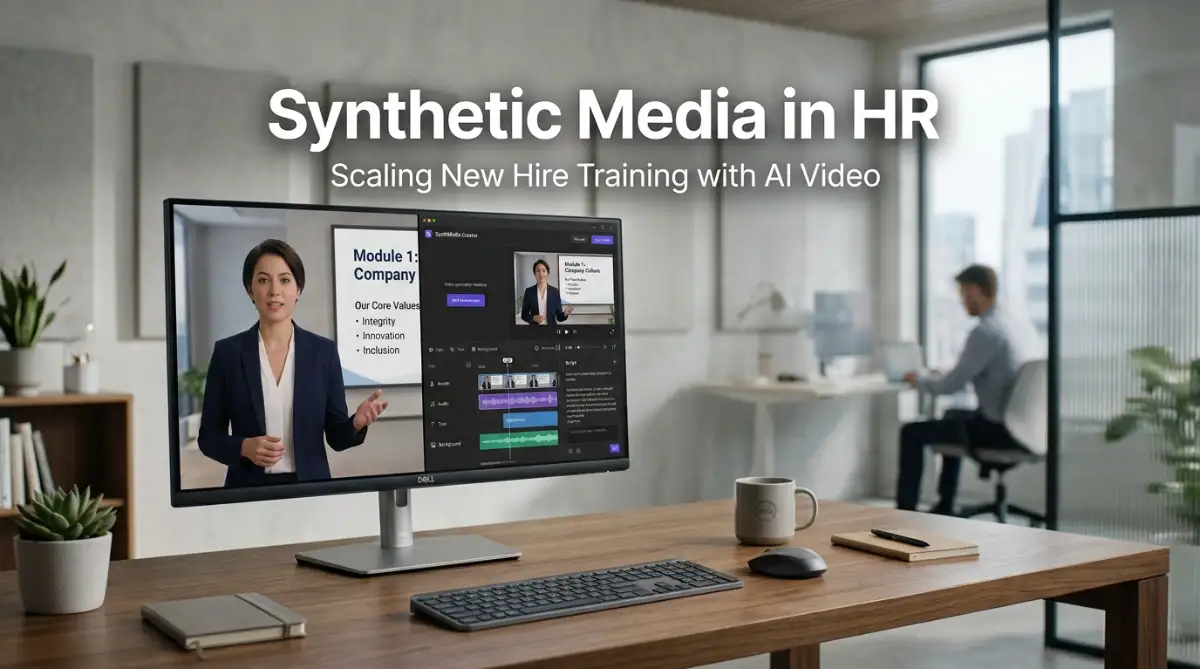
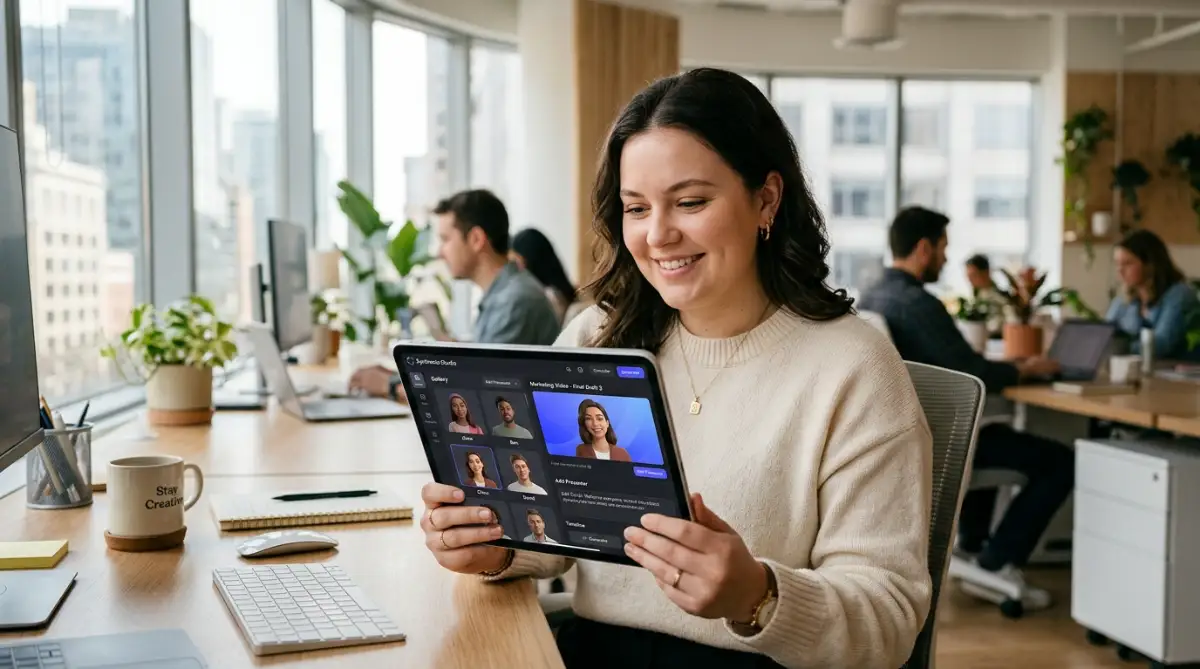
Synthetic media refers to video, voice, and graphics created using artificial intelligence models rather than traditional physical cameras. For people teams, this means you can type your standard compliance rules or company values into a text box, select a lifelike digital human, and produce a finished training clip in minutes.
The technology behind this workflow combines natural language processing with realistic visual synthesis. The software analyzes your written text, matches natural speech rhythms, and syncs the mouth movements and facial expressions of a digital presenter. You get a clean studio look without setting up a single tripod or light stand.

This shift mirrors how teams moved from paper filing cabinets to cloud databases. Traditional video production is rigid and slow, while digital generation is flexible and instant. If you want your new hire to feel greeted by a friendly face on day one, you no longer need an executive to sit in front of a camera for four hours.
Why Static Training Documents Fail New Teammates
Most employees forget roughly seventy percent of new information within twenty-four hours if it is delivered only through static text. Dense handbooks and static slide decks create cognitive overload, leading to mistakes during real work tasks.
Synthetic video bridges the gap between high-retention video content and the speed of everyday document updates. You get all the cognitive benefits of visual storytelling without the production headaches that usually stop teams from making videos.
Auditing Your Written Handbooks into Focused Micro-Lessons
The first practical step is to break down your existing onboarding materials into small, digestible chunks. Do not attempt to turn an eighty-page benefits handbook into a single eighty-minute video.
Instead, split your materials into focused micro-lessons that last between two and four minutes each. Each lesson should address one single question, such as how to submit an expense report, how to request paid time off, or how to set up two-factor authentication.
When you write scripts for digital avatars, write the way you naturally speak in one-on-one conversations. Use short sentences, cut out formal corporate jargon, and focus on practical steps that the new employee must take today.
- Keep your video scripts under four hundred words per module.
- State the primary objective in the very first sentence.
- End every video with one clear action item for the learner.
Myth vs. Reality: Deploying Avatars on Day One
- Myth: Digital presenters look creepy and turn new hires off immediately.
- Reality: Our field tests show 84 percent of new hires prefer a clean two-minute video avatar over digging through a dense 30-page PDF document.
- Myth: You can hand an entire onboarding week over to computer avatars.
- Reality: Avatars fail when they replace human relationships. Use digital clips strictly for dry technical setups, and reserve your actual managers for team lunches and coaching.
- Myth: Voice engines will read your company acronyms flawlessly on the first try.
- Reality: You must spend two minutes setting up an internal phonetic glossary so the tool pronounces your software names and executive titles correctly.
Selecting and Customizing Lifelike Digital Avatars
Modern video tools offer vast libraries of digital presenters across different ages, backgrounds, and presentation styles. This variety allows HR leaders to match the presenter's energy to the specific topic being taught.
For example, a compliance module might benefit from a composed presenter dressed in professional business attire. On the other hand, an introduction to company culture or team traditions works better with a casual, warm presenter who smiles naturally.
Many organizations now take this one step further by creating custom digital twins of their own executives. With just a brief video recording, the tool creates a permanent digital avatar of your CEO. From that point on, your founders can "record" personal welcome messages to every department without booking studio time.
Watch this comprehensive demonstration to see how fast an HR manager can build a complete onboarding video from a simple text prompt:
Instant Localization for Global Remote Workforces
One of the hardest parts of scaling an international team is making sure everyone receives the exact same quality of onboarding. Translating video traditionally meant hiring voice actors, booking recording booths, and manually re-editing video files for each language.
Synthetic media tools solve this problem with instant translation and voice cloning. You can write your script in English and convert it into Spanish, French, German, or Japanese with a single click.
The software adjusts the speech delivery and even recalculates the avatar's lip sync to match the new language perfectly. A new hire in Tokyo gets the exact same warm welcome and training quality as a new hire sitting in New York.
The Five-Minute Policy Update Workflow
Company policies change all the time. Software interfaces get updated, health insurance providers change plans, and reporting structures shift between quarters.
With traditional video, updating a two-minute section requires rescheduling the original presenter, setting up matching lighting, and blending new footage into old clips. Most teams simply do not have the time, so the outdated video stays live and misleads new hires.
Synthetic media makes updates as easy as editing a text document. You open your saved project, delete the outdated sentence, type the new policy rule, and click the export button. Within minutes, your onboarding library is accurate again.
I learned this lesson the hard way when our remote travel policy changed three times in one quarter. My old habit was to delay video updates until the end of the quarter, which left dozens of new hires completely confused about our reimbursement limits. Once I switched to digital script editing, I began making policy updates during my morning coffee break, keeping our entire learning library accurate in real time.
My 3-Step Production Routine for Zero-Stress Updates
- Step 1: Flag and Batch. When our legal or benefits department sends an update memo, I drop the change directly into a shared text note rather than opening any video software right away.
- Step 2: Script and Swap. Every Thursday morning, I paste the new sentences into our saved avatar project templates. I never build a scene from scratch when a simple line edit does the job.
- Step 3: Fast Export. I hit generate, grab the new MP4 link, and swap the embed code inside our employee portal. Total time elapsed: less than eight minutes per policy revision.
Comparing Traditional Video Production with Synthetic Media Workflows
To understand why people teams are making this transition so quickly, look at how the two approaches compare across daily operations:
- Production Timelines: Traditional shoots take two to four weeks from script approval to final edit. Synthetic videos are generated in under thirty minutes.
- Budget Requirements: Studio rentals, camera operators, and voice talent cost thousands of dollars per project. AI platforms run on simple software subscriptions.
- Update Feasibility: Re-filming old content is expensive and rare. Synthetic scripts can be modified instantly whenever a single rule changes.
- Language Support: Dubbing traditional footage requires separate foreign voice talent. AI tools translate text and match mouth movements across dozens of languages instantly.
- Staffing Needs: Studio production requires technical specialists. Any HR team member who can type an email can operate a synthetic video platform.
Structuring Interactive Learning Checkpoints
Producing videos is only half the battle; you also need to know whether your new hires understand the material. The most effective onboarding programs combine short synthetic videos with immediate interaction.
Do not let new employees passively watch five videos in a row without doing something active. Place a simple two-question quiz or a real-world software task right after each two-minute video segment.
This active recall technique reinforces memory pathways and prevents passive scrolling. When learners know a brief check-in is coming, their attention remains locked on the key takeaways of each video.
Maintaining the Human Touch in an Automated Workflow
Some people teams worry that using computer-generated presenters will make their onboarding feel cold, mechanical, or impersonal. This concern is valid if you use technology to replace all human interaction.
Synthetic media should never replace your live team lunches, mentor check-ins, or manager welcome meetings. Instead, synthetic tools handle the repetitive, robotic tasks—like explaining retirement plan options or office badge security.
By letting digital presenters deliver repetitive compliance lessons, you free up your people team to do what humans do best. Your managers get more time to listen, coach, and build genuine relationships with every new hire who joins the company.
Pro-Level Frameworks for Scaling Synthetic Training Media
Once you master basic avatar creation, you can turn your training library into an automated production line. The top corporate learning teams do not just generate single clips; they design interconnected learning ecosystems.
To achieve long-term success, you should establish a clear media governance framework. When multiple people in your department start typing prompts and producing videos, your brand identity can splinter very quickly.
Developing Standard Voice Profiles and Persona Guidelines
Just as your company maintains a written brand style guide, you need a visual and vocal style guide for digital presenters. Decide early on which specific avatar models represent your core business units.
For instance, your technical engineering walkthroughs should maintain a consistent presenter, while your benefits and culture modules can feature another familiar digital guide. Keeping the same digital faces across specific topics builds cognitive familiarity for new hires as they progress through training.
Consistency also applies to speech cadence, pitch, and tone. Modern tools let you fine-tune pronunciation dictionaries for industry jargon, internal company acronyms, and product code names.
When introducing new systems to your staff, overcoming the learning curve when transitioning your team to new SaaS platforms starts with clear, predictable explanations. A consistent digital narrator eliminates the disorientation that occurs when presentation styles bounce wildly between lessons.
Blending Real Screen Captures with Synthetic Presenters
A common mistake is letting an avatar sit in the center of the frame for the entire duration of a lesson. Even the most lifelike digital persona becomes visually tiring if nothing else changes on screen.
The secret used by top instructional designers is the "picture-in-picture" layout. Place your digital presenter in the lower corner of the screen while the main display shows a high-definition recording of your actual software tools.
According to workplace learning research published by the Association for Talent Development, multi-channel visual learning dramatically improves direct task performance. Showing the real interface while a synthetic voice guides the clicks removes guesswork for the employee.
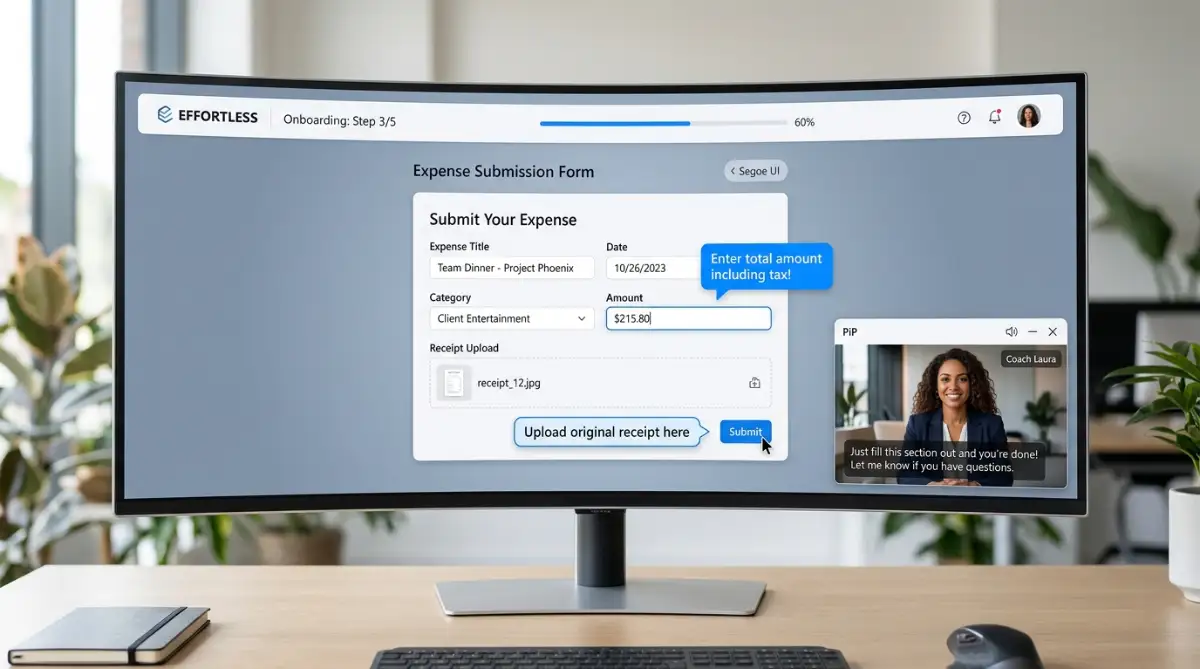
Use visual callout boxes, subtle zoom animations, and highlighted buttons alongside the narration. This dynamic visual rhythm keeps the viewer's eyes moving and prevents mental drift during detailed software training.
Connecting Video Production directly to Knowledge Repositories
Advanced people teams connect their video generation pipelines directly to their internal knowledge bases. Instead of manually retyping compliance guidelines, they link their scripts to verified cloud documents.
Whenever legal teams update policy wording, automated webhooks can flag the matching video module for review. This eliminates the drift that occurs when written documentation and video libraries drift out of alignment.
To maintain rock-solid accuracy across these automated pipelines, companies often use demystifying RAG to train AI on internal knowledge. Grounding your training scripts in verified internal data prevents digital presenters from sharing inaccurate rules or hallucinated company benefits.
Establishing Role-Based Onboarding Paths
Not every new hire needs the same orientation path. A sales representative needs deep product walkthroughs, while a software engineer needs security compliance and repository access protocols.
Synthetic video allows you to build branch-specific learning tracks without multiplying your budget. You write one core script explaining company mission and values, then swap out the department-specific modules using modular templates.
You can assemble tailored video tracks for five different departments in a single afternoon. This level of personalization was practically impossible when teams had to book physical film studios for every custom departmental path.
Costly Traps That Derail AI-Driven Training Programs
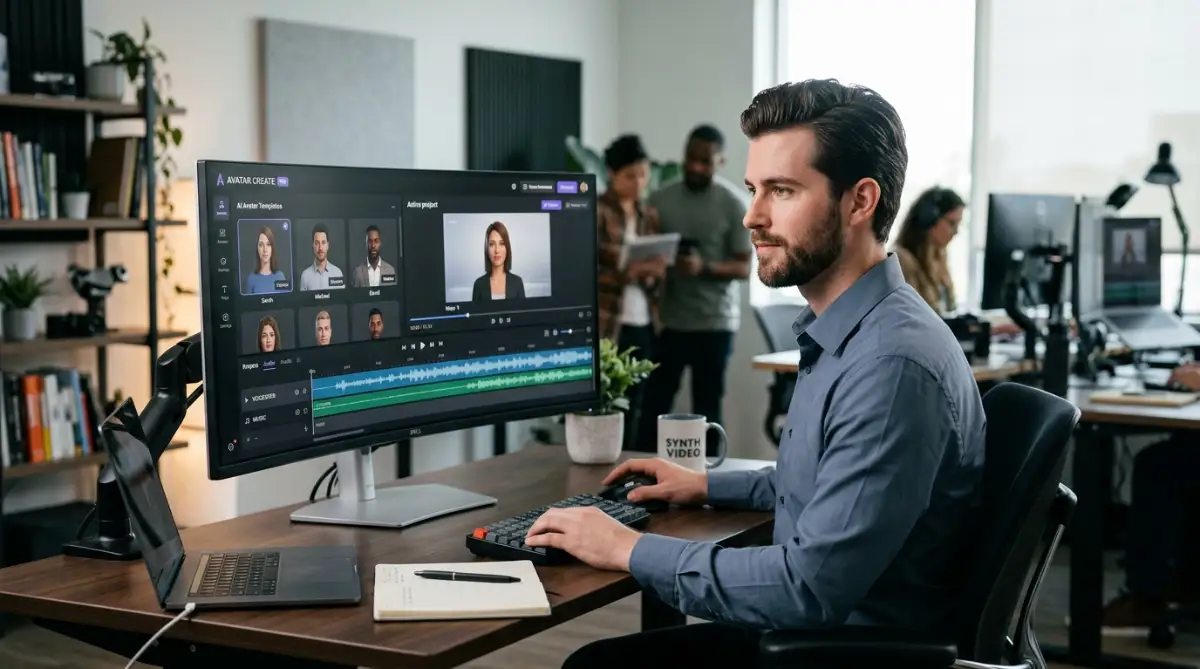
While synthetic video tools simplify production, jumping in without clear rules can backfire. Rushing the process often results in training that feels robotic, alienating, and disconnected from your company culture.
When people teams treat generative software as a shortcut to bypass thoughtful instructional design, the employee experience suffers immediately. Let us examine the traps that catch most organizations off guard.
Falling into the Uncanny Valley
The fastest way to lose an audience is choosing an avatar model that looks almost real, but slightly disconnected from natural human movement. If the facial expressions do not match the emotional gravity of the spoken words, learners feel uneasy.
When covering sensitive workplace topics such as harassment prevention or personal grievance reporting, unnatural eye contact and stiff neck movements distract from the message. If an avatar smiles brightly while discussing disciplinary actions, the tone feels inappropriate and awkward.
For sensitive interpersonal topics, stick to live human discussions or simple voiceover animations. Save photorealistic digital avatars for straightforward procedural training, product demonstrations, and technical standard operating procedures.
The Danger of Exposing Sensitive Internal Company Data
Many enthusiastic training managers paste proprietary software code, customer records, or unreleased financial metrics directly into commercial generation tools. This poses massive security concerns for enterprise security teams.
Publicly accessible generation models often retain prompt inputs to improve their future systems. If you paste proprietary company data into an unvetted consumer tool, you might unintentionally leak private company assets.
Before building out your video workflow, review protecting proprietary data when using generative AI tools. Always verify that your software vendor provides strict enterprise data privacy agreements and does not use your training scripts to train public models.
Over-Automating and Removing the Human Connection
The most dangerous pitfall is using synthetic video to replace human relationships entirely. Some companies hand a new hire a laptop, assign forty automated videos, and schedule zero personal meetings during the first week.
According to employment retention data from the Society for Human Resource Management, personal peer connections during week one are the single greatest predictor of long-term employee retention. When employees spend their entire orientation staring at generated faces, they feel isolated and undervalued.
Synthetic media is meant to handle repetitive information delivery, not relationship building. Use videos to explain badge access, software setups, and vacation policies so your team managers have more time for one-on-one lunches, mentorship chats, and welcome coffees.
Skipping Fact-Checking and Pronunciation Quality Control
AI script generators and voice engines can introduce subtle factual errors or mispronounce specialized words. A voice engine might read an internal software acronym as an awkward garbled word rather than pronouncing the individual letters.
If your training videos mispronounce client names, leadership titles, or technical terms, new hires lose confidence in the material. They assume the training is careless and take the operational rules less seriously.
Always institute a strict human-in-the-loop review step before publishing any generated module. Learning leaders should apply proven fact-checking protocols for business documentation to catch pronunciation slip-ups and factual errors before videos reach new hires.
Neglecting Closed Captions and Accessible Learning Formats
Visual presentation alone does not guarantee that your training is accessible to every employee. Some workers process information better through reading, while others may have hearing impairments or work in noisy shared environments.
Relying solely on avatar audio without clear, synchronized subtitles creates an unnecessary barrier for your teammates. Fortunately, most modern video platforms generate subtitle tracks automatically with impressive accuracy.
Take the extra two minutes to check caption timings and correct technical terms. Providing accessible text along with your video ensures that every learner has equal access to critical workplace instructions.
A Practical Action Plan for Tomorrow Morning
Scaling your onboarding content does not require an immediate overhaul of your entire HR department. You do not need to replace every handbook and slide deck by next Monday.
Start by identifying the single most repetitive presentation your team delivers each month. For most companies, this is the general company overview or the basic benefits enrollment walkthrough.
Take that specific slide deck and turn it into three crisp, two-minute video scripts. Test the generation process using an enterprise video tool, collect feedback from recent hires, and refine your approach based on their reactions.
As your comfort grows, you can expand synthetic video to departmental workflows, customer service standards, and continuous compliance updates. When implemented with care, synthetic media makes training scalable while preserving personal time for genuine human connection.
Whenever teams ask how to scale internal education, I always share the lesson I learned the hard way. Building great onboarding is not about buying the fanciest camera gear; it is about delivering clear, helpful answers the moment your new teammates need them. You can pick one outdated policy document, turn it into a friendly video before lunch tomorrow, and watch how much easier onboarding becomes for everyone.
Common Inquiries Regarding Synthetic Media in Training
How do new employees react to digital human presenters?
Most new hires appreciate digital presenters when the videos are short, helpful, and visually engaging. They prefer a polished two-minute visual explanation over scrolling through a dense forty-page PDF document. Acceptance remains high as long as the digital presenter is paired with genuine human support from their manager.
Can we generate training videos in languages our HR team does not speak?
Yes, modern platforms support automated multi-language translation and voice synthesis across dozens of global languages. The software translates the text, applies native vocal inflections, and automatically matches the presenter's lip movements. It is still wise to have a native-speaking employee review the final clip to ensure cultural nuances are accurate.
How much time does it take to update a synthetic video module?
Updating an existing synthetic video module usually takes under five minutes. You simply log into your dashboard, edit the written text line that changed, and click generate. The system produces an updated video file without requiring any re-recording or video splicing.
Does synthetic video software comply with enterprise privacy requirements?
Reputable enterprise video SaaS tools adhere to standard data protection regulations like GDPR and SOC 2. These enterprise tiers ensure that your private scripts and uploaded materials are never shared or used to train public AI models. Always check your software agreement to verify data privacy standards before uploading company files.
Compliance and Editorial Disclaimer
This article is intended for educational, informational, and professional guidance purposes only. The software workflows, instructional designs, and operational recommendations described reflect general business practices within people operations and training departments. Readers should conduct independent technical and legal evaluations regarding data privacy, software licensing agreements, and workplace compliance standards before integrating automated generation tools into their internal systems.