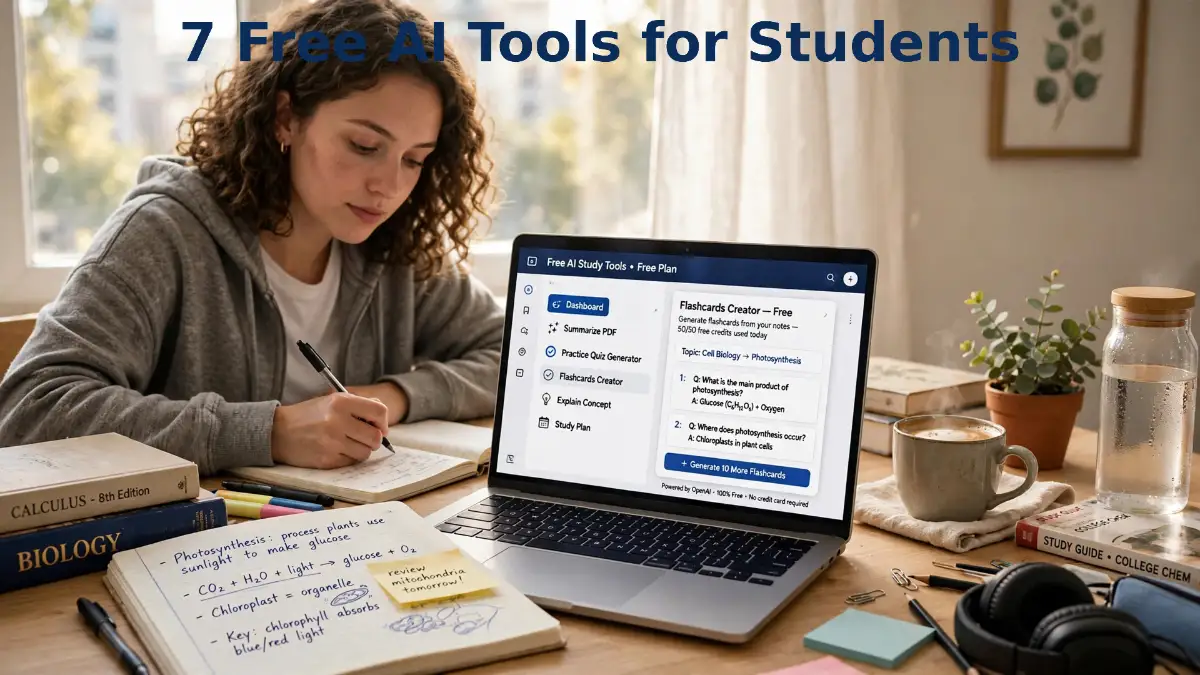
I used to think studying harder just meant staying up later. It did not. It meant staring at the same page until my eyes hurt, and still walking into the test unsure. The night I finally changed was not dramatic at all. I made a tiny list, picked one tool for one job, and stopped trying to do everything at once. That small change is why this guide looks the way it does.
Studying Feels Heavy Because Nobody Hands You a System
The week before my big test, my desk looked like a small disaster. Notes everywhere, my phone full of screenshots I never opened again, and a head that just would not hold one more fact. I was not lazy, honestly. I was stuck, because I had loads of material and no order to use it in, so I kept reading the same pages over and over and hoping something would finally stick.
That is the real pain of studying: not the work itself, but the feeling that you are working hard and still not moving forward.
In a Hurry? Here Is What Actually Matters
One job, one tool. Start with the job that hurts most, not with seven new apps.
Understand first, then write. A tool that explains well is worth more than one that writes fast.
Check the facts that matter. Names, dates, and numbers get checked, never copied blind.
Small and steady wins. One tool for three days beats seven tools opened once.
I hear the same story from friends again and again. An hour with a textbook, and then nothing to show for it when someone asks what it was about. Neat notes, blank mind in the test hall. A late night, half of it gone by morning. It is almost never about effort. It is about method, and method can be fixed.
No app on its own fixes a messy study week. Used in the right order, though, these tools give you something school rarely hands over: a clear system. One explains, one quizzes you, one checks your sources, one tidies your draft, and one holds the week together. That order is the whole trick.
This guide gives you seven of those tools, all with a free tier you can start on today. I picked them because they cover different jobs, not because they do the same thing seven times. You do not need all seven on day one. You need the one that fixes the job you struggle with most, and then one more when that job feels steady.
Start With One Job, Not Seven Apps

Here is my honest advice, and it will save you a lot of wasted evenings. Do not sign up for seven tools in one night. You will spend the whole night learning apps instead of learning your subject, and by morning you will have seven logins and zero finished work.
Pick the job that hurts most right now. Is it understanding a hard topic? Is it planning a busy week? Is it writing clearly? Is it remembering facts for a test? Start with the tool in this guide that matches that one job, and use it for three days in a row.
One tool, used three days in a row, beats seven tools opened once and forgotten.
After three days, ask yourself a simple question. Did this tool make that one job easier, or did it just add noise? If it helped, keep it and add the next tool. If it did not help, drop it without guilt. Your study system should fit your life, not someone else's list.
I also want you to keep one habit through this whole guide. When a tool gives you an answer, treat it as a first draft, not a final truth. Check the facts that matter, especially names, dates, numbers, and quotes. A tool that sounds sure of itself can still be wrong, and your grade depends on what you submit, not on what the tool said.
If you want to get better at asking for clean answers in the first place, my guide to prompt engineering for beginners shows you how short, plain prompts get better results from any chatbot.
Tool 1: ChatGPT for Explaining the Hard Part in Plain Words
ChatGPT is the tool I reach for when a topic refuses to make sense. You paste in a hard paragraph, or you describe the idea in your own messy words, and you ask for it back in plain language. It is like having a patient tutor who never gets tired of explaining the same thing a second time.
The free tier gives you everyday text chats, with limits on uploads, images, voice, and deeper research. For a normal study day, that is plenty. You can ask for an explanation, an outline, a set of practice questions, or a simpler version of a tough passage, and you will usually get something useful in seconds.
Use it to understand first, and only then to write, because understanding is the part that actually stays with you.
Here is a prompt shape that works well for me. Tell it the topic, tell it your level, and tell it the shape you want. For example, say you are a beginner, and you want five short lines, plus one everyday example. That shape forces a short, clear answer instead of a long wall of text that you will not read twice.
A second use is just as good. Ask it to quiz you. Paste your notes, or list the topics you need to cover, and ask for ten short questions with no answers shown. Answer them on paper first, and only then ask for the answers. That small change turns reading into practice, and practice is what builds memory.
But watch the trap. ChatGPT can invent a detail and present it with total calm. I have seen it give a neat answer with one wrong date tucked inside, and only a quick check caught it. So when an answer matters for an assignment, check it against your textbook, your class notes, or a source you trust. My guide on fact-checking AI answers will show you a simple routine for that check.

Tool 2: NotebookLM for Turning Your Own Notes Into a Study Partner
NotebookLM is different from a normal chatbot, and that difference is why students love it. Instead of answering from the whole internet, it works from the sources you give it: your class notes, a PDF, a set of slides, or a few web pages. You upload your own material, and then you ask questions about that material.
That matters for a simple reason. When you study from your own notes, you want answers that match what your teacher actually taught, not a general answer from somewhere else. NotebookLM stays close to your sources, and it can point back to where an answer came from, which makes checking much easier.
If you have a pile of notes and no time to reread them all, this is the tool that turns that pile into a conversation.
A good way to use it is to upload one chapter at a time, not your whole course at once. Ask for a short summary first, in your own words if you like. Then ask for ten practice questions based only on that chapter. Then ask it to explain the one part you got wrong, again using only your notes.
I have watched students use it the night before a test, and the pattern is always the same. They start by asking for a summary, and they end by asking questions back and forth, like a study partner who actually read the chapter. That back-and-forth is the useful part. Reading a summary is passive. Answering questions is active, and active work is what your brain keeps.
One warning, though. NotebookLM is only as good as the sources you give it. If your notes have a mistake in them, the tool may repeat that mistake with confidence. So when something looks odd, open the source yourself and check it. The tool helps you study your material faster, but it does not replace your own judgment about that material.
Tool 3: Perplexity for Research You Can Actually Check
Perplexity is the tool I use when I need to research a topic and show where the answer came from. You ask a question, and it gives you an answer with links to sources, so you can open those sources yourself and see if the answer holds up. For school research, that habit of showing sources is a big deal.
The free tier lets you ask research questions and read sourced answers, with limits on the deeper research features. For a school project, that is usually enough. You can ask for a short overview of a topic, ask for the main arguments on two sides of a debate, or ask for sources about a specific event, and then follow the links that matter most.
When a teacher asks where you got a fact, Perplexity gives you something to point to, instead of a shrug.
Here is how I use it for a project. First, I ask a wide question to get the shape of the topic. Then I ask a narrower question about the one part I need to write about. Then I open two or three of the sources it links to, and I read those pages myself. That last step is the one students skip, and it is the one that matters most, because a source you never opened is not really a source you used.
A second use is for checking. If a chatbot gives you a claim that feels too neat, paste that claim into Perplexity as a question and see what sources come back. If the sources agree, you can feel better about it. If they disagree, you have found something worth digging into, and your teacher will respect that you noticed.
Do not copy a Perplexity answer word for word into your work. Use it to find sources, read those sources, and then write the answer in your own words. That is how research is supposed to work, and it is also how you actually learn the topic instead of just moving text from one screen to another.
Tool 4: Grammarly for Cleaner Drafts Without Rewriting Your Voice
Grammarly is not a chatbot, and that is a good thing. It is a writing helper that sits beside your draft and points out spelling slips, grammar mistakes, and sentences that are hard to follow. The free tier covers the basics: spelling, grammar, and simple clarity suggestions, which is exactly what most student drafts need most.
I like it because it fixes the small mistakes that cost marks for no good reason. A missing comma, a wrong verb form, a sentence that runs on for five lines — those are easy to miss when you have read your own draft ten times. A fresh pair of eyes, even a digital one, catches them fast.
Write your draft first, in your own words, and only then let Grammarly help you clean it up.
That order matters. If you let a tool write the first draft for you, your work starts to sound like everyone else's, and you learn less from the assignment. If you write first and clean second, you keep your own voice and your own thinking, and the tool just polishes the edges.
A simple routine works well. Write the draft. Run Grammarly. Fix the spelling and grammar mistakes. Then read each clarity suggestion and decide for yourself: does this change make my sentence clearer, or does it change what I meant? Accept the ones that help, and ignore the ones that do not. You are the author, and the tool is the helper, not the other way round.
One more tip. Grammarly will sometimes suggest a fancier word where a plain word works better. For school writing, plain and clear usually wins. Your teacher wants to see that you understand the topic, not that you own a large dictionary. Keep your sentences short, keep your meaning clear, and let the tool catch the slips.
Watch Seven Student Tools in Action
Before you pick your first tool, watch a short side-by-side look at student tools, because seeing them in action tells you more than a list ever will.
Watch this video: "These 7 AI Tools Will Make You a Topper" by the channel that posted it on YouTube.
The video walks through seven tools students use to study smarter, including tools for notes, research papers, diagrams, and presentations, and it notes that free plans have limits on some features. Watch it with a notebook beside you, and write down the one tool that matches the job you struggle with most. That one tool is your starting point for the next three days, and the rest of this guide will help you use it well.
Tool 5: Notion for a Planner That Holds the Whole Week
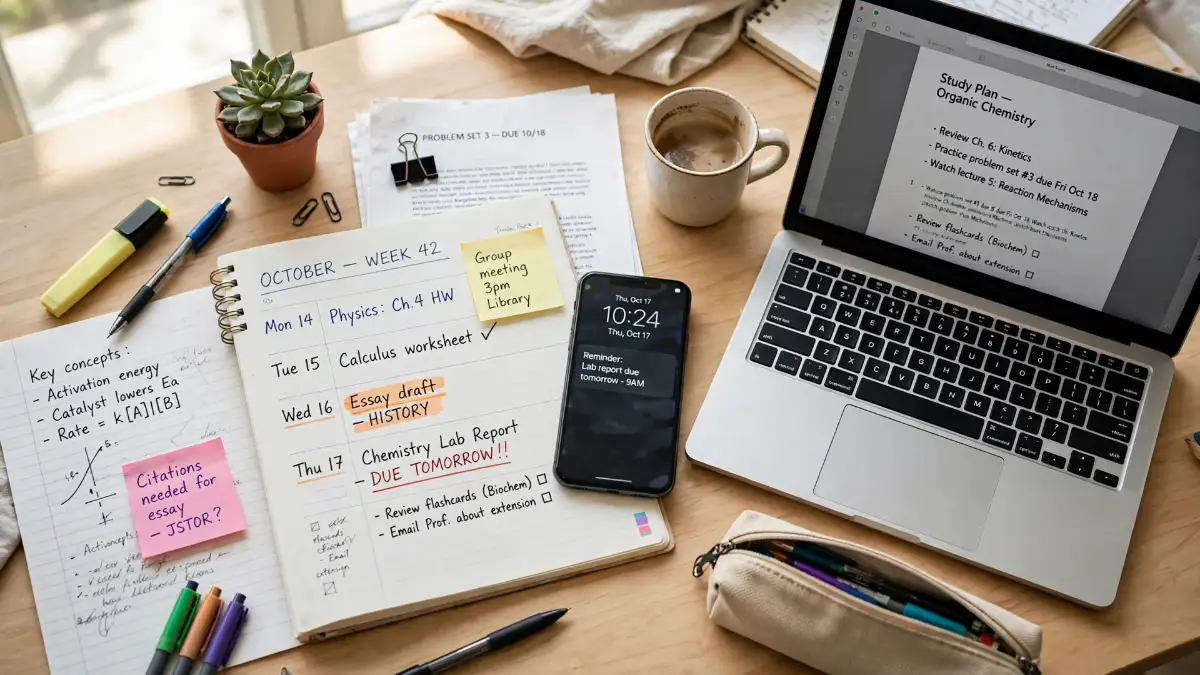
Notion is the tool that holds everything else together. It is a workspace where you can keep your homework list, your class notes, your test dates, and your study plan in one place, instead of scattered across five apps and a pile of paper. The free plan covers personal use, and students with a school email can often claim a free education plan, so check the official page for the current offer in your country.
I like Notion because a study week is a planning problem as much as a learning problem. You have three subjects, two deadlines, one test, and a part-time job, and your brain cannot hold all of that at once. A planner that you can see in one glance takes that load off your brain, so you can spend your energy on the work itself.
A planner does not make you smarter. It makes your week visible, and a visible week is much easier to manage.
Start small, because a big, fancy planner is a trap. Make one page for this week. List each subject, each deadline, and each test date. Add a simple checkbox beside each task, and tick it off when it is done. That tick is a small reward, and small rewards keep you going on a long week.
Then add one more thing: a short note under each subject with the one task you will do today for that subject. Not five tasks. One task. If you finish it early, you can always do more, but a list of one task per subject is a list you can actually finish, and finishing builds trust in your own plan.
If you already use a chatbot for studying, Notion fits beside it well. Keep your notes and your plan in Notion, and use a chatbot to explain the hard parts or quiz you on those notes. My guide to free AI productivity tools shows how small, safe routines like this fit into a normal day without taking it over.

Tool 6: Khan Academy for Lessons That Walk You Through, Step by Step
Khan Academy is the oldest tool on this list, and in some ways the most honest one. It is a library of free video lessons and practice exercises, covering maths, science, computing, and more, with no ads and no subscription needed for the core library. When you are stuck on a topic, you can watch a short lesson, try a few practice questions, and see right away where you went wrong.
What makes it different from a chatbot is the order. A chatbot answers your question, but it does not always know what you need to learn next. Khan Academy walks you through a topic step by step, from the easy parts to the harder parts, and it checks your understanding at each step with practice. That order is what a good teacher gives you, and it is hard to get from a chat window alone.
When a topic feels like a wall, a short lesson plus a few practice questions beats an hour of rereading the same page.
A good way to use it is to find the one topic you failed on a recent test, and work through just that topic, not the whole course. Watch one lesson. Do the practice. If you get a question wrong, watch the lesson again and try a similar question. That loop — lesson, practice, correction — is the oldest study method there is, and it still works, because it forces you to use the idea instead of just looking at it.
Khan Academy also has a guided tutoring helper, which asks you questions instead of just giving you answers, so you have to think your way through a problem. If your school gives you access to it, try it for maths or science, where step-by-step thinking matters most. If you do not have access, the free lessons and practice on their own are still a strong starting point.
One caution. Do not use Khan Academy as a replacement for your class notes. Use it as a second explanation. Your teacher's notes tell you what will be on the test. Khan Academy tells you the same idea in a different way, and sometimes the second way is the one that finally clicks.
Tool 7: Quizlet for Memory That Sticks Past Test Day
Quizlet is the tool for the last job on this list, and it is the job students skip most often: remembering. You can understand a topic perfectly on Monday and forget half of it by Friday, and that is normal. Memory fades unless you practise recalling it, and flashcards are the simplest way to practise recall.
The free plan gives you flashcards, study sets, and study activities, with ads and limits on some modes, so check the current limits on the official page. You can make your own sets from your notes, or use sets shared by other students, but I suggest making your own first, because making a card forces you to decide what the key fact actually is.
Understanding is not the same as remembering, and flashcards are the bridge between the two.
Here is a routine that works. After you study a topic, make ten cards. Put a question on the front and a short answer on the back. Keep the answer to one or two lines, not a paragraph, because a long answer is hard to recall and easy to fake. Then test yourself the next day, without looking at the answers first.
The trick is spacing. Do not test yourself ten times in one night and then never again. Test yourself today, then tomorrow, then in three days, then in a week. Each time you recall a fact, it sticks a little longer. That is why students who use flashcards well often feel calmer before a test: they have already recalled the material many times, so the test feels like one more round, not the first time they ever tried.
A second tip: mix your cards. Do not study all the cards for one topic in a row and then move on. Shuffle topics together, so your brain has to switch between them, just like a real test does. It feels harder in the moment, and that harder feeling is a sign that it is working, because your brain is practising the switch, not just the fact.

The Traps That Make Free Tools Feel Useless
Most students who tell me free tools do not work made one of five mistakes, and none of them are about the tools. The first mistake is signing up for everything at once. You end up learning apps instead of learning your subject, and you quit all of them by the end of the week. Pick one tool, use it for three days, and only then add another.
The second mistake is copying answers straight into your work. A chatbot answer that you submit as your own teaches you nothing, and it can break your school's rules about honest work. Write your own draft first, use tools to explain, check, and polish, and keep your own voice in the final work. If your school asks you to say how you used AI, say so honestly. Honesty is part of the assignment, not a threat to it.
The third mistake is trusting the first answer. A chatbot can sound sure and still be wrong, especially about names, dates, and numbers. Check the facts that matter against your textbook, your notes, or a source you trust. If a claim has no source, treat it as an idea to check, not as a fact to submit.
The fourth mistake is pasting private information into a public tool. Never paste passwords, ID numbers, bank details, or private information about other people into any chatbot. If you need help with a private document, remove the private parts first, or use a tool your school has approved for that kind of work.
The fifth mistake is paying too early. A paid tier will not fix a vague prompt, a missing fact check, or a study plan you never follow. Free tiers cover most student jobs well, and you should only pay when you can name the exact limit that keeps stopping your real work, and after you have checked the official pricing page for your country.

My Simple Weekly Setup: Seven Tools, One Small Routine
Here is the routine I would give a friend who is starting from scratch, and it uses all seven tools without turning your week into a second job. On Sunday night, open Notion and write down the week: subjects, deadlines, and test dates, plus one task per subject for Monday. That takes ten minutes, and it saves you ten worried evenings.
On Monday, pick the hardest topic of the week and watch one Khan Academy lesson about it, then do the practice questions. On Tuesday, ask ChatGPT to explain the part you still do not get, in five short lines, with one everyday example. On Wednesday, upload that chapter's notes to NotebookLM and ask it for ten practice questions, then answer them on paper.
On Thursday, use Perplexity to research the one fact or source you need for an assignment, and open two of the sources yourself. On Friday, write your draft, run Grammarly, and fix only the mistakes that make your meaning clearer. On Saturday, make ten Quizlet cards from the week's hardest facts, and test yourself once, without peeking.
Seven tools, one small job each, spread across a week, is a system you can actually keep.
That routine is not magic, and it will not turn a hard course into an easy one. But it will turn a messy week into a visible one, and a visible week is one you can improve. If a tool in the routine does not help you after three days, swap it out. If a day in the routine feels too heavy, shrink it. The routine serves you, not the other way round.
If you want to see how AI helpers fit into a wider work life, my guide on AI agents versus standard chatbots explains, in plain terms, where a simple chatbot ends and a more active helper begins. And if you are curious about how businesses train AI on their own documents, my guide to how businesses train AI on internal knowledge gives you the basic idea without jargon.
Links Worth Keeping for Your Study Week
You do not need to remember every tool in this guide today. Bookmark the ones that match your hardest job, and come back to the rest when that job changes. For a plain look at how other reviewers weigh free study tools, you can read a guide to free study tools, a student AI tools overview, a best AI tools for students comparison, and a study tools top picks list. Use them as a starting point, then check the official page of each tool for its current free tier before you rely on it.
For the writing side of your week, my look at AI video generators for training is less about studying and more about how the same kind of tools help people learn at work, and it is worth a read if you ever make a presentation or a training video for a class project. The thread through all of these guides is the same: give a tool a clear job, check its work, and keep your own judgment in charge.
Questions Students Keep Asking Me About Free AI Tools
Can I really study well without paying for any tool?
Yes, you can. All seven tools in this guide have a free tier, and together they cover explaining, notes, research, writing, planning, lessons, and memory. Paid tiers mostly buy higher limits or extra features, so start free and pay only when a limit keeps stopping your real work.
Which tool should I try first?
Try the one that matches your hardest job. If understanding is hard, start with ChatGPT or Khan Academy. If planning is hard, start with Notion. If remembering is hard, start with Quizlet. One tool, used for three days, will tell you more than a whole list read in one night.
Is it cheating to use AI tools for schoolwork?
It depends on how you use them, and on your school's rules. Using a tool to explain a topic, check your writing, or quiz yourself is learning. Submitting a tool's answer as your own work, without understanding it or saying how you used it when asked, is not. When in doubt, ask your teacher, and write your own draft first.
Why do chatbots sometimes give wrong answers?
Because they predict likely words, not checked facts, and they can sound sure even when a detail is wrong. That is why this guide keeps telling you to check names, dates, numbers, and quotes against your textbook or a trusted source. A tool is a fast first draft, not a final judge.
What if a free tier runs out in the middle of my work?
Work in smaller chunks, and keep a second tool ready for the same job. If ChatGPT hits a limit, switch to a lesson or a flashcard round for a while. If a research tool limits you, use the sources you already opened. Limits feel worse when you leave everything to the last night, so spread the work across the week.
Should I use all seven tools every week?
No. Use the ones that fit your week. Some weeks you need planning and memory most. Other weeks you need research and writing most. A good study system changes with the week, and the tools that stay are the ones that keep helping you after three days of real use.
A Last Word Before You Open Your First Tool
You do not need seven new apps tonight. You need one job, one tool, and three days of honest use. Pick the job that hurts most, open the tool that matches it, and try the small routine in this guide. Then, a week later, look back and ask what actually got easier. That answer, from your own week, is worth more than any list, including this one.
Start free, start small, and let your own week pick the tools that stay.
Disclaimer
This guide is for general information only. Free tiers, features, and limits change often, and they vary by country and by school, so always check the official page of each tool before you rely on a free tier or pay for anything. AI tools can make mistakes, invent details, and give out-of-date answers, so check important facts against a trusted source before you submit them. Never share passwords, bank details, ID numbers, or other private information with a public chatbot. Always follow your school's rules about honest work and about saying how you used AI tools. This post is not sponsored by any tool named here, and it contains no affiliate links.