The Nightmare of the Open Digital Door
Ever checked your business dashboard and spotted a strange third-party app downloading your files out of nowhere? I have, and let me tell you, it is a terrifying feeling. We often think that paying for a big-name cloud workspace means our data is automatically on lockdown. I learned the hard way that handing your digital safety entirely over to someone else is a fast track to disaster. Today, I want to show you how easy it actually is to lock those invisible digital doors, without getting lost in complicated tech jargon.
For ordinary people and small business owners, this exact situation is happening every single day. We blindly upload our most private financial records, client details, and personal memories to online platforms, trusting that they are locked inside an impenetrable digital vault. But the reality is far more frightening.
When your online accounts are not set up properly, you leave invisible doors wide open for anyone to walk through. This constant, lingering threat destroys our peace of mind and turns everyday technology into a source of severe anxiety. You might go to bed wondering if a simple mistake you made while sharing a folder could ruin your reputation or drain your bank account by morning.
Many people feel completely overwhelmed by complex security settings, so they just ignore them and hope for the best. They click "allow" on every popup, grant access to random mobile apps, and use the exact same weak password across fifty different platforms. This dangerous habit creates a ticking time bomb for your personal privacy and your professional integrity.
Before You Read On: 3 Quick Steps to Secure Your Workspace Today
- Stop sharing permanent open links; use expiration dates for every client file.
- Disconnect any third-party apps (like old grammar checkers) you haven't used in 30 days.
- Set up a mobile authenticator app instead of relying on text messages for your login codes.
Understanding the Shared Responsibility Illusion
The biggest myth in the modern tech industry is that big platforms do all the heavy lifting for your safety. People often believe that paying a monthly subscription fee magically builds an unbreakable wall around their information.
Let me use a simple analogy to explain why this mindset is so dangerous. Imagine you rent a highly secure apartment in a luxury building with security guards at the front desk.
The building management provides you with strong walls, a solid door, and a top-tier lock. However, if you choose to prop your front door open, or if you hand out copies of your key to strangers on the street, the security guards cannot help you.
This is exactly how the shared responsibility model works with modern online platforms. The providers secure the physical servers and the underlying network, but you are entirely responsible for who gets the keys to your specific account. If you give a malicious app permission to read your emails, the platform will simply assume you know what you are doing.
Dispelling Common Digital Myths
To truly protect your sensitive information, we first need to break down some very common misunderstandings. Many smart professionals fall for these traps simply because they never received proper training on digital safety.
Quick Reality Check: Where do you stand?
- The "Nobody Cares" Myth: You might think your small business files aren't worth hacking.
- The Cold Fact: Automated bots scan millions of accounts daily. They don't target you personally; they target your open doors.
- The "Strong Password" Myth: A 15-character password with symbols keeps you 100% safe.
- The Cold Fact: If a platform gets breached, your password ends up on a dark web forum anyway. If you don't have a second login step, you are completely exposed.
Myth: I am too small for anyone to care about my files.
Reality: Automated scripts and bots scan millions of accounts every hour, looking for any open door they can find. They do not care who you are; they only care that your account is easily accessible.
Myth: Using a complex password is all I need to stay safe.
Reality: Passwords are stolen in massive database leaks every single day. Even the strongest password in the world is completely useless if a hacker simply buys it from a hidden forum.
Locking the Front Door: Advanced Authentication Tactics
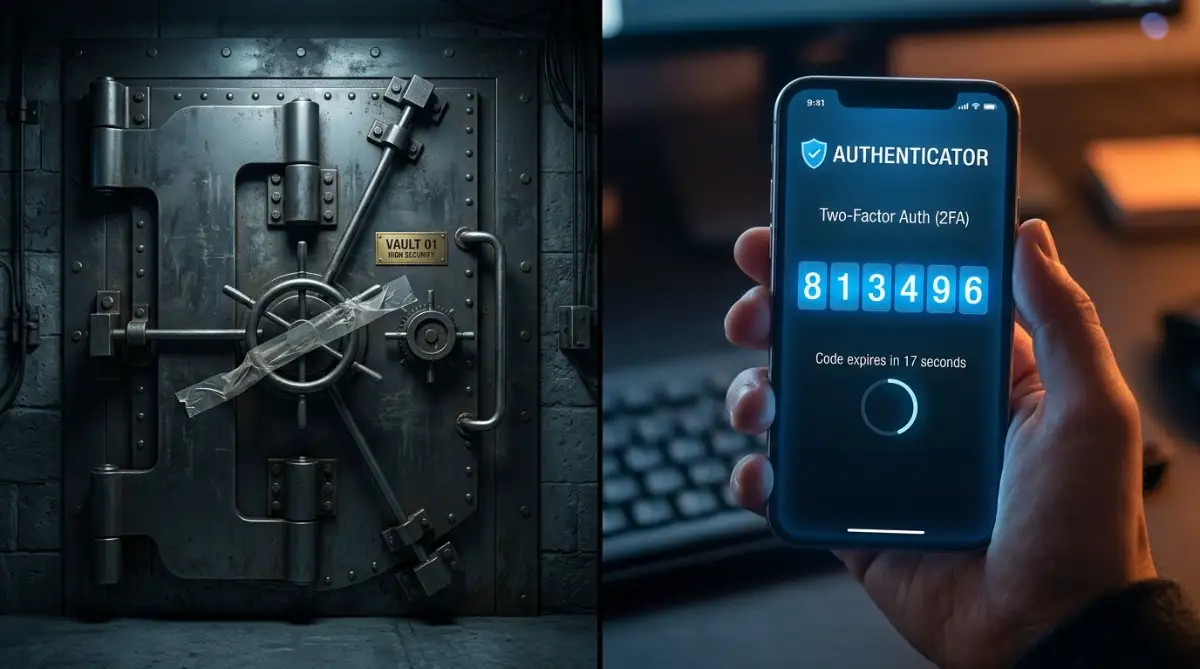
If you want to stop intruders from walking into your digital life, you have to completely change how you log in. Relying on just a username and a password is like locking your house with a piece of tape.
You need to require a second piece of evidence before anyone can access your private dashboard. This process is heavily recommended by top security researchers because it stops the vast majority of automated login attacks.
Instead of receiving text messages for your second step, you should switch to an authenticator application. Text messages can easily be intercepted by clever criminals who trick your phone carrier into transferring your phone number. An authenticator application generates a temporary code directly on your physical device, making it incredibly difficult for a remote attacker to steal.
Pro Tip: I used to find the extra login steps incredibly annoying, often complaining when I had to grab my phone just to check an email. But after a close friend lost his entire business due to a compromised account, I realized that taking an extra five seconds to log in is a very small price to pay for a peaceful night of sleep.
Watch This Expert Breakdown on Two-Step Verification:
If you are feeling confused about how authenticator apps actually work behind the scenes, this short video explains the concept perfectly without using confusing tech jargon.
Taming the Wild West of Third-Party Integrations
One of the biggest blind spots for most professionals is the sheer number of outside applications connected to their main accounts. We live in an era where everyone wants a shortcut, so we constantly connect grammar checkers, calendar tools, and AI assistants to our primary workspace.
Every time you click "Sign in with your email" and grant an application permission to view your files, you are handing over a digital key. Many of these small third-party applications are built by tiny teams with terrible security standards.
If that small grammar-checking app gets hacked, the attackers suddenly have a direct, pre-approved bridge straight into your primary file storage. You must urgently review your account settings and locate the section labeled "Connected Apps" or "Third-Party Access".
Take a ruthless approach and immediately revoke access for any tool you have not used in the last thirty days. If you actually need the tool later, you can always reconnect it, but there is no reason to leave these digital bridges open permanently.
The Art of Least Privilege: Sharing Without Exposing
A massive problem I see in most collaborative workspaces is how casually people share entire folders with their team. When a new person joins a project, the easiest thing to do is simply grant them complete editing access to the main company drive.
This casual sharing creates a massive web of over-privileged users who have access to things they never actually need. If a junior team member’s account is compromised, the attacker instantly gains access to your financial records simply because of a lazy sharing setup.
You must adopt a scientific approach to access management known as the principle of least privilege. This simply means that every person should only be given the exact level of access they need to perform their specific job, and nothing more.
Real-Life Folder Strategy:
Instead of sending a master link to your new graphic designer, try this simple setup. Create a standalone folder called "Designer Sandbox - 2026". Drop only the brand assets they need into that specific folder, and set their access to "Viewer Only" for everything else. If their personal laptop gets a virus, the rest of your company’s financial data stays completely out of reach.
Structuring Your Digital Workspace
Instead of dumping every single document into one massive shared folder, you should heavily categorize your digital environment. Create clear, distinct boundaries between public marketing assets, private client records, and internal financial documents.
Basic Sharing vs Strategic Access:
| Action | Poor Setup | Secure Setup |
| :--- | :--- | :--- |
| New Hire Access | Giving them the master folder link | Assigning them to a specific project group |
| Sending a File | Sending an open, permanent link | Sending a password-protected link that expires |
| Contractor Access | Adding them to the main team drive | Creating a temporary, isolated folder just for them |
Whenever you need to send a private document to an outside client, never generate a public link that lasts forever. Always use expiration dates on your shared links so they automatically self-destruct after a few days.
This ensures that if the client accidentally forwards the email to the wrong person weeks later, your sensitive information remains completely safe.
Defending Against the Silent Threat: Cloud Ransomware
Most people think of ransomware as a virus that only attacks physical desktop computers and laptops. They mistakenly believe that saving everything online automatically protects their files from being encrypted and held for a massive ransom.
However, modern attackers have evolved, and they now actively target online file repositories with devastating efficiency. Because most online storage tools are set to automatically sync with your desktop computer, the danger spreads incredibly fast.
If you accidentally click a malicious link and infect your local computer, the virus will start locking your files. Your sync application will then notice the files have changed and helpfully upload the newly encrypted, ruined files directly to your online workspace.
Before you even realize what is happening, the automated sync process has completely overwritten your safe online backups with the ruined versions. To protect yourself from this disaster, you must understand how to use version history within your online workspace.

Mastering Version Control and Recovery
Almost all reputable online file platforms keep hidden backups of your files every time a change is made. If your files suddenly become unreadable due to a syncing disaster, you can often roll back the clock to a previous, clean version.
However, many basic subscription plans only hold onto these previous versions for thirty days. You need to verify exactly how long your specific provider keeps your file history, as waiting too long could mean losing your data permanently.
Furthermore, you should never rely on automated syncing as your absolute only backup method. Always keep a completely disconnected, offline hard drive that is strictly updated once a week and then safely unplugged from your machine.
Safely Offboarding: Closing the Door Behind People
A shockingly common way sensitive data gets leaked is through former employees or old contractors who still have active access. When someone leaves a project on bad terms, leaving their access active is like leaving a loaded weapon on the table.
Even if the person leaves on wonderful terms, their unused, unmonitored account becomes a prime target for automated hacking scripts. You need to create a strict, documented routine for exactly what happens the minute someone stops working with you.
First, you must immediately reset their main passwords and force their account to sign out of all active devices. Many modern platforms allow you to click a button that instantly kills any open sessions on mobile phones or home computers.
After securing the account, you should carefully transfer ownership of their important files to a manager before completely deleting their profile. Doing this properly ensures that you do not accidentally wipe out months of important work while trying to clean up your digital workspace.
Auditing Your Digital Footprint
Protecting your online information is not a task you can just complete once and then forget about forever. Digital safety requires ongoing maintenance, much like changing the oil in your car or going to the dentist for a cleaning.
Set a recurring reminder on your calendar for the first Friday of every single month. Dedicate just fifteen minutes to reviewing exactly who has access to your most important folders and which external applications are connected.
Look for any strange login attempts from foreign countries and immediately report anything that looks suspicious. If you make this simple audit a regular part of your monthly routine, you will catch tiny mistakes long before they turn into complete disasters.
Creating a safe digital environment is entirely within your control once you understand the basic rules of the game. By taking slow, deliberate steps to manage your permissions and protect your login credentials, you can finally reclaim your peace of mind.
Next-Level Strategies for an Unbreakable Digital Fortress
Once you have mastered the basics of logging in securely and managing your shared links, it is time to upgrade your defenses. Building a truly safe online environment requires you to start thinking like a digital detective. You do not need a computer science degree to implement these advanced tactics, but you do need a bit of strategic thinking.
We all love finding shortcuts to finish our work faster and get more done in less time. You might discover a brilliant new application that helps you organize your notes or edit graphics effortlessly, adopting new software to automate daily tasks with just a few clicks. But this exact habit is what cybersecurity experts call "Shadow IT," and it is incredibly dangerous.
Shadow IT happens when you or your team members start using unapproved, random applications to process sensitive company information. If an employee uploads a private client contract to a random free PDF compressor online, they have just bypassed all your security rules. You must establish a strict rule that no one is allowed to connect outside tools to the main workspace without explicit permission.
Adopting a Zero Trust Mindset
There is a very popular concept in the security world known as "Zero Trust," and it is exactly what it sounds like. In the past, companies built a strong digital wall around their network and blindly trusted anyone who managed to get inside. Today, this outdated model is completely broken because our files are scattered across dozens of different online platforms.
Imagine a highly exclusive club where getting past the bouncer at the front door is only the first step. Inside the club, there are internal guards checking your ID again before you can enter the VIP room or approach the bar. This is how you should structure your online workspace and file permissions.
Just because someone successfully logged into the main company dashboard does not mean they should have automatic access to the financial records. You should intentionally put extra password barriers or verification steps on your most sensitive folders. The National Institute of Standards and Technology (NIST) provides excellent frameworks that explain how isolating your most important information stops intruders in their tracks.
Securing the Gateway in Your Pocket
Think about your smartphone right now and what it currently has access to. It is probably sitting on your desk or in your pocket, fully logged into every single professional account you own. Your phone is a massive, walking gateway directly into your highly sensitive online storage.
If you accidentally leave your phone in the back of a taxi, the person who finds it suddenly has total access to your entire professional life. This is why managing mobile device access is an absolute necessity for anyone handling private information. You must ensure that every single device connected to your online workspace has a strong screen lock and biometric protection.
More importantly, you need to set up remote wipe capabilities for all devices that touch your sensitive files. If a laptop or phone goes missing, you should be able to click one single button to instantly erase all company data from that specific device remotely. Taking preventative steps to protect yourself against hidden digital traps often starts with securing the physical devices we hold in our hands every day.
Deciphering Data Encryption Secrets
You have probably heard the word "encryption" thrown around in software commercials, but understanding how it actually works changes everything. Encryption is essentially a mathematical blender that scrambles your readable text into a massive wall of random gibberish. Without the specific secret key to unscramble it, a stolen file is completely useless to a hacker.
When you save something in your online workspace, it is usually encrypted "in transit" and "at rest" by the provider. This means it is scrambled while traveling through the internet and scrambled while sitting on their massive server hard drives. However, the service provider still holds the master key, meaning their internal systems can theoretically read your files.
If you are dealing with extremely private medical records or high-level intellectual property, you should consider a strategy called "End-to-End Encryption" (E2EE). With this advanced setup, the files are scrambled on your computer before they ever reach the internet, and only you hold the unique key. If a massive tech company experiences a catastrophic data breach, the hackers will only get scrambled noise because they do not have your personal decryption key.
Setting Up Invisible Tripwires
The best defense systems do not just block attacks; they also tell you exactly when someone is trying to break in. Most major online workspaces have built-in alert systems that are turned off by default to avoid annoying the users. You need to dive into your admin settings and manually activate these invisible digital tripwires.
Set up an automated email alert that notifies you whenever a massive amount of data is downloaded at once. If you suddenly get an email at three in the morning saying someone is copying your entire client folder, you can instantly block their access. You can also review guidelines from the Cybersecurity & Infrastructure Security Agency (CISA) to learn more about setting up proper monitoring for malicious activity.
You should also set alerts for unexpected location logins, such as someone trying to access your account from a completely different country. These simple, automated notifications act as your personal security guards, keeping a watchful eye on your digital property while you are fast asleep.
 Dangerous Traps That Break Your Digital Safe
One of the most destructive habits I see is the heavy mixing of personal and professional digital environments. People often use the exact same web browser profile to download personal games, browse social media, and manage their highly sensitive business files. When you mix these two worlds, a single malicious link clicked on a personal social media account can instantly compromise your entire business dashboard.
You should keep your work tasks strictly isolated in a dedicated browser profile or even on a completely separate physical computer. Think of it like keeping your dirty garden shoes outside instead of walking them across your clean living room carpet.
The Illusion of Public Wi-Fi Safety
Another massive pitfall is the blind trust people place in public internet networks at coffee shops, airports, and hotels. When you connect to a free network without any protection, you are essentially shouting your private information across a crowded room. Anyone with inexpensive scanning software sitting in that same coffee shop can intercept the data flowing between your laptop and your online storage.
To avoid experiencing sudden massive losses in your digital assets or a total loss of privacy, you must use a Virtual Private Network (VPN). A VPN creates a hidden, secure tunnel for your internet traffic, hiding your sensitive file transfers from prying eyes on public networks. Never open an important work document or log into an online platform while connected to airport Wi-Fi unless your VPN is completely active.
The Security Fatigue Phenomenon
There is a psychological trap that catches even the most careful individuals, and it is known as security fatigue. We are constantly bombarded with warnings to update our software, change our passwords, and accept new privacy policies every single day. Eventually, the brain gets tired of dealing with these barriers, and we start aggressively clicking "ignore" on every update notification that pops up.
Ignoring software updates on your laptop or mobile phone is like ignoring a massive crack in your front door. Software updates are rarely just about new visual features; they are usually emergency patches meant to fix newly discovered vulnerabilities. When you delay an update for weeks, you are actively giving attackers an open window to slip malicious code into your device.
When your personal data is eventually exposed because of these lazy habits, the emotional and financial toll is devastating. Rebuilding your online identity is a nightmare, which is why organizations like the Identity Theft Resource Center constantly warn against the dangers of poor password hygiene and delayed software patching.
Trusting the Default Configuration
The absolute worst mistake you can make when setting up a new online workspace is blindly accepting the default settings. Software companies design their default settings to be as frictionless and easy to use as possible to avoid frustrating new customers. Unfortunately, making a platform extremely easy to use usually means stripping away all the strict security barriers.
By default, many platforms allow anyone in your entire organization to invite outside guests to view your private folders. They might also allow third-party applications to integrate automatically without asking for an administrator's permission first. You must take full ownership of your settings and manually adjust the permissions to prioritize safety over temporary convenience.
Building Your Long-Term Digital Armor
Achieving true peace of mind in a connected world is not about being perfectly safe from every possible threat. It is about making yourself a very difficult target so that automated attackers quickly give up and move on to easier victims. By implementing strong authentication, monitoring your shared links, and restricting third-party access, you take control of your own privacy.
Security is a living, breathing process that requires regular attention and a commitment to learning better habits over time. Make a promise to yourself to do a complete audit of your online storage accounts at the start of every month. Taking just a few minutes to clean up your active permissions will save you from months of extreme stress down the road.
You can also look into professional security awareness training from trusted organizations like SANS to keep your skills sharp. When you finally lock down your private information, you stop feeling anxious about technology and start feeling empowered by it.
My Final Advice: I completely understand how overwhelming it feels to dig into account settings and change passwords when you are already busy. But I promise you, taking one hour this weekend to secure your online storage will give you a level of mental relief you never knew was possible. Protect your hard work today, and you will never have to live with the fear of an open digital door again.
Essential Questions About Digital Safety Answered
Are free online storage plans actually safe to use?
Free storage plans generally use the same basic encryption as paid plans, but they often lack advanced administrative controls and detailed audit logs. If you are handling highly sensitive business data, relying on a free personal account is incredibly risky and not recommended. Upgrading to a paid professional tier gives you the necessary tools to track exactly who is viewing and downloading your files.
Does a VPN protect my online files from being hacked?
A VPN is excellent for hiding your internet traffic from snooping eyes on public Wi-Fi networks at coffee shops or airports. However, a VPN does absolutely nothing to stop an attacker who has already stolen your username and password. It is just one piece of the puzzle, and it must be paired with strong authentication steps to keep your accounts truly safe.
How do I know if my private information has been leaked?
You can use reputable online tools that scan known data breach databases to see if your email address or old passwords have been exposed. Additionally, you should always check the login activity section inside your online workspace settings. If you see successful logins from devices or countries you do not recognize, your account is likely compromised.
Can someone steal my files if my computer is turned off?
Yes, they absolutely can if your files are automatically synced to an online server. When your files live in the cloud, they are accessible from anywhere in the world, 24 hours a day. This is why securing the actual online account is just as important as putting an antivirus program on your physical laptop.
Are password manager applications actually safe to use?
Yes, using a reputable password manager is infinitely safer than trying to memorize dozens of weak, repeated passwords yourself. These tools generate incredibly strong, unique passwords for every single website and store them in an encrypted vault. You only need to remember one extremely strong master password, which completely removes the urge to take dangerous shortcuts.
Disclaimer: The information provided in this article is for educational and informational purposes only and does not constitute professional cybersecurity advice. Readers should carefully evaluate their own digital systems and consult with a certified security professional before making major changes to their data architecture. The author and publisher are not responsible for any data loss, breaches, or damages resulting from the application of these strategies.