
The Morning My Bank Account Took a Hit for a Tool I Forgot I Had
Let's be honest, we have all been there. You sign up for a "free" seven-day trial just to edit one quick PDF or download a single design template, and completely forget about it. Fast forward a week, and your phone pings with an $89 charge for a tool you will never use again. It is frustrating, it feels like a scam, and it drains your hard-earned money. But you do not have to fall for this trick anymore. Let me show you exactly how to stop these sneaky subscription charges before they ever touch your bank account.
My heart sank straight into my stomach as I stared blankly at the screen. I had signed up for a graphic design software platform seven days earlier just to export one simple image file. The platform had asked for my credit card details, promising that my account would not be charged a single penny.
I promised myself that I would cancel the account within three days. Yet, work got hectic, family dinners took over my evenings, and life simply happened. That simple oversight cost me grocery money for the entire week, leaving me frustrated and angry at myself.
Most people blame their own poor memory when an auto-renewal slips through unnoticed. But the honest truth is far more concerning: modern subscription platforms spend millions designing user experiences specifically meant to make you forget.
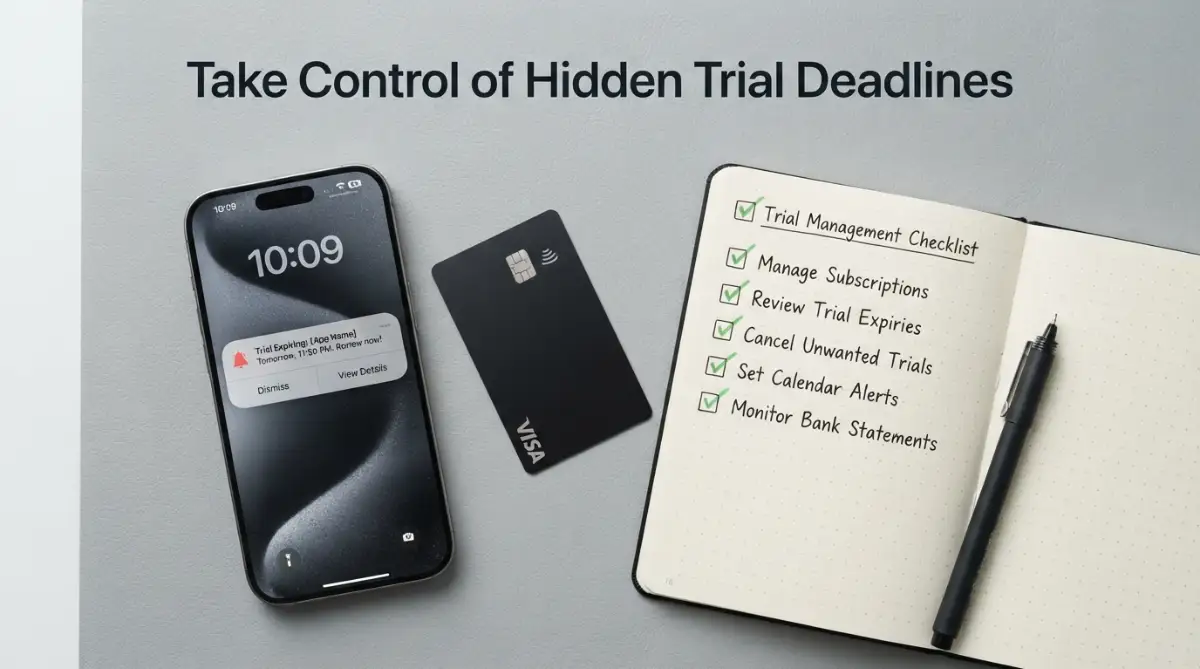
Quick Fixes to Stop Subscription Traps:
- Set up two calendar alarms the exact minute you start any software trial.
- Use virtual, disposable payment cards to block unauthorized automatic renewals.
- Search your email inbox for "welcome to your free trial" every weekend to catch forgotten apps.
- Cancel on "Day One" right after signing up if the platform allows you to keep access until the trial period naturally ends.
The Behavioral Psychology Behind the "Free" Trial Mechanism
Modern subscription services rarely rely on sheer chance to collect your renewal money. Instead, they leverage well-documented behavioral psychology principles to ensure you stay signed up long enough for the first billing cycle to trigger. When you understand these cognitive triggers, spotting the trap before it snaps shut becomes second nature.

The primary psychological weapon is what behavioral economists call the Endowment Effect. Once you gain access to premium features for seven or fourteen days, your brain shifts from treating the software as a trial tool to viewing it as personal property. Letting go of that access triggers a subconscious fear of loss, even if you rarely open the dashboard.
The Friction Imbalance: Easy Entry, Impossible Exit
Notice how effortless it is to start a complimentary trial on almost any web application. You click a bright, inviting button, tap your thumb on an autofill prompt, and enter your card details in less than thirty seconds. The initial onboarding process is deliberately engineered with zero mental or technical friction.
Canceling that exact same subscription, however, often feels like navigating a digital maze designed to confuse you. Companies deliberately introduce high friction on the cancellation pathway to wear down your patience. You must click through multiple confirmation screens, answer guilt-tripping exit surveys, and decline discount pop-ups just to reach the final toggle.
- Hidden Account Settings: Placing the billing dashboard deep inside secondary preference tabs rather than on the main profile screen.
- Confirm Shaming: Using emotionally manipulative button copy such as "No thanks, I dislike saving money" instead of a neutral "Cancel" option.
- Delayed Cancellation Processing: Requiring users to send an email to customer service or chat with an automated bot during limited business hours.
Real-Life Example: The Gym Membership Trap Goes Digital
Have you ever tried to cancel a gym membership and they made you show up in person, fill out paperwork, and talk to a manager? Software companies do the exact same thing digitally. For instance, Adobe faced a huge backlash and a lawsuit from the FTC recently because their cancellation process involved hidden early termination fees and a confusing maze of web pages. If a massive, globally recognized company uses these shady tactics, you can bet smaller apps are doing it too.
This intentional design disparity is widely known as a dark pattern. The system relies on human cognitive fatigue to win the battle of attrition against your wallet.
The Dark Patterns Comparison: Ethical Trials vs. Predatory Traps
Understanding whether a software company respects your autonomy comes down to how they structure their introductory offers. The following breakdown highlights the structural differences between consumer-friendly services and predatory recurring models:
Actionable Systems to Outsmart Sneaky Subscription Billing
Hoping that you will simply remember to cancel an account never works in our busy lives. You need an automated, reliable system that removes memory from the equation entirely. Here are field-tested approaches you can start using today without paying for fancy auditing apps.
Build an Immediate Calendar Defense System
The moment you type your card details into a sign-up box, pause for sixty seconds. Open your primary digital calendar application on your phone or computer right then and there. Never wait until later in the day, because the moment you close the registration tab, that task vanishes from your working memory.
Schedule two distinct reminders for every single trial you activate. Place the first alert exactly forty-eight hours before the trial expires, giving you time to evaluate whether the tool provided real value. Set the second alert twenty-four hours before the deadline with high-priority notifications turned on.
Use explicit, descriptive language inside the calendar event title rather than a vague note. Write the exact company name, the monthly charge amount, and the direct cancellation web link in the event description. That way, you can resolve the cancellation in two quick clicks directly from your lock screen.
The Day-One Cancellation Protocol
Many popular web apps and mobile services permit you to cancel your subscription five minutes after activating it while still honoring the full promotional window. This is the single safest way to protect your balance from surprise recurring debits.
Once your account activates and you confirm full dashboard access, head straight into your profile settings. Locate the active subscription tier and trigger the cancellation request immediately. In a large majority of platforms, the software clearly states that your premium features will remain active until the official trial period concludes.
If the platform allows this grace period, your risk drops down to absolute zero. If the software warns that immediate cancellation terminates your access on the spot, that serves as a red flag regarding their business practices. In that scenario, keep your calendar alerts tightly synchronized so you can pull the plug manually before billing begins.
Watch this comprehensive visual breakdown on managing digital subscriptions and protecting your accounts from unwanted recurring charges:
Deploy Virtual Disposable Payment Cards
Traditional bank cards share your primary account credentials with every vendor you test. If a vendor ignores your cancellation request or makes the process impossible, your bank balance remains exposed to automated sweeps. Disposable digital payment cards solve this problem at the root level.
Modern digital banking providers and free payment management apps allow you to generate unique, merchant-locked virtual debit cards with custom spending limits. You can create a temporary digital card specifically for a trial run, set the hard spending limit to exactly zero or one dollar, and paste those details into the checkout form.
When the trial wraps up and the vendor attempts an unauthorized renewal sweep, your virtual card automatically declines the transaction. Your primary funds stay safe, your real card information remains unexposed, and the vendor is forced to pause the subscription naturally without draining your bank account.
Popular Virtual Card Options You Can Try Today:
- Privacy.com: This service lets you create unique digital cards for every merchant and set strict spending limits (like exactly $1 per month).
- Revolut: They offer single-use virtual cards that completely destroy themselves right after the first charge goes through.
- Capital One Eno: If you already bank with Capital One, this browser extension creates merchant-specific cards instantly while you are on the checkout page.
I used to think tracking down receipts was enough until I found myself paying for three different photo editing tools for five consecutive months. Setting up isolated payment limits completely changed my digital peace of mind and kept my monthly bank balance exactly where it belonged.
Common Misconceptions About Software Trials
Believing common myths about billing agreements often costs everyday consumers hundreds of dollars each year. Let us dismantle a few persistent myths that trap unsuspecting web users.
Myth 1: Deleting the App on Your Phone Cancels the Billing Agreement
This is perhaps the most widespread and costly mistake made by smartphone users. Tapping and holding an app icon until it shakes, then hitting the delete icon, only wipes the interface files off your local phone storage. It does nothing to alter your binding billing agreement with the developer or the mobile app marketplace.
Your recurring subscription agreement lives on remote cloud servers, completely disconnected from your physical phone hardware. To stop payments on mobile devices, you must navigate into your device operating system account settings, open the active subscriptions directory, and manually hit the terminate option.
Myth 2: Your Bank Will Automatically Deny Charges If You Run Out of Money
Relying on an empty bank balance to shield you from renewal fees is an expensive gamble. Many retail banks permit automated recurring subscription sweeps to push through even if your balance hits zero, triggering severe overdraft or non-sufficient funds fees.
A forgotten ten-dollar subscription can quickly transform into a forty-five-dollar headache once overdraft penalties apply. Financial institutions view recurring pre-authorized debits as guaranteed payment commitments made by the account holder. The only reliable shield is proactively stopping the charge before the payment processing gateway executes.
Myth 3: Customer Service Reps Will Always Refund an Accidental First Renewal
While some consumer-first brands issue goodwill refunds if you contact them within twenty-four hours of an accidental charge, many budget tools enforce strict zero-refund policies. Their fine print often specifies that starting a trial constitutes full agreement to automated billing upon expiration.
Relying on corporate generosity leaves you in a vulnerable position. Once money leaves your account via an automated transaction, clawing it back requires lengthy email exchanges, customer support tickets, and potential credit card disputes that waste hours of your time.
The Weekly Ten-Minute SaaS Audit Routine
Preventing unwanted renewals is not a one-time project; it is an ongoing personal maintenance habit. Spending ten minutes every weekend auditing your active accounts can save you an enormous amount of money over the course of a normal year.
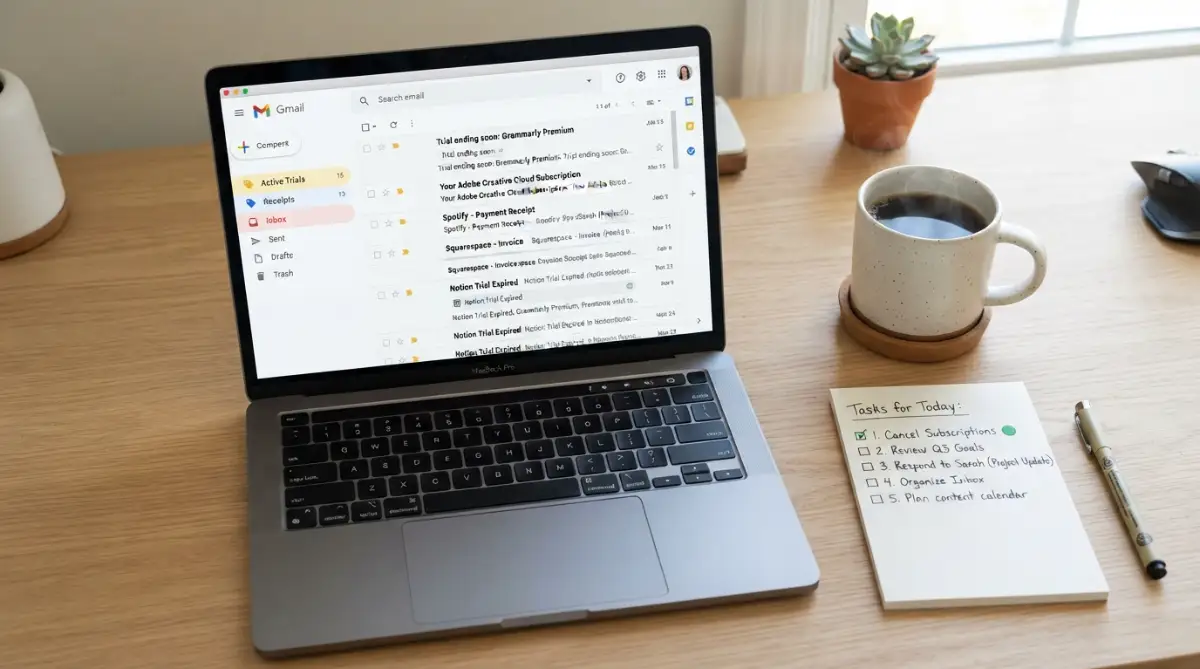
Step 1: Scan Your Primary Email Inbox with Targeted Keywords
Open your search bar inside your email client and run searches for specific transactional trigger words. Search for phrases like "trial ends soon," "your receipt," "upcoming charge," "welcome to your free trial," and "subscription confirmed."
Marketers are legally required in many regions to send a transactional confirmation email when an account activates. Searching these specific phrases unearths forgotten trials that slipped past your working memory during busy weekdays. Create a dedicated folder or tag named "Active Trials" and drop every confirmation email there for swift review.
Step 2: Audit Connected Payment Authorizations
Log into your primary digital payment portals, such as online bank dashboards or digital wallet clearinghouses. Look for the sub-menu labeled "Pre-approved Payments," "Merchant Authorizations," or "Automatic Billing Agreements."
You will often discover active payment tokens authorized for software platforms you have not opened in months. Revoke authorization for any service you do not actively use on a weekly basis. Revoking access directly from your payment portal stops recurring charges at the clearing level, shielding you even if the software provider makes cancellation tricky.
- Check mobile app store subscription tabs directly on every tablet and phone in your household.
- Review recurring merchant clearances inside online payment gateways and digital wallet dashboards.
- Cross-reference credit card transaction histories against tools you actually logged into over the past thirty days.
Summary Checklist for Risk-Free Software Exploration
Exploring fresh digital tools should be an exciting way to boost your personal productivity, not a source of financial stress. You do not need to avoid trials altogether; you simply need to enforce strict personal boundaries before sharing your payment information.
Always verify whether a product offers a true free tier before committing your card to a timed trial run. If payment details are mandatory, implement the Day-One cancellation strategy immediately after accessing the dashboard. Back up every trial with clear calendar notifications set two days ahead of time, and use burner payment methods whenever possible.
By replacing passive memory with active, automated habits, you retain full authority over your financial resources. You can test the latest web tools with complete confidence, knowing that unexpected recurring charges will never catch you off guard again.
Master-Level Strategies to Shield Your Finances from Hidden Software Costs
Taking basic precautions is a great first step, but experienced digital operators use stronger barriers to keep vendors away from their bank balances. When you treat your payment credentials like sensitive keys, recurring fee surprises become virtually impossible.
One of the most effective tricks involves setting up a dedicated "sandbox" email address used exclusively for software registrations. Most people hand over their primary personal or work inbox during signup, which quickly gets flooded with promotional spam and newsletters. Because of this incoming noise, important billing warnings and renewal notices get buried under dozens of daily marketing pitches.
A dedicated testing inbox keeps all your software trials isolated in one quiet spot. When you scan this specific inbox once or twice a week, every single email is directly related to an active trial, an account change, or an approaching renewal deadline. If you want to keep your workflow tidy, learning practical ways to automate daily administrative tasks using free AI productivity tools can help you filter and organize these registration notices automatically.
The Decoupled Secondary Bank Account
If virtual payment cards are not available through your regional banking provider, build your own physical barrier instead. Open a secondary, no-fee checking account with zero overdraft protection that exists solely for trial runs and online subscriptions.
Transfer only the exact cash needed to verify an account, which is typically zero to one dollar for temporary pre-authorization holds. Never link this secondary account to your primary emergency fund or paycheck checking balance. When a vendor attempts to push an unapproved renewal charge through, the payment processor simply returns an insufficient funds code.
Because there is no overdraft line enabled, your bank cannot hit you with predatory penalty fees. The subscription simply pauses on its own, and the company reaches out to you to update payment details. This reverses the entire power dynamic, forcing the software vendor to ask you for permission rather than quietly taking your money.
Email Sub-Addressing and Plus Addressing Tricks
You do not always need to open a brand-new email account to track who shares your information or when a trial starts. Most major email providers support sub-addressing, commonly known as the plus-addressing trick.
When signing up for a new digital tool, simply add a plus sign followed by the vendor name and the expiration date right before the "@" symbol in your normal address. For example, if your standard address is "alex@example.com," you can register as "alex+designapp.mar12@example.com."
All confirmation messages and billing warnings will still land directly in your main inbox. However, you can now set up automated inbox rules that flag any incoming message sent to that specific alias as high priority. You can also spot immediately if a vendor sold your registration details to third-party marketers without your consent.
Auditing Shadow Licenses and Software Creep
Unexpected recurring fees do not just hit solo consumers; they cause massive financial drains on businesses and side hustles. Remote workers and freelancers often sign up for multiple specialized tools to finish a single client milestone and completely forget about them. Over several months, these small individual charges compile into an expensive financial leak.
If your team struggles with dozens of forgotten software tools eating into monthly margins, it helps to understand why remote teams suffer from SaaS bloat and how to audit your software stack. Conducting a structured quarterly inventory ensures you eliminate dormant team seats before automated renewal invoices hit your corporate ledger.
Leveraging Consumer Protection Protections and Regulatory Rules
Consumer protection watchdogs have started cracking down aggressively on sneaky automatic renewal schemes. Regulatory bodies like the Federal Trade Commission have introduced clearer rules requiring companies to make canceling a recurring membership as simple as signing up.
Understanding your legal rights makes a massive difference when dealing with stubborn customer support agents. If a company hides its cancellation options or continues billing you after you submitted an opt-out notice, you have strong grounds to dispute the transaction directly through the Consumer Financial Protection Bureau.
Keep digital screenshots of your cancellation confirmation screens, timestamped cancellation emails, and your initial signup terms. Financial clearinghouses side with consumers during formal disputes when you present clear documentation proving the merchant made departure intentionally confusing.

Costly Mistakes That Hand Software Companies Free Money
Even people who consider themselves tech-savvy regularly make small mistakes that lock them into expensive yearly commitments. Recognizing these pitfalls helps you steer clear of expensive traps before you hand over your payment details.
Falling for the "Annual Discount" Trial Trap
Many modern software pricing tables feature an attractive toggle switch between monthly and yearly billing cycles. Companies frequently set the toggle to annual billing by default, displaying a dramatically discounted monthly breakdown to make the price seem tiny.
When you sign up for a seven-day trial under this default annual selection, you are not testing a monthly membership. The moment that trial expires, the billing system charges your card for an entire year upfront, often totaling hundreds of dollars at once.
Always inspect the checkout summary line with extreme care before hitting the final confirmation button. Verify that the pending charge after the promotional period clearly states a single monthly payment rather than an annual lump sum. If you decide later that you genuinely love the platform, you can always switch over to an annual plan on your own terms.
Trusting In-App "Pause" Buttons Instead of True Cancellations
When you click the cancel button inside modern software accounts, the exit flow frequently offers a seductive compromise: pausing your membership for thirty or sixty days. While this sounds convenient if you plan to return later, it is often a psychological diversion tactic.
A paused account is simply a delayed charge waiting to happen. The moment the pause duration expires, the billing engine reactivates your paid status automatically without sending a warning alert.
Unless you are taking a scheduled two-week vacation and know the exact day you will return, avoid the pause option entirely. Choose a clean, absolute cancellation every single time. Re-subscribing to a digital service takes thirty seconds when you genuinely need it, but recovering funds from a reactivated pause takes weeks of frustration.
Using Social Logins Without Checking Subscription Permissions
Signing in through major tech accounts with a single click saves valuable typing time, but it introduces dangerous blind spots. When you authorize access via third-party account buttons, recurring billing agreements can become fragmented across different administrative hubs.
Some mobile applications tie their billing to your mobile app marketplace account, while others create a direct web-billing profile using your associated email address. If you try to cancel through your smartphone settings, you might discover the charge is actually originating from an unlinked web checkout processor.
Take thirty seconds during account setup to verify where the billing contract is actually housed. Keep a tight record of whether your payment lives inside your phone app store account or on an independent web dashboard. If you want to streamline administrative workflows without exposing your accounts to third-party vulnerabilities, you can explore how modern SaaS tools automate your work easily using secure, self-hosted integrations.
Overlooking Terms of Service Revisions
Digital software services frequently modify their pricing structures, trial durations, and renewal policies without bold announcements. A service that once provided a generous thirty-day trial with manual confirmation might quietly shift to a seven-day automatic conversion model.
Never assume that a tool you tested a year ago operates under the same billing rules today. Check the fine print right next to the payment submission button every single time you sign up. Legally binding terms are almost always spelled out directly under the payment form, even if the text is small and printed in light grey ink.
Action Plan for Complete Subscription Freedom
Protecting your finances from sneaky renewals does not mean you have to stop testing exciting digital products. It simply means operating with clear boundaries, reliable tools, and a healthy skepticism toward "free" offers.
Whenever a digital platform asks for your card upfront, recognize that you are entering a binding recurring agreement. Use burner email tags, set dual calendar reminders within sixty seconds of signing up, and prioritize services that do not hold your payment details hostage. You can find more comprehensive digital privacy guides and workflow strategies on SmartInfo36 to keep your personal data and digital budget protected across all web platforms.
Taking charge of your digital spending feels deeply satisfying. When you eliminate unwanted auto-renewals, you keep your hard-earned money directed toward things that bring real value to your life. Take just five minutes today to audit your active bank transactions, delete the apps you no longer touch, and put these practical protections into place.
My personal rule is simple: if a digital tool does not prove its daily worth within the first three days, I cut it loose immediately without second thoughts. Building that tiny boundary has saved me hundreds of dollars and cleared away so much digital clutter. You work hard for your income, so start taking full control of your software accounts today.
Answers to Common SaaS Billing Inquiries
Can a company legally charge my card after a free trial without an email warning?
In many jurisdictions, yes, provided that the auto-renewal terms were disclosed on the initial signup checkout page. While regulatory consumer protection standards are steadily improving, companies are often not legally required to send a reminder notice before the first renewal hits. This is why setting independent personal reminders remains your strongest safety measure.
What should I do if a software company refuses to issue a refund for an accidental charge?
Start by gathering documentation of your account activity showing that you did not use the software after the renewal date. Send a polite but firm formal request citing clear consumer protection standards against misleading billing flows. If the vendor remains completely uncooperative, contact your credit card provider and initiate a formal dispute for an unauthorized or deceptive recurring charge.
Will canceling my trial early delete all the files or work I created inside the tool?
In most cases, your created data remains safely saved in your account profile even if your tier drops back to a basic free user level. However, some proprietary platforms lock down access to exports or premium templates the moment paid privileges end. To stay safe, export all your completed project files, design assets, and text documents to local storage before submitting your cancellation request.
Why do some software tools require payment details for a completely free trial?
Companies demand payment information upfront primarily to minimize signup drop-off when the trial period concludes. By having your card details already stored on file, the vendor can transition you into a paying customer without requiring you to make a conscious buying decision. It also helps companies prevent bad actors from repeatedly abusing introductory promotional periods with disposable email addresses.
Important Consumer Disclaimer
The informational guidance provided in this guide is intended solely for general consumer educational purposes and personal budget management. Software billing policies, vendor agreements, and regional consumer financial protection regulations vary widely based on your geographic jurisdiction and individual provider contracts. This content does not constitute formal legal advice, banking representation, or professional accounting guidance. Always review the specific terms of service and refund policies of individual software vendors before providing payment details.