
Why Traditional Coding Is No Longer the Only Solution:
Let's be real—staring at spreadsheets and copy-pasting data all afternoon is a massive waste of your brainpower. You hear everyone bragging about their automated workflows, but the moment you try to set one up, you are hit with confusing jargon like JSON payloads and webhooks. I get it. It feels like you need a computer science degree just to send an email automatically, but I am here to tell you that the game has completely changed.
The Silent Stress of Feeling Left Behind in a Tech-First World
Have you ever spent your afternoon copy-pasting data between spreadsheets? You watch the clock tick away, knowing there are bigger tasks waiting for you.You hear everyone talk about the power of automated systems. They talk about how easy it is to link tools and save hours every single day.
Yet, when you look up how to do it, you see scary terms. You read about APIs, webhooks, Python scripts, and JSON payloads.Suddenly, a wall goes up. You feel like you cannot enter this productive world because you do not know how to write code.
This feeling of being locked out is incredibly frustrating. You are smart, you know your business, and you want to grow.But this invisible tech barrier makes you feel stuck in slow motion while others fly ahead. It can make you doubt your ability to run a modern, efficient setup.
Let us clear the air right now. That wall is not real anymore.The idea that you need to be a programmer to use automation is a complete misunderstanding. The software world has quietly changed to serve people just like you.
You do not need to learn a programming language to build a powerful automated workspace. All you need is a clear understanding of how your daily work flows from one step to the next.
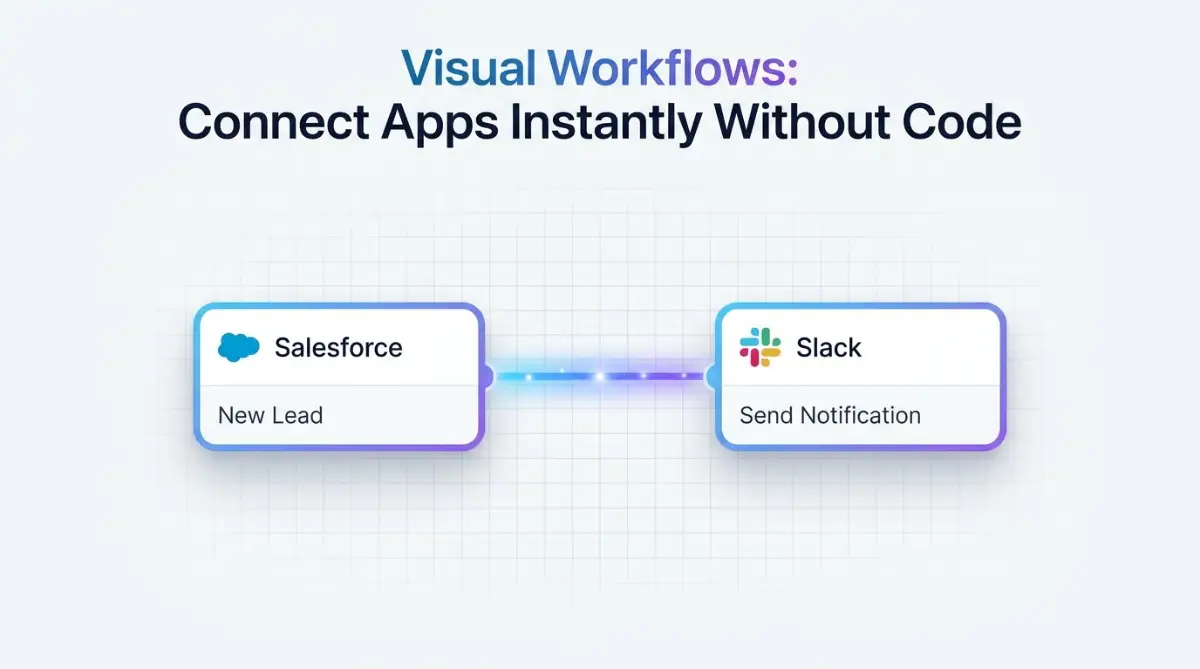
The Shift to Visual Development: How the Tech World Changed
For a long time, connecting two different software programs was a difficult task. You had to hire a developer, pay them high fees, and wait weeks for a basic connection.
What You Will Learn Today (Quick Summary):
- You can connect all your daily work apps without writing a single line of code.
- How to use simple Triggers and Actions to build your own digital assistant.
- My top tips for avoiding the dreaded "infinite loop" that crashes systems.
- Why mapping out your tasks on physical paper first will save you hours of digital headaches.
If a single line of code broke, the whole system stopped working. You had to call the developer again to fix it.
Today, things work very differently behind the scenes. Software creators realized that business owners do not want to write code; they just want their tools to talk to each other.
This realization led to the rise of modern visual builders. Instead of writing text-based commands, you now use visual blocks to build your paths.
Think of it like building with toy blocks. You do not need to know how the plastic block was molded in the factory to build a beautiful house.
You just snap the pieces together. That is exactly what modern cloud systems let you do with your daily tasks.
My Top Tool Recommendations for Beginners:
- Zapier: Perfect if you are just starting out. It connects with over 5,000 apps and is extremely easy to use.
- Make (formerly Integromat): A highly visual drag-and-drop canvas. I prefer this when I want to build complex paths without spending too much money.
- Pipedream: Great if you have a little bit of technical knowledge and want to connect APIs without setting up your own servers.
Understanding the Core Concept: Triggers and Actions:
To master these tools, you only need to understand one basic rule. This is the rule of Triggers and Actions.
Almost every automation tool runs on this simple logic. It is a cause-and-effect relationship that you control.
A Trigger is the event that starts the process. For example, a new email arriving in your inbox is a trigger.
An Action is what happens automatically after the trigger occurs. For example, saving the email attachment to your cloud storage is the action.
You do not need code to define these steps. You simply select them from a visual list of options.
Let us look at a simple comparison to see how much easier this has become.
Step 1: Map Your Daily Work on a Simple Piece of Paper:
Before you even open a software tool, you must know what you want to achieve. The best way to start is away from your computer screen.Take a plain piece of paper and a pen. Draw a line from left to right across the page.
Write down the exact steps you take to complete a recurring task. Let us use a common example: managing new customer inquiries.

First, the customer fills out a form on your website. Second, you get an email notification.
Third, you copy their name and email into a contact list. Fourth, you send them a friendly welcome email.
By writing this down, you have just created your first visual path. You do not need a computer program to tell you how your business works.
Once you see these steps on paper, you can easily find the repetitive parts. The parts where you simply move data from one place to another are the perfect candidates for automation.
Step 2: Choose the Right Visual Connection Tool
There are many amazing platforms built specifically for non-technical users. These tools act as a bridge between your favorite web apps.
They speak the language of code so you do not have to. They present everything to you in a clean, visual interface.
Some tools focus on simple, two-step connections. Others let you build long, complex paths with multiple branches.
When you start, look for tools that offer clear templates. Templates are pre-built paths made by experts for common tasks.
Using a template is like using a recipe. You do not have to invent the dish; you just add your own ingredients.
Most platforms offer a free tier. This allows you to practice and build your confidence without spending any money.
Step 3: Connect Your First Trigger and Action
Now it is time to build. Open your chosen visual tool and start a new project.The system will first ask you to select your trigger app. This is the app where your task begins, like your web form or email inbox.
The tool will ask you to log into that app to confirm you own it. This is a secure, one-click process.
Myth vs Fact: Security in No-Code Tools
Myth: You have to give these platforms your private passwords.
Fact: Modern automation uses a protocol called OAuth. This means you just click an authorize button, and the apps securely shake hands in the background. Your actual password stays completely hidden. I highly suggest checking your app connections every few months just to revoke access for any tools you no longer use.
Next, you will choose the specific event that starts the chain. You might select "New Form Submission" from a simple dropdown menu.
Once that is set, the tool will ask you to select the action app. This is where you want the data to go, like your spreadsheet or email sender.
Log in to the second app just like you did with the first one. Then, select the action you want to happen, such as "Create New Row".
Step 4: Map the Data Fields Visually
This is the step that makes people feel like wizards. You need to tell the system which piece of information goes where.In the past, you had to write complex variables to map this data. Now, you use a simple visual selector.
The tool will show you a list of data fields from your trigger app. You will see labels like "First Name", "Email Address", and "Message".
You simply click on these labels and drop them into the matching boxes of your action app. It is as simple as filling out a digital form.
If you want the customer's name to go into the "Name" column of your spreadsheet, you just click the "First Name" box. The tool handles all the translation in the background.
You can even add custom text around these fields. For example, you can set up an email action that says, "Hello [First Name], thank you for reaching out!"
The system will automatically swap out the bracketed part with the real name of each new customer.
Common Pitfalls to Avoid When Starting Out:
When you realize how easy this is, you might want to automate everything at once. This is a common mistake that can lead to confusion.
- Starting too big: Do not try to build a massive, ten-step system on your first day. Start with a simple, two-step connection.
- Skipping the test step: Always use the built-in test buttons to make sure data flows correctly before turning the system on.
- Ignoring simple errors: If a connection fails, read the error message. Modern tools give very clear, human-readable feedback instead of scary code errors.
Keeping Your Systems Clean and Organized:
As you build more connections, organization becomes very helpful. Give each of your automated paths a clear, descriptive name.
Instead of leaving a path named "Untitled Workflow," name it "Send Welcome Email to New Web Leads." This saves you from guessing what each path does when you look at your dashboard later.
Group your paths by department or project if your tool allows it. This keeps your workspace clean and easy to navigate.
Embrace the Freedom of Modern Tools:
You do not need a computer science degree to make technology work for you. The barriers have fallen, and the tools are ready.
By spending just a short time learning the basics of triggers and actions, you can reclaim hours of your life. You can focus on the creative, human parts of your work that no machine can replicate.
Start small today. Map out one simple task, pick a visual builder, and connect your first two apps.You will quickly see that automation is not a secret club for coders. It is a practical tool for anyone who wants to work smarter.
Master Level Secrets for Smarter Automation Workflows:
Once you feel comfortable with basic triggers and actions, you can start building more intelligent pathways. You do not need to write complex scripts to make your systems think for themselves.
Modern visual tools offer smart logic options that let you direct data exactly where it needs to go. By learning a few simple methods, you can turn basic connections into a highly organized assistant.
Setting Up Smart Logic Filters for Your Data:
Imagine you receive emails from many different people, but you only want to save attachments from your paying clients. You can set up a visual filter inside your workflow to check the incoming data before it moves forward.
The system looks at the email address and checks if it contains a specific domain or keyword. If the condition is met, the system continues the process; if not, it stops right there.
This simple filter prevents your storage from filling up with useless junk files. It is like having a digital gatekeeper who knows exactly who to let into your private office.
The Power of Multistep Pathways:
A basic workflow connects one app directly to another, but you can easily add multiple actions to a single trigger. For example, when a client fills out your contact form, you might want to perform three tasks at the exact same time.
First, you save their information in your database. Second, you send an alert to your team chat space.
Third, you send a personalized greeting message back to the customer. You can set up all three of these actions under one single trigger without writing a single line of code.
Using Timers to Space Out Your Messages:
Sometimes, sending an automated message instantly can feel a bit robotic to your customers. You can fix this easily by using a visual "Delay" block in your workflow.
This block tells the system to wait for a specific amount of time before running the next step. You can set the delay for ten minutes, two hours, or even three days.
This simple pause makes your automated replies feel much more natural and human. It gives you the power to control the timing of your business communications with absolute precision.
Keeping Your Visual Systems Clean and Simple:
Managing too many independent visual tools can feel like managing multiple high-interest bills. Instead of letting them run wild, you need to bring them under one roof, much like the way you would handle consolidating multiple debts to make your life simpler.
Always try to build your paths within a single master tool instead of spreading them across five different platforms. This makes it much easier to see where your data is going and keeps your monthly software costs low.
Keep a simple text document where you list all your active workflows and what they do. This simple step saves you from confusion when you need to update your systems in the future.
These connections rely on standard web communication rules defined by global groups like the W3C Web Standards. Because these standards are built into modern software, your visual tools can talk to almost any app on the internet without any special setup.

Hidden Trapdoors: Mistakes That Can Break Your System:
Building automated systems is exciting, but it is easy to make mistakes if you rush the process. When a digital system fails, it can happen quietly in the background without you noticing right away.
Understanding these common errors will help you protect your business from sudden administrative headaches. It will also save you from losing valuable customer information.
The Danger of the Infinite Loop:
One of the most common errors for beginners is creating a loop that never ends. This happens when you set up two paths that trigger each other in a circle.
For example, you might tell App A to update App B whenever a change is made. Then, you tell App B to update App A when it receives new data.
This creates a continuous loop that runs hundreds of times in a few minutes, quickly draining your monthly task limits. It can even cause your software accounts to get temporarily suspended for spam activity.

Automating a Broken Business Process:
If your manual way of doing a task is disorganized, automating it will only make things worse. Automation does not fix a messy process; it only makes the mess happen much faster.
Always make sure you can complete the task smoothly by hand before you try to build a visual path for it. If you do not understand the steps yourself, the machine will not be able to help you.
When you miss a small step in your workflow, the damage can build up quickly. It is very similar to what happens when you miss a personal loan EMI payment because you simply forgot about the deadline. One tiny oversight can cause a massive headache, so always double-check your work before leaving it on autopilot.
Forgetting to Secure Your Private Keys:
Modern tools use secret tokens called API keys to connect your accounts securely. These keys are like master passwords that give access to your business data.
Never share these keys in public forums or paste them into online help chats when you are looking for assistance. If someone gets hold of your keys, they can access your accounts without your permission.
Keep these credentials safe and hidden inside your secure visual platform at all times. If you want to study how these security protocols keep your data safe from outside threats, you can read the security guidelines on the Mozilla Developer Network.
Your Simple Action Plan for Tomorrow:
You do not need to be a coding genius to take control of your daily work tools. The era of needing a computer science degree to build smart connections is officially over.
The software tools available today are designed for creative, practical thinkers who want to get things done. By focusing on simple steps, you can build a system that works for you twenty-four hours a day.
The 24-Hour No-Code Challenge:
I encourage you to start with one single, tiny task tomorrow morning. Find the one manual job that you dislike doing the most every single day.
Whether it is copying contact info or saving email invoices, make that your test project. Spend thirty minutes setting up a simple trigger and action step.
The trick is to take it one step at a time with full focus. Do not try to solve every problem at once.
Once you see your first successful test run, your confidence will grow. You will realize that you have the power to control your digital space on your own terms.
Take that first step today, and let modern tools handle the boring chores while you focus on what truly matters. Your future, stress-free self will thank you for making the change.
Q1: Do I need to learn a programming language to use automation?
Answer: You do not need to learn a programming language to build a powerful automated workspace. All you need is a clear understanding of how your daily work flows from one step to the next.
Q2: What is the basic rule of Triggers and Actions?
Answer: A Trigger is the event that starts the process. For example, a new email arriving in your inbox is a trigger. An Action is what happens automatically after the trigger occurs. For example, saving the email attachment to your cloud storage is the action.
Q3: How should I start mapping my daily work?
Answer: Before you even open a software tool, you must know what you want to achieve. The best way to start is away from your computer screen. Take a plain piece of paper and a pen. Draw a line from left to right across the page. Write down the exact steps you take to complete a recurring task.
Q4: What are the common pitfalls to avoid when starting out?
Answer:
- Starting too big: Do not try to build a massive, ten-step system on your first day. Start with a simple, two-step connection.
- Skipping the test step: Always use the built-in test buttons to make sure data flows correctly before turning the system on.
- Ignoring simple errors: If a connection fails, read the error message. Modern tools give very clear, human-readable feedback instead of scary code errors.
Q5: How can I prevent automated messages from feeling robotic?
Answer: You can fix this easily by using a visual "Delay" block in your workflow. This block tells the system to wait for a specific amount of time before running the next step. You can set the delay for ten minutes, two hours, or even three days.
Q6: What is the danger of the "Infinite Loop"?
Answer: One of the most common errors for beginners is creating a loop that never ends. This happens when you set up two paths that trigger each other in a circle.
Q7: Can automation fix a disorganized business process?
Answer: If your manual way of doing a task is disorganized, automating it will only make things worse. Automation does not fix a messy process; it only makes the mess happen much faster. Always make sure you can complete the task smoothly by hand before you try to build a visual path for it.
Q8: What are API keys and how should they be handled?
Answer: Modern tools use secret tokens called API keys to connect your accounts securely. These keys are like master passwords that give access to your business data. Never share these keys in public forums or paste them into online help chats when you are looking for assistance.
Disclaimer: This article is for informational and educational purposes only. The software platforms and strategies mentioned are subject to change by their respective companies. Always review the terms of service and data privacy guidelines of any third-party SaaS tool before connecting your business accounts or inputting customer data.