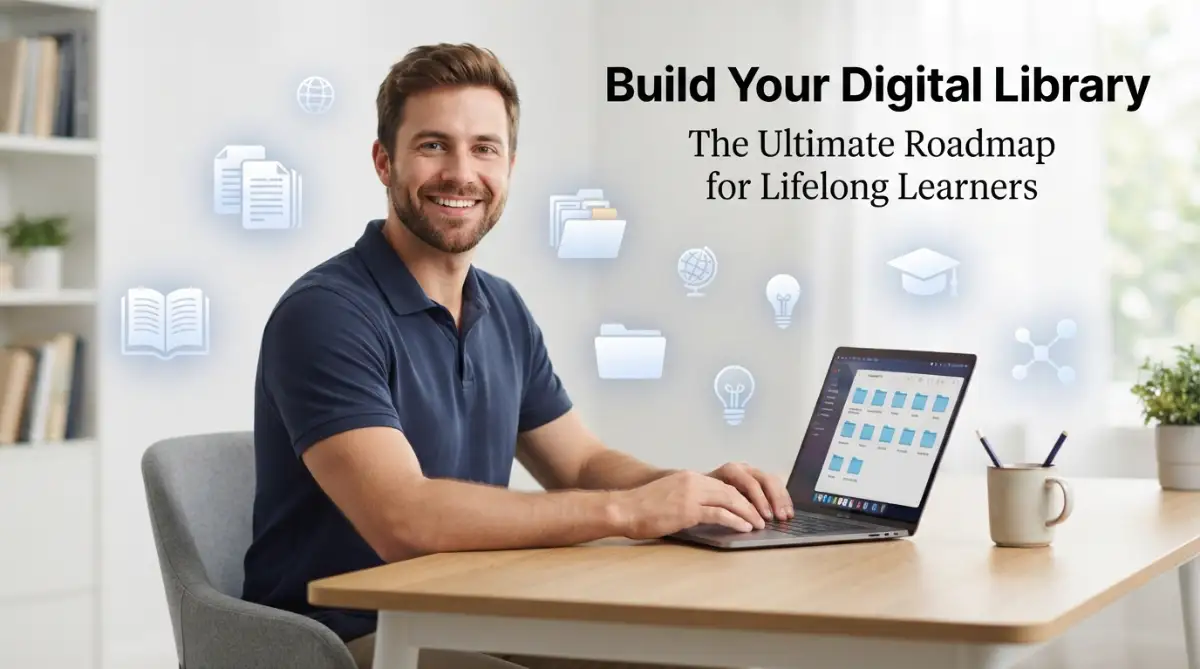
The Hidden Stress of Losing Your Best Ideas
Ever opened your laptop just to feel an instant wave of panic? You are staring at fifty open tabs, a messy downloads folder, and somehow, that one brilliant article you saved last Tuesday has vanished into thin air. You are not alone in this digital mess. We are saving more links, downloading more PDFs, and starring more emails than ever before, yet finding what we actually need feels impossible. We think we are building a personal library, but we are really just building a digital junk drawer. Let's fix that and bring some calm back to your screen.
Does this sound like your life too? We all save links on Facebook, "star" emails, and bookmark websites we never look at again. We think we are collecting knowledge, but we are actually just collecting digital trash. This clutter doesn't just fill up our hard drives; it fills up our minds. It creates a constant "background noise" of stress. You know you have the information, but you can't access it when you actually need it. This gap between "having" information and "using" it is what stops us from growing.
When we can't find our resources, we lose more than just time. We lose the spark of curiosity. Think about it. You get a great idea, you remember you saw something about it last month, but you can't find the source. After ten minutes of clicking around, you get bored or distracted. That "lightbulb moment" just dies. This is the reality for most people today. We have more access to info than ever before, but our brains are more scattered than they have ever been.
I realized that if I didn't change my ways, I would keep forgetting 90% of what I read. I wanted to be a "lifelong learner," but I was acting like a "lifelong hoarder." There is a big difference. A learner organizes and uses information. A hoarder just collects it. I decided to stop the madness and build a system that actually worked for me. I wanted to feel calm every time I opened my computer.
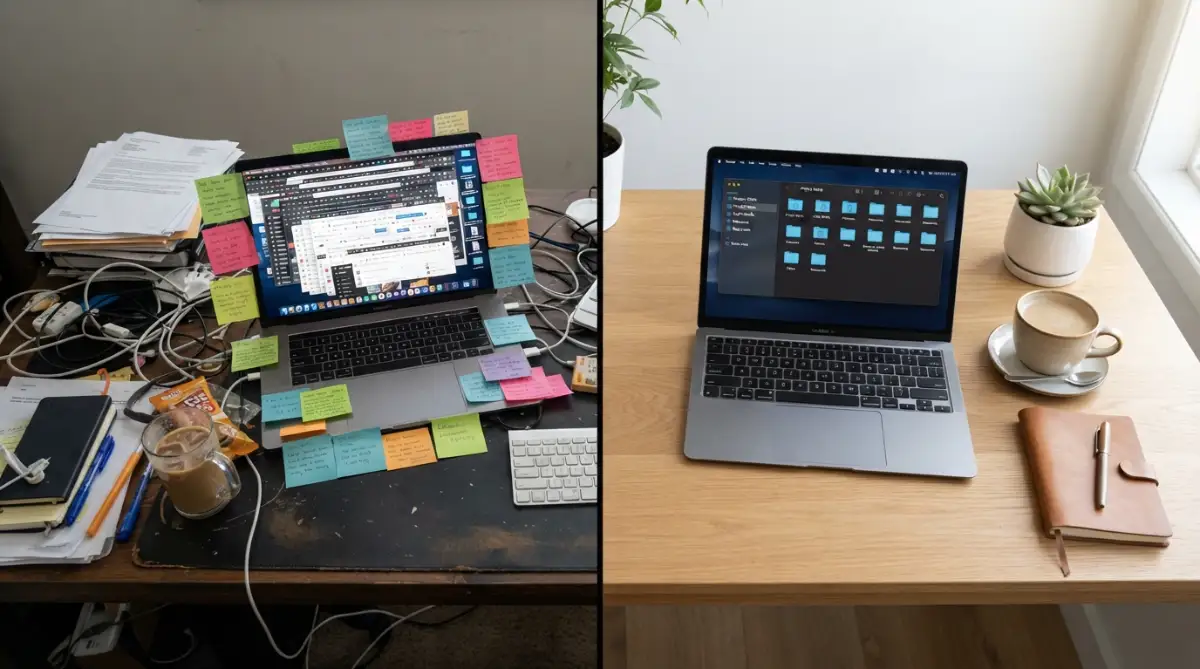
Quick Takeaways for a Clutter-Free Digital Life:
- Pick one central app to store all your ideas so you stop bouncing between different tools.
- Use tags instead of endless folders so you can search and find things in seconds.
- Stop hoarding every random link; focus on saving high-quality, long-lasting information.
- Spend just 15 minutes a week reviewing your saved items to keep your digital space clean and useful.
Building Your Base: Choosing the Right Tools
The first step in making your own library is picking the right place to keep everything. You don't need a hundred different apps. In fact, having too many apps is part of the problem. You need one or two "hubs" that feel natural to you. Some people love using cloud storage like Google Drive or Dropbox. Others prefer note-taking apps like Notion, Obsidian, or Evernote.
The key is to pick a tool that allows for easy searching. If you can’t find a document by typing a single keyword, the tool is not doing its job. I suggest choosing something that works on both your phone and your computer. Why? Because ideas often hit us when we are standing in line or riding the bus. You need to be able to save a link or a thought instantly.
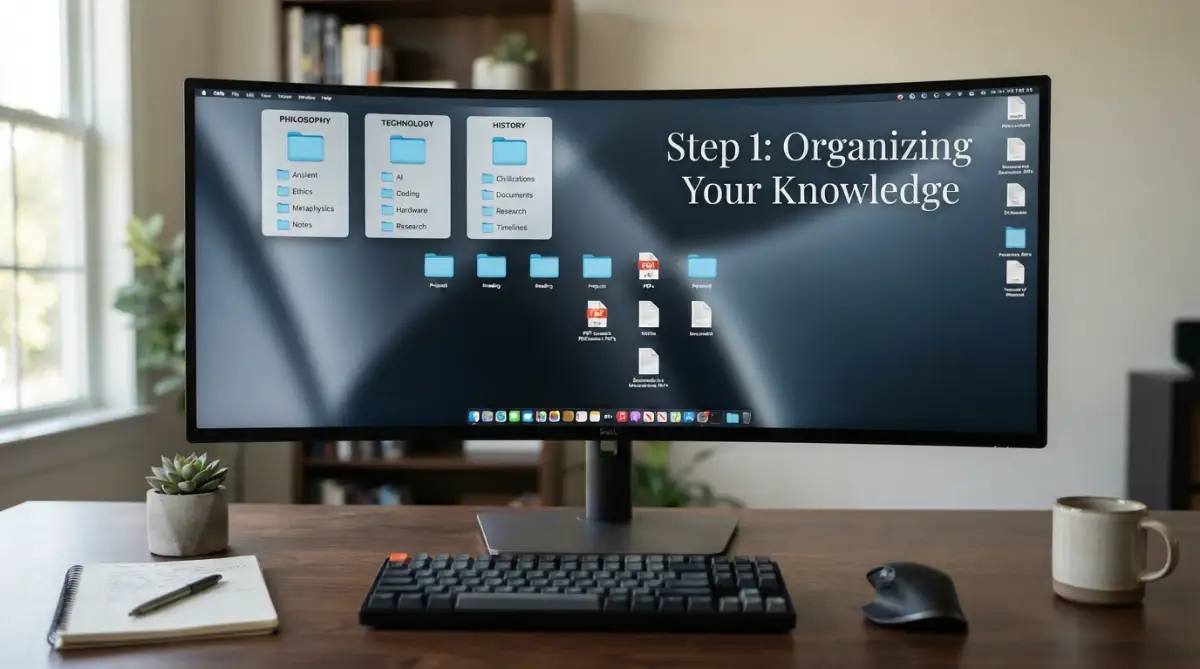
I used to try and use five different apps for five different things. I had one for work, one for my hobbies, and one for my private notes. It was a disaster. I never knew where I put anything. My big realization was that I needed a "central station." Now, I keep everything in one main app, and it has changed my life. I don't have to think about where to look; I just open my one app and search.
When you choose your tool, think about the long term. Will this app still be around in ten years? Can you export your data if the company goes out of business? These are simple questions, but they matter for someone who wants to learn for a lifetime. Stick to well-known tools that have a good track record. Once you have your "home base," you can start the real work of curating.
Myth vs. Fact: Finding the Perfect Tool
- Myth: You need to pay for expensive premium apps to stay properly organized.
- Fact: Free tools like Google Drive, Apple Notes, or the free tier of Notion work perfectly fine if you build a simple, smart naming system.
- Myth: Using five different apps for different hobbies makes you more productive.
- Fact: Spreading your files across multiple apps creates digital stress. Sticking to one or two main hubs keeps your mind clear.
The Art of Categorizing Your Interests
Now that you have a tool, you need a way to sort your stuff. Most people make the mistake of creating too many folders. They have folders inside folders inside folders. This is a trap! Instead, try to think in broad "Buckets of Interest." For example, you might have a bucket for "Health," one for "Personal Finance," and one for "Career Skills."
Inside these buckets, you can use "Tags" instead of just folders. Tags are amazing because one file can have multiple tags. A recipe for a healthy dinner could be tagged with "Cooking" and "Fitness." If you only used folders, you would have to choose one or the other. Tags give you the freedom to find your information in different ways. This makes your library feel like a living thing, not a dusty attic.
Learn more about how digital organization can change your brain and help you learn faster by watching this helpful guide below.
Creating a Naming System That Works
Have you ever looked at a file named "Document 1" and had no idea what was inside? We've all been there. To have a great digital library, you must be strict about how you name your files. A good name should tell you exactly what is in the file without you having to open it. I like to use a simple format: "Date - Topic - Type."
For example, instead of naming a file "Notes," I would name it "Physics - Quantum Mechanics - Lecture Notes." This way, when I look at a list of fifty files, I can see exactly what I need. It takes an extra five seconds to type a good name, but it saves you hours of frustration later. It’s a small habit that pays off every single day.
Think of your file names like the labels in a grocery store. If the cans didn't have labels, you would have to open every single one just to find the beans. That would be crazy, right? So why do we do it with our digital files? Be kind to your future self and name things clearly. You will thank yourself six months from now when you are looking for that one specific PDF.
The Habit of Instant Capture
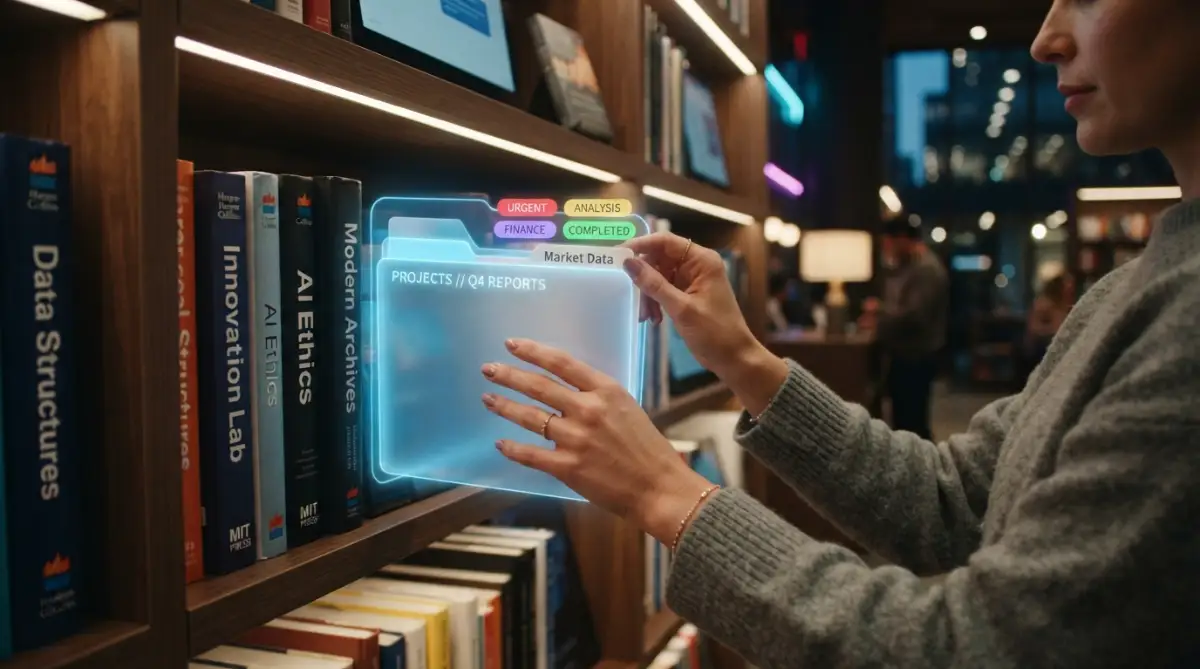
A library is only useful if you actually put things in it. Most of us see something interesting, think "I should save that," and then we keep scrolling. Within five minutes, we've forgotten about it. You need to build the habit of "Instant Capture." This means the moment you see a valuable piece of information, you send it to your library.
Most browser extensions and phone apps have a "Share" or "Save" button that makes this easy. If you are reading an article on your phone, click share and send it straight to your chosen app. Don't wait until the end of the day. Do it right then. This keeps your brain clear because you don't have to try and remember to save it later.
I call this "closing the loop." When you see something and save it, your brain can let go of that information. It knows it's safe in your library. This reduces that "mental itch" we feel when we are trying to remember too many things at once. It’s like putting a book on a shelf instead of carrying it around in your hands all day. Your arms—and your mind—will feel much lighter.
Filtering for Quality Over Quantity
A big mistake beginners make is saving everything. If you save every single article you see, your library will just become another version of the messy internet. You have to be a "Gatekeeper." Ask yourself: "Is this really going to help me in the future?" or "Is this just interesting for two minutes?"
Quality is much better than quantity. A library with fifty amazing, well-organized articles is worth more than a library with five thousand random links. Try to save things that are "evergreen." Evergreen content is information that stays useful for a long time. News stories change every hour, but a guide on "How to Think Logically" will be useful ten years from now. Focus on building a foundation of timeless knowledge.
Quick Checklist: Is this link actually worth saving?
Before you hit that bookmark button, quickly ask yourself:
- Will I actually need to read this in six months?
- Does this solve a specific problem I am facing right now?
- Can I easily find this exact information again through a simple Google search?
- If your answer is "No" to most of these questions, let it go. Your future self will thank you for keeping the clutter out of your workspace.
Setting Up a Weekly Review Process
Your digital library is like a garden. If you don't pull the weeds, it will get overgrown. I highly recommend spending 15 minutes every Sunday looking through what you saved during the week. This is the time to delete things you realize aren't that great. You can also add better tags or move files to the right buckets.
This "Weekly Review" is when the real learning happens. When you look at something for a second time, it starts to move from your library into your long-term memory. You are not just moving files; you are moving ideas into your head. It’s a great way to reflect on what you learned during the week and see if your interests are shifting.
Using Metadata to Your Advantage
Metadata sounds like a scary tech word, but it’s actually very simple. It’s just "data about data." In your digital library, this could be the author's name, the date you read the article, or a short summary you wrote yourself. Most modern apps let you add these details easily.
Adding a one-sentence summary to every file you save is a game changer. Why? Because you might forget why you saved that file in the first place. When you see your own summary, it instantly reminds you of the value. It makes your library much more personal. It’s not just a collection of other people's words; it’s a collection of your thoughts about those words.
The Importance of "Searchable" Text
When you save images or PDFs, make sure your system can "read" them. This is called OCR (Optical Character Recognition). Many apps like Evernote or Google Drive do this automatically. If you save a photo of a page in a book, you want to be able to search for the words on that page later.
If your library isn't searchable, it’s just a digital pile of paper. Always test your system. Try searching for a specific word inside a PDF. If it doesn't show up, you might need to change your tools. A searchable library is like having a superpower. You can recall any fact or quote in seconds. This speed is what allows lifelong learners to connect different ideas and come up with new ones.
Dealing with Digital Hoarding Guilt
Sometimes we feel bad because we have thousands of unread bookmarks. This "Information Guilt" can actually stop us from learning. The first thing you need to do is give yourself a "Fresh Start." It is okay to delete all your old, messy bookmarks and start from scratch today.
You don't have to organize the past to have a better future. Focus on the new things you are learning right now. Your library should reflect who you are today, not who you were three years ago. If you haven't looked at a link in six months, you probably don't need it. Let it go. The internet is always there if you really need to find something again.
Summarizing for Retention
One of the best ways to make your library useful is to write "mini-summaries." After you read an article and save it, write three bullet points about what you learned. This forces your brain to process the information. It turns passive reading into active learning.
These summaries are the "gold" in your library. In a year, you won't want to re-read a ten-page article. You will want to read your three-sentence summary. It’s like creating a "CliffsNotes" version of the entire internet, but only for the things you care about. This is how you build true expertise in any subject.
The Science of Spaced Repetition
Lifelong learning is not about reading something once. It’s about seeing it again just as you are about to forget it. You can use your digital library to set reminders. Some people use apps that send them a random note from their library every day.
This keeps your old knowledge "fresh." It’s amazing how a note you wrote two years ago can suddenly solve a problem you are facing today. This is the power of a curated system. It connects your past self with your present self. You start to see patterns in your thinking that you never noticed before.
Why a Digital Library is Better than Paper
I love the smell of old books, but for learning, digital is the winner. Why? Because you can’t "Search" a physical bookshelf. You can’t copy and paste from a paper book into a new project. A digital library is flexible. You can move things around, link them together, and share them with others instantly.
It also takes up zero space in your house. You can carry your entire library of ten thousand books and articles in your pocket. This means you can learn anywhere—on a plane, in a coffee shop, or at the park. This freedom is what makes lifelong learning possible for busy people. You don't need a quiet study room; you just need your phone and a few spare minutes.
Keeping Your System Simple
The most important rule of all is: Keep it simple. If your system is too complicated, you won't use it. If it takes twenty clicks to save a link, you will stop doing it. Your goal is to make "saving and organizing" as easy as breathing.
Don't worry about making it perfect. Your library will grow and change as you do. Start small, stay consistent, and watch how your digital world transforms from a mess into a masterpiece. You are building a resource that will serve you for decades. Treat it with care, but don't let it become a chore. Happy curating!
Taking Your Digital Library to the Next Level
Now that you have your basic structure, it is time to look at some expert ways to make your library even better. A library isn't just a place to store things. It should be a place where you grow. Most people stop after they create a few folders. If you want to be a true lifelong learner, you need to go deeper.
One of my favorite secrets is called "Interlinking." This means connecting one note to another. If you have a note about "Healthy Eating" and another about "Better Sleep," you should link them. Why? Because they are related. In the future, when you read about food, you will see a link to your notes on sleep.
This is how our brains work naturally. We don't think in folders; we think in webs. By linking your notes, you are building a web of knowledge. It makes it much easier to come up with new ideas. You start to see how different parts of your life connect in ways you never noticed before. This is a big step toward avoiding the stress of digital overload while you learn.
The Secret of Automating Your Knowledge Flow
You are probably very busy. You don't have hours to spend moving files around. This is where automation comes in. There are simple tools that can send your highlights from a Kindle book straight to your library. You don't have to copy and paste anything. It just happens in the background.
I use these tools to save my favorite quotes from the web. When I highlight something on a website, it automatically shows up in my central hub. This saves me so much time. I don't have to worry about forgetting where I saw a great idea. It’s always there, waiting for me. This helps me stop multitasking and focus on what I am reading.
Another expert tip is to use "Smart Folders." These are folders that use rules to organize themselves. For example, you can tell your system to put every PDF with the word "Invoice" into a specific folder. This keeps your library clean without you doing any manual work. It’s like having a personal assistant who never gets tired.
Building a Personal Search Engine
Think about how you use Google. You type a word and get the answer. You can do the same thing with your own library. The secret is to use Keywords in a smart way. I like to add a "Keywords" section at the bottom of every long note I write. I include words that I might use to search for that topic later.
I also suggest keeping a "Table of Contents" for your biggest projects. This is a single note that has links to all other notes related to that project. If you are learning a new language, for example, you could follow this guide to mastering a second language and keep all your progress links in one place. It makes navigating your library feel like a breeze.
Don't forget to back up your data. This is an advanced tip that many people ignore until it’s too late. I suggest using the "3-2-1 rule." Keep three copies of your data, on two different types of storage, with one copy far away from your house. To learn more about how this works, check out this post on everything you need to know about cloud storage. It's the best way to keep your hard work safe for years.
The Trap of Just "Collecting" Information
I have to be honest with you. There is a huge mistake that almost everyone makes. It’s called "The Collector’s Fallacy." This is the feeling that by simply saving an article, you have learned it. I used to do this all the time. I had thousands of saved links, but I hadn't actually read most of them.
This habit is dangerous. It gives you a fake sense of progress. You feel smart because your library is big, but your brain isn't growing. If you keep doing this, your library will become a graveyard of dead ideas. It will feel heavy and stressful. Instead of helping you learn, it will make you feel like you are always "behind" on your reading list.
To avoid this, you must be brave. You need to stop saving things "just in case." Only save things that you are actually going to use or reflect on. If you find yourself hoarding links, take a break. Stop adding new things for a week. Spend that time actually reading and summarizing what you already have. This is how you escape the burnout of being a creator or learner.
Why Over-Organizing Is a Waste of Time
Another big mistake is spending more time organizing than learning. Some people spend hours picking the perfect colors for their folders or the best font for their notes. This is just another form of procrastination. Your library doesn't need to be pretty; it needs to be useful.
I have seen people build systems so complex that they are afraid to use them. They have so many rules that saving a single link feels like a chore. If your system feels like work, you will eventually stop using it. I always tell my friends: "Keep it simple until you have no other choice but to make it complex." A messy library that you use is better than a perfect library that you ignore.
Research from high-authority sources like the Mozilla Foundation shows that digital literacy and simple habits are more important than fancy software. Don't get distracted by the latest "productivity app" that promises to change your life. Stick to the basics. Focus on the content, not the container.
The Danger of Relying on Just One App
What happens if the app you use shuts down tomorrow? It happens more often than you think. If all your notes are locked inside one platform, you could lose years of work. This is a terrifying thought for a lifelong learner. I have friends who lost everything because they didn't have a way to export their data.
Always make sure you can get your data out of your system. I prefer tools that save files in "Markdown" or "Plain Text" formats. These files can be opened by almost any computer in the world. They will still work even if the company that made your app disappears. It's about being independent and protecting your intellectual property.
You should also avoid keeping everything on just one device. If your laptop breaks or gets stolen, your library shouldn't go with it. Use cloud syncing, but also keep a physical copy on an external drive. This might seem like extra work, but it is the only way to sleep peacefully at night. You are building this library for your future self. Don't let a hardware failure take it all away.
The Risk of Losing Your Own Voice
When you curate a library, it is easy to just copy and paste what others have said. But if your library is just a collection of other people's words, it’s not really yours. The biggest mistake is forgetting to add your own thoughts. Every time you save something, you should write at least one sentence about why it matters to you.
Without your own voice, your library is just a textbook. With your voice, it becomes a journal of your growth. I look back at notes I wrote years ago and I can see how my thinking has changed. That is the real value of a personal library. It shows you the path you have traveled. Don't let your library become a cold, robotic database. Keep it human. Keep it personal.
Creating a Life That Supports Learning
Building a library is not just a digital task. It is a lifestyle choice. You have to create space in your day for reflection. If you are always running from one thing to another, you won't have the energy to organize your thoughts. You need quiet time. You need moments where you aren't consuming new information.
I found that my learning improved when I fixed my morning routine. I stopped checking my phone the moment I woke up. Instead, I spent ten minutes looking at my notes from the day before. This small change made a huge difference. I started the day with my own ideas, not someone else's social media posts. It helped me fix my energy levels and stay focused.
Remember that your digital library is there to serve you. You are the boss. If a part of your system isn't working, change it. If a folder is too full, split it. If a tag is useless, delete it. This is a living project. It will never be "finished," and that is the beauty of it. As long as you are growing, your library will be growing too.
Making It a Habit for the Long Term
How do you keep this going for years? The secret is to enjoy the process. Don't look at it as a task on your to-do list. Look at it as a way to honor your curiosity. Every time you save a great idea, you are telling yourself that your interests matter. You are investing in your future.
I like to treat my library like a private garden. It’s a place where I go to think and find inspiration. When I’m working on a new project, I don't start with a blank page. I start by searching my library. I usually find that I have already done 50% of the work months or years ago. This feeling of "having a head start" is what keeps me motivated to keep curating.
Studies on information management, like those found at Cornell University Library, suggest that structuring your digital research is key to long-term success. It’s not about being a genius. It’s about being organized and consistent. Even if you only save one good thing a day, that is 365 new ideas a year. In ten years, you will have a gold mine of knowledge that no one can take away from you.
Your Path to Digital Mastery
Building a personal digital library is one of the most rewarding things you can do in this modern age. It takes you from being a passive consumer to an active curator. You stop being overwhelmed by the noise and start finding the signals. It gives you a sense of calm in a world that is often very loud and messy.
I want you to start small. Don't try to build the perfect system today. Just pick one tool and save one thing. Then, tomorrow, save another. Soon, you will have a small collection. Over time, that collection will turn into a library. And that library will become your greatest asset. It will help you solve problems, spark new ideas, and keep you curious for the rest of your life.
I have been doing this for a long time now, and I can't imagine my life without my digital library. It has helped me through tough times and led me to some of my biggest successes. I truly believe that if you follow this roadmap, you will find a new kind of freedom. You will have your own space for your mind to grow and flourish. Take that first step today, and I promise you won't regret it.
Common Questions About Digital Libraries
How much time should I spend organizing every day?
You don't need much time at all. Most of the work happens while you are already reading. Just take five extra seconds to name your files correctly and add a tag. Spend about ten minutes at the end of the day to clean up your "Inbox." It’s better to do a little bit every day than a lot once a month.
What if I already have thousands of messy bookmarks?
Don't worry about the past. Trying to organize old, messy bookmarks will just frustrate you. I suggest creating a folder called "Archive" and putting all your old bookmarks there. Then, start fresh with your new system today. If you really need something from the old pile, you can search for it later.
Is it safe to store my library in the cloud?
Yes, it is generally very safe, but you should always use a strong password and two-factor authentication. To be extra safe, always keep a local backup on an external hard drive. This way, even if the cloud has a problem, your knowledge is still safe with you.
Can I build a digital library for free?
Absolutely! Many of the best tools, like Google Drive or the free version of Notion, are completely free to use. You don't need to spend money to be organized. The most important thing is your habit and your system, not how much the software costs.
Disclaimer: This article is for informational purposes only. We do not promote any specific software or paid services. All advice is based on personal experience and general best practices for digital organization. Always check the privacy policies of any app you choose to use. We are not responsible for any data loss that may occur while using digital tools.