The Sticky Note Disaster That Almost Broke My Startup
If you manage a growing team, your company passwords are most likely scattered in plain sight right now—scribbled across paper notes, hidden in spreadsheets, or pasted into Slack channels. Last year, that exact habit locked our entire team out of our analytics dashboard and burned four hours of billable client work before noon. Moving your business to a single unified sign-on is not just an IT upgrade; it is the fastest way to save your sanity and protect your core company data from an avoidable disaster.
I was sitting at my desk, sipping lukewarm coffee, when our lead product designer pinged me on Slack asking for the login credentials to our customer feedback dashboard. Two minutes later, a junior marketer asked me for the master password to our email marketing platform.
Then came the real shocker: our analytics account had locked us out completely because three different people entered the wrong password at the same time.
My desk was covered in bright yellow sticky notes with half-scratched passwords and scrambled letters. I had become the human bottleneck for twenty different software programs, and our company was only fifteen people deep.
That morning, I lost three full hours just resetting passwords, tracking down security codes, and soothing frustrated teammates. I felt completely overwhelmed, disorganized, and terrified that one leaked credential would destroy everything we had spent months building.
Key Takeaways for Busy Founders:
- The Hidden Cost: Password overload costs an average 20-person team over 25 lost hours and roughly $1,000 in lost focus every single month.
- Fast Automation: Adopting modern standards like SCIM allows you to set up new hire permissions across all apps instantly with one switch.
- Disaster Prevention: A dedicated break-glass account keeps your business online even if your primary identity provider suffers an unexpected global outage.
- Instant Safety: Removing old direct password logins ensures terminated employees cannot accidentally or intentionally access private internal company records.
The Silent Mental Drain of Credential Overload
When your team starts using dozens of cloud platforms, everyday work turns into an endless obstacle course.
Every single morning begins with a maze of login prompts, forgotten passphrases, and two-step verification text messages. Instead of jumping straight into deep creative work, your team members spend their best energy hunting down shared spreadsheets or bothering their colleagues for temporary access codes.
The security danger behind this chaos is even scarier than the lost time.
When people are forced to remember dozens of different passwords, human nature takes over. They start using their dog's name, adding a single exclamation mark at the end, and reusing that exact combination across ten different company dashboards.
Even worse, team members write these sensitive keys inside public channels, browser notes, and personal text threads. One tiny leak in an unmonitored browser extension can instantly hand your entire company database directly to cyber criminals.
How Centralized Identity Management Cleans Up the Mess
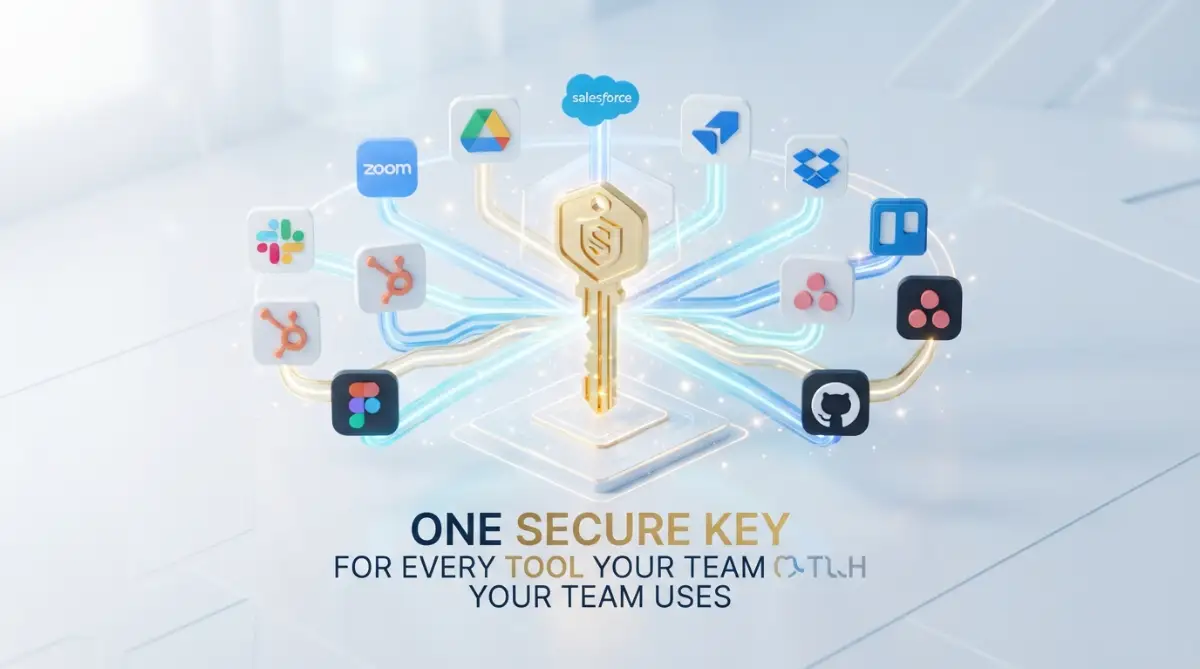
Centralized identity access turns this chaotic web of passwords into a single, clean doorway.
Instead of forcing your employees to manage unique keys for every single software tool, a central identity system lets them sign in once with a verified profile. Once that single identity is proven, the system quietly grants secure entry to all approved work tools in the background.
Think of it like checking into a boutique hotel. You do not carry thirty heavy iron keys in your pocket for the front door, the gym, the lounge, and the elevator.

You show your verified photo ID at the reception desk once, and you get an encrypted digital keycard that unlocks only the specific doors you are allowed to enter. When your stay ends, the hotel deactivates that single card, and all access across the entire building stops immediately.
That is exactly how modern Single Sign-On works for software teams. It eliminates the guessing games, removes the dangerous sticky notes, and gives you total control over who enters your company systems.
The Clear Difference: Scattered Logins vs. Unified Access
To understand why this shift changes everything for a team, look at how standard logins compare to a unified identity setup:
- Account Setup Speed: Standard logins require creating ten separate accounts by hand, while unified access configures every tool simultaneously with one click.
- Password Storage: Standard logins encourage messy browser autofill or risky personal notebooks, while unified access removes stored passwords completely from local machines.
- Revoking Access: Offboarding an employee under standard logins requires hunting down every single dashboard individually, while unified access cuts all company access from one master switch.
- Daily Workflow: Scattered setups force workers to re-enter credentials constantly, while a centralized system keeps authenticated sessions smooth and uninterrupted.
- Audit Visibility: Traditional setups leave managers blind to who logs into what, while centralized setups log every single sign-in attempt on one dashboard.
The Real Monthly Cost of Login Chaos:
- Lost Productivity: A 20-person startup loses roughly 25 to 30 combined working hours every month solely to password resets and account lockouts.
- Financial Drain: At an average team rate of $40 per hour, you burn at least $1,000 every single month on lost login screens.
- The Setup Cost: Basic cloud identity tools cost around $4 to $6 per user monthly, which means the setup pays for itself within the first two weeks of adoption.
Locking Down the Entry Gate with Smart Identity Rules
A centralized login system gives your team a rock-solid security foundation without slowing anybody down.
When you manage user identities from a single platform, you can enforce strong multi-factor authentication across every tool at the same time. This means an attacker cannot break into your marketing or billing dashboards just because they guessed a weak password.
The underlying technology relies on trusted digital handshakes rather than passing raw text passwords across the internet.
Your tools never actually see or store the user's master password. Instead, they exchange encrypted digital tokens that expire quickly, ensuring that even if network traffic is inspected, no sensitive login secrets are ever exposed.
Reclaiming Hundreds of Lost Working Hours Every Month
The real-world math behind credential management will shock anyone running a growing business.
Industry studies show that the average knowledge worker wastes between ten and fifteen minutes every day dealing with login problems, locked accounts, and password resets. For a team of thirty people, that adds up to over one hundred wasted working hours each month spent staring at login screens.
IT support tickets tell an even more dramatic story.
More than thirty percent of all internal helpdesk requests inside growing organizations are simple requests to unlock an account or reset a forgotten passphrase. By moving to a single authentication hub, those repetitive tickets virtually disappear overnight, freeing your technical staff to build better features and support paying customers.
I used to think setting up a unified identity system was an expensive luxury meant only for Fortune 500 corporations with massive IT budgets. My biggest mistake was waiting until our team had thirty messy accounts before taking centralized access seriously, which made the migration twice as stressful as it needed to be.
If you start organizing your identity permissions while your team is still small, the transition feels effortless and your security posture stays clean from day one.
Eliminating the Dangerous Offboarding Trapdoor
Employee departures are one of the largest hidden security risks for growing tech companies.
When an employee leaves a company that relies on scattered logins, the manager must manually log into fifteen or twenty separate platforms to delete that user. In the rush of daily business, people inevitably forget the shared social media account, the secondary analytics tool, or the project management board.
That forgotten account remains an open backdoor into your business long after the team member has moved on.
Disgruntled former workers or compromised dormant accounts can lead to severe data theft, deleted code repositories, or leaked customer lists. With a centralized identity hub, the moment you deactivate a team member's corporate profile, their access to every single connected application vanishes instantly.
The Truth Behind Common Identity Management Myths
Many founders delay organizing their user identity management because of outdated assumptions. Let us look at what is actually true versus what is just common office fiction.
- Myth: Single Sign-On creates a dangerous single point of failure where one breach loses everything.
- Reality: A single, heavily guarded door with biometric verification and multi-factor alerts is vastly safer than fifty unlocked windows scattered across different websites.
- Myth: Centralized identity tools take months of expensive engineering work to implement properly.
- Reality: Modern cloud identity providers offer pre-built connectors that allow you to link common productivity tools in less than an hour without writing code.
- Myth: Only companies with strict compliance audits need centralized access controls.
- Reality: Any business that stores sensitive customer data, proprietary source code, or private financial records needs controlled access to survive modern cyber threats.
Designing a Sensible Role-Based Permission Structure
Centralizing your access does not mean giving every single team member the keys to every single room.
A well-designed identity system uses role-based permissions to ensure people only see what they actually need to do their jobs. Your software engineers do not need direct access to human resources salary records, and your marketing writers do not need production server privileges.
Setting up clear roles keeps your digital workspace tidy and reduces human error.
When people only see the tools that match their daily responsibilities, their dashboard screens stay uncluttered and easy to navigate. It also limits accidental damage, ensuring that a simple mistake made by a new intern cannot wipe out critical production databases or alter live billing plans.
Preparing Your Tool Stack for Seamless Centralization
Before you connect your first application to a centralized identity hub, you need a crystal-clear inventory of your existing software.
Sit down with your team leads and list every cloud service, design tool, communication platform, and document repository your business currently pays for. You will almost certainly discover forgotten subscriptions, duplicate tools, and unmanaged accounts that nobody uses anymore.
Once your inventory is clean, review which tools support standard identity exchange protocols like SAML or OpenID Connect.
Prioritize connecting your most critical repositories first, such as your core code storage, customer communication channels, and primary cloud infrastructure. Once your primary assets are sheltered behind your central login hub, you can steadily bring your secondary project tools into the exact same protected circle.
Centralizing your identity access removes friction, shields your business assets, and gives your team the clean foundation they need to build great products with total confidence.
Advanced Strategies to Supercharge Your Identity Setup
Setting up a basic login portal is only your first step toward total access control.
To build a truly resilient system that lasts as your headcount doubles, you need to think beyond simple password replacement. Experienced technical leaders use layered controls that protect corporate files quietly while letting employees work without annoying interruptions.
Automate User Provisioning with Open Standards
The most powerful upgrade you can pair with single sign-on is automated user management through SCIM, which stands for System for Cross-domain Identity Management.
While basic sign-on lets someone log into a dashboard, SCIM actually builds their profile, assigns permissions, and populates team groups automatically. When you learn how SaaS providers encrypt your business files, you understand that how users arrive inside an app matters just as much as how their files are stored.
When your human resources coordinator marks a new hire as active in your central directory, SCIM pushes that identity out to your communication tools, document drives, and issue trackers instantly.
Your fresh recruit opens their laptop on day one with every software tool already waiting for them, completely eliminating manual account setups. When that person eventually departs, SCIM deprovisions all those accounts simultaneously, closing every doorway before they can even walk out the door.
Enforce Context-Aware Conditional Access
Static passwords fail because they treat every login attempt the same, whether it happens from an office desktop or an unknown browser halfway across the globe.
Modern identity providers allow you to establish conditional access policies that evaluate risk in real time. The system automatically inspects the user's physical location, device security health, and network connection before granting entry.
If a customer support manager signs in from their registered company laptop on a recognized office network, the login proceeds in a single click.
However, if an access request appears at three in the morning from an unrecognized device in a foreign country, the central engine can instantly challenge the user for biometric proof or block the request entirely. According to official identity safety baselines published in the NIST Digital Identity Guidelines, using adaptive, context-based checks stops credential stuffing attacks dead in their tracks.
Build a Dedicated Break-Glass Account
One hidden worry many founders share is what happens if the central identity provider suffers an unexpected global outage.
If your primary authentication server goes dark, your entire team could find themselves locked out of critical customer-facing tools. This is why seasoned security architects build what the industry calls a "break-glass" emergency account.
This emergency profile is an isolated, highly protected direct administrative login that bypasses federated single sign-on entirely.
You store this emergency credential inside a physical tamper-proof safe or an encrypted offline vault with strict dual-custody access. You only pull out this master key during an extreme service outage, ensuring your senior engineers can still access core cloud hosting controls to keep customer apps running.
My Simple 3-Step Break-Glass Emergency Checklist:
- Offline Storage: Write down the master account credentials on a physical card and place it inside a fireproof office lockbox.
- Dual Control: Require two different senior leaders to verify access before opening the physical safe.
- Immediate Notifications: Set up automated phone alerts so your technical leads receive an instant text message whenever the master backup account logs into the portal.
Implement Principle of Least Privilege Grouping
It is tempting to give every teammate broad access just to avoid answering permissions requests every week.
Resist this urge, because wide permissions expose your business to huge risks if a single laptop is misplaced. Instead, organize your team into granular functional groups like engineering, support, billing, and management.
Link those groups directly to your central directory so permissions automatically sync as roles evolve.
When an engineer switches over to product design, changing their department tag in your central directory immediately removes their production server rights and grants them interface prototyping access. Keeping permissions tight ensures that a breach in one department cannot easily spread into customer databases or private financial ledgers.

Shorten Session Windows for High-Risk Environments
Convenience should never outshine caution when handling sensitive customer records or proprietary business code.
Standard cloud apps often keep a user logged in for thirty straight days on a local browser cookie. If an employee leaves their laptop unlocked at a busy airport coffee shop, anyone who opens that screen has unrestricted access to your company assets.
Set short session timeouts for tools that house private data, such as production database consoles and accounting portals.
Requiring users to refresh their authentication every eight hours or after thirty minutes of idle time keeps your perimeter tight. Regular session pruning prevents session hijacking, which the security experts at the OWASP Top Ten Security Project identify as one of the most common ways online systems get compromised.

Critical Mistakes That Can Break Your Identity System
Transitioning to a unified access model is an exciting milestone, but small oversights can quickly undo your hard work.
Many growing teams jump in too fast without mapping out user habits or testing fallback measures. If you want to keep your company safe, avoid these painful traps that catch unprepared founders off guard.
Leaving Forgotten Local Admin Logins Active
When organizations switch to unified sign-on, they often leave old direct logins active on their individual tools.
Team members quietly bookmark the old password-based login screens because they are used to typing their old passwords out of habit. These forgotten backdoors bypass your central multi-factor rules, leaving your business vulnerable to basic brute-force attacks.
Once your single sign-on integration goes live, you must turn off direct username and password authentication entirely across every supported application.
Force every user, including your executive leadership, to enter solely through the protected central identity gate. If an application allows legacy password entry alongside central sign-on, an attacker will always pick the easier, unguarded path to break inside.
Ignoring the Spread of Shadow Applications
A centralized identity hub works wonders, but only for the applications that you actually connect to it.
When managers make it difficult for staff to request new productivity tools, team members pull out personal credit cards and sign up for unauthorized apps on their own. This creates shadow software stacks that sit completely outside your security monitoring and data backup routines.
Take time to audit your software stack to reduce app bloat on a regular schedule with your department leads.
When you discover that your content creators or designers are using unapproved tools, do not just issue reprimands. Work closely with them, review the tool for security hygiene, and plug it directly into your central identity platform so everyone stays protected.
Skipping Multi-Factor Authentication on the Master Account
Putting all your company tools behind one master doorway is smart, but leaving that master door secured by only a simple password is a recipe for disaster.
If an attacker manages to phish the master password of an employee, they instantly gain access to every single service linked to that user profile. Your central identity platform must have mandatory multi-factor authentication turned on from the very first day.
Prefer modern authenticator applications or physical security keys over outdated SMS text messages whenever possible.
Text messages are vulnerable to SIM-swapping attacks and interception by determined bad actors. Enforcing strong verification methods at your central gateway guarantees that a stolen password alone is useless to an intruder.
Rolling Out Changes Without User Education
Technical managers often flip the switch on security updates over the weekend without preparing their staff for the new login flow.
On Monday morning, dozens of confused employees flood the help desk with complaints because their old bookmarks stop working. This frustration leads to resistance, lost productivity, and team members finding risky ways to work around the system.
Take the time to share practical strategies for transitioning your team to new software before changing how everyone logs in.
Host a quick fifteen-minute video walkthrough showing teammates how the new portal works and how to set up their multi-factor mobile authenticators. When people understand that this change saves them from typing twenty passwords a day, they welcome the new system with open arms.
Quick Guide: What to Do vs. What to Avoid
Building a Safer, Faster Future for Your Organization
Moving your team to centralized identity access is one of the most rewarding investments you can make for your company's peace of mind.
It cuts away the daily friction of forgotten passwords, frees up your technical staff from endless support tickets, and closes dangerous offboarding loopholes. Instead of worrying about who has access to which database, you can sleep soundly knowing your digital perimeter is secured by design.
As your business welcomes new clients, recruits great talent, and expands its tool collection, your identity setup will grow right alongside you.
When enterprise clients evaluate your security practices, having a unified authentication architecture demonstrates that you handle sensitive data with true maturity. Following industry best practices outlined by cybersecurity authorities like the Cybersecurity and Infrastructure Security Agency positions your business as a trustworthy partner in modern software commerce.
Start by reviewing your most sensitive assets today, including learning how to secure cloud storage and protect your data across every storage bucket.
Once your core data repositories are shielded behind a central login gate, the rest of your software stack falls into place naturally. A clean, organized identity system clears the path for your team to focus on doing their best creative work every single day.
I know changing your company login infrastructure can feel intimidating when you are already busy juggling product launches and customer demands. Take it from my own experience: spending just an afternoon setting up a unified identity hub will save you from sleepless nights and give your business the solid protection it deserves.
Frequently Asked Identity Access Questions
Does single sign-on slow down employee productivity during daily work?
No, it actually speeds up everyday work significantly by eliminating multiple login prompts across different tools. Your employees sign in once at the start of their day and enjoy immediate, uninterrupted access to their entire dashboard stack.
What happens if an employee loses their multi-factor authentication phone?
An administrator can temporarily generate a secure, one-time recovery bypass code through the central management console after verifying the worker's identity. Once the employee signs in safely, the admin helps them register their new replacement device in just a few minutes.
Can small startups use centralized identity access without hiring dedicated IT engineers?
Yes, modern cloud identity providers provide user-friendly setup wizards and pre-built integrations for hundreds of common software tools. A small team can easily configure their main communication, project management, and email tools in an afternoon without writing a single line of code.
What is the primary difference between SAML and OpenID Connect?
SAML uses XML formatting to exchange identity data and is heavily favored by traditional enterprise tools, while OpenID Connect uses lightweight JSON tokens built specifically for modern mobile and cloud applications. Both protocols provide exceptional security, and most top identity hubs support both standards seamlessly.
How does centralized access help our business pass security audits?
Centralized identity engines keep detailed, time-stamped logs of every login attempt, permission modification, and administrative action across all connected systems. When auditors inspect your data protection controls, you can generate comprehensive compliance reports directly from a single screen.
Editorial and Security Disclaimer
This article is prepared strictly for educational, informational, and operational guidance regarding software identity management and workplace data protection. Implementation steps and security outcomes can vary based on your specific software vendors, hosting configurations, and administrative privilege settings. Always consult your internal IT security personnel or certified cybersecurity advisors before making significant architectural changes to production user accounts or company-wide authentication portals. We do not sell software licenses, endorse specific commercial platforms, or collect sensitive authentication credentials on this website.