My Near-Miss with a Clever Digital Trap
Phishing emails can look surprisingly real, but they usually leave warning signs you can check before clicking anything. The most common signs include an unexpected request, urgent or threatening language, a suspicious sender address, a misleading link, unusual spelling or formatting, unexpected attachments, and requests for sensitive information.
In this guide, you'll learn how to spot phishing emails step by step, how to check a sender and link safely, and what to do if you accidentally click a suspicious message.
10 Signs of a Phishing Email
- The sender address looks suspicious
- The message creates urgency or fear
- The link leads somewhere unexpected
- It asks for sensitive information
- The greeting is unusually generic
- There are spelling or formatting problems
- It contains an unexpected attachment
- The message doesn't match something you actually did
- It asks you to bypass normal security procedures
- It tells you to use contact information provided in the message
When you fall for one of these traps, the mental toll is incredibly heavy. You are not just losing money; you are losing your peace of mind and your sense of safety in the digital space. Victims often spend endless sleepless nights worrying about stolen identity, ruined credit scores, and compromised personal photos. The deep frustration of knowing a complete stranger has access to your private life is overwhelming.
Quick Security Checks (Read Before You Scroll):
- Don't trust the panic: Scammers want you scared so you click fast without thinking.
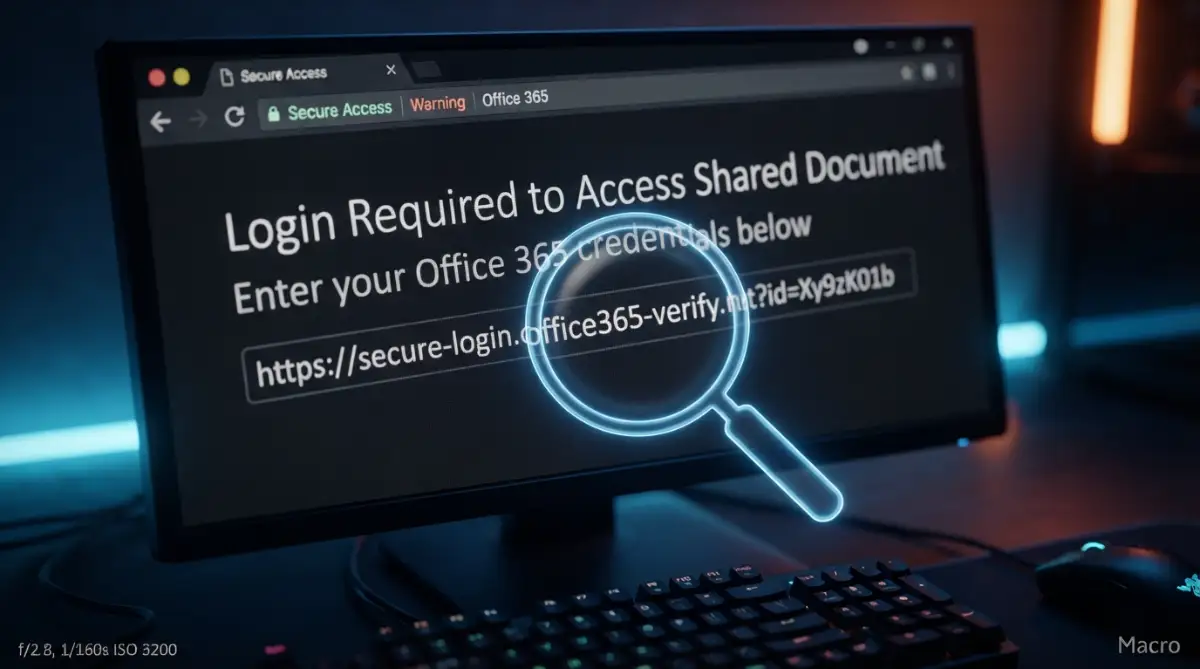
- Always hover, never click: Check where links actually go before touching them with your mouse or finger.
- Stop using one password everywhere: If a tiny website gets hacked, you do not want your main bank account falling like a domino.
How to Spot Phishing Emails: 10 Warning Signs
Before we look at the technical details, we need to understand the mind games scammers play. These criminals do not just send random emails hoping you will click out of boredom. They carefully engineer situations that force you to react quickly. Fear and urgency are their most powerful weapons against your common sense.
Imagine someone knocking loudly on your front door in the middle of the night, shouting that your house is on fire. You would not stop to check their ID; you would just run outside. That is exactly what a phishing email does to your brain. It creates an artificial emergency that bypasses your logical thinking completely.
They use phrases like "Immediate Action Required" or "Your Package Delivery Failed." These words are designed to trigger a mild panic attack or intense curiosity. Once your emotions take over, you are much less likely to notice the small details that prove the message is a lie.
Familiarity Breeds False Trust
Another massive psychological trick is using names you already trust. Scammers will impersonate your boss, your favorite streaming service, or a government agency. When you see a familiar name, your guard drops naturally because your brain recognizes a safe pattern.
You might get a message from "Netflix Support" saying your payment failed. Since you watch Netflix every night, the request feels totally normal and expected. You do not stop to wonder why the email looks a little fuzzy. You just want to fix the problem so you can go back to watching your favorite show.
This false sense of security is exactly what the attackers count on. They steal official graphics, copy legal footers, and mimic the exact tone of real corporate communications. The goal is to make you feel totally comfortable right up until the moment you hand over your credentials.
Decoding the Technical Warning Signs
Now that you know how they mess with your head, let's talk about how to catch them in the act. The good news is that these criminals always leave digital fingerprints behind. You just need to know exactly where to look for them.
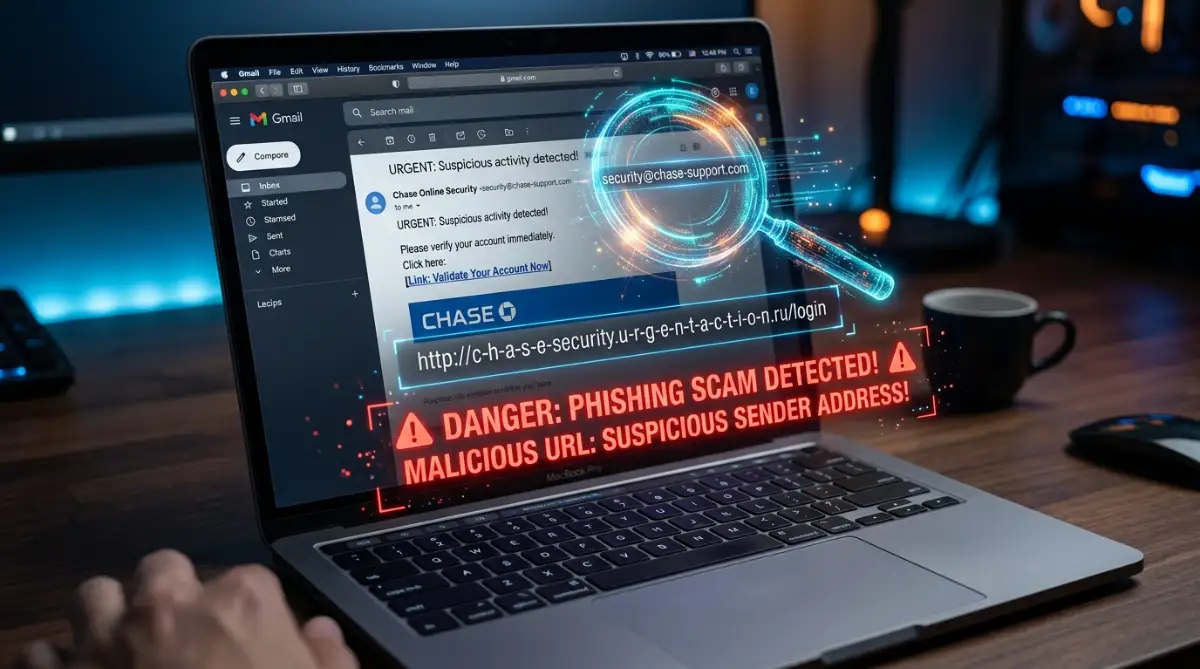
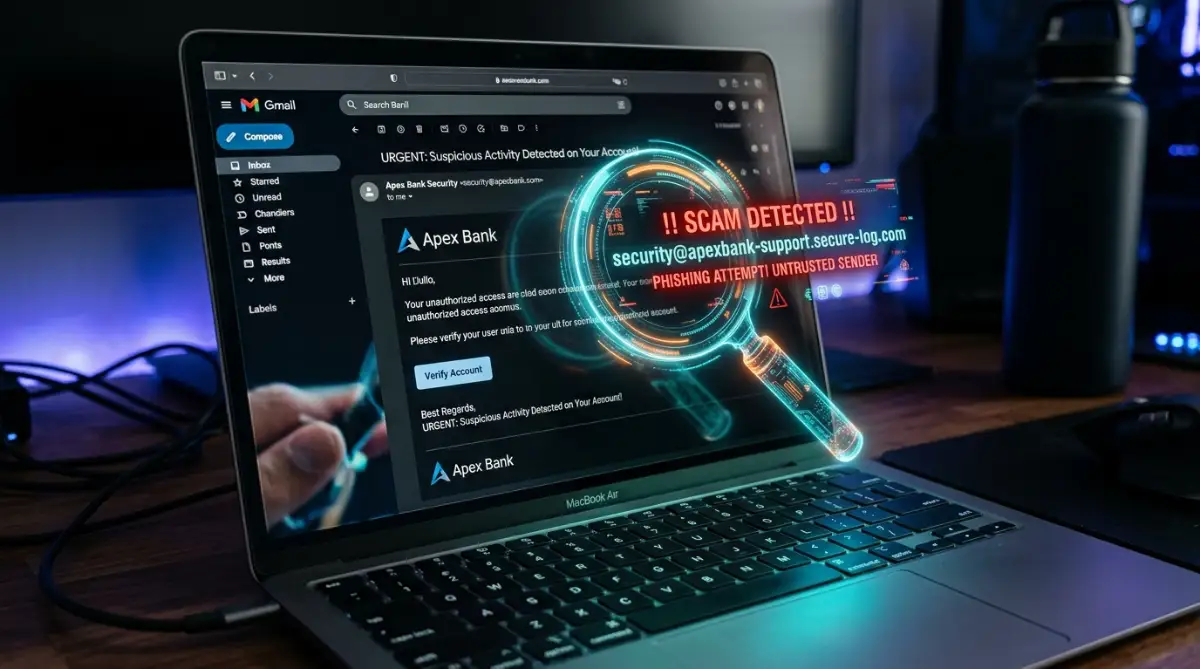
The very first place you should check is the actual sender address. Scammers can easily fake the display name, making it read "PayPal Security." But if you click on that name to reveal the actual email address, the truth comes out.
Instead of seeing something clean like "support@paypal.com", you will see something a complete mess. It might look like "paypal-support@security-update-1234.com" or even a random string of numbers and letters. This mismatch is your absolute biggest red flag. Real companies always use their own official, clean domain names for communication.
The Hover Trick That Saves Passwords
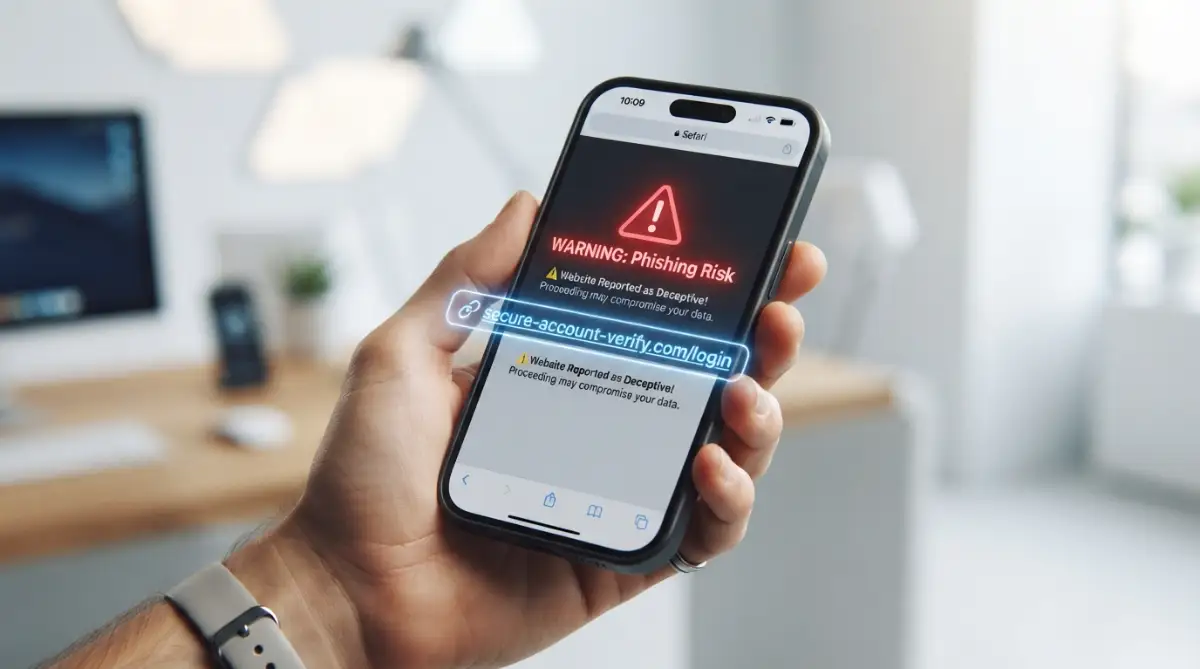
Never click a link inside a surprising email without checking its true destination first. You can easily do this by simply placing your mouse cursor over the button or text link without clicking. On a smartphone, you can usually press and hold the link to see the preview.
When you hover, a small gray box will appear at the bottom corner of your screen showing the real web address. If the email claims to be from Amazon, but the hidden link points to "amazon-login-portal-xyz.info", you are definitely looking at a scam. The scammers want you to blindly trust the shiny button instead of checking the actual destination.
I used to click links blindly all the time until I almost handed my social media password to a hacker. Now, I make it a strict personal rule to hover over every single link, and this simple two-second habit has saved me from dozens of hidden traps. My best advice is to treat every unexpected link like a loaded mouse trap until you verify it.
Let me give you a quick real-life example. Just last week, my mom got a very real-looking email from "Amzon-Support." The big yellow button said, "Track Your Missing Package." When we hovered over it, the hidden link did not point to Amazon.com at all. Instead, it pointed to a really weird site like login-update-amazon.ru. Taking just two seconds to check that hidden link saved her credit card info from being stolen.
Watch This Simple Trick to Spot Fake Links Instantly
If you want to see exactly how scammers hide their malicious links and how you can expose them in two seconds, you need to watch this quick demonstration.
Spelling Mistakes and Weird Formatting
Many phishing attempts originate from different parts of the world where English is not the primary language. Because of this, you will often spot strange grammatical errors or awkward sentence structures. Professional companies have entire teams dedicated to proofreading their messages.
If your "bank" sends you an email with misspelled words or weird capitalization, alarm bells should ring immediately. You might see strange greetings like "Dear Valued Customer" instead of your actual name. Real organizations know who you are and will almost always address you personally.
You should also look closely at the design quality. Does the logo look slightly blurry or stretched out? Are the fonts inconsistent throughout the message? These subtle design flaws happen because scammers take screenshots of real emails and try to piece them together quickly.
What to Do If You Receive a Suspicious Email
If you receive an email that looks suspicious, don't panic and don't click any links or open unexpected attachments. Follow these steps:
1. **Don't any click links:** Avoid clicking links in suspicious messages.
2. **Don't open unexpected attachments:** An attachment can potentially contain malicious content.
3. **Don't share sensitive information:** Never provide passwords, banking details, or other sensitive information in response to an unexpected message.
4. **Verify independently:** If the message claims to be from a company or service you use, visit its official website directly or use a trusted contact method instead of the information provided in the email.
5. **Report and delete:** Use your email provider's built-in report phishing or spam option, then delete the message.
Myth vs Reality: Exposing Common Security Beliefs
People hold onto a lot of dangerous assumptions about internet safety. Let's clear up some of the biggest misunderstandings right now. Knowing the truth about these myths will instantly make you a harder target to hit.
The Myth: If a website has a little padlock icon next to the URL, it is 100% safe to enter my password.
The Reality: The padlock only means your connection is encrypted. Scammers can easily get an encryption certificate for their fake websites. A secure connection to a scammer's server just means your password is being stolen securely!
The Myth: Hackers only target rich people or big corporations, so my small account is safe.
The Reality: Cybercriminals use automated software to target millions of random people at once. They want your email account so they can reset passwords for your social media, shopping apps, and banking profiles. To them, every single active account has cash value.
The Myth: My email provider's spam filter will catch all the dangerous emails for me.
The Reality: Spam filters are great, but scammers constantly invent new ways to bypass them. They use hidden text, completely new domains, and compromised legitimate accounts to sneak right into your main inbox.
Side-by-Side: Real Versus Fake
Sometimes the best way to understand the difference is to look at the facts clearly. Here is a simple breakdown of how a legitimate company operates compared to a digital thief.
What Happens When You Actually Click?
Let's walk through a real-world scenario of what happens if you accidentally fall for the trap. Imagine you get a text message saying your electricity bill payment failed. You are busy making dinner, so you quickly click the link on your phone.
The website that opens looks exactly like your local utility company. It has the same smiling family on the homepage and the exact same login box. You type in your username and password, then hit enter. Suddenly, the screen refreshes, or it gives you a weird error message saying "Service Unavailable."
You probably assume it is just a normal website glitch and go back to cooking dinner. But behind the scenes, a disaster has just started. The moment you hit enter, your username and password were automatically sent to a database controlled by the attacker. They now have the exact keys to your account.
The Ripple Effect of Stolen Passwords
The real danger comes from how we naturally manage our digital lives. Most people use the exact same password for their electricity bill, their personal email, and their social media accounts. The attacker knows this perfectly well.
Within minutes of stealing your utility login, automated software starts testing that exact password on Gmail, Facebook, PayPal, and Amazon. If you reused your password, the hacker just gained full control over your entire digital identity. They can now reset your banking passwords because they have access to your primary email inbox.
This is why recognizing these early indicators is so critical. Stopping the attack at the very first step—the fake text message—prevents a massive chain reaction of financial and personal loss.
Advanced Tactics Scammers Are Using Now
Criminals are not just sticking to basic emails anymore. They are getting incredibly creative with how they hunt for your information. One growing trend is the fake customer service number scam.
Instead of sending a link, the email will include a very large invoice for something expensive, like a new computer or a software subscription. At the bottom, it says, "If you did not make this purchase, call this toll-free number immediately to cancel."
When you panic and call the number, you are not reaching customer support. You are calling a highly organized scam call center. The friendly voice on the other end will pretend to help you cancel the order, but they will slowly trick you into downloading remote access software or giving up your banking details.
Here is a quick cheat sheet to help you spot a fake customer service call right away:
| Red Flags on a Call | What a Fake Rep Does | What a Real Rep Does |
| :--- | :--- | :--- |
| Payment Method | Begs you to pay with store gift cards or crypto. | Only takes standard, secure card payments. |
| Remote Access | Tells you to download a "support app" to fix your screen. | Never asks to take control of your computer. |
| Emotional Tone | Yells, threatens, or rushes you to make a choice. | Stays calm, polite, and gives you plenty of time. |
The Danger of Poisoned Search Results
Sometimes you don't even get an email; you just go looking for something yourself. You might type "Amazon customer support number" into a search engine. Scammers frequently buy online ads to place their fake phone numbers right at the very top of the search results.
You think you are clicking a safe link because it is the first result on a popular search engine. The website looks highly professional, but it is entirely a trap designed to steal your credentials the moment you try to log in. Always double-check the URL, even if you found the link through a trusted search engine.
Building Your Personal Digital Defense
Protecting yourself does not require a degree in computer science. It just requires building a few simple, mindful habits into your daily routine. The most powerful defense mechanism you have is simply slowing down.
When a message demands immediate action, take a deep breath and step away from your screen for five minutes. Ask yourself if the situation makes logical sense. Why would a streaming service threaten to involve the police over a five-dollar payment error? When you remove the emotion from the equation, the scams become painfully obvious.
If you ever feel unsure about an alert, never use the buttons provided in the message. Instead, open a completely fresh browser window. Type the company's real web address manually, log into your account the normal way, and check for any real notifications there. If there is a genuine problem with your account, the real website will definitely tell you when you log in.
Recognizing these subtle signs is a skill that gets much easier with practice. Once you know how the tricks work, you will start spotting them everywhere. You will go from feeling vulnerable to feeling completely in control of your digital life. Remember, your credentials are the keys to your personal kingdom. Keep your eyes open, trust your instincts, and never hand those keys to a stranger wearing a digital mask.
Stepping Up Your Defense: Pro Secrets for a Bulletproof Inbox
Once you master the basic rules of spotting fake emails, you are already far ahead of the average internet user. But the digital criminal underworld never stops inventing new tricks to bypass our natural caution. To truly protect your online identity, you need to adopt a few advanced security habits that hackers absolutely hate.
The most powerful secret weapon you can use is a dedicated password manager. Many people think these tools are just for convenience, but they actually act as a highly intelligent digital bodyguard. A reputable password manager will physically refuse to auto-fill your credentials if you land on a fake website.
Think of it like a smart key that only fits perfectly into the correct lock. If a scammer tricks you into visiting "faceb00k.com", your password manager will instantly notice the domain mismatch. It will simply stay quiet and refuse to hand over your username, stopping the credential theft completely dead in its tracks.
The Magic of Authentication Apps
We often hear about turning on two-factor authentication to secure our accounts. However, most people still rely on text messages to receive their login codes, which is no longer the safest method. Criminals can actually intercept your text messages by tricking your mobile carrier into swapping your phone number to a new SIM card.
For stronger account protection, use multi-factor authentication whenever it is available. Authenticator apps can provide stronger protection than SMS in many situations, but they are not completely phishing-resistant. Security keys and passkeys based on FIDO/WebAuthn provide stronger phishing resistance.
Taking the time to set up these apps might feel like an annoying extra step at first. But when a hacker tries to log into your email from another country, that simple six-digit code will act like an impenetrable brick wall. Taking this small step is directly tied to defending against malicious software traps that often start with compromised passwords.
Analyzing the Hidden Source Code
Sometimes, an email looks so incredibly authentic that even seasoned IT professionals have to look twice. When hovering over links does not give you a clear answer, you can peek behind the curtain by checking the actual email headers. Every single email carries a hidden digital passport that tracks exactly which servers it passed through before reaching you.
You do not need to be a programmer to read these details. Most popular email platforms have an option that says "Show Original" or "View Message Details" hidden in the menu. When you open this, look for the "Authentication Results" section near the top of the text.
If an email's authentication results show SPF or DKIM failures, treat that as a warning sign and investigate further. These results can provide useful clues about whether the message was authenticated properly, but they should not be used alone to decide whether an email is legitimate.
The Trap of Smishing and Vishing
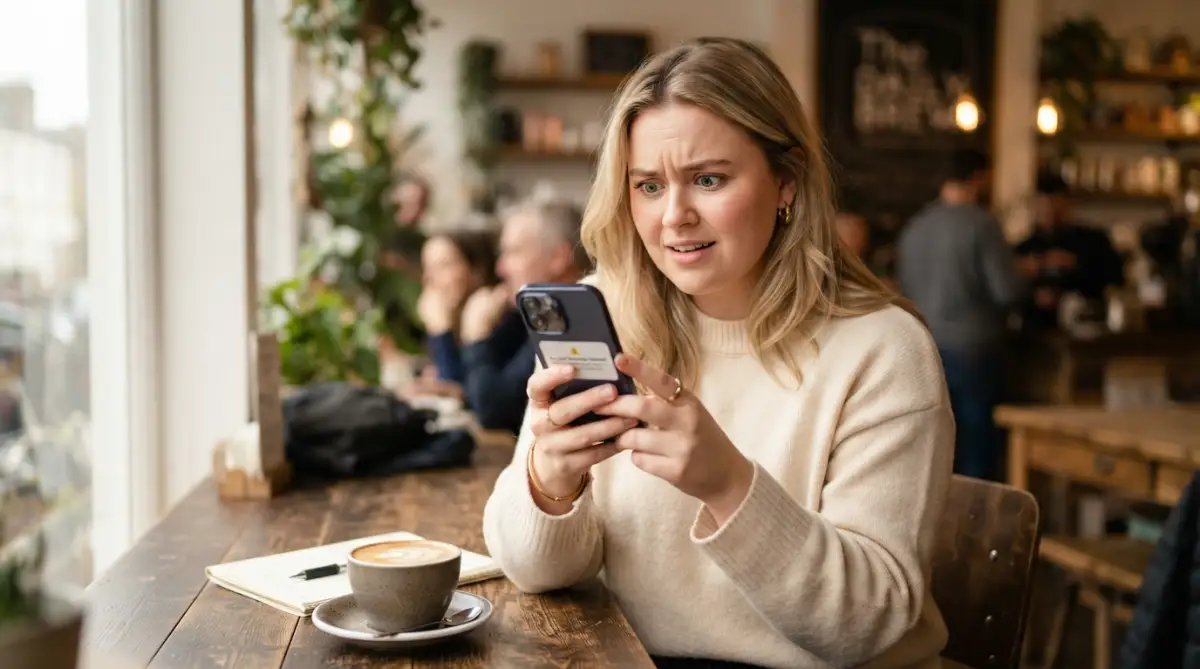
We usually associate fake alerts with our email inbox, but the battlefield has shifted directly to our pockets. Text message scams, commonly known as smishing, are highly effective because we are trained to read and reply to texts instantly. You might get a message claiming your package is stuck at a local warehouse, asking for a tiny delivery fee.
Because the screen on your phone is small, it is much harder to deeply inspect web addresses or formatting errors. Your brain is also usually distracted when you check your phone in the middle of a busy street or during a meeting. This exact vulnerability makes mobile devices a massive target for identity thieves.
To combat this, treat every unexpected text containing a link with extreme suspicion. Never click links sent by unknown numbers, even if they claim to have personal photos or urgent banking details. Learning exactly which app permissions are dangerous is also a massive part of keeping your smartphone safe from these mobile-focused attacks.
The Silent Traps: Everyday Habits That Expose Your Data
If an unexpected message looks like phishing, don't use links inside it—including an unsubscribe link. Instead, report it as spam or phishing and delete it. For legitimate newsletters you recognize and trust, use the normal unsubscribe option provided by the service.
However, scammers intentionally use this button as a trap to verify that your email address is active and monitored by a real human. When you click it, you are sending a direct signal to their servers saying, "I am here, and I click on things." Instead of reducing your spam, this single action often guarantees your address will be sold to hundreds of other criminal networks.
Instead of trying to politely opt out of fake newsletters, simply use the block and report features built into your email provider. Marking the message as junk helps train your provider's algorithms to catch similar threats for everyone else. Sometimes doing absolutely nothing is the smartest technical move you can make.
Oversharing in a Connected Environment
Another massive pitfall is treating your social media profiles like a public diary. People love participating in fun viral quizzes that ask for the name of your first pet, your high school, or the street you grew up on. They do not realize they are publicly broadcasting the exact answers to their bank account security questions.
Criminals use automated software to scrape this personal information directly from your public profiles. When they try to reset your email password, they already have a cheat sheet of your entire life history. According to the Identity Theft Resource Center (ITRC), personal information scraped from social media plays a massive role in successful account takeovers.
You must adopt a mindset of aggressive privacy regarding your personal history online. If a bank asks for your mother's maiden name, you can absolutely provide a fake, memorable answer that no hacker could ever guess. Your security questions should be treated exactly like passwords, entirely disconnected from your real-world identity.
Reusing Passwords for Convenience
Perhaps the most heartbreaking mistake people make is using the same trusted password across ten different websites. We do this because human memory is deeply flawed, and typing a unique complex string of letters for every app feels exhausting. But this single habit is exactly how a minor data breach turns into a total financial disaster.
Imagine you buy shoes from a small online boutique that gets quietly hacked by a cyber gang. The criminals steal your email and that single password you use for absolutely everything. Within hours, they will successfully log into your main email, your primary bank, and your social media without ever sending you a fake message.
Breaking this habit is difficult but absolutely non-negotiable for your digital safety. Start by changing the passwords on your most critical accounts first, like your primary email and your banking portal. Remember that securing your home internet connection means nothing if you happily hand over the master keys to your accounts through password reuse.
Trusting Search Engines Blindly
We have been conditioned to believe that if Google or Bing puts a website at the top of the page, it must be the safest option. Unfortunately, attackers frequently buy sponsored advertising spots to push their fake websites above the real ones. If you search for an airline's customer service number, the first two results might easily be traps waiting for your call.
These fake sites look incredibly convincing and even feature fake customer reviews to build immediate trust. When you dial the number provided, a very professional-sounding person will ask you to verify your identity by giving them your credit card details. This tactic bypasses email entirely, relying purely on your assumption that top search results are verified by humans.
You must always scroll past the sponsored ads and look closely at the actual domain name before clicking. Better yet, go directly to the official mobile app or type the web address you already know into your browser. Relying on search engines to find official login pages is a gamble you will eventually lose.
Taking Back Control of Your Digital Identity
Protecting your credentials from hidden traps is not about becoming a paranoid computer genius. It is simply about adopting a healthy level of skepticism and slowing down your automatic reactions to flashing alerts. The criminals rely entirely on your rush, your fear, and your desire to be helpful or fix problems quickly.
When you learn to separate your emotions from your inbox, their clever psychological tricks immediately lose all their power. You begin to see the weirdly spelled sender addresses and the slightly blurry logos as glaring neon signs instead of invisible traps. Every time you pause, hover over a link, and verify a message manually, you win a silent battle against organized cybercrime.
Your online safety is a personal responsibility that nobody else can manage perfectly for you. By sharing these simple observation skills with your family and friends, you help create a much safer digital neighborhood for everyone. A community that knows how to spot digital lies is incredibly difficult to steal from.
I used to feel constant anxiety every time my phone buzzed with an urgent notification about my accounts. But once I implemented these exact observation habits into my daily routine, that heavy fear completely disappeared. I now feel empowered and totally confident, knowing my personal data is locked tight behind my own awareness.
Clear Answers to Your Biggest Phishing Questions
Can opening a suspicious email instantly give me a virus?
Opening an email does not necessarily mean you have been compromised, but you should still avoid clicking links, opening unexpected attachments, or interacting with anything suspicious. If you clicked a suspicious link or opened an attachment, update your security software and run a scan.
How do scammers know my actual name and phone number?
Your basic contact details are unfortunately floating around the internet due to massive data breaches at major companies over the last decade. Hackers buy giant databases containing millions of names, emails, and phone numbers on the dark web for pennies. They use this real information to make their fake messages seem terrifyingly accurate and personal.
What should I immediately do if I accidentally clicked a bad link?
Do not panic, but immediately disconnect your device from the internet or turn off your Wi-Fi to stop any background data transfers. Use a completely different, safe device to change the passwords for your email and banking accounts right away. Finally, run a full system scan using a trusted security program to ensure no hidden software was left behind.
Do anti-virus programs automatically block all fake emails?
While security software is highly effective at stopping known malicious links, it cannot catch brand new, freshly designed scams. Cybercriminals test their fake messages against popular spam filters before sending them to make sure they slip right through to your inbox. You must always act as the final, smartest firewall to protect your own credentials.
Is it safe to call the phone number listed inside a strange warning email?
No, you should never call a phone number provided inside an unexpected or alarming message. Scammers operate highly sophisticated fake call centers specifically designed to trick you into handing over remote access to your computer. Always look up the official contact number independently on the back of your credit card or the company's real website.
Disclaimer: The information provided in this article is for educational and informational purposes only and does not constitute professional cybersecurity advice. While every effort has been made to ensure accuracy, the digital security environment changes rapidly. Readers should always consult certified IT security professionals or official company support channels before making decisions regarding compromised accounts or data breaches.