That Sinking Feeling in Your Stomach
Let's be honest, getting a text that says "Your bank account is locked" is enough to make anyone panic. You freeze, your heart races, and your first instinct is to click whatever link they sent to fix the problem. I get it, because it almost happened to me. But before you tap that big red warning button, you need to know a few simple tricks scammers use to trap you. Trust me, once you see their hidden clues, you will never fall for their games again.
I almost clicked the big red button that said "Verify Your Identity Now." My mind was racing with terrifying thoughts about losing all my hard-earned savings. I could literally feel my chest tightening up as I imagined the horrible hassle of calling the bank and freezing my cards. This kind of sudden fear entirely ruins your mental peace and leaves you feeling completely helpless. It feels like a stranger is standing right inside your home, threatening to take everything you own.
Thankfully, I took a deep breath, paused for just one single second, and noticed something very weird about the sender's address. That tiny moment of hesitation completely saved me from a massive financial disaster. Millions of innocent people go through this exact same terrifying experience every single day. Normal folks are constantly bombarded with these deceptive messages, destroying their peace of mind and causing immense daily anxiety.

What You Will Learn in This Guide (At a Glance)
-
How scammers use fake panic to make you click without thinking.
-
The easiest way to uncover hidden email addresses and bad links.
-
Why turning on two-factor authentication is your strongest lock against digital thieves.
-
What you should actually do if you accidentally click a bad link (hint: do not panic).
The Hidden Mechanics of a Phishing Attack
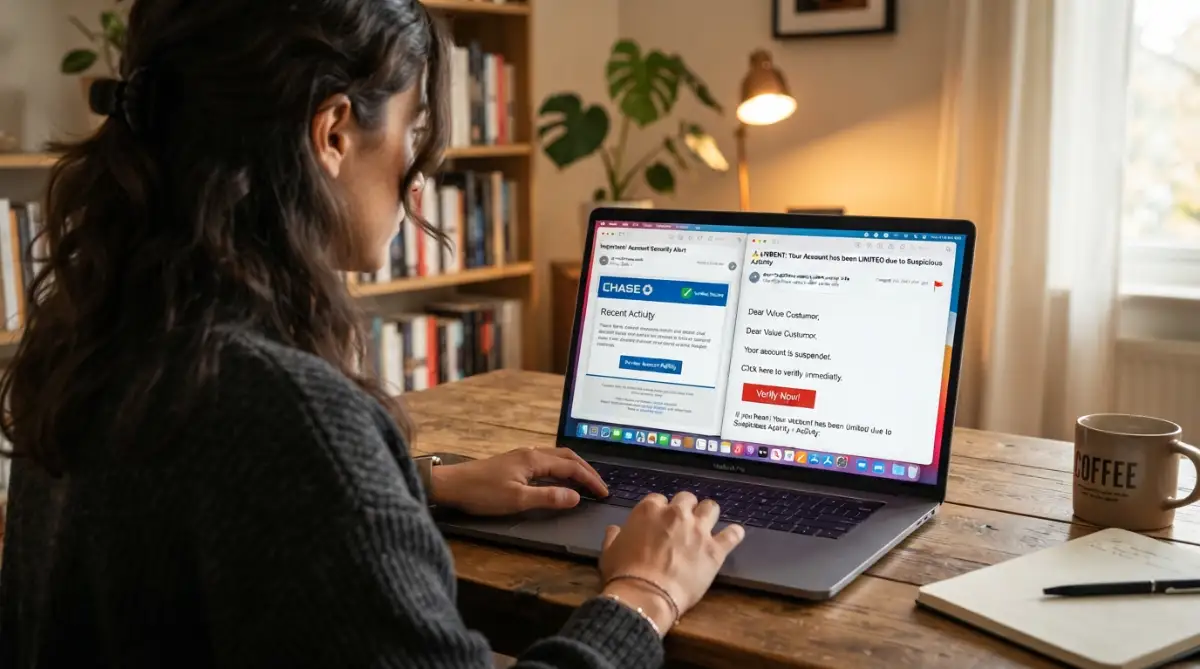
These digital thieves completely rely on your human emotions to succeed. They want to make you feel so panicked, rushed, or excited that you simply forget to think logically. When you are rushing to fix a problem, your brain skips the normal safety checks.
Scammers use this specific psychological trick to steal your passwords, credit card numbers, and personal identity. But the great news is that these thieves always leave hidden clues behind. Once you know exactly what to look for, their clever tricks become incredibly obvious.
You do not need to be a computer expert to protect yourself and your family. You just need a solid, reliable checklist to run through your mind whenever a message makes you feel uncomfortable. Let us walk through the most practical ways to spot these digital traps instantly.
-
The Panic-Inducing Subject Line
The very first thing you see in your inbox is the subject line. Scammers absolutely love to use strong, aggressive words that immediately trigger your anxiety. They will use phrases like "Immediate Action Required," "Your Account Is Suspended," or "Payment Overdue."
Their main goal is to force you into a state of total panic. Think about it like a fake fire alarm going off in your building. When the alarm rings loudly, you do not stop to check if there is an actual fire; you just run for the door.
Real companies almost never use this kind of aggressive, threatening tone with their actual customers. A real bank might inform you of a problem, but they will not try to terrify you into clicking a link within five seconds. Always take a deep breath when you see a subject line shouting at you in all capital letters.
-
Sneaky Sender Email Addresses
This is perhaps the biggest and most common trick in the entire scamming playbook. The display name on the message might say "PayPal Support," but that does not mean PayPal actually sent it. Anyone can easily change their display name to look like a famous brand.
You must always check the actual hidden address behind the display name. On your phone, you usually have to tap on the sender's name to reveal the real hidden address. On a computer, you can easily hover your mouse pointer over the name.
If the message claims to be from Amazon, but the hidden address says something completely random like "support-team@xyz123.com," it is an absolute scam. Always verify the part of the address that comes right after the "@" symbol. It should perfectly match the official website of the company.
Quick Checklist: Real vs. Fake Email Addresses
-
The Look: A real email is simple, like support@paypal.com. A fake one looks messy, like paypal-support@update-account-247.com.
-
The Spelling: Scammers hope you read fast. Watch out for tiny changes like netflix.com vs netfiix.com.
-
The Reply-To Test: Sometimes the sender name looks fine, but if you hit the "Reply" button, the email address magically changes to a random Gmail or Yahoo account. Always double-check!
-
Creating a False Sense of Urgency
Digital thieves know that if you have time to think, you will figure out their clever game. Because of this, they always set extremely tight deadlines in their messages. They might claim your account will be permanently deleted in exactly 24 hours if you do not act immediately.
They want you to move so fast that you completely ignore all the obvious warning signs. Real organizations give you plenty of time to resolve actual issues.
Pro Tip: I once received a terrifying message claiming my favorite streaming account was suspended, and I immediately clicked the link without thinking. Halfway through typing my password on the fake site, I realized the web address looked super weird, and I quickly closed the tab in cold sweat! My personal realization was that whenever I feel totally rushed, that is my biggest signal to slow down and verify everything.
-
Suspicious Links Hiding in Plain Sight
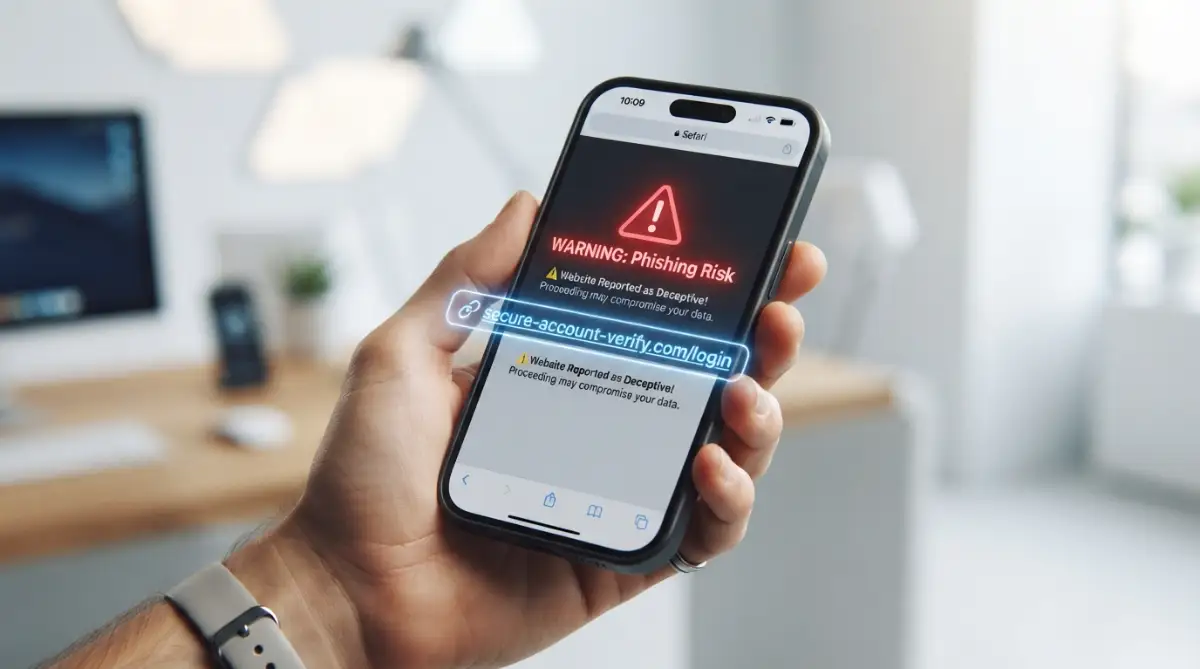
The main weapon of any digital thief is the malicious link hidden inside the text. They often disguise these bad links behind bright, professional-looking buttons that say "Click Here" or "Log In Now." Never blindly trust these shiny buttons.
Before you ever click on anything, you need to inspect where that link actually goes. If you are using a computer, just rest your mouse pointer over the button without clicking it. A small white box will pop up at the bottom corner of your screen showing the actual destination.
Think of this simple action like looking through the peephole of your front door before opening it for a stranger. If the pop-up text shows a weird, messy string of random letters and numbers, absolutely do not click it. On a mobile phone, you can carefully press and hold the button to see a preview of the link, but be very careful not to tap it fully.
Here is a brilliant video explaining exactly how these links trick your brain into clicking them.
-
Vague or Generic Greetings
When you sign up for a real service, you give them your actual first and last name. Therefore, when your actual bank or streaming service reaches out to you, they will almost always use your real name. They have it perfectly stored in their secure database.
Fake messages, on the other hand, are usually sent out in massive bulk batches to millions of random people at once. Because the scammers do not actually know who you are, they use incredibly vague greetings. You will often see things like "Dear Customer," "Dear Member," or "Valuable User."
Sometimes, they might just use the first part of your address as your name. If your address is coolcat99@example.com, they might say "Dear coolcat99." A legitimate financial institution will never address you in such a lazy, unprofessional manner.
-
Weird Spelling and Grammatical Errors
You might wonder why so many of these fake messages are filled with terrible spelling mistakes. Sometimes, the grammar is so unusually bad that it sounds like a broken robot wrote it. This is actually not always an accident.
Many digital thieves operate from countries where English is not their primary language. However, some scammers intentionally leave these silly spelling mistakes in the text. They do this to instantly filter out careful, observant people.
They only want the most distracted and vulnerable people to reply to their traps. Real, professional companies hire entire teams of editors to double-check their messages before sending them out to customers. If you spot strange capitalization, missing periods, or completely awkward sentences, you should immediately mark it as trash.
-
Attachments You Never Asked For
Receiving an unexpected file attachment is an incredibly dangerous situation. Scammers often try to trick you into downloading harmful software directly onto your computer. They will cleverly disguise these bad files as important invoices, flight receipts, or tracking documents.
They hope your natural curiosity will force you to open the file to see what it is. The absolute worst files usually end in completely unfamiliar letters, but even regular document files can hold hidden dangers.
Unless you are actively expecting a specific file from a person you clearly know, you should never click on an attachment. If an airline says you have a ticket attached but you never booked a flight, just delete the message entirely. Your curiosity is simply not worth the risk of ruining your expensive device.
-
Demanding Highly Sensitive Information
A legitimate company will never ask you to reply with your most private details. Your bank will absolutely never ask you to type your secret password or social security number into a message form. They already have secure, encrypted systems for you to log in properly.
Scammers will often present a fake problem and ask you to verify your identity by typing out all your private details. They might even send a very realistic-looking form directly in the message body.
If a company actually needs to verify your identity, they will tell you to log into your account directly through their official application. Whenever a message asks for your pin codes, passwords, or credit card numbers, it is a guaranteed trap. Always protect your private numbers like you would protect the keys to your actual house.
-
The Subtle Domain Name Mismatch
This is where the thieves try to be incredibly clever and tricky. They will buy web addresses that look almost exactly like the real ones, hoping you read them too fast. They might change just one tiny letter or add a small dash.
For example, instead of sending you to "netflix.com," they might try to send you to "net-flix-update.com." They might use a zero instead of the letter O, making "amazon.com" look like "amaz0n.com."
Your brain naturally skims over these familiar shapes, making it super easy to completely miss the trick. This is why you must always read the sender's address and the hidden links very slowly, letter by letter. A single misplaced dash or weird spelling is a massive flashing red light.
-
Offers That Sound Entirely Too Good
We all love getting free things, and digital thieves absolutely know this. If they cannot scare you into clicking, they will try to tempt you with incredible rewards. They might claim you just won a brand new phone, a massive gift card, or a foreign lottery you never entered.
They play completely on your natural sense of hope and excitement. They will excitedly tell you that you just need to pay a tiny shipping fee to claim your massive prize.
Of course, to pay that tiny fee, you have to hand over your actual credit card details. If a totally random message offers you a reward that seems unbelievably perfect, your logical brain needs to step in. Nobody is handing out expensive electronics or huge piles of cash for absolutely no reason.
Myth vs. Reality: The Truth About Digital Security
There are so many confusing rumors out there about how these tricks actually work. Let us clear up some of the most common misunderstandings right now.
Myth: You can easily get a virus just by opening and reading a message.
Reality: Simply opening a standard text message is usually perfectly safe. The real danger only begins when you actively click on a link, download an attachment, or reply with your personal information.
Myth: Hackers only target incredibly rich or important people.
Reality: Scammers use massive automated software to attack thousands of normal people every single minute. They do not care who you are; they just want whatever small amount of money or data you have.
Myth: If my antivirus software is running, I am completely protected from all traps.
Reality: Security software is highly useful, but it simply cannot catch every single brand-new trick. Your own human common sense and careful observation are always your very best defense
.
My Personal 3-Second Pause Rule
Whenever a message tells me to act right now, I force myself to wait three solid seconds. I put the phone down, take a breath, and ask myself: "Did I ask for this?" If I did not request a password reset or order a package, I simply do not click. Nine times out of ten, that tiny pause is enough to break the spell of panic the scammer tried to create.
Real-Life Scenarios: Putting Your Knowledge to the Test
Let us imagine a few totally common situations to see how you should logically react. Understanding these practical examples will build your daily confidence.
Scenario A: The Late Night Delivery Text
You get a message at eleven o'clock at night from a popular delivery company saying your package could not be delivered. They provide a link to reschedule the delivery. First, check the time; real delivery companies rarely send automated alerts in the middle of the night. Second, hover over the link; it probably leads to a strange, messy web address. The safest move is to simply visit the official delivery website yourself and type in your actual tracking number.
Scenario B: The Streaming Service Payment Failure
You receive an alert that your monthly movie streaming payment failed and your account is locked. The logo looks totally perfect, but the greeting just says "Dear User." Instead of panicking and clicking their shiny link, just open your internet browser normally. Go directly to the streaming website yourself, log in safely, and check your actual account settings. If there really is a payment issue, you will see a safe alert right there on your official dashboard.
Scenario C: The Boss Asking for a Quick Favor
You are working at your desk and get a sudden message from your company's CEO. They say they are trapped in a meeting and need you to quickly buy five expensive gift cards for a client. This is a highly targeted trick designed to use your respect for authority against you. Always verify this directly; walk over to your boss's desk or call their actual phone number to ask them personally.
Taking Control of Your Digital Peace of Mind
By simply slowing down, checking the hidden details, and ignoring fake urgency, you completely disarm these digital thieves. You are entirely in control of your own security. Share these simple, practical tips with your older family members and good friends to keep them safe too.
Taking Your Digital Security to the Next Level
Once you have mastered the basic warning signs, you are already much safer than the average internet user. However, these digital thieves are constantly updating their dirty tricks to bypass standard safety filters. To completely lock down your digital life, you need to adopt a few pro-level habits.
These advanced strategies might sound highly technical at first, but they are actually surprisingly simple to use every day. They act as an invisible shield around your most sensitive data. Let us explore exactly how you can build this unbreakable safety net around your daily communications.
Peeking Behind the Digital Curtain
Every single message you receive carries a hidden set of digital fingerprints called the email header. Think of this header like the detailed shipping label on a physical package. It shows exactly where the message originated and every single server it bounced through to reach you.
When you look deeply at the header, the scammer's clever disguise completely falls apart. Most popular mail apps allow you to view this hidden information by clicking the three little dots next to the reply button and selecting "Show Original" or "View Source." If the originating server looks like a completely random string of letters instead of a recognized brand name, you have caught a thief red-handed.
You can then confidently delete the trap without a single worry. Learning to check these hidden labels is a massive step forward in how to spot phishing emails safely and protect your devices.
Building an Unbreakable Safety Net
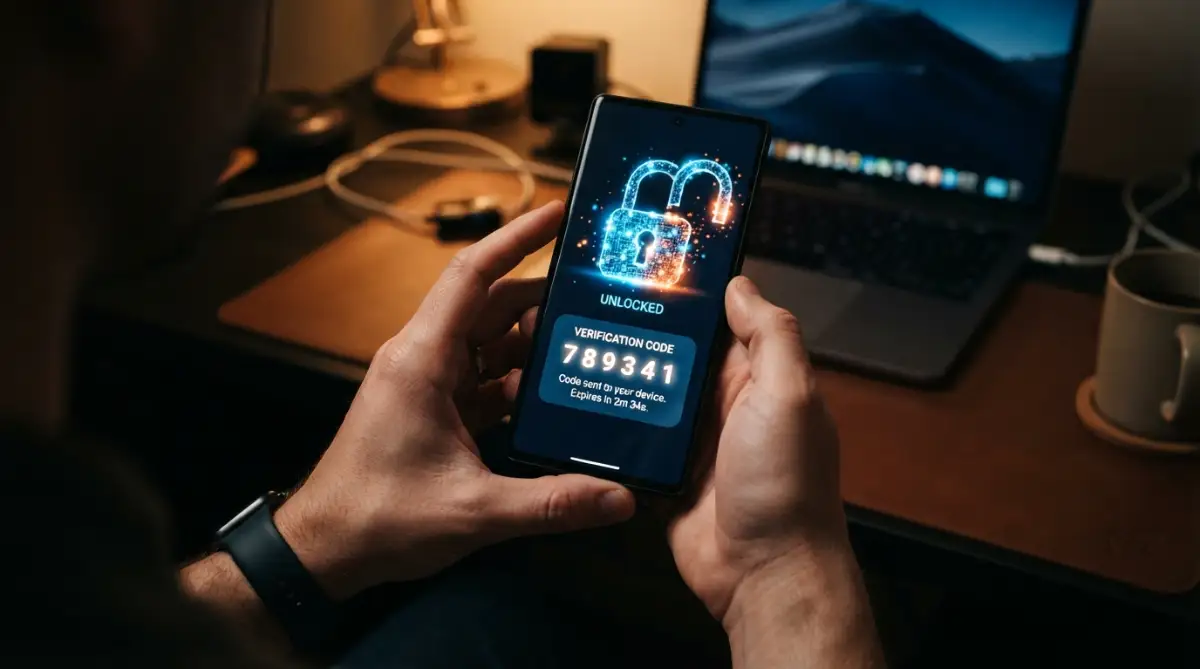
Even if a clever scammer somehow steals your actual password, you can still easily stop them from entering your account. You simply need to add a second layer of defense, commonly known as two-factor authentication. Imagine putting a heavy steel deadbolt on your front door right next to the regular handle lock.
Even if the thief copies your first key, they still cannot get inside without the second one. This second key is usually a special, temporary code sent directly to your mobile phone. You type in your password, and then your phone buzzes with a completely unique number that expires in sixty seconds.
By taking just five minutes to set up two-factor authentication effectively, you instantly block almost every automated hacking attempt. It is simply the most powerful security upgrade you can make today.
Creating Disposable Digital Identities
We hand out our personal contact information constantly when shopping online, downloading free guides, or signing up for newsletters. Every time you share your main address, you increase the chances of it landing on a spammer's master list. Professional security experts solve this massive problem by using alias addresses.
An alias is basically a disposable forwarding address that acts like a highly secure middleman. You give the random online store your alias, and it automatically forwards the receipts to your real inbox. If that specific online store gets hacked, you simply delete that one alias and create a brand new one.
Your main personal address stays entirely hidden from the public eye. This simple trick keeps your main inbox wonderfully clean, quiet, and completely free from targeted advertising junk.
The Power of Community Reporting
When you successfully identify a digital trap, your absolute best move is to help protect everyone else. Most people just delete the bad message and move on with their busy day. However, simply hitting the delete button allows the thief to easily target another innocent victim tomorrow.
Instead, you should take five seconds to flag the message using the "Report Spam" or "Report Phishing" button in your app. This specific action sends a strong signal to your mail provider to block similar attacks for millions of other users. You can also take things a step further by directly reporting dangerous phishing campaigns to dedicated international security organizations.
When thousands of normal people report these threats, security companies can quickly shut down the attacker's fake websites. You are essentially acting as a neighborhood watch member for the entire internet.

Heartbreaking Pitfalls You Must Avoid at All Costs
Even smart, highly educated people make devastating mistakes when they feel rushed or overly confident. I have personally seen close friends completely lose their life savings simply because they ignored one tiny warning sign. These digital thieves heavily rely on perfectly normal human errors to empty your bank accounts.
When you fall into these specific traps, the resulting damage can ruin your credit score and drain your finances for years. Let us walk through the most dangerous mistakes people make, so you never have to experience this awful nightmare.
The Urge to Reply and Argue
Sometimes, these fake messages can make you feel incredibly angry. You might feel a strong urge to reply and tell the scammer to leave you alone, or maybe even send them some harsh words. This is actually one of the absolute worst things you can possibly do.
When you hit reply, you instantly prove to the attacker that your account is completely active and monitored by a real human. They will immediately put a massive premium price tag on your contact info and sell it to other hackers.
Your inbox will suddenly flood with ten times more garbage than before. Never engage, never argue, and completely ignore the urge to fight back directly. Your total silence is your strongest possible defense.
The Password Domino Effect
The single most common reason a simple scam turns into a total financial disaster is password reuse. Many folks use the exact same password for their favorite streaming service, their social media, and their main bank account. If you accidentally fall for a fake streaming login page, the thieves now have your master key.
They will immediately take that stolen password and try it on every major banking app they can find. One tiny mistake on a seemingly harmless entertainment site suddenly drains your actual checking account. Understanding what happens if you click a phishing link helps you realize why completely unique passwords are non-negotiable.
You should always use a trusted digital password manager to generate and remember completely different, incredibly complex locks for every single website. This stops the thieves dead in their tracks before they reach your heavy finances.
Letting Your Guard Down on Mobile
We are all highly attached to our smartphones, checking them constantly while walking, eating, or watching television. Because mobile screens are quite small, mail apps often hide the full sender address to save space. We are also naturally much more distracted when reading messages on our phones.
Scammers entirely count on you quickly tapping a bad link while waiting in line for your morning coffee. Your brain simply does not process the obvious warning signs when you are multi-tasking.
To stay truly safe, you must actively practice mobile security best practices and never handle important financial alerts on a tiny screen. If an alert looks serious, force yourself to wait until you are sitting calmly at a full-sized computer to inspect it properly.
Trusting Your Antivirus Too Much
A very common and highly dangerous mindset is believing your expensive software will catch everything bad. Modern security software is incredibly good at stopping known threats, but it is entirely useless against a trick invented just ten minutes ago. Scammers design their fake login pages specifically to bypass automated security scanners.
They use perfectly clean code to trick the scanner, relying entirely on the visual design to trick your human eyes. Your software cannot read your mind, and it cannot stop you from willingly typing your secret PIN into a bad form.
You must always rely on your own logical brain and sharp intuition to guarantee securing your smart digital information properly. Software is just a backup safety net; you are the main pilot flying the plane.
Your Personal Action Plan for Tomorrow
Protecting yourself from digital thieves does not require a computer science degree or massive amounts of daily stress. It entirely comes down to changing your fundamental habits and adopting a highly skeptical mindset. You now know exactly how these sneaky attacks work, what hidden clues to look for, and how to verify everything.
Instead of feeling terrified every time your phone chimes, you can confidently analyze the situation and take total control. You are no longer an easy target for these desperate, manipulative scammers. Let us look at a super easy breakdown of your new daily habits.
The Confident Defender Checklist:
-
Do always hover your mouse pointer over any shiny button before clicking it.
-
Do type the official website address directly into your browser manually.
-
Do turn on two-step verification for every single important financial account.
-
Do not ever download strange document files from people you do not personally know.
-
Do not trust a message just because it uses a highly familiar, brightly colored logo.
-
Do not let aggressive, threatening subject lines push you into acting too fast.
I completely transformed my own digital life by just taking an extra three seconds before clicking any mysterious link. My daily anxiety about getting scammed is completely gone, and I finally sleep so much better knowing my hard-earned savings are locked down tightly!
Most Common Questions About Suspicious Messages
Can I get hacked just by opening and reading a bad message?
Usually, no. Simply opening a standard text message is entirely safe on most modern, updated devices. The real danger only activates when you actively click a malicious link, download a hidden attachment, or willingly type out your personal details.
What is the absolute first thing to do if I accidentally clicked a fake link?
You should immediately disconnect your device from the internet to stop any active data transfers in their tracks. Then, grab a completely different, safe device to log into your real accounts and change your passwords immediately. Finally, run a full, deep scan with your favorite security software.
Why am I suddenly getting so many scam messages this month?
Your personal contact information was very likely stolen during a large corporate data breach at a company you trust. Thieves buy these massive lists of stolen addresses and target everyone at once. You can easily see if your information was exposed by using free, trusted tools for checking known data breaches.
Should I forward scam messages to my friends to warn them about the trick?
You should never forward the actual dangerous message, because your friend might accidentally click the bad link themselves. Instead, take a quick screenshot of the sneaky trap on your phone and send them the picture. This allows them to see the exact scam without exposing them to any actual digital danger.
Do these digital thieves actually ever get caught by the police?
Yes, they certainly do get caught, though it takes significant time and deep investigation. International cyber task forces constantly work together to track down and completely shut down these massive criminal rings. This is exactly why reporting every single fake message you receive is highly beneficial for everyone.
Disclaimer: The information provided in this article is for educational and informational purposes only and should not be considered professional cybersecurity or financial advice. Always consult with a certified IT security professional for specific issues regarding your personal devices or compromised accounts. We are not responsible for any data loss or financial damages resulting from interacting with suspicious online content.