My Heart Stopped: The Moment I Tapped the Wrong Message
Ever stared at your phone screen, feeling absolutely sick to your stomach because you just tapped a sketchy text message link? You are certainly not alone. Just last month, I almost handed over my bank login to a fake package delivery text while I was distracted. Before panic sets in and you do something worse, take a deep breath. Let me show you exactly what happens behind that fake link and how to lock down your phone right now.
An aggressive message suddenly popped up on my screen, claiming my primary bank account was permanently locked due to suspicious login attempts. Panic completely took over my logical thinking, heavily clouding my judgment in a matter of seconds.
Without a second thought, my thumb rushed down and tapped the bright red button that said "Verify Identity Now." The screen flashed awkwardly, a strange website started loading, and my browser suddenly froze for a few long seconds.
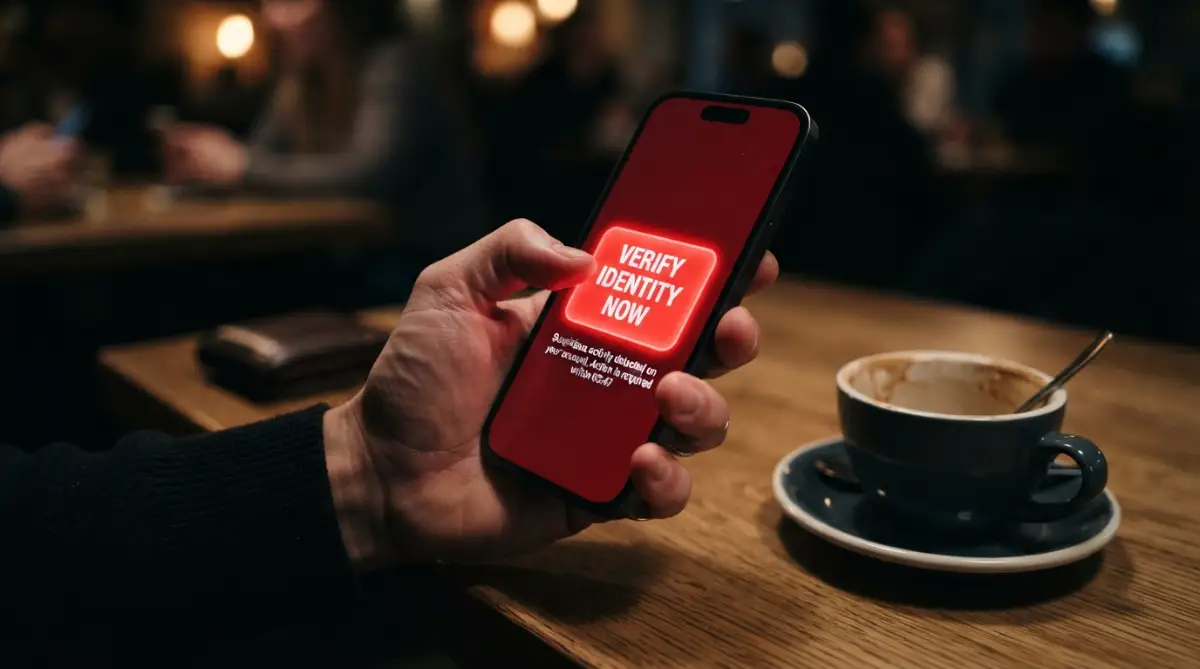
In that exact moment, my mind screamed loudly that I had just made a terrible, life-altering mistake. I felt physically sick and helpless, realizing I had willingly handed over the keys to my digital life by clicking a fake link.

Key Takeaways Before You Panic:
-
Do not click around the fake page; simply swipe up to force-close your browser app immediately.
-
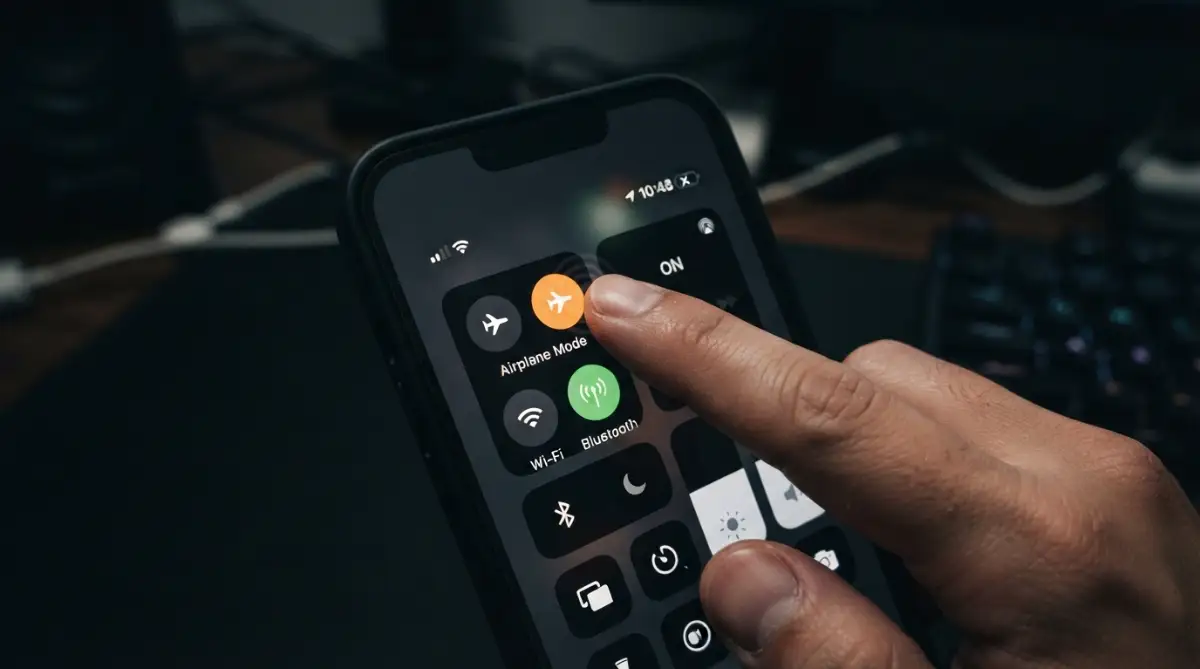
Turn on Airplane Mode right away to block any sneaky background data transfers.
-
If you need to change your passwords, always do it on a completely different, safe device.
-
Take note of what you actually typed on the fake site—opening a link is bad, but submitting your bank details requires an instant phone call to your bank.
The Mental Drain of a Simple Tap
This simple, innocent-looking mistake happens to thousands of smart, cautious people every single day. You spend years building a secure digital life, storing private memories, managing hard-earned money, and keeping your personal conversations locked away safely.
Then, one single moment of distraction threatens to tear all of that apart. The emotional toll is incredibly heavy, leaving ordinary people feeling intensely anxious, deeply embarrassed, and completely paralyzed by fear.
It completely destroys your peace of mind and makes you second-guess every single message you receive from friends or family. But you do not have to live in this constant state of fear forever. Understanding the background mechanics of these scams is your first line of defense.
The Invisible Threat: What Actually Happens Behind the Screen
Most people believe that the moment they open a dangerous webpage, hackers immediately gain full control of their entire computer. While this thought is incredibly scary, the reality of the situation is often a bit more complicated and slightly less dramatic.
When you land on a malicious website, the true danger usually depends on the specific type of trap the attacker has carefully set up for you. Sometimes, nothing bad happens immediately, but a silent clock starts ticking in the background of your browser.
The Silent Information Gatherers
The most common consequence of engaging with a spam message is an invisible data-gathering process. The fake website instantly starts collecting basic information about your current browsing session.
They can easily see what type of phone or computer you are using, your approximate geographic location, and the specific browser you prefer. The scammers now have solid proof that your phone number or email address is active, meaning you will likely receive even more spam messages in the future.
The Sneaky Background Downloads
In more severe cases, the webpage might attempt to secretly push a tiny, invisible file onto your operating system without asking for your permission. This type of hidden file is often designed to silently track your keyboard strokes or monitor your private screen activity.
They rely on outdated software vulnerabilities to sneak past your default security settings unnoticed. This is exactly why keeping your phone and computer completely updated is incredibly important for your daily online safety.
The Fake Login Trap
The most dangerous scenario happens when the webpage looks completely identical to a service you trust, like your bank or a popular social media platform. The page will forcefully prompt you to type in your private username and password to resolve a fake emergency.
If you actually type your details into these fake boxes and press enter, you are directly handing your sensitive login credentials to an active criminal. The scammers capture everything you type in real-time, completely bypassing basic security measures.
Real-Life Scenarios: How They Trick Smart People
Scammers do not just send random, poorly written messages anymore; they actively play on human psychology and daily routines. They carefully craft scenarios that perfectly match the things you are already expecting to happen in your busy life.
By creating a massive sense of false urgency, they force you to act quickly before your brain has the time to analyze the situation properly. Let's look at how these highly emotional traps actually look in the real world.
The Missing Package Illusion
Imagine you are eagerly waiting for a special gift you ordered online for a family member. You suddenly receive a simple text message claiming your delivery is delayed because of a missing shipping fee.
The message includes a helpful-looking link to pay a tiny amount, like one dollar, to release the package immediately. Because you are already expecting a delivery, your brain completely ignores the warning signs and assumes the message is perfectly legitimate.
A Real-Life Example:
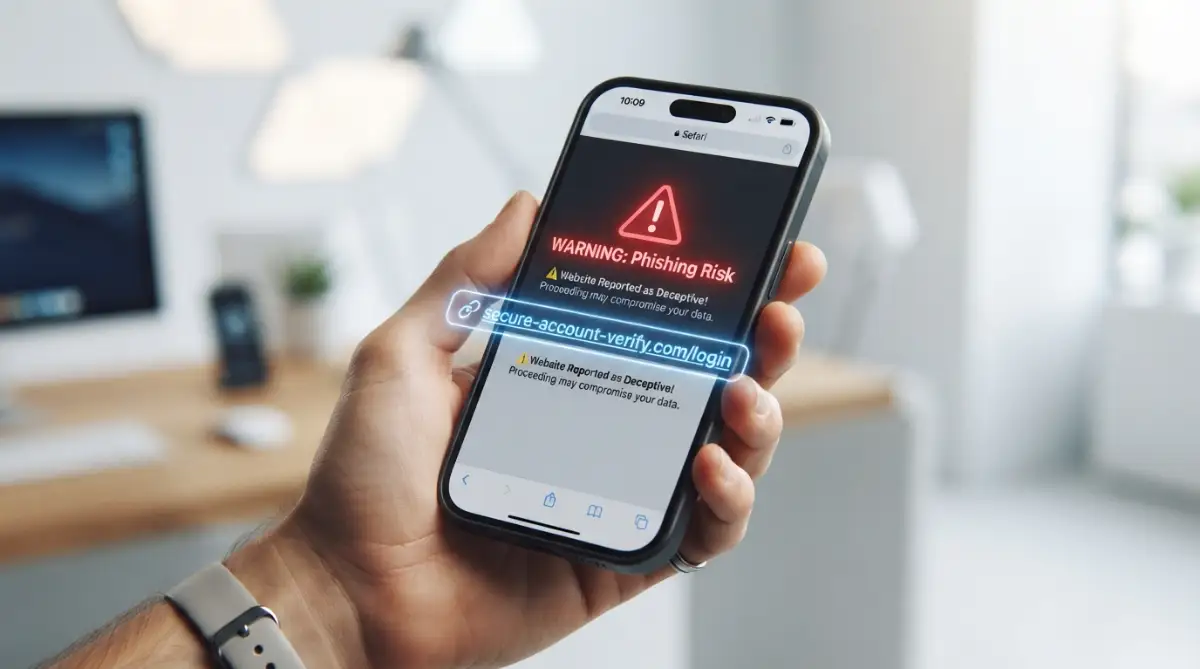
A text saying, "USPS: Your package is on hold at our warehouse. Please update your address here: usps-post-help.com" is a massive red flag. The real post office will never text you from a random 10-digit number demanding money, and they definitely do not use weird, unofficial website names. If you are ever unsure, just go directly to the official tracking website yourself instead of clicking the link.
The Streaming Service Panic
Another highly effective method involves targeting your entertainment subscriptions, like your favorite movie streaming account. You receive an official-looking email warning you that your monthly payment failed and your account will be deleted in exactly two hours.
You certainly do not want to lose access to your favorite shows, so you quickly click the provided button to update your credit card details. The entire page looks flawless, completely mirroring the actual brand, making the illusion incredibly hard to break.
Myth vs Reality: Busting Common Security Fears
There is an overwhelming amount of scary misinformation floating around the internet regarding cybersecurity incidents. When people make a mistake online, they often assume the absolute worst-case scenario right away. Breaking down these common myths can significantly help reduce your immediate panic.
Myth: My Phone is Instantly Ruined Forever
Many people strongly believe that merely loading a bad webpage completely destroys their expensive smartphone permanently.
Reality: Modern web browsers are heavily protected with built-in sandboxes that prevent simple websites from making permanent changes to your system. Unless you actively download and install an unauthorized application, your physical device is mostly safe from immediate destruction.
Myth: The Hacker Can See Me Through My Camera Now
The thought of a stranger watching you through your front camera is terrifying and very common in movies.
Reality: A basic website cannot secretly turn on your camera or microphone without your device showing a bright warning light or permission prompt. You would explicitly have to grant the website deep access to your hardware settings for this to happen.
Your Emergency Action Plan: Stopping the Attack in Its Tracks
If you just realized you tapped a suspicious text message, the worst thing you can do is freeze in panic or pretend it did not happen. Fast, deliberate action is your greatest weapon against any potential digital damage.
You need to confidently take control of the situation and shut down any possible access points the scammers might have opened. Follow these incredibly practical steps right now to lock down your digital life effectively.
Step Away from the Danger Zone
The absolute first thing you must do is aggressively close the web browser or the specific tab that opened the malicious page. Do not click around the website to investigate, and do not try to find a tiny "close" or "cancel" button inside the webpage itself.
Scammers often disguise download buttons as fake exit buttons to trick you one last time. Simply use your device's main system controls to swipe away and completely force-close the entire browsing application.
Sever the Internet Connection
If you suspect a sneaky background download might have actually started, you need to cut off the criminal's access to your device instantly. The fastest way to stop an active data transfer is to completely turn off your internet connection.
Turn on "Airplane Mode" on your smartphone or forcefully unplug the main Wi-Fi router from your wall socket. Without an active network connection, the malicious software simply cannot send your stolen personal data back to the attacker's home server.
Expert Advice for Password Security
When I frantically tried to change my passwords after my own incident, I made the terrible mistake of using the exact same compromised phone to do it. I quickly realized that if a hidden background application was recording my screen, I was just handing them my brand-new passwords all over again. Always grab a completely different, safe device—like a family member's iPad or a work computer—and secure your accounts from a separate, clean internet connection.
Assess What You Actually Shared
Take a deep breath and honestly think about exactly what you did on that specific webpage before you closed it. Did you just stare at the screen for a few seconds, or did you actively type information into a blank form?
If you just looked at the page and closed it, your overall risk level is relatively low. However, if you typed your home address, your favorite password, or your bank card numbers, you need to prepare for a much higher level of damage control.
Quick Action Guide: What Did You Actually Share?
-
If you just opened the link: Force-close your browser and clear your history. You are mostly safe.
-
If you typed your password: Grab a different device (like your laptop) and change that password immediately. Do not use the phone you just clicked the link on.
-
If you typed your credit card number: Stop reading this, flip your card over, and call the fraud department number printed on the back right now to freeze your account.
See the Trap in Action
Sometimes, seeing the deceptive process visually is the absolute best way to understand how these traps work so smoothly. Watch this short, highly informative video below to see exactly how online criminals disguise their fake websites and what subtle clues you should look out for before you ever tap a message again.
The Safe Recovery Strategy: Locking Down Your Life
bleeding, you need to start building a strong wall around your most sensitive online accounts. This requires a bit of patience, but it will guarantee your long-term safety and bring back your peace of mind.
Start prioritizing the accounts that actually hold your financial data and your primary communication channels. Your email account and your banking portal should be the absolute top priorities on your recovery list.
Run a Deep System Sweep
Before you reconnect your main computer to your home Wi-Fi network, you need to be absolutely sure no hidden tracking files are lingering in your system folders. Open your trusted, built-in security software and initiate a full, comprehensive system sweep.
Do not rely on a quick scan; choose the deepest option available and let the program thoroughly inspect every single file on your hard drive. If the program flags anything suspicious, quarantine and delete it immediately without any hesitation.
Wipe Your Digital Footprint Clean
Your web browser naturally stores small pieces of data, called cookies, to help websites remember your preferences and keep you logged in. Unfortunately, scammers can sometimes manipulate these tiny files to hijack your active sessions on other platforms.
Go deeply into your main browser settings and forcefully clear out all your recent browsing history, cached images, and stored cookies. You will have to log back into your favorite websites afterward, but this simple action effectively kills any lingering connections to the scammer's server.
Spotting the Red Flags for Next Time
The internet will always have hidden traps, but you can train your brain to naturally spot the warning signs before your finger makes a move. Understanding the visual differences between a safe communication and a dangerous trap is a highly practical skill you will use every single day.
Look closely at the actual sender's address, not just the name that appears on your bright screen. A legitimate message from a major bank will never come from a random string of numbers or a free public email service.
Analyze the Hidden Website Address
When you hover your mouse pointer over a button on a computer, or long-press a text message on your phone, a small box will usually reveal the true destination. This hidden address is the absolute source of truth on the internet.
Scammers use clever spelling tricks to fool your eyes, like swapping a capital "I" for a lowercase "l" in a popular brand name. If the spelling looks even slightly strange or includes random dashes and numbers, step away immediately.
| Feature to Check | Safe, Trusted Website | Dangerous, Fake Trap |
| Overall Spelling | Flawless brand spelling | Slight, sneaky typos |
| Sense of Emotion | Calm and informative | High panic, extremely urgent |
| Sender Address | Official company domain | Random letters or free email |
| Payment Requests | Standard checkout process | Gift cards or crypto demands |
Establishing a Defensive Routine
Protecting your digital assets does not mean you have to become completely paranoid about every single message you receive. It simply means adopting a few incredibly smart habits that naturally block these common attacks.
Turn on two-factor authentication for every single platform that offers the service, especially your main email address. This simple extra step means that even if a clever hacker steals your password, they still cannot access your account without the special code sent directly to your physical phone.
Never rely solely on your memory to manage your complicated passwords across dozens of different platforms. Use a highly respected password manager to securely generate and store completely unique, confusing passwords for every single login you create.
If you accidentally hand over the password to one specific website, the scammers cannot use it to break into your other accounts. By keeping your security tools heavily updated and maintaining a calm, skeptical mindset, you can navigate the modern internet with absolute confidence and safety.
Upgrading Your Digital Armor: Next-Level Security Habits
Once you have completely locked down your compromised devices and safely reset your passwords, you need to think about your long-term security strategy. Most people rely entirely on their basic antivirus software to catch dangerous links, but modern scammers are incredibly smart at bypassing these standard digital shields. To truly protect your private information, you need to adopt a few advanced security habits that stop these dangerous attacks before they even reach your inbox.
One of the absolute best ways to protect your entire home network is by setting up a dedicated Domain Name System filter. Think of this tool as a highly intelligent security guard for your home internet router. When you accidentally click a malicious link, this filter quickly checks a massive global database of known scam websites in milliseconds. If the address matches a known threat, the filter simply blocks the page from loading on your screen, completely neutralizing the attack instantly.
If you want to set this up effectively, you can start by learning how to secure your home Wi-Fi router from hackers fast, which dramatically improves your baseline digital defense. Another incredibly powerful strategy is using temporary alias email addresses for your online shopping and random newsletter subscriptions. An alias is basically a fake email address that automatically forwards messages directly to your real, hidden inbox.
If a hacker eventually attacks the shopping website and steals that specific alias email, you can simply delete the alias with one single click. The scammer never actually learns your real email address, completely stopping their future targeted text messages. You can use widely trusted tools like Apple's Hide My Email feature or dedicated masking services to manage these disposable addresses effortlessly.
Protecting your main banking email requires an entirely different approach because financial accounts are the primary target for organized internet criminals. Instead of using a standard text message code for your bank login, you should heavily consider upgrading to a physical hardware security key. These tiny, durable USB devices plug directly into your computer or connect wirelessly to your smartphone when you need to log in.
Even if a highly sophisticated scammer somehow steals your main password and your backup email, they absolutely cannot access your bank without holding that exact physical key in their own hand. The Cybersecurity & Infrastructure Security Agency (CISA) strongly recommends physical security keys for anyone looking to heavily secure their high-value digital assets against modern phishing tactics.
Finally, you must take absolute control over what your background software is allowed to do without your explicit permission. Scammers heavily rely on the fact that most people blindly accept every single popup request when they install a new application. You need to routinely check your phone settings and practice managing silent application permissions to ensure nothing is secretly tracking your screen or recording your microphone.

The Trap of Human Error: Where Most People Go Horribly Wrong
When dealing with a highly stressful digital security incident, human psychology often becomes our own absolute worst enemy. Fear naturally makes us act quickly and irrationally, leading to massive secondary mistakes that usually cause far more damage than the initial accidental click. Understanding these common mental traps will significantly help you stay perfectly calm and collected when you eventually encounter a fake warning message.
The Temptation to Investigate Further
One of the most devastating mistakes you can make is trying to play the role of an amateur digital detective. After realizing a webpage is completely fake, some people actively scroll through the site, click on different menu buttons, or try to type fake information just to see what happens next. Every single extra second you spend connected to a malicious server gives the attacker more time to quietly execute hidden background scripts.
You should completely avoid trying to outsmart the scammers on their own territory. Security researchers use heavily isolated, temporary computer environments called "sandboxes" specifically for analyzing zero-day threats and malicious payloads safely. As an everyday internet user, your only goal is to immediately close the tab and completely sever the active network connection.
The Password Domino Effect
Another massive pitfall happens during the frantic password reset process right after an incident occurs. People often panic and quickly change the password on their compromised account, but they completely forget about all the other websites where they used that exact same password. Scammers rely heavily on this lazy human habit, using automated software to test your stolen password against thousands of popular websites simultaneously.
If you ignore this domino effect, you might successfully secure your email account today, but wake up tomorrow to find your favorite social media account hijacked. You must treat every single shared password as completely compromised and initiate a massive, systematic update across your entire digital life. To stop scammers from entirely taking over your devices, you must also be proactive about installing pending system updates that patch dangerous vulnerabilities.
Falling for the Follow-Up Phone Call
This specific mistake absolutely destroys people financially because it manipulates your natural desire for helpful customer support. Exactly five minutes after you click a fake banking link and type your details, your phone rings, and the caller ID proudly displays the name of your actual bank. A highly professional, calm voice introduces themselves as the fraud protection department, claiming they noticed the suspicious activity and want to help you fix it.
They tell you a special security code will arrive via text message, and they ask you to simply read it back to them to verify your identity. In reality, the attacker is actively trying to log into your real bank account, and that text message is the final two-factor authentication code they desperately need. Scammers can easily fake their caller ID numbers, so you must always hang up the phone directly and call the official number printed on the physical back of your debit card.
If you ever suspect that you have given away highly sensitive details to a fake caller, you should immediately check resources like the Federal Trade Commission's identity theft reporting portal to legally document the exact timeline of the incident. This formal documentation step is incredibly helpful if criminals attempt to open new credit cards using your stolen personal information months later.
Your Master Action Plan for Total Peace of Mind
Recovering from a digital security scare is not just about fixing the immediate problem; it is about completely transforming your daily online habits. The absolute best defense against highly deceptive internet scams is maintaining a healthy level of skepticism every time your phone chimes with a new notification. You now possess the exact knowledge required to identify these silent threats, effectively shut down their access, and heavily secure your digital borders.
Start implementing your new defensive strategy by carefully organizing your most valuable digital files and private family photos. If you are deeply worried about a hidden virus completely locking your computer, you should focus heavily on backing up files safely to the cloud using a secure, trusted service provider. Keeping a disconnected, physical backup drive is also a brilliant way to guarantee your precious memories are never permanently lost to an unexpected internet attack.
You should also make a healthy habit of proactively monitoring your email addresses for any secret data leaks on the dark web. Services like HaveIBeenPwned by security researcher Troy Hunt allow you to securely type in your email address to see if your passwords have been exposed in recent corporate data breaches. If you regularly practice identifying fake communication early, you will naturally stop trusting random urgent messages and avoid these traps entirely.
I know firsthand exactly how terrifying it feels when you realize you just handed a total stranger the keys to your private digital life. My biggest piece of advice is to simply forgive yourself for making a perfectly normal human mistake and immediately channel that nervous energy into building a much stronger defense. You have the total power to protect your privacy right now, so take a deep breath, grab a warm cup of coffee, and start securing your primary accounts today.
Common Questions About Fake Links and Scams
Can someone hack my phone just by clicking a simple text link?
While entirely taking over a modern smartphone with a single tap is technically possible, it is extremely rare and usually targets high-profile individuals. For the average person, simply opening the webpage usually just confirms to the scammer that your number is active. However, if the page tricks you into downloading a fake security update, your device can become seriously compromised very quickly.
Should I completely factory reset my device after clicking a fake web address?
A complete factory reset is usually an extreme overreaction if you simply looked at a webpage and immediately closed the browser window. You only need to consider erasing your entire phone if you explicitly installed an unknown application from outside the official app store. Running a deep scan with a highly trusted mobile security application is usually more than enough to ensure your daily safety.
Will my standard antivirus software stop a scam website from opening?
High-quality antivirus software often includes real-time web protection that actively cross-references suspicious links against a global database of known threats. If the scam link was created very recently, your security software might not recognize it instantly, which means the page will still load normally. You must always rely on your own common sense and visual checks rather than blindly trusting your background software to catch absolutely everything.
What if I opened the dangerous link but did not type any of my passwords?
If you simply landed on the fake website and aggressively closed the tab without typing a single letter, your overall risk level is incredibly low. The attackers might gather some basic analytical data about your web browser, but they cannot magically steal your saved passwords without your active participation. Just clear your recent browsing history and completely move on with your day.
How do online criminals actually get my personal phone number in the first place?
Scammers typically purchase massive databases of personal information that are illegally collected during major corporate data breaches. When you sign up for a random newsletter or order food from a small local restaurant, that company might accidentally leak your contact details online. Criminals load these massive lists into automated software that sends out thousands of fake text messages every single minute, just waiting for one person to accidentally tap.
Disclaimer: The information provided in this article is strictly for educational and informational purposes only and should not be considered professional cybersecurity or legal advice. Every individual digital security situation is entirely unique, and you should always consult with a certified IT professional or official financial institution if you suspect your highly sensitive data has been severely compromised.