
The Hidden Cost of an Overflowing Inbox
If your unread email badge is sitting past a thousand right now, you are not lazy. You are just fighting an unfair battle against a system built twenty years ago. I spent two hours every morning digging through marketing junk just to find real client notes, until I decided to hand the sorting over to smart filters. Here is how you can set up a simple inbox system that cleans itself, writes your first drafts, and gives you your mornings back.
Every single notification felt like a tiny tap on the shoulder from someone demanding my time. I spent my first two hours every morning simply sorting through garbage just to find three messages that actually mattered. My mornings were ruined before they even started, and my actual creative work was constantly pushed aside.
When you spend your day reacting to incoming mail, your brain stays in a state of constant mild panic. You open an email, skim it, realize it requires a thoughtful response, mark it as unread, and tell yourself you will handle it later. That unfinished task then sits in the back of your head like an open browser tab draining your mental battery.
Over time, this constant digital noise eats away at your focus and steals your free time. You sit down for dinner with your family, but your mind is still stuck on that urgent customer complaint you forgot to answer. You feel guilty when you ignore your inbox, and you feel exhausted when you try to clean it.
The real problem is not that you lack discipline or time management skills. The real issue is that human beings were never designed to process hundreds of written conversations every single day without help.
Quick Takeaways: What You Need to Know
- Inbox fatigue is a software design flaw: Your brain burns out because standard email treats spam discounts and multi-thousand dollar client emergencies with the exact same visual weight.
- Summaries beat endless reading: Smart assistants compress messy twenty-message threads into three actionable bullets, saving up to an hour of reading every single morning.
- You must stay the pilot: Never turn on fully automatic replies without reviewing; use generative tools to create fast first drafts, but always spend three seconds checking names, dates, and tone before sending.
- Clean habits seal the deal: Pair your software with a strict two-window daily check routine, and convert action items straight to your project board instead of leaving them as unread clutter.
The Science of Inbox Overload: Why Willpower Always Fails
Psychologists often talk about decision fatigue, which is the idea that your ability to make good choices wears down after making too many decisions in a row. Every single email you look at forces you to make multiple micro-decisions in a split second.
You have to ask yourself who sent the message, whether it needs an immediate answer, where to file it, and how much energy it requires. Doing that five times a day is easy, but doing it two hundred times leaves your brain completely drained by noon.
When your mental energy runs out, you start making bad trade-offs. You send messy, half-baked replies, or you push difficult messages off until tomorrow, creating an even bigger mountain of clutter.
Traditional email setups make this fatigue much worse because they treat every incoming message as equally urgent. A security alert from your cloud server arrives with the exact same visual weight as a promotional discount for cheap socks.
The solution is not another set of colorful color-coded tags, complex nested folders, or rigid morning rituals. The real answer lies in letting intelligent software handle the sorting, reading, and basic writing before your eyes ever touch the screen.
How Smart AI Engines Triage Your Messages Automatically
Modern intelligent email clients do not rely on simple keyword rules like older email apps used to do. Old filters looked for basic words like "discount" or "invoice" and often sent important client messages straight into the junk folder by mistake.
Today's software uses natural language processing to understand the true context, tone, and intent of every incoming sentence. The algorithm reads an email much like an executive assistant would, understanding whether the sender is asking for an update, sending a receipt, or pitching a cold sales offer.
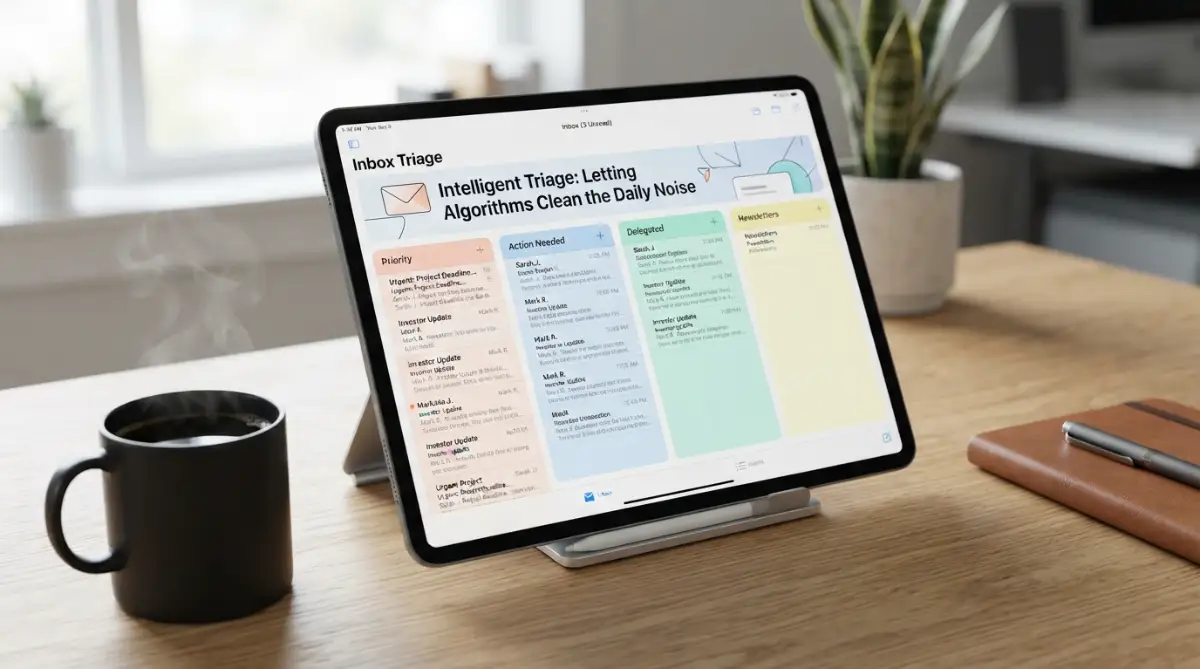
Once the system understands the context, it automatically sorts the message into dedicated, logical streams. High-priority messages from real humans you work with land directly in your main view, while newsletters and receipts wait quietly in background tabs.
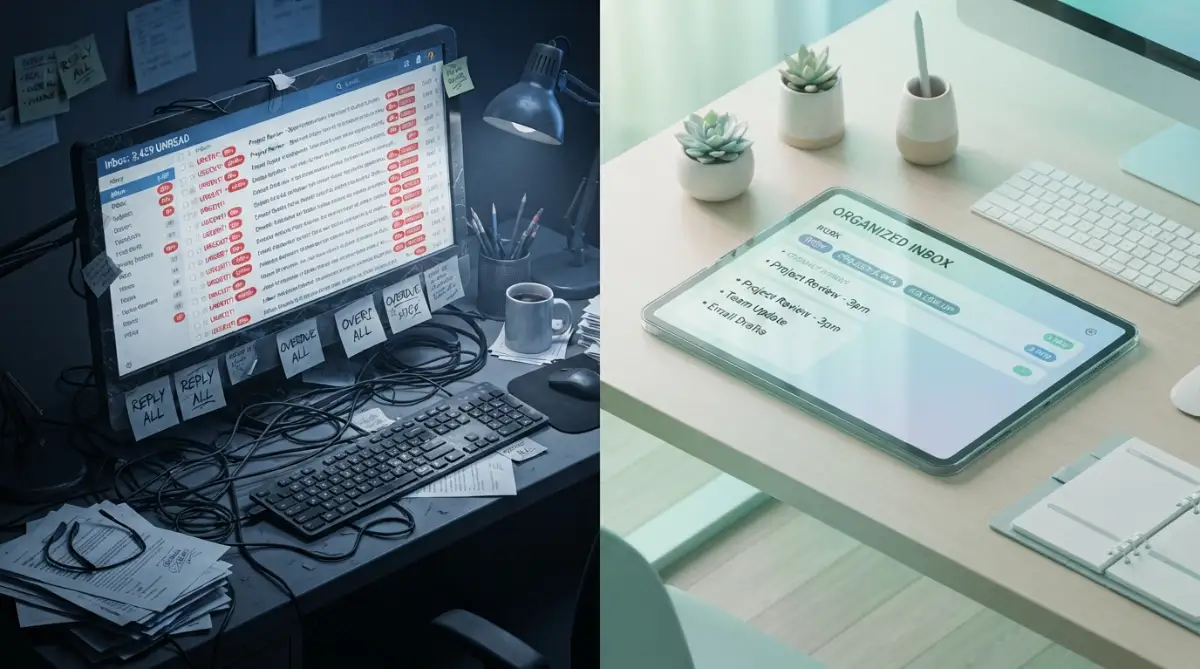
- Traditional Email Flow: Unfiltered Inbox leads to Manual Reading and High Fatigue.
- AI-Powered Email Flow: Triage Engine provides Instant Summary and One-Click Reply.
This automatic sorting removes the constant dread of opening your inbox. You no longer have to scan past fifty marketing pitches just to check if your team needs help with an active project.
By the time you sit down to work, your inbox is already neatly organized by urgency and topic. You only spend your attention on messages that truly move your business or personal life forward.
My 5-Day Time Audit: Manual Sorting vs. AI Triage
Instant Summaries: Reading Pages in Seconds
One of the heaviest time sinks in business communication is reading through long, messy email threads. You get added to a chain with twelve people where everyone has replied with bits and pieces of information over three weeks.
Trying to figure out who agreed to what, what tasks are still open, and what belongs to you can take twenty minutes of tedious reading. This is where modern AI summarizers change the game completely.
Instead of reading through pages of back-and-forth chatter, the tool reads the entire thread instantly. It produces a clear, three-bullet-point summary right at the very top of your screen.
The summary clearly tells you what the main debate was about, what final decision was made, and what action is required from you. You get the complete story in ten seconds without having to wade through endless signatures, repeated quotes, and polite pleasantries.
This feature alone saves power users dozens of hours each month. It turns an overwhelming wall of text into actionable knowledge that you can process and clear out immediately.
Pro Tip: Grounding Your System for Better Accuracy
I used to make the huge mistake of letting my automated assistant run on default settings without giving it any background context about my work. Because of that, the system would sometimes label casual questions from my team as urgent tasks, while burying critical updates from new clients under general project folders.
Take ten minutes inside your software settings to teach the tool who your core teammates are and what active projects matter most right now. Once you set those clear boundaries, the accuracy jumps dramatically, and you will never miss a genuinely time-sensitive note again.
Drafting Human-Sounding Replies with Generative Prompts
Writing emails is often much harder than reading them because it demands creative energy and careful tone adjustment. Even a simple reply confirming a meeting requires you to check your calendar, write a polite greeting, and construct clear sentences.
Smart email assistants take this burden off your shoulders by generating context-aware draft responses before you even begin typing. The software analyzes the incoming question, looks at your past conversation history, and creates two or three natural response options.
If a coworker asks whether you prefer to meet on Thursday morning or Friday afternoon, the assistant drafts clean options for both choices. You do not have to write anything from scratch; you simply click the option you prefer, glance over the text, and hit send.
For more detailed messages, you can type two or three rough words, such as "agree, share files next Monday, thank them." The tool then expands those rough bullet points into a warm, professional, and grammatically perfect message ready for delivery.
This process removes the friction of the blank page and stops you from putting off difficult replies. You go from staring at a blank box to editing a ready-made draft in just a couple of seconds.
Watch this clear walkthrough showing how smart email workflows help busy people clear hundreds of daily messages with zero stress:
Separating Myths from Reality in Modern Inbox Automation
Many people hesitate to use automated software for their email because they worry about looking robotic or losing control of their privacy. It helps to look honestly at what these systems actually do versus what people fear they might do.
Understanding these differences helps you adopt these tools with complete confidence. You are not handing your communication over to an unpredictable machine; you are simply giving yourself a smart filter that handles the heavy lifting while you stay in full control.
Practical Steps to Build Your Daily Zero-Inbox Routine
Adopting an intelligent email client works best when you combine the technology with a few healthy daily habits. Software provides the engine, but your personal operating rules determine how smoothly everything runs.
Here is a straightforward routine you can begin using today to keep your inbox clean without checking it every ten minutes:
- Batch Your Review Windows: Stop leaving your email client open on a second monitor all day long. Check your mail two or three times a day during planned focus sessions, and let the software hold the line while you focus on deep work.
- Trust the High-Priority View: Train yourself to look only at the filtered priority section during your first morning sweep. Leave the secondary news and updates folders for your slower afternoon hours when your creative energy naturally dips.
- Adopt the One-Touch Rule: When you open a message, take action on it immediately using your assistant tools. Either generate a quick reply, archive it, or convert it into a task, but never mark it as unread to look at later.
- Keep Drafts Short and Direct: Resist the urge to write lengthy essays when a polite two-sentence response answers the question completely. Clear, concise messages save your time and save the recipient's time as well.
When you pair clear personal rules with an intelligent sorting system, the daily battle with your inbox quietly disappears. You stop feeling like a prisoner to your notifications and start using email for what it was always intended to be: a simple, helpful tool to move great work forward.
Fine-Tuning Your Setup for Long-Term Inbox Control
Setting up an automated assistant is only the first step toward lasting peace of mind. To keep your inbox empty day after day, you need advanced workflows that adapt to how you actually work.
Most professionals make the mistake of treating their automated inbox as a static tool. Real mastery happens when you teach the algorithm to recognize subtle nuances across your specific business relationships.
Training Custom Tone Profiles for Different Audiences
Your communication style with a long-standing partner should never sound like your notes to an executive board. Top-tier email software allows you to build distinct writing personalities based on recipient groups.
You can set an informal, energetic tone for internal team channels where brief updates are preferred. At the same time, you can instruct the system to maintain a respectful, formal tone when answering prospective enterprise clients.
Taking time to refine these stylistic boundaries saves you from embarrassing misunderstandings. When the platform mirrors your authentic voice across every tier, your contacts will never guess a machine assisted your drafting process.
Connecting Your Inbox to External Project Boards
Email should rarely serve as a permanent filing cabinet for tasks. When messages contain actionable assignments, your software should pass those tasks straight into your team project tracker.
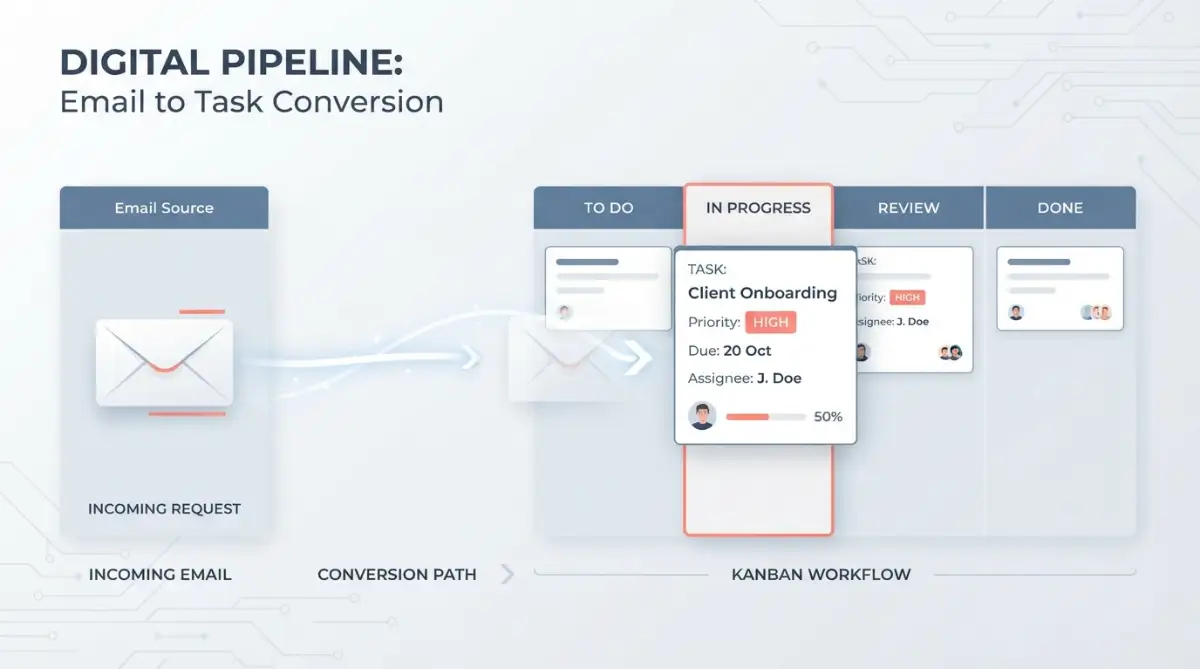
Modern automated email platforms connect directly with tools like Trello, Asana, and Notion. If you want to expand beyond basic email workflows, exploring practical ways to automate daily administrative tasks using free AI productivity tools can help you link different work hubs together seamlessly.
When you convert an email into a project ticket with a single click, you eliminate the mental drag of remembering open questions. Your inbox returns to zero, and your actual work moves to the platform designed to track it.
Auditing Your Noise Thresholds Every Month
Over a regular quarter, your business priorities shift, and new communication patterns emerge. A sender who demanded your daily attention last month might only need passive monthly updates today.
Set a recurring calendar reminder to review your automated routing rules. Check which messages were automatically filed under priority tabs and adjust senders who no longer warrant instant notifications.
This maintenance prevents filter drift, where irrelevant messages slowly creep back into your main view. Staying proactive keeps your primary screen uncluttered and protects your daily focus.
Building Safe Guardrails Against False Information
Generative models are exceptionally fast, but they can occasionally invent facts or assume project details that do not exist. In high-stakes client communications, sending incorrect dates, prices, or technical specs can destroy hard-earned trust.
Always maintain a strict habit of reviewing dates, dollar amounts, and commitments before sending any generated draft. By applying proven fact-checking protocols for business research and documentation, you ensure your business communications stay accurate and dependable.
Treat your email software as an energetic junior assistant who prepares your first drafts. You remain the senior editor whose signature guarantees that every sentence is accurate.
- The 3-Second Pre-Send Checklist
- Before you click send on an automated draft, run your eyes over these three tiny checkpoints:
- The Number Check: Are all meeting dates, times, and dollar amounts 100% accurate according to your real calendar and records?
- The Relationship Tone: Does the greeting match your bond with the person? If it is your close teammate, drop the stiff language.
- The Commitment Factor: Did the software promise something you cannot deliver by Friday? If yes, adjust the date manually.
Traps That Turn Automated Inboxes into Expensive Disasters
When people first experience the speed of automated email triage, excitement often replaces common sense. Slipping into careless habits can create bigger headaches than the manual clutter you were trying to escape.
The Autopilot Trap: Sending Without Reading
The most dangerous mistake you can make is hitting send without glancing over the generated draft. Language algorithms predict likely words, but they do not experience the human consequences of an awkward phrasing.
A draft might agree to an unrealistic project timeline or accept a meeting request during your blocked family time. Worse, it might misread the emotional tone of an unhappy client and offer a breezy, cheerful reply to a serious complaint.
That single moment of carelessness can damage a relationship that took years to build. Always spend five seconds scanning the output to confirm that the tone matches the situation.
Sacrificing Confidentiality for Convenience
Many free or unvetted productivity plugins process your messages on servers that harvest user data for model training. Feeding proprietary customer agreements, trade secrets, or medical data into random browser extensions creates massive compliance liabilities.
Before activating any tool that reads your messages, inspect its enterprise data policies. Organizations like the National Institute of Standards and Technology establish clear guidelines for software data privacy and cryptographic protections.
You must confirm that your provider uses zero-retention architectures that never train models on your private messages. Learning about risk management strategies for teams using generative AI tools protects your organization against accidental leaks.
The Constant Check Syndrome
Automating your triage does not help if you still open your mail app fifty times every day. The human brain craves novel stimulation, and checking an automated inbox can become just as addictive as checking social media.
Empirical studies from the Donald Bren School of Information and Computer Sciences at UC Irvine reveal that recovering deep focus after a digital interruption takes over twenty minutes. Opening your email every quarter-hour ensures your brain never reaches a state of uninterrupted creative flow.
Frequent Email Checks lead to Fragmented Attention and Mental Exhaustion. In contrast, Scheduled Daily Sweeps create an Extended Flow State and High Productivity.
Let the software do its work silently in the background while you focus on deep work. Check your sorted priority folder during planned intervals, clear the items, and close the window entirely.
Over-Automating Personal Relationships
Technology is fantastic for invoices, meeting confirmations, logistics, and vendor management. However, using automated drafts to comfort a struggling colleague or thank a mentor strips away the authenticity of human connection.
People can quickly tell when a note feels generic, hollow, or algorithmic. When an email requires genuine empathy, close your assistant and type the words yourself.
Save machine assistance for logistical heavy lifting. Reserve your personal touch for the conversations where your empathy and character truly matter.
Ignoring Data Protection and Storage Standards
Whenever you integrate cloud-based software into your email stack, you introduce new transfer pathways for sensitive files. If an automated client lacks end-to-end security, attachments containing contracts or payroll sheets can be exposed.
Ensure your provider maintains rigorous encryption protocols both in transit and at rest. Reviewing how modern SaaS providers encrypt your business files behind the cloud will give you confidence that your data remains shielded from unauthorized eyes.
Your Daily Action Plan for Inbox Freedom
Achieving an empty inbox is not about working harder or typing faster. It is about building a dependable digital defense system that shields your attention from low-value interruptions.
When you hand repetitive sorting, summarizing, and basic drafting tasks to smart software, your entire workday changes. You stop starting your mornings with defensive panic and begin approaching your work with clarity and intention.
Email stops being an uncontrollable monster that dominates your day. Instead, it turns back into what it was always meant to be: a quiet, organized communication tool that serves your goals.
I spent years feeling overwhelmed by thousands of unread messages, convinced that I was simply bad at managing my time. Trusting smart software to handle the noise gave me my mornings back, and taking that small step today will give you back your own peace of mind.
Real Answers to Everyday Inbox Questions
Will using an automated email client make my messages sound fake?
No, as long as you take a few seconds to customize your personal writing tone and review drafts before sending. High-end tools adapt to your personal vocabulary, typical greetings, and sign-offs so your replies feel completely natural.
How much time can an automated email system actually save each week?
Most knowledge workers spend between two and three hours every day sorting, reading, and drafting routine messages. An intelligent assistant cuts that time by more than half by providing instant summaries and ready-to-send draft options.
Is it safe to allow software to read my business emails?
It is safe if you choose reputable business platforms that follow enterprise privacy standards and zero-data-retention agreements. Avoid unverified free browser extensions that reserve the right to share your inputs or use your messages for machine training.
Do I need technical programming skills to set up these tools?
Not at all. Modern email clients are designed for everyday computer users and typically connect to your existing account with a single login authorization.
What should I do with the thousands of old emails already in my inbox?
Do not waste days sorting through old messages manually. Select everything older than thirty days, hit archive, and let your new automated system manage incoming mail going forward; you can always search for old notes if you need them.
Editorial & Compliance Disclaimer
This article is provided for informational and educational purposes only. The software workflows and productivity strategies discussed reflect independent analysis and standard technological best practices. We do not endorse any single commercial platform, nor do we offer direct technical support for third-party applications. Always review the terms of service, privacy documentation, and data-sharing agreements of any software before connecting it to your personal or enterprise email accounts.