The Silent Killer of Our Workday: A Personal Confession
Let us be honest—virtual meetings are taking over our lives. You log on at 9 AM, and before you know it, it is late afternoon and your digital notepad is full of scribbles you can barely read. Instead of doing the actual work we get paid to do, we spend our days just talking about it. But what if you could simply push your keyboard away and actually just listen to your team?
I suddenly realized I was spending way more time typing out messy notes than actually listening to my teammates. This endless cycle of group calls was completely stealing my energy and destroying my daily focus. That is the exact moment when I knew something had to change to save my sanity and my career.
Most regular office workers today are absolutely drowning in a sea of endless virtual calls. You wake up, open your laptop, and suddenly you are trapped in back-to-back discussions for hours on end. Instead of doing the actual deep work you were hired to do, you are just talking about the work constantly.
This creates a massive amount of invisible stress and mental fatigue for completely normal, hardworking employees. People are forced to constantly switch their attention from active listening to rapid, panic-driven typing. When you are terrified of missing an important detail from your boss, your daily anxiety naturally shoots through the roof.
We end up sacrificing our mental peace just to keep track of who said what during a sixty-minute discussion. By the time the video calls are finally over, there is absolutely no brain power left for creative thinking. You close your laptop feeling like you worked an incredibly hard shift, but somehow you achieved absolutely nothing of value.
This heavy, invisible burden is exactly what destroys job satisfaction and ruins our personal evenings with our families. We carry that mental exhaustion straight into our living rooms, unable to properly disconnect from the office.
Quick Takeaways for a Better Workday
- Stop acting like a human typewriter during video calls; it ruins your focus and your empathy for others.
- Use automated tools to handle the boring note-taking so you can actually look at your coworkers and listen.
- Turn long hours of recorded meetings into fast five-minute text summaries to get your free time back.
- Build an organized, searchable folder of old meeting notes to stop endless, annoying questions in the office.
Why Traditional Group Calls Drain Our Energy
Before we talk about smart automated solutions, we need to clearly understand the real root of this daily problem. Human brains are simply not designed to do three complex cognitive tasks at the exact same time. When you sit in a virtual room, you are trying to listen, process new information, and document everything simultaneously.
This intense, unnatural multitasking always leads to a massive drop in your actual listening comprehension. You might type out a perfectly formatted sentence, but you completely miss the frustrated emotional tone of your biggest client. You miss the subtle, quiet signs that a newer team member is feeling incredibly overwhelmed with their current workload.
When your eyes are glued to a physical keyboard, true human connection instantly dies in the room. Empathy and natural reactions completely disappear from the conversation because everyone is just acting like a human typewriter. This is exactly why so many remote and hybrid teams feel incredibly disconnected and isolated from each other today.
A Daily Cycle of Digital Burnout
Think about how you feel on a Monday morning when you look at a calendar completely blocked with syncs and catch-ups. That heavy feeling in your stomach happens because you know the physical toll those calls will take on your body. You know your shoulders will ache from hunching over the keyboard trying to capture every single promised deliverable.
Eventually, this leads to quiet quitting, where talented employees just completely check out of the conversation entirely. They stop sharing brilliant ideas because they do not have the energy to explain them and document them simultaneously.

Smart Solutions to Reclaim Your Mental Focus
The good news is that we no longer have to live in this exhausting cycle of manual documentation. The technology available to us today can handle the boring, repetitive tasks so we can get back to being actual humans. Let us explore exactly how changing your approach to documentation can completely revive your career and your mental health.
The Magic of Stepping Away from the Keyboard
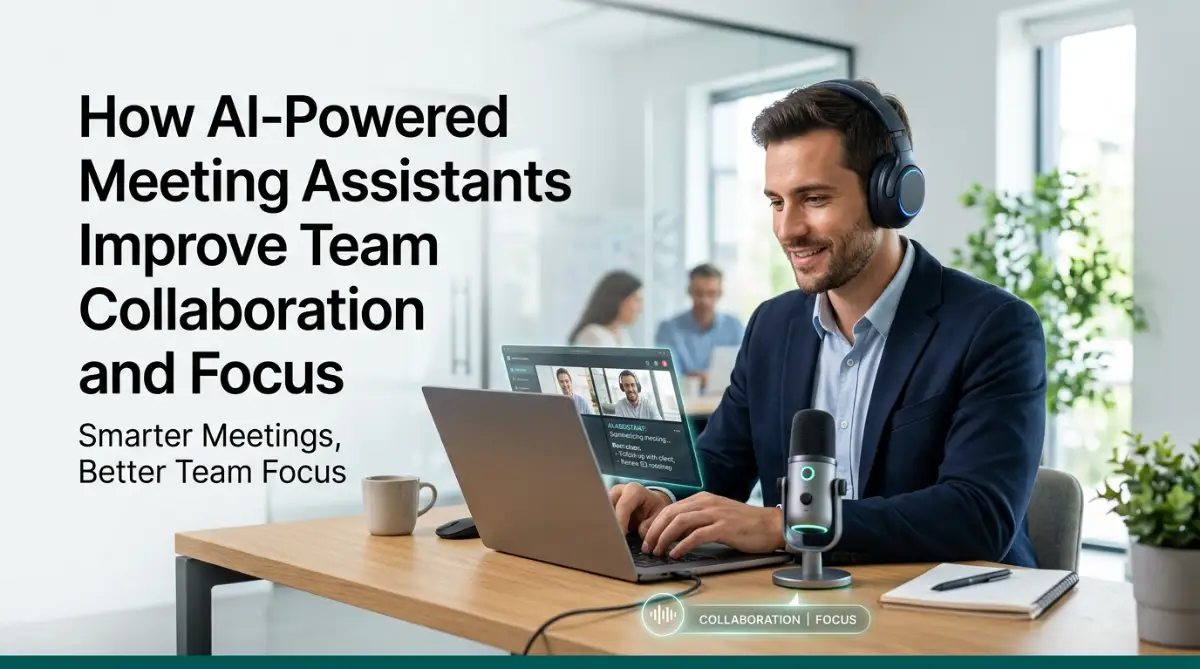
Imagine joining your next big strategy call and physically pushing your keyboard an entire foot away from you. You simply lean back in your chair, look directly at the screen, and just talk to your colleagues like normal friends. Smart audio tools now allow us to do exactly this without any fear of losing critical business information.
When an automated tool handles the heavy documentation, your entire physical posture and energy instantly change. You can finally maintain natural eye contact with the person speaking on the side of your monitor. This simple act of looking directly at someone drastically improves mutual respect and understanding within any department.
Your brain is finally free to actually process the complex ideas being shared by your peers. You can ask much better questions, challenge old assumptions, and think highly creatively right on the spot. You transition from being a tired, stressed stenographer to becoming an active, highly engaged participant in the company's future.

Capturing Every Single Action Item Automatically
One of the biggest frustrations in any office job is the confusing silence that happens right after a call ends. Everyone smiles, waves goodbye to the camera, and immediately forgets who is actually supposed to do what next. A few hours later, you find yourself sending extremely awkward messages asking your coworkers for basic clarification.
Smart transcription tools completely eliminate this awkward, time-wasting phase from your daily routine forever. They quietly listen to the natural flow of your conversation and instantly recognize when a specific task is assigned to someone. Before you even stand up from your desk to stretch, a clean, organized list of action items is already waiting securely in your inbox.
Check out this quick guide to see how easily you can set up a smart note-taker to automatically capture and organize your daily action items without lifting a finger.
This seamless process creates a flawless system of personal accountability for everyone involved in the project. There is no more guessing, no more pointing fingers at each other, and no more lost responsibilities dropping through the cracks. Everyone knows exactly what is expected of them, which naturally builds a massive amount of trust within the entire group.
Regaining Control with Asynchronous Catch-ups
Not everyone needs to be present in every single daily discussion that happens in a company. We often accept calendar invites simply out of a deep fear of missing out on important management updates. This fear traps us in virtual rooms where we do not belong, wasting our most productive morning hours completely.
I used to force myself to attend every single morning sync just to stay in the loop, which absolutely destroyed my best working hours. Now, I simply let my smart assistant record the call, and I read the clean five-minute summary while drinking my coffee later in the afternoon. This one simple behavioral change gave me back roughly ten hours of deep, uninterrupted focus every single week.
When team members can fully trust a system to summarize discussions accurately, they feel completely safe declining unnecessary invites. They can protect their personal focus blocks and do the deep, meaningful work that actually moves the business forward. This is exactly how you build a healthy company culture that truly respects employee time and mental energy.
Giving Introverts a Fair Chance to Speak
In typical group discussions, the loudest and most aggressive voices almost always dominate the entire room. Quiet thinkers and brilliant introverts often struggle to interrupt the fast flow just to share their ideas. By the time they finally find an opening to speak, the topic has already moved on to something else entirely.
Smart meeting tools naturally level the playing field for completely different personality types in your office. A quiet team member can peacefully review the detailed summary document an hour after the call ends. They can then add their highly thoughtful comments to the shared document without fighting anyone for microphone time.
This ensures that the absolute best ideas always win, not just the loudest or fastest ones. It creates a much healthier, more inclusive dynamic where every single person feels deeply valued and genuinely respected. When normal people feel heard by their management, their overall job satisfaction naturally goes straight up.
Bridging the Global Time Zone Gap
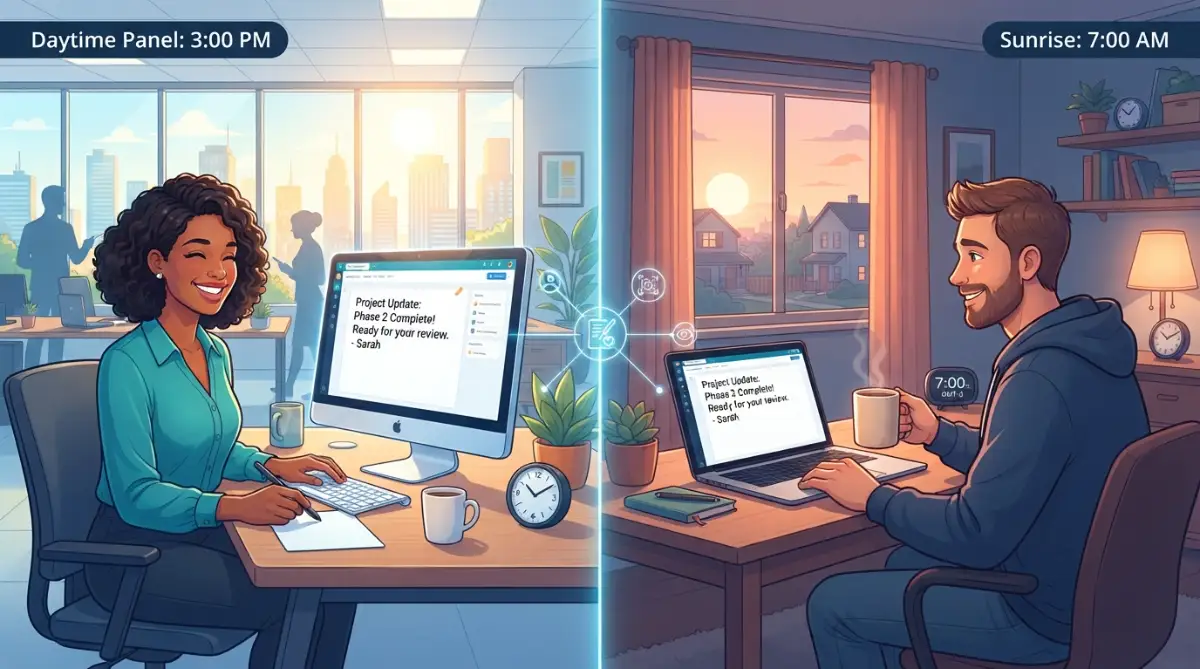
Working with highly talented people across the world is amazing, but trying to schedule a time to talk is an absolute nightmare. Someone always has to stay up way past midnight or wake up hours before the sun even rises. This constant physical exhaustion quickly leads to severe burnout and incredibly high employee turnover rates.
Intelligent summaries act as a perfect, silent bridge between completely different continents and time zones. A team in Asia can have a full, passionate discussion and leave a perfectly organized summary for their European colleagues. When the European team finally wakes up, they have all the context they need to start working immediately with zero delays.
Nobody ever has to sacrifice their healthy sleep schedule or precious family time just for a boring status update. The workflow remains smooth, continuous, and highly respectful of everyone's personal boundaries outside of work. This is the true, honest definition of modern, boundaryless teamwork in a digital environment.
Addressing Common Fears and Practical Setup
Even with all these amazing benefits, bringing new technology into an old office always makes people a bit nervous. People are naturally highly protective of their privacy, and they do not want to feel like a machine is watching their every move. Understanding these human fears is the very first step to successfully upgrading your daily routine.
Myth vs Reality: Handling Privacy Concerns
There is a very common fear that these automated tools secretly record everything and spy on casual office conversations. Many employees worry that the software is stealing company secrets or judging their personal chats.
Myth vs. Fact: Smart Note-Taking Tools
- Myth: The software is secretly spying on my casual office chats.
- Fact: You control the start and stop buttons. If you want to talk about weekend plans, just pause the bot.
- Myth: The tool keeps my company data forever to train its own brain.
- Fact: Most professional-grade tools offer strict privacy modes where your transcripts are deleted right after processing. Always check your software's specific privacy tab.
The honest reality is that most professional tools only process information to generate text and do not store audio permanently on open servers. You have complete, total control over when the digital assistant joins the room and when it immediately leaves.
It is completely normal for your staff to feel slightly uncomfortable when you first introduce new recording tools. The absolute best key to success here is total transparency with your teammates right from day one. You just need to explain exactly why the tool is there, how it works, and how it directly benefits their personal workload.
Once regular people finally realize the tool is just there to save them from writing boring notes, their hesitation completely disappears. They quickly adapt to the new, relaxed normal and start truly enjoying the freedom it brings to their schedule. Workplace privacy is simply a matter of setting proper internal rules and maintaining highly open communication.
Setting Up Your Personal Workflow Today
You absolutely do not need an entire IT department to start improving your daily routine right now. You can simply find and connect a free, basic version of a smart note-taker directly to your personal calendar. Let it join your next internal catch-up as a totally silent participant just to see how it performs.
Do not try to aggressively change your entire company's official process overnight. Start very small by just sharing the automatic bullet points with one or two of your closest colleagues. Simply ask them if they found the organized summary helpful, accurate, and easy to read.
Once they personally experience the magic of instant documentation, they will naturally want to use it for their own calls. Organic, friendly adoption is always much stronger and longer-lasting than forcing people to use a mandatory new software. You easily become the office productivity champion simply by casually sharing a highly helpful solution with your friends.
Focusing on High-Impact Human Conversations
When the heavy burden of manual documentation is completely gone, you can finally focus on the actual quality of your conversations. You can spend your valuable time checking on your teammates' emotional well-being instead of just rushing through a printed agenda. Meetings magically transform from boring, mandatory obligations into highly meaningful human interactions.
You finally have the mental space to naturally read body language, facial expressions, and subtle tones of voice. If a dedicated project manager seems overly stressed, you can pause the work talk and just ask how you can help them. These tiny, genuine moments of human empathy are exactly what build strong, resilient, and highly successful groups.
Breaking Down the Real Financial Impact
While achieving peace of mind is wonderful for the soul, business leaders and managers always have to look at the financial numbers. Think deeply about how much exact money is wasted when six highly paid professionals sit silently in an unproductive hour-long call. Now multiply that massive cost by the hundreds of sessions happening in your building every single month.
When you successfully reduce meeting times by just fifteen minutes, the financial savings for the company are absolutely massive. People get back to their actual revenue-generating tasks much faster, significantly speeding up final project delivery. The positive return on investment for using smart organizational tools is almost immediate and incredibly easy to prove.
Let us do a quick breakdown of how much time manual note-taking steals from you versus using a smart tool:
- Writing meeting minutes: Manual Way takes 20 minutes. Smart Tool takes 0 minutes (It is instant).
- Finding who owns which task: Manual Way takes 15 minutes of messaging around. Smart Tool takes 2 minutes reading the auto-summary.
- Getting a missing team member caught up: Manual Way means a 30-minute extra call. Smart Tool means a simple 5-minute summary read.
Costly mistakes are also significantly reduced because complex instructions are captured perfectly the very first time they are spoken. There is absolutely no need for expensive, time-consuming revisions just because someone forgot to write down a specific client request. Business efficiency naturally goes straight up when internal communication becomes completely crystal clear and perfectly documented.
Your Next Steps for a Better Workday
Start your journey by looking at your schedule for tomorrow and identifying the most boring, routine catch-up on your calendar. Invite an automated digital assistant to join that specific room instead of taking your usual manual notes. Give yourself full permission to just sit back, listen closely, nod your head, and truly engage in the actual discussion.
Pay very close attention to how your body physically feels when you are not hunched over a keyboard typing frantically. Notice exactly how much more energy and patience you still have when the hour-long call finally ends. This one very small daily experiment will completely change how you view and manage your busy schedule forever.
Taking Your Automation Skills to the Next Level
Most people think setting up an automated transcription tool means their job is completely finished. They simply let the software join every single video call and then never actually look at the generated documents again. If you really want to transform how your group works together, you have to actively design a better daily routine.
Simply having a massive transcript of an hour-long chat is not enough to help your peers succeed. You need to pull the golden ideas out of those messy paragraphs and put them into action immediately. This requires a little bit of smart organization and a clear strategy right from day one.
When you learn how to properly manage these digital files, your entire office dynamic completely shifts for the better. People stop asking you repetitive questions because they know exactly where to find the correct answers themselves. You build a strong culture of self-reliance that completely eliminates annoying interruptions throughout your busy workday.
Creating a Searchable Knowledge Base for Your Department
Think deeply about how much time you currently waste digging through old emails trying to find a specific client request. Now imagine having a clean, instantly searchable digital library containing every single business decision your department has ever made. By organizing your automated summaries into specific folders, you create an incredibly powerful knowledge base for your company.
You can easily categorize these clean documents by client name, project phase, or specific internal departments. Whenever a new employee needs historical context on a project, they just type a keyword into your shared drive. They instantly find exactly what was discussed three months ago without bothering anyone else in the office.
This highly organized approach is one of the absolute best ways to automate daily administrative tasks for your entire department. It magically turns empty conversation data into a highly valuable company asset that everyone can access with just one click.
Training Your Brain to Finally Let Go of the Pen
The absolute hardest part of adopting this new technology is actually psychological, not technical at all. We have spent our entire adult lives believing that taking frantic notes means we are paying close attention to the speaker. When you first sit in a call without writing anything down, you will naturally feel extremely guilty and slightly anxious.
You have to actively fight the massive urge to open a blank text document during your next client video call. Start by simply keeping your hands resting on your lap or holding a warm cup of coffee while others speak. Watch how smoothly the conversation flows when you dedicate one hundred percent of your brain to just listening.
After reviewing the software's accurate summary a few times, that initial nervous anxiety completely disappears from your mind. You finally realize the machine actually captures the complex details much better than your tired brain ever could. As noted by cognitive experts, the brain cannot process multiple complex tasks at the exact same time without a massive drop in overall performance.
Customizing the Artificial Brain for Your Specific Niche
Every single industry has its own weird abbreviations, technical jargon, and inside jokes that deeply confuse outsiders. A medical software company uses completely different words compared to a local social media marketing agency down the street. Out of the box, standard recording tools might misspell your specific client names or highly technical product terms.
Take ten short minutes to go directly into the software settings panel and manually type out your most common industry phrases. Add the exact specific names of your ongoing projects, your software platforms, and your most frequent contractors. This tiny, simple adjustment drastically improves the spelling accuracy of the final written document you receive.
When the machine finally understands your specific daily language, it truly feels like an actual smart member of your staff. You no longer have to spend time fixing embarrassing typos before sharing the notes with your upper management team.
Resolving Office Conflicts with Written Proof
Workplace arguments usually happen because two different people remember the exact same conversation completely differently. A graphic designer might think they had two full weeks to finish a logo, while the manager expected it by Friday. These tiny daily misunderstandings quickly turn into massive arguments that completely destroy group morale and trust.
Having an exact, unedited record of what was actually said completely removes personal feelings and ego from the equation. You absolutely do not have to argue or play the unfair blame game when you can just check the written text. You simply open the document together, find the exact quote, and move forward with absolute clarity and peace.
This single communication benefit is incredibly effective for building 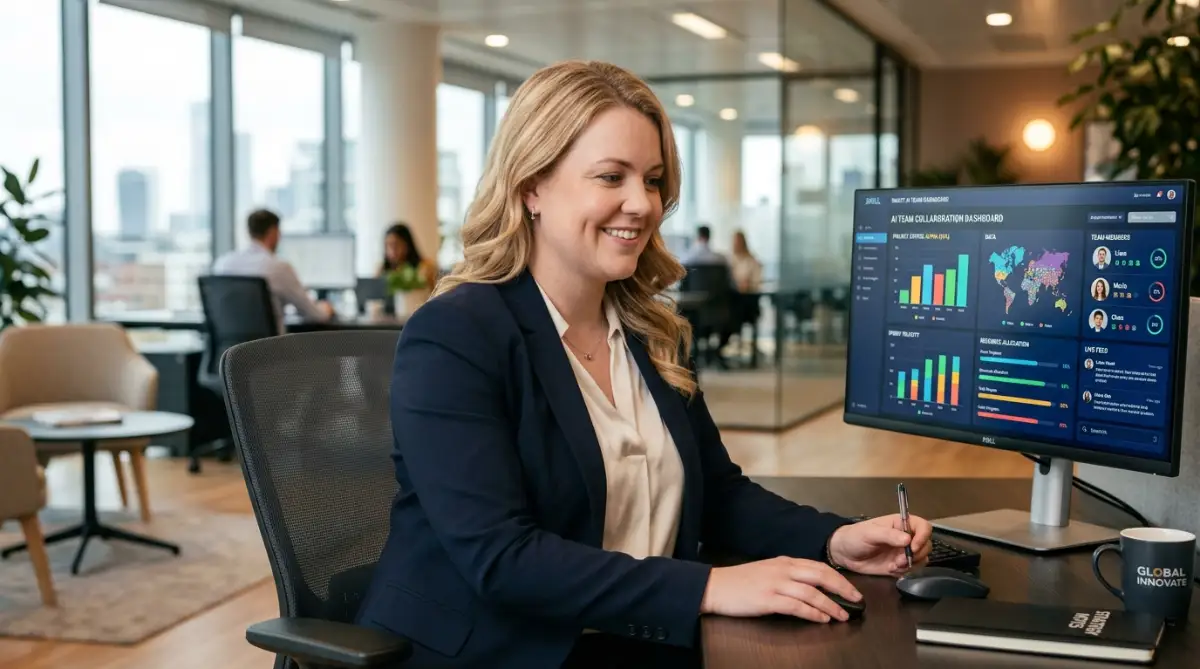 trust in virtual teams operating across completely different continents. It creates a beautiful environment of absolute fairness where every single person is held accountable to the exact same standards.
Dangerous Traps When Using Automated Note-Takers
Introducing completely new technology to a group of busy humans always comes with some serious growing pains and friction. People naturally try to take lazy shortcuts, which often creates completely new, unexpected problems for the entire business. If you just dump a new software into your workflow without setting firm rules, pure chaos will quickly follow.
Many remote workers start treating these smart tools like a magic wand that instantly fixes completely broken communication. They completely ignore the sensitive emotional side of teamwork and start hiding safely behind perfectly formatted text documents. This lazy, highly disconnected approach actually destroys healthy relationships and makes people feel completely isolated at their desks.
Let us look closely at some extremely dangerous habits that managers accidentally create when using these modern systems. Recognizing these hidden traps early will absolutely save your department from a lot of unnecessary frustration and employee burnout.
Hiding Behind Text and Ignoring True Human Emotions
A written summary is absolutely amazing for capturing dates, financial numbers, and direct action items from a long discussion. However, a plain piece of text cannot tell you that your lead developer sounded incredibly stressed, sick, and exhausted. It completely misses the heavy, sad sigh someone makes when they are handed an impossible Friday deadline.
If you only read the bullet points, you will slowly lose touch with how your hardworking people actually feel. You might accidentally push a great team member to their absolute breaking point simply because the text summary looked positive. If you want to understand the true psychological toll of endless meetings, you just have to look at the rising burnout rates in modern offices.
Make sure you are regularly checking in on your peers with one-on-one video calls just to talk as friends. You still deeply need to actively participate in the human side of management to keep your staff healthy and happy.
The Toxicity of Micromanaging Through Transcripts
The absolute fastest way to destroy trust in any office is using private conversation logs as a weapon against your staff. Some insecure, terrible managers actually start reading every single transcript just to see if their employees are talking enough. They literally count how many ideas a person shared and unfairly use that twisted data for annual performance reviews.
When people finally realize every single word they speak is being judged, they completely stop taking any creative risks. They only say safe, incredibly boring things because they know a machine is permanently recording their private thoughts. Your highly innovative brainstorming sessions will quickly turn into silent, incredibly awkward rooms full of terrified employees.
You must set a firm, unbreakable rule that these documents are only for positive organization and personal reference. If you want to deeply protect your workplace culture, never use automated notes to discipline a struggling worker.
Overwhelming Your Staff with Too Many Digital Apps
When leaders first discover the magic of automatic documentation, they often get overly excited and buy dozens of new tools. Suddenly, completely normal employees have to check five different platforms just to understand what they need to do today. This massive digital clutter completely destroys any real productivity you gained from the initial software purchase.
Before you introduce anything new to your staff, you should deeply audit your software stack to see what is genuinely necessary. Choose exactly one highly reliable platform that handles the recording, summarizing, and task assignment all in one single place.
If you make the daily process too complicated, your staff will quietly rebel and go back to using simple pen and paper. True office efficiency only happens when the technology is completely invisible and requires zero extra mental effort from the user.
Skipping the Human Review Process Before Sharing
Automated tools are incredibly smart today, but they still completely lack human common sense and basic business context. Sometimes the system will accidentally assign a massive, expensive project to the wrong person just because they mentioned it casually. If you automatically forward these raw, unedited notes directly to a paying client, you will look extremely unprofessional.
Always force yourself to spend exactly two minutes reading the summary document before you hit the massive share button. Quickly delete the weird side conversations about the weather, fix any obvious spelling mistakes, and double-check the names attached to the tasks.
This tiny, incredibly fast layer of human review ensures that everyone gets perfectly clear instructions without any confusing errors. It beautifully shows that modern SaaS tools automate your work, but true human judgment always guides the final delivery.
Ignoring Basic Data Privacy and Security Rules
We often freely discuss incredibly private financial numbers or secret upcoming product launches during internal company strategy sessions. If you allow a third-party application to record absolutely everything without checking their privacy policy, you are taking a massive risk. A simple, unexpected data breach could easily expose your entire highly confidential business strategy to your biggest market competitors.
You deeply need to actively manage these software permissions and deeply understand exactly where your audio files are being safely stored. It is absolutely essential to study and follow strict organizational privacy standards across your entire company network.
Always firmly pause the recording when discussing personal employee medical issues, sensitive salaries, or highly confidential client data. You should also focus heavily on protecting proprietary data from serious risks when using any type of generative text platform today.
Building a Healthier Future for Your Office Setup
The ultimate goal of adding artificial intelligence to our daily workday is not just to work faster or push harder. It is truly about creating empty space in our tired brains so we can actually enjoy the creative parts of our jobs again. We desperately want to stop acting like human hard drives and start acting like highly imaginative, happy problem solvers.
When you successfully remove the heavy physical stress of constant typing, your daily meetings completely transform for the better. You start naturally looking your coworkers straight in the eye, listening closely to their struggles, and offering highly genuine help. You slowly replace intense panic and anxiety with a calm, highly organized, and wonderfully predictable daily office routine.
This smart technology allows you to completely disconnect at five o'clock knowing every single detail is safely stored away. You do not have to spend your relaxing evening worrying about a forgotten task or a completely missed email deadline. You finally get your personal life back, which naturally makes you a much happier and deeply healthier human being overall.
A Personal Note Before You Go
I truly wish I had discovered these automated organizers years ago when I was completely drowning in daily office tasks. My personal stress levels dropped instantly the very day I stopped worrying about writing down every single detail during calls. I highly recommend you take that brave first step tomorrow morning, push your keyboard away, and just let the technology do the heavy lifting for you.
Common Questions About Smart Office Integrations
How do these automated tools understand different accents and speaking speeds?
Modern voice recognition software is heavily trained on millions of hours of highly diverse global audio files. While they might occasionally stumble on very heavy regional dialects, they generally adapt incredibly well to different pronunciations today. You can also easily improve their daily accuracy by speaking a little slower and always using clear, natural sentences.
Will my clients feel uncomfortable if a digital bot joins our private call?
Most active professionals are completely used to seeing these silent recording bots in virtual rooms today. Just give your clients a highly friendly warning at the absolute beginning of the call and explain that it helps you focus entirely on them. Once they realize they will also receive a completely clean, organized summary afterward, they usually love the idea.
Can I stop the software from recording casual conversations before the meeting starts?
Yes, you have completely total control over exactly when the assistant actually starts transcribing the text. You can easily pause the tool during friendly casual chat or highly sensitive topics, and smoothly resume it when the real business begins. It is always a very smart idea to handle the start and stop buttons manually for important, high-stakes client discussions.
Do I need advanced technical skills to set up these daily integrations?
Absolutely not, because most of these modern platforms are designed specifically for regular office workers, not advanced software engineers. You usually just securely link your work calendar with one single click, and the smart system happily handles the rest automatically. If you know how to send a basic email, you honestly have all the skills needed to use these platforms successfully.
Do these tools actually save businesses real money?
They save an incredible amount of money by drastically reducing the time spent summarizing notes and correcting terrible miscommunications. When your staff completely stops wasting hours arguing over forgotten details, they can finally focus on actual revenue-generating tasks. The positive return on investment is usually seen within the absolute first week of proper implementation.
Disclaimer: The information provided in this article is for educational and informational purposes only. We absolutely do not guarantee specific business results, financial savings, or productivity increases by using any software mentioned. Always consult directly with your dedicated IT department regarding data privacy and company compliance before integrating completely new third-party applications into your professional workspace.