That One Morning A Simple Message Almost Ruined Everything
Picture this: you are just trying to check your emails before heading out, and boom—your bank says your account is locked permanently. Panic kicks in, right? That exact feeling of fear is what scammers count on to steal your hard-earned money. Let me show you how I learned to spot their sneaky tricks, so you never have to fall for them again.
My heart immediately sank straight into my stomach because my rent payment was due the very next day. I completely panicked and clicked the bright red link provided in the message without even thinking twice about it.
It asked for my password, and right as my fingers hovered over the keyboard to type it in, I noticed a tiny typo in the web address. That incredibly small detail saved me from handing over my entire life savings to a complete stranger.
Quick Takeaways: How to Protect Your Inbox Today
-
Never trust the display name: Always click on the sender's name to reveal the hidden, true email address.
-
Urgency is a massive trap: If a message forces you to act fast to avoid a penalty, it is almost certainly a scam.
-
Inspect before you click: Hover your mouse over links or long-press on your mobile screen to see where they actually lead.
-
Use two-step verification: Even if someone steals your password, they cannot log into your account without holding your physical phone.
The Silent Emotional Toll Of Digital Deception
This exact scenario plays out millions of times every single day across the globe. Regular people are constantly bombarded by fake messages disguised as trusted brands, delivery services, or even their own workplace.
The worst part is not just the financial risk, but the heavy mental burden it creates for all of us. You constantly second-guess every single notification that pops up on your phone.
We live in a constant state of mild anxiety, wondering if an invoice is real or if a package delivery update is actually a trap. It strips away our peace of mind and makes us suspicious of basic digital communication.
Older family members are especially vulnerable to these tricks, which leaves us constantly worrying about their online safety. A single wrong click can lead to stolen identities, drained bank accounts, and months of stressful recovery.
Decoding The Digital Traps In Your Inbox
Hackers rely entirely on human emotion to make their tricks work successfully. They want you to feel scared, excited, or incredibly curious so that you act quickly without looking closely at the details.
When you understand the psychology behind these attacks, they suddenly become very easy to spot. A real company will never force you into a state of blind panic to fix an issue.
Let's look at the actual anatomy of these messages and how they differ from the real ones. You can use these simple checks every single day to protect your personal information.
The Sender Address Trickery
The very first thing you should always check is the actual email address of the sender. Scammers can easily change the display name to say something like "PayPal Support" or "Apple Security."
However, they cannot easily fake the actual domain name hidden behind that display name. If you click on the sender's name to reveal the full email address, the truth usually comes out instantly.
A real message from Netflix will always come from an address ending exactly in "@netflix.com." A fake one might look like "support-update-team@netflix-billing.com" or a completely random string of letters.
Quick Cheat Sheet: Spotting Fake Domains
-
Real PayPal: service@paypal.com vs Fake PayPal: alerts@paypal-security-update.com
-
Real Apple: no-reply@apple.com vs Fake Apple: apple-support@icloud-verification.net
-
Real Amazon: shipment-tracking@amazon.com vs Fake Amazon: order-update@amazon-billing-info.com
Notice how the fakes always add extra words like "update", "support", or "security" with a hyphen? That is your biggest warning sign. Real companies keep their email addresses extremely simple.
Manufactured Urgency And Fear
A massive red flag is any message that demands immediate action or threatens severe consequences. Fake messages love to use phrases like "Your account will be deleted in 24 hours" or "Immediate action required."
They do this because panic turns off the logical part of your brain. Real companies give you plenty of notice and usually suggest logging into your account directly through their official app or website.
If a message makes your heart race, take a deep breath and step away from the screen for a minute. That short pause is often all you need to realize that the situation is completely fake.

Watch this quick visual breakdown to see exactly how these tricky links disguise themselves in your inbox.
The Danger Of Hidden Links
Links are the primary weapon used in almost every single online scam today. The text of the link might say "www.amazon.com," but the actual destination could be completely different.
If you are using a computer, you can easily hover your mouse cursor over the link without clicking it. A small box will appear at the bottom corner of your screen showing exactly where that link will take you.
If you are on a mobile phone, you can usually press and hold the link to see the destination URL. If the address looks messy, contains weird numbers, or does not match the official website, do not click it.
Here is a quick lesson I learned the hard way after almost losing my social media account to a scam. I always assumed that if a message had an official, high-quality logo, it was definitely real and safe. My biggest realization was that scammers can simply copy and paste any company logo from the internet in about three seconds, so a pretty design means absolutely nothing.
Unexpected Attachments Are Digital Poison
Legitimate companies rarely send unexpected attachments, especially things like ZIP files or random documents. Fake messages often include attachments labeled as "Invoice_001.pdf" or "Payment_Receipt.docx."
Opening these files can instantly install malicious software onto your computer or phone. This software can then quietly track your keystrokes to steal your passwords and banking details.
If you did not specifically ask someone to send you a file, never open an attachment. Even if it looks like it came from a friend, their account might have been hacked to spread the virus.
Generic Greetings vs Personalization
Pay close attention to how the message actually says hello to you at the beginning. Real companies that you have an account with usually know your first and last name.
They will address you specifically, like "Dear John Smith," because their automated systems pull from your profile. Fake messages send the exact same email to millions of people at once, so they use generic greetings.
If a message says "Dear Valued Customer," "Dear User," or just uses your email address as your name, be very suspicious. It is a clear sign that they do not actually know who you are.
The Spelling And Grammar Myth
Many people believe that scams are always full of terrible spelling mistakes and bad grammar. While this used to be true a decade ago, today's hackers are much more sophisticated.
They now use advanced artificial intelligence tools to write completely flawless, professional-sounding messages. Do not trust a message just because the grammar is perfect and the sentences flow well.
You must still check the sender address and look for those hidden emotional traps. A perfectly spelled lie is still a lie, so always remain observant.
Myth vs Reality: Common Security Misconceptions
There are a lot of rumors out there about how online security actually works. Let's clear up some of the most common misunderstandings so you can navigate your inbox safely.
Myth: If a message lands in my primary inbox instead of my spam folder, it must be safe.
Reality: Spam filters are great, but they are not perfect. Smart scammers constantly find new ways to bypass these filters and land directly in your main inbox.
Myth: I can get a virus just by opening and reading a fake email.
Reality: Simply opening a message is generally safe on modern email providers. The real danger happens only when you click a bad link or download an infected attachment.
Myth: Only rich people or big companies are targeted by these online scams.
Reality: Hackers use automated systems to target millions of regular people every day. They want your passwords, your social media accounts, and whatever money you have in the bank.
A Quick Comparison Guide
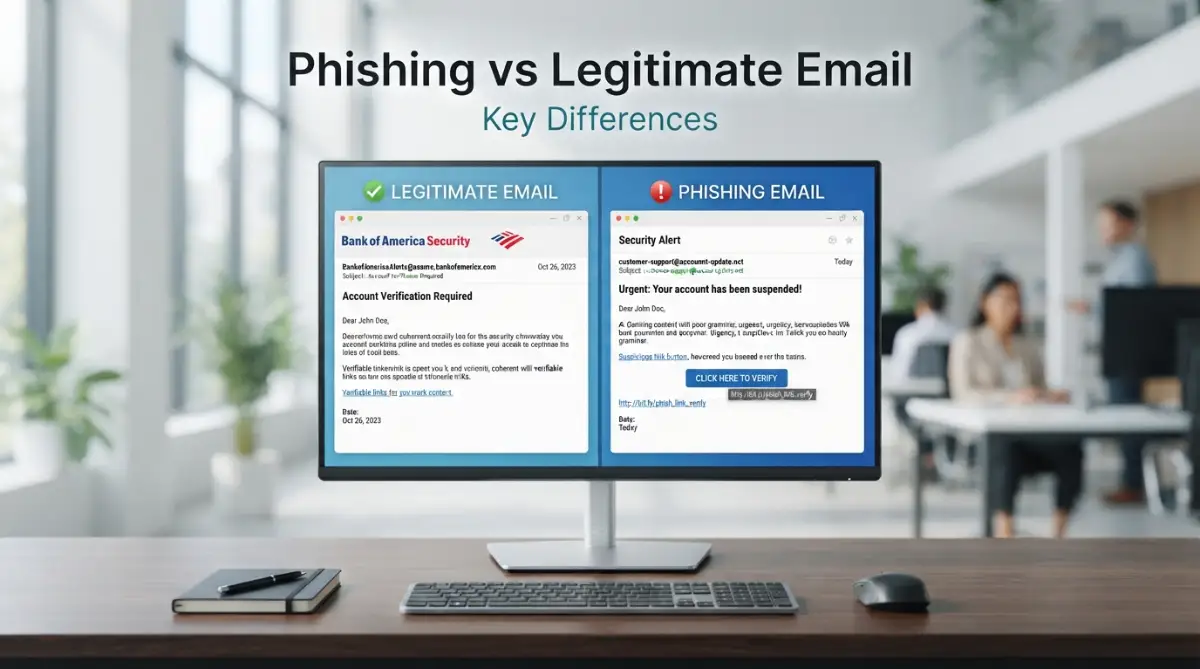
To make things incredibly simple, you can keep a mental checklist whenever you check your messages. Here is a clear breakdown of how real communication differs from the fake ones.
Feature | Legitimate Email | Fake Email
Sender Address | Matches the official company domain exactly | Uses typos, extra words, or free email providers
Tone of Message | Informative, calm, and professional | Urgent, threatening, or demands instant action
Links | Lead directly to the official, secure website | Lead to strange, misspelled, or complex addresses
Attachments | Only sent when specifically requested | Often includes unexpected invoices or receipts
Greeting | Usually uses your actual first and last name | Uses generic terms like "Dear Customer"
Protecting Yourself On Mobile Devices
Checking emails on a smartphone is actually much riskier than using a computer. The smaller screen hides a lot of important details, like the full sender address and the true link destinations.
We are also usually distracted when looking at our phones, maybe while walking or watching television. This distraction makes us much more likely to click something dangerous without fully evaluating it first.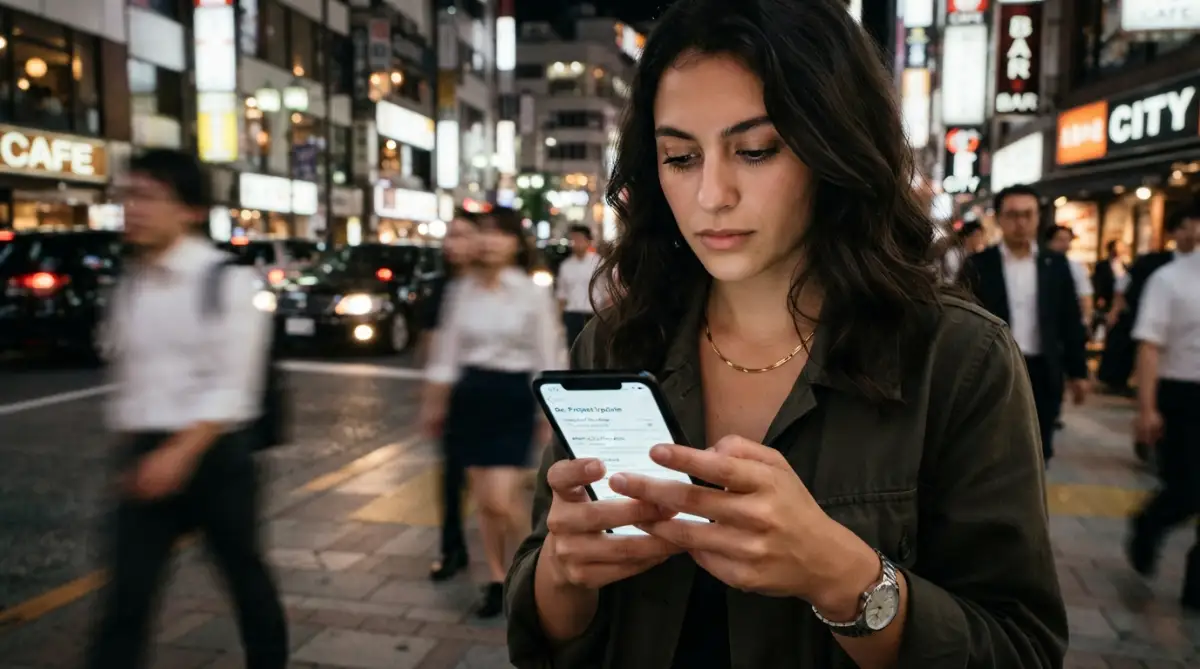 Make it a habit to expand the sender details manually on your phone's email app. If a message looks important but slightly suspicious, wait until you can view it on a larger computer screen before taking action.
What To Do If You Already Clicked A Link
We are all human, and sometimes we make mistakes during a busy day. If you accidentally click a suspicious link, the very first thing you should do is completely disconnect your device from the internet.
Turn off your Wi-Fi or unplug your internet cable immediately. This prevents any malicious software from communicating back to the hacker's servers.
Next, use a different, safe device to change the passwords for your important accounts, starting with your bank and main email address. Finally, run a full security scan on the affected device using trusted antivirus software to remove any hidden threats.
My 3-Minute Damage Control Routine:
-
Step 1: Kill the connection. I immediately put my phone in Airplane Mode or yank the internet cable out of my computer to stop any hidden downloads.
-
Step 2: Lock the front door. I grab a completely different device (like my partner's phone) and instantly change my bank and main email passwords.
-
Step 3: Call the bank directly. I dial the number printed on the back of my debit card—never from a web search—and tell them to freeze my accounts right away.
Building A Defense Mindset
Staying safe online does not require a degree in computer science. It simply requires a healthy amount of skepticism and a willingness to pause before taking action.
Whenever you receive a request for money, personal information, or login details, always verify it independently. Instead of using the link in the message, open your web browser and type the official website address yourself.
If your bank really needs you to update your account, that notification will be waiting for you when you log in securely. You hold all the power to protect your digital life, just by slowing down and observing the details.
The Evolution Of Modern Scams
Hackers are getting incredibly creative with how they disguise their attacks today. They often monitor social media to see if you recently complained to a company's customer service page.
Shortly after, they will send you a highly targeted message pretending to be that exact customer service team offering a refund. This level of personalization makes the trap extremely believable.
Always remember that official support teams will never ask for your passwords, your full credit card number, or sensitive security codes. If someone asks for these details, you are definitely talking to a scammer.
By keeping these practical tips in mind, you can confidently navigate your digital life without constant fear. Share this knowledge with your friends and family so they can also spot the key differences easily. Familiarizing yourself with these red flags is your absolute best defense against the tricky world of online deception.
Building An Unbreakable Digital Defense System
Once you understand the basic tricks hackers use, you can start building a digital fortress around your personal information. You do not need a computer science degree to stay safe online these days.
You just need to develop a few simple, everyday habits that stop scammers dead in their tracks. Think of these habits as setting up a powerful home security system for your digital life.
Even if a thief manages to pick the first lock, these extra layers of protection will keep your valuable data completely safe. Let's look at some advanced but highly practical ways to protect your online identity permanently.
The Magic Of Two-Step Verification
Passwords simply are not enough to protect your important accounts anymore. Hackers buy huge lists of stolen passwords on the dark web and test them everywhere.
This is where a second layer of security completely changes the game for your safety. Whenever you log in from a new device, the system will ask for a special code sent directly to your phone.
Even if a scammer somehow steals your main password, they cannot access your account without holding your physical phone in their hands. Setting up this feature might take five extra minutes, but implementing extra security layers is the absolute best defense against modern threats.
If you ever receive a random login code on your phone while you are watching TV, you will instantly know someone tried to break into your account. That small alert gives you the perfect opportunity to change your password before any actual damage happens.
Mastering The Art Of Link Inspection
We click on hundreds of links every single week without giving them a second thought. However, taking just two seconds to inspect a web address can save you from complete financial ruin.
Instead of clicking blindly, practice hovering your mouse pointer over any link that arrives in your inbox. A tiny preview box will pop up at the bottom of your screen, showing you the true destination of that link.
If you want to learn how to check a suspicious email before clicking any link safely, always look for strange typos in that preview box. Scammers love to use tricky domains like "secure-paypal-update.com" instead of the real "paypal.com" address.
On your mobile phone, you can carefully press and hold the link to see this exact same preview window. If the web address looks messy, contains weird numbers, or just feels slightly off, delete the message immediately.
Using Password Managers To Spot Fakes
Many people struggle to remember different passwords for all their online accounts. As a result, they use the exact same password for their bank, their social media, and their favorite shopping sites.
A trusted password manager solves this problem by remembering highly complex passwords for you automatically. Interestingly, these helpful tools also act as a secret weapon against online fraud.
A good password manager will simply refuse to auto-fill your login details if you land on a fake website. The software recognizes that the web address does not match the real company, even if the website design looks perfectly accurate.
When your password manager stays completely silent on a login page, treat it as a massive warning sign. This automatic check is one of the smartest ways to protect your personal data against global online scams.
Creating A Disposable Digital Footprint
Hackers easily find your primary contact information because it is scattered all across the internet. Every time you sign up for a random newsletter or a temporary discount code, you expose your main inbox to potential spam.
You can easily fix this by creating a secondary, disposable inbox just for random internet sign-ups. Keep your main address strictly reserved for your bank, your doctor, and your close friends.
When a strange message arrives in your secondary inbox claiming to be your bank, you will instantly know it is a complete lie. Your bank does not even know that secondary address exists, making the scam incredibly obvious.
Analyzing The Hidden Details
Sometimes a message looks so incredibly real that you feel completely stuck and unsure. When this happens, you can easily play detective by looking at the small, hidden details.
Real companies spend millions of dollars on professional designers and copywriters to ensure their communication is flawless. If you notice strange formatting, fuzzy logos, or weird spacing, you are likely looking at a trap.
You should absolutely know how to tell if an email is fake by checking these 10 red flags to keep your money safe. Hackers often rush their work, leaving behind tiny visual mistakes that expose their entire operation. Dangerous Pitfalls That Destroy Digital Safety
Even the smartest people fall for online tricks when they are stressed, tired, or simply not paying attention. Hackers rely heavily on our everyday human flaws to make their operations profitable.
Understanding these common mistakes is exactly how you avoid becoming their next easy victim. Let's explore the dangerous habits that put your sensitive information at serious risk every single day.
The Trap Of Absolute Trust
One of the biggest mistakes you can make is blindly trusting a message just because it features a familiar brand logo. We are conditioned to trust brands like Amazon, Netflix, or our local government services.
Hackers know this psychological weakness perfectly, so they disguise themselves as the companies you use every day. They will perfectly copy the colors, the fonts, and the exact tone of a real customer service message.
You should always verify the source independently, and reading official guidelines for consumers can help you build this healthy skepticism. Never assume a message is safe just because it looks pretty and uses the right corporate colors.
Reacting Under Extreme Pressure
The most successful scams rely entirely on creating a massive sense of fake urgency. A message might claim that your credit card will be charged a thousand dollars in the next ten minutes unless you click a link to cancel it.
Your brain immediately goes into survival mode, and you completely forget to check the sender's details. You rush to fix the imaginary problem, handing over your actual banking details in the process.
Always remember that real companies will never force you to fix a complicated issue in a matter of minutes. If a message makes your heart beat faster, force yourself to step away from the keyboard for a full sixty seconds to clear your head.
The Danger Of Distracted Browsing
Think about how often you check your inbox while walking down the street, talking to a friend, or watching a movie. We are constantly multitasking, which means we are only giving half of our attention to the screen.
This partial attention is exactly what hackers pray for when they send out their deceptive traps. You might quickly glance at a fake delivery notification and click it without thinking, simply because you are expecting a package.
If you want to know how to spot phishing emails and the warning signs, you must give your inbox your full attention. Save your important digital tasks for a quiet moment when you can actually look closely at what you are clicking.
Ignoring The Silent Aftermath
Many people realize they clicked a bad link, feel embarrassed, and decide to just ignore the situation entirely. They hope that simply closing the browser window will make the scary problem disappear.
Unfortunately, hiding from the problem is the absolute worst thing you can do for your safety. Malicious software can quietly run in the background of your device, stealing every password you type for months on end.
If you make a mistake, you must understand what happens if you click a phishing link and the immediate actions you must take. Changing your passwords immediately and running a virus scan can completely stop a disaster from spreading further.
The Ripple Effect Of A Hacked Account
People often think that if their account gets hacked, they are the only ones who will suffer the consequences. The reality is far more dangerous and heartbreaking for everyone involved.
Once a hacker gets into your account, they will use your trusted name to send scams to your family, friends, and coworkers. Your loved ones are much more likely to click a dangerous link because they believe it came directly from you.
By failing to protect your own digital space, you accidentally put the people you care about most in the direct line of fire. Practicing good safe digital habits protects your entire community, not just your own bank account.
Taking Control Of Your Digital Life
You now have a powerful set of tools and knowledge to confidently navigate your daily inbox. You no longer have to feel anxious every time an unexpected notification pops up on your screen.
By simply slowing down, verifying the sender, and refusing to give in to fake panic, you completely disarm these online criminals. You are fully capable of protecting your hard-earned money and your valuable personal identity.
The internet should be a place of convenience and connection, not a constant source of fear and worry. You can always visit SmartInfo36 to stay updated on the best ways to secure your everyday technology.
Share these simple checks with your older family members and young children who are just starting to use the internet. Education and open conversation are the absolute strongest shields we have against online deception.
My biggest turning point was realizing that slowing down for just ten seconds is the ultimate defense against digital fraud. I completely stopped letting random messages dictate my emotions, and that simple habit brought complete peace of mind back to my everyday life.
If you want one checklist to follow, use the 10 warning signs of a phishing email that I rely on myself.
Common Questions About Fake Messages
Can I get a virus just by opening a suspicious message?
Most modern email providers are highly secure, meaning just opening and reading a message is usually safe. The real danger only happens if you click on a disguised link or download a strange attachment to your device.
How do scammers know my real first and last name?
Hackers often buy huge databases of information that were stolen during big corporate data breaches. They use this stolen information to make their fake messages look incredibly personal and highly believable.
Should I reply to a fake message to tell them to stop?
You should never reply to a scammer under any circumstances, even just to tell them to leave you alone. Replying simply proves to them that your address is active, which guarantees they will send you even more spam.
What is the best way to handle a message that looks slightly weird?
If you feel unsure, do not use any links provided inside that specific message. Open a brand new web browser window and manually type in the official website address to check your account safely.
Does my spam filter catch all the dangerous messages automatically?
While built-in spam filters are amazing tools, they are certainly not perfect systems. You must still know how to check a suspicious email safely because clever hackers constantly invent new ways to sneak into your main inbox.
Can I report these fake messages to help other people?
Yes, most email providers have a simple button that allows you to report a message directly as spam or a scam. Reporting these tricky messages helps train the security systems to automatically block similar attacks for everyone else.
Are text message warnings just as dangerous as fake emails?
Yes, scammers now use fake text messages heavily because people tend to trust mobile alerts much more quickly. You should apply the exact same red flags and warning signs to your text messages before clicking any mobile links.
Disclaimer: The information provided in this article is for educational and informational purposes only. It does not constitute professional cybersecurity or financial advice. Always consult with a certified IT security professional for specific concerns regarding your digital safety and personal data protection.