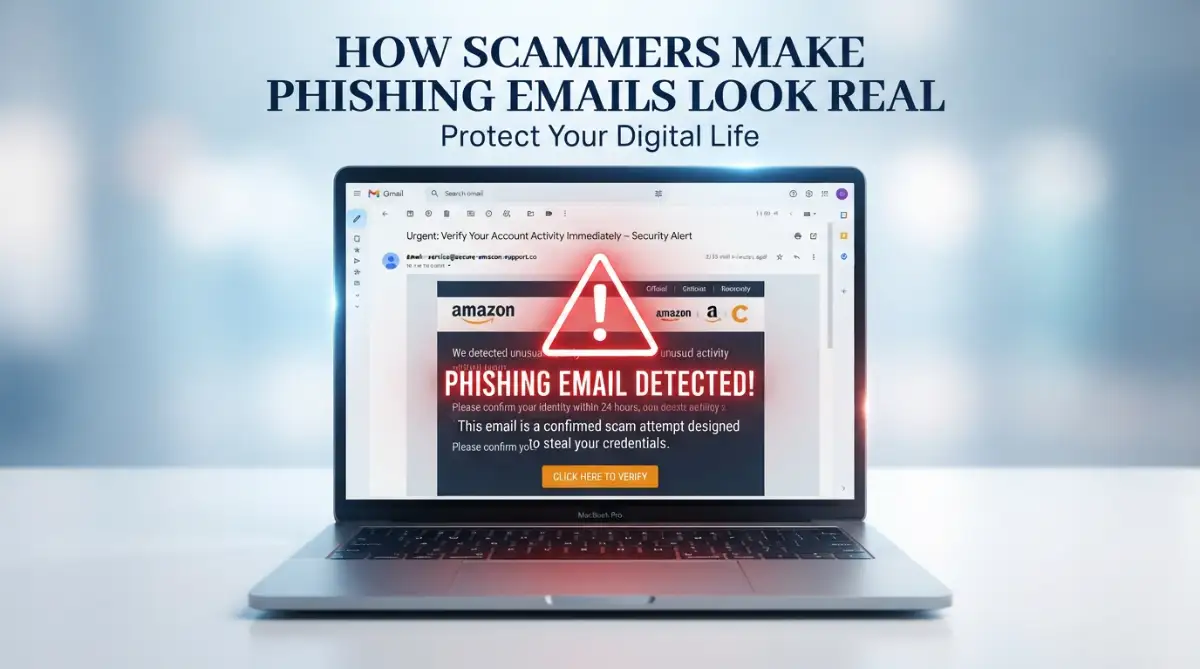
The Day I Almost Handed Over My Digital Life
Look, we all think we are too smart to get scammed online. I definitely thought I was. But last Tuesday, staring at a very real-looking bank email at 11 PM, my finger was literally hovering over a link that could have wiped out my entire savings account. That near-miss taught me a scary lesson: modern digital thieves do not break into your computer anymore; they just trick you into leaving the front door wide open for them.
The bank logo was exactly right, the colors matched their official app, and the bottom of the email even had their real physical address. Without thinking, I clicked the bright red button that said "Verify Your Identity Now." I was halfway through typing my password when a tiny typo in the web address caught my eye.
I stopped breathing for a second. If I had pressed the enter key, I would have handed all my savings directly to a stranger hiding behind a computer screen. That terrifying moment made me realize just how clever these digital thieves have become. You always think you are too smart to fall for a scam until it happens to you on a tired Tuesday night.
The constant fear of clicking the wrong link creates a heavy mental burden for so many of us. You start doubting every single message you receive, wondering if that friendly email from Netflix is actually a trap waiting to steal your credit card details. It ruins our peace of mind and turns a simple tool like email into a source of daily anxiety.
 Quick Breakdown: What You Need to Know Today
-
Scammers use fake urgency and fear to make you panic and click without thinking.
-
A padlock icon on a website does not mean the site is safe; it just means your internet connection is private.
-
Always expand the sender's name on your mobile phone to see the real hidden email address underneath.
-
Never download unexpected attachments, even if they look like standard PDF invoices.
Decoding the Illusions: How They Trick Our Brains
When we talk about email safety, many people imagine dark web hackers breaking through complex firewalls with glowing green text on their screens. The reality is actually much simpler and far more psychological. Scammers do not need to break into your computer if they can convince you to willingly
Fact vs. Fiction: The "Hacker" Myth
-
The Myth: Cybercriminals write complex codes to force their way into your personal accounts.
-
The Reality: Security reports show that over 80% of data breaches happen simply because a regular person was tricked into handing over their password. They do not hack the system; they trick the human.
They achieve this by carefully studying how we interact with technology and copying the exact visual cues we trust. Think of it like a thief showing up at your front door wearing a perfect replica of a postman's uniform. You do not ask for his identification because you recognize the uniform, the hat, and the package in his hands.
In the digital world, that uniform is made of stolen logos, familiar fonts, and highly emotional language. Let us break down exactly how these digital magicians create their illusions so you can spot the fake uniform before you open your door.
The Illusion of True Identity: Manipulating Sender Addresses
The very first thing you look at when an email arrives is the sender's name. Scammers know this, so they spend a lot of time making sure that the name looks completely familiar. They use a simple trick called spoofing, where they disguise the real email address to display a trusted name like "PayPal Support" or "Amazon Security."
Most email apps on mobile phones only show the sender's display name by default to save space on your small screen. This means you might see "Apple Store" and completely trust the message without seeing the actual hidden email address behind it. If you do not click on the name to expand the details, the illusion holds up perfectly.
Even when you do check the actual email address, they have another clever trick up their sleeve. They buy web addresses that look almost identical to the real ones, hoping your tired eyes will miss a tiny mistake.
For example, they might use "support@paypa1.com" instead of the real PayPal address. Notice how they replaced the letter L with the number 1? Your brain is so used to reading the word PayPal that it automatically
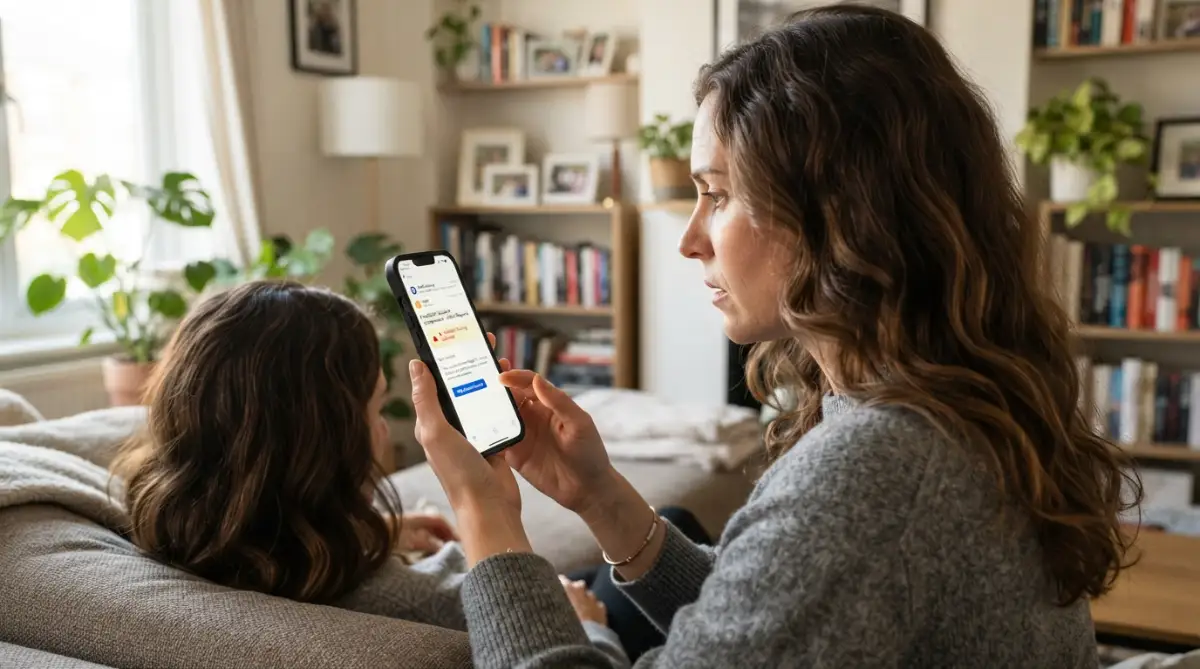
They also use completely different extensions that sound official. You might get an email from "security@amazon-update-center.com." Because it contains the word Amazon, many people assume it is just a special department within the company. In reality, anyone with a few dollars can buy a web address that includes a famous brand name.
Designing Panic: The Psychology of Urgency
Have you ever noticed that almost every single scam message demands that you take action immediately? This is not a coincidence; it is a carefully calculated psychological attack on your brain. When humans feel a sudden sense of fear or urgency, our logical thinking shuts down, and our instinct to survive takes over.

They use powerful, alarming phrases like "Your account will be permanently deleted in 24 hours," or "A suspicious payment of $500 has been approved." When you read those words, you do not stop to analyze the sender's email address or look for spelling mistakes. Your only thought is fixing the problem as fast as humanly possible before you lose your money.
Wait! Before you continue reading, take a moment to understand exactly how these psychological triggers work in real-time. Watch this short and highly informative breakdown of the emotional tricks scammers use against us.
This manufactured panic is the glue that holds the entire fake email together. If a scammer sends you a calm, relaxed email asking you to verify your password next week, you will probably ignore it or forget about it. By setting a fake ticking clock, they force you into making a quick, emotional mistake.
Stealing the Paint and Canvas: Brand Cloning
A fake sender address and a scary message are not enough to fool a cautious user. The email must visually match the quality of a massive, multi-billion-dollar company. Years ago, scam emails were easy to spot because they were filled with terrible grammar, blurry images, and ugly color schemes.
Today, these digital thieves completely clone the exact design of the companies they are pretending to be. They go to the real company's website, copy the exact HTML code, and steal the high-resolution logos directly from the source. When the email lands in your inbox, it has the perfect header, the exact shade of blue for the buttons, and even the tiny copyright text at the very bottom.

They often include links to the real company's privacy policy and terms of service at the bottom of the email. If you click those bottom links, they actually take you to the real, safe website. They do this because they know security software often scans emails for safe links to determine if they are legitimate.
By hiding their one poisoned link among several real, safe links, they trick both you and your email provider's security filters. It is a brilliant but devious way to make the entire package look perfectly normal.
My 3-Second Email Safety Check
Before you click anything in a suspicious email, pause and ask yourself:
-
Did I actually request this password reset or package tracking?
-
Does the sender's email address have weird numbers instead of letters (like paypa1 instead of paypal)?
-
Is the message trying to make me panic? (If yes, it is almost certainly a trap).
My Own Personal Realization and Advice
I used to think that only elderly people or those who are bad with computers fell for these tricks. I thought my tech skills made me completely immune to any kind of digital deception.
I learned the hard way that scammers do not care about your technical skills; they target your human emotions. My biggest realization was that slowing down is my absolute best defense. Whenever I feel a sudden burst of panic from an email, I force myself to close my phone, take a deep breath, and wait exactly two minutes before looking at it again. That tiny pause gives my logical brain enough time to turn back on and spot the hidden traps.
The Dangerous Myth of the Padlock Icon
There is a very common piece of advice that has been floating around the internet for a long time. People always say, "Just look for the little padlock icon next to the web address, and you will know the site is 100% safe." This is one of the most dangerous myths in digital safety today.
That tiny padlock does not mean the website is honest or safe for you to use. It simply means that the connection between your computer and the website is private and hidden from outside eyes. If you are connected to a scammer's fake website, the padlock just means you are privately handing your password directly to a thief.
In fact, almost all modern scam websites now use these security certificates specifically to get that padlock icon. They know that you have been trained to trust it. So, while the absence of a padlock is definitely a bad sign, the presence of one guarantees absolutely nothing about your safety.
Creating the Perfect Digital Mouse Trap
Let us talk about the actual links hidden inside these convincing emails. A scammer will rarely show you the real destination of the link they want you to click. They use simple HTML formatting to hide their dangerous web address behind a friendly-looking button or plain text.
You might see a bright blue button that says "Track My Package." In your mind, clicking that button will take you to the official postal service website. However, the hidden code inside that button is programmed to send you to a fake login page hosted on a compromised server.
You can easily defeat this trick by using the hover method if you are on a computer. By simply resting your mouse arrow over the button without clicking, a small grey box will appear at the bottom corner of your screen. This box reveals the actual, true destination of the hidden link.
If the button says "Netflix Login" but the hover box shows a random string of numbers and letters, you have instantly caught the scammer in their own trap. Unfortunately, this is much harder to do on a mobile phone, which is why scammers love sending these messages during the morning commute when people are checking phones on the go.
The Hidden Attachments Trap
Not all scammers want your password; some want to take complete control of your device. To do this, they avoid links altogether and rely on fake email attachments. The email will usually claim to be a very important document, like an unpaid invoice, a flight ticket, or a legal notice.
They will often name the file something extremely professional, like "Overdue_Invoice_Account_Warning.pdf." The trick here is that the file is not actually a normal document. They hide tiny, malicious programs inside the file format, hoping you will download and open it out of curiosity or fear.
Once you double-click that fake invoice, the hidden program silently installs itself in the background of your computer. You might just see a blank page and think the file is broken, but the damage is already done. This is how many people accidentally invite serious digital infections into their personal home networks.
To protect yourself, you must adopt a strict rule: never download an attachment you were not expecting to receive. Even if the email appears to come from your boss or a close family member, verify it first. A simple text message asking, "Did you just send me a document?" can save you from days of absolute misery and data loss.
Next-Level Defenses Against Email Trickery
Now that you understand the sneaky psychological tricks these digital thieves use, it is time to build a solid wall of defense. You do not need to be a computer genius or hire an expensive IT team to keep your personal information safe. In fact, some of the absolute best protection methods are incredibly simple habits that take only seconds to learn.
Think of these strategies like installing a highly advanced alarm system in your home. Even if the thief perfectly copies the postman's uniform and stands on your front porch, these tools will sound the alarm before they can even touch your door handle. Let us explore how you can easily outsmart them at their own game.
The Magic of a Password Manager
One of the most effective ways to defeat a fake website is by letting a robot do the thinking for you. A reputable password manager does much more than just remember your complicated login details. It acts as an extremely strict security guard that checks the exact web address before handing over your keys.
Imagine you receive an email that looks exactly like your bank, and you accidentally click the link. The website on your screen might look perfect to your human eyes. However, because the scammers are using a slightly different web address, your password manager will instantly realize it is a trap.
It will completely refuse to automatically fill in your username and password on that fake page. When your automatic login tool suddenly stops working on a site you visit often, that is a massive, glowing warning sign. Setting up a dedicated tool to manage your passwords is one of the smartest things you can do for your daily peace of mind.
If you want to understand how top security professionals recommend setting this up, you can review the official guidance on securing your digital identity provided by national cybersecurity agencies. It is an amazing way to take the heavy lifting off your own shoulders.
Adding a Second Lock to Your Digital Door
Even if a scammer somehow manages to steal your main password, you can still stop them dead in their tracks. This is where two-step verification, also known as multi-factor authentication, becomes your best friend. It is exactly like having two completely different locks on your front door that require two different keys.
When this feature is turned on, entering your password is only the very first step. The website will then ask for a temporary, unique code that is sent directly to your mobile phone or generated by an app. Since the scammer sitting halfway across the world does not physically have your personal phone in their hands, they are completely locked out.
Almost all major banks, email providers, and social media platforms offer this feature completely free of charge. Taking just five minutes today to turn this on for your most sensitive accounts will block almost all unauthorized login attempts. If you are unsure about a sudden request to verify your account, spending a moment safely reviewing a suspicious message before you click is always a smart move.
Creating a Family Verification Code
Scammers love to play on our deepest emotions, especially our love for our family members. A very common tactic involves hacking into a real person's email account and sending urgent messages to everyone in their contact list. The email might claim your brother lost his wallet on a trip and desperately needs you to send money right away.
Because the email is actually coming from your brother's real address, your natural instinct is to help immediately. You can easily defeat this emotional trap by creating a secret verification word with your family and close friends. It could be something completely random, like a favorite childhood pet's name or a specific holiday destination.
If anyone ever asks for money or sensitive information over email or text, you simply ask for the secret word. If they cannot provide it, you instantly know an imposter is controlling the account. This simple offline conversation can save your family from a highly stressful financial disaster.
 The Most Dangerous Traps We Fall Into
Even with the best tools in place, human error is always the weakest link in any security system. Scammers study our daily habits and rely entirely on our natural tendency to rush through our tasks. Understanding the specific mistakes people make every day is the best way to ensure you never repeat them.
These digital pitfalls often seem completely harmless in the moment. You might be distracted by a crying baby, a boiling pot on the stove, or an incoming phone call from your boss. Let us look at how everyday distractions lead to incredibly costly digital mistakes.
The "Just Checking" Panic Response
The biggest mistake people make is letting fear override their logical thinking. When you get a threatening email claiming your account will be deleted, the panic takes over completely. People often think, "I will just click the link to see what is going on, but I will not type anything in."
This is a terrible idea because simply visiting the scammers' website can sometimes be enough to cause serious problems. Some highly advanced fake websites are designed to quietly download harmful software onto your device the exact second the page loads. You do not even have to type a single word for the damage to begin.
If you ever find yourself in this scary situation, knowing exactly what to do if you accidentally click a bad link can help minimize the fallout. The golden rule is to completely ignore the email link and manually type the real website address into your browser yourself.
Blindly Trusting the Smartphone Screen
We use our mobile phones for absolutely everything these days, from ordering food to checking our bank balances. Unfortunately, this convenience creates a massive blind spot when it comes to email safety. Because phone screens are small, email apps try to save space by hiding important details.
When you read an email on your phone, you usually only see the sender's display name, not their actual email address. Scammers know this perfectly well, which is why mobile users fall for these tricks much faster than computer users. People assume that because they are holding a modern, expensive phone, they are somehow immune to older internet scams.
You should always make it a habit to tap on the sender's name to expand the details and reveal the true address hidden underneath. If you are struggling to spot these hidden tricks, learning about identifying major red flags in your inbox will sharpen your daily observation skills. Taking that extra two seconds on your phone can save you weeks of terrible headaches.
The Domino Effect of Reused Passwords
Many people try to make their digital lives easier by using the exact same password for every single website they visit. This is one of the most dangerous habits you can possibly have in today's connected world. If you accidentally hand over your password to a scammer through a fake streaming service email, the nightmare is just beginning.
The digital thieves will immediately take that stolen email and password combination and test it everywhere else. They will try to log into your bank, your online shopping accounts, and your personal social media profiles. Before you even realize what has happened, they have completely taken over your entire digital identity.
This happens so frequently that consumer protection organizations constantly update their guidelines on reporting and recovering from major scams just to keep up. Always use a completely unique, difficult password for your most sensitive accounts, especially your main email address.
Relying Too Heavily on Software Protections
Another massive pitfall is the false sense of total invincibility provided by expensive antivirus software. People often assume that if an email makes it past the spam filter and lands in their main inbox, it must be completely safe. This assumption could not be further from the truth.
While security software is excellent at catching older, well-known threats, it completely fails against brand new tricks. Scammers are constantly updating their methods to sneak past these automated digital guards. The software can protect your computer from broken files, but it cannot stop you from willingly typing your credit card number into a beautifully designed fake form.
You must remember that you are always the final and most important line of defense. By taking the time to educate yourself on understanding the key differences between real and fake messages, you become much stronger than any software program.
Building Your Personal Digital Fortress
Taking control of your inbox does not require you to live in a constant state of paranoia and fear. Instead, it is all about building a calm, confident, and deeply observant mindset when dealing with technology. Once you understand the specific tricks these bad actors use, their scary emails completely lose their power over you.
Start by treating your personal information with the exact same level of care that you give to your physical wallet. You would never hand your driver's license to a random person on the street just because they asked nicely. Apply that exact same logic to every single urgent message that suddenly pops up on your screen.
Create a simple daily habit of pausing for just five seconds before you react to any digital notification. That tiny window of time is all your brain needs to look at the sender's address, check for spelling errors, and question the overall emotional tone. Over time, spotting these digital illusions will become as natural as looking both ways before crossing a busy street.
If you want to keep improving your daily digital safety, there are plenty of completely free resources designed to guide you. For example, learning about spotting early warning signs of an attack is a wonderful way to protect both yourself and your loved ones. You can completely remove the stress of checking your messages by simply taking a step back and trusting your own judgment.
I honestly feel so much better checking my inbox now that I know exactly what these tricksters are trying to do behind the scenes. My biggest hope is that you use these simple strategies to protect yourself and finally enjoy a stress-free digital life today.
Start with the basics in my guide to the 10 warning signs of a phishing email so you can spot these tricks in seconds.
Common Questions About Fake Email Scams
What should I actually do if I spot a fake message in my inbox?
The absolute best thing you can do is report the message as spam using your email provider's built-in button, and then instantly delete it. You do not need to forward it to the police or investigate it yourself. Simply trashing the message entirely removes the threat from your device.
Can I get a virus just by opening and reading a scam email?
Generally speaking, simply opening a plain text email to read the message will not infect your modern computer or phone. The real danger happens when you actively click on the hidden links inside the text or download the attached files. However, it is always a good practice to delete suspicious messages without opening them if you are already sure they are fake.
Why do I suddenly get so many fake package delivery text messages?
Scammers constantly follow global trends and know that millions of people order items online every single week. They send out millions of random text messages hoping to catch someone who happens to be waiting for a real package that exact day. It is a simple numbers game for them, relying entirely on pure coincidence.
Should I reply to the scammer and tell them to stop bothering me?
You should never, ever reply to a suspicious email or text message, even if you just want to tell them off. Replying simply proves to the scammer that your email address is active, actively monitored, and attached to a real human being. This will actually cause them to send you significantly more junk messages in the future.
How do these digital thieves know my real name and address?
Unfortunately, our personal information is frequently exposed during major corporate data breaches where company databases are hacked. Scammers buy these massive lists of stolen information on hidden internet forums for pennies. They then use automatic software to insert your real first name into their fake emails to make the trap seem much more believable.
==================================================
Disclaimer: The information provided in this blog post is for general educational and informational purposes only and does not constitute professional cybersecurity, legal, or financial advice. While every effort has been made to ensure the accuracy of this content, technology and digital threats evolve rapidly. We strongly recommend consulting with certified IT professionals or official cybersecurity agencies for specific issues related to your personal data or compromised accounts. We are not responsible for any actions taken based on the information provided in this article.