
Trapped in the Copy-Paste Loop of Modern Marketing
Let's be honest—if you have seven browser tabs open right now and you are still manually copying text from an AI chat into your email builder, the software isn't doing the hard work. You are. We buy into the big promise of automated marketing, only to end up babysitting bots all day long. It is time to stop acting like an underpaid editor for an overconfident algorithm and actually build a smart system that runs on its own.
I spent four hours rewriting the same prompts because the responses kept missing our brand voice. Then I spent another two hours manually copying text from a chatbot into our email builder, tweaking every single paragraph. By six in the evening, my eyes burned, my coffee was stone cold, and I had accomplished less real strategic work than I used to finish before touching these new platforms. That was the moment I realized that typing clever sentences into a prompt box is not the same thing as running an automated system.
Your calendar fills up with repetitive micro-tasks that rob you of your creative energy. You want to focus on high-level strategy, audience psychology, and revenue growth, but you are stuck fixing broken formatting and adjusting tone sliders. When campaigns fall behind schedule, the pressure mounts, leaving you wondering why these tools feel more like a burden than a breakthrough.
The real issue is not that the software is broken or that you lack creative talent. The real gap lies in basic understanding—what industry leaders call foundational system literacy. Once you learn how these engines process information behind the scenes, everything changes. You stop treating the platform like an unpredictable magic trick and start directing it like an organized, reliable assembly line.

Quick Takeaways: How to Fix Your Broken AI Workflow
- Stop treating your smart tools like a search engine and start building connected pipelines.
- Chain small, simple tasks together instead of writing one massive, confusing prompt.
- Protect your brand reputation by putting hard rules and guardrails in place to stop fake facts.
- Connect your apps together so information moves across your desk without you ever using the copy-paste shortcut.
Shifting Your Mindset from One-Off Prompts to Scalable Systems
Most marketers begin their journey by treating smart software like an upgraded search engine. You type a question, wait for an answer, read through the result, and manually edit the draft. While that approach works fine for writing a quick subject line, it fails completely when you try to scale your daily operations.
Real efficiency begins when you build repeatable sequences instead of isolated tasks. A single prompt produces a piece of content, but a structured workflow connects your research, drafting, formatting, and distribution into a continuous chain. To make that jump, you do not need a computer science degree or advanced programming knowledge. You only need to grasp how information moves through digital pipes and how these language engines interpret rules.
When you master the mechanics behind these tools, you stop writing vague requests like "make this sound professional." Instead, you give specific boundaries, clear operational rules, and precise input structures that produce dependable outputs every single run.
Myth vs. Reality in AI Marketing
- The Myth: If I just write a longer, more detailed 1000-word prompt, the software will finally give me perfect copy.
- The Reality: Huge prompts confuse language models. The secret is breaking your big project into three or four tiny, separate steps and feeding the result of step one directly into step two.
Skill 1: Grasping Pattern Recognition and Probability Mechanics
The first step toward building dependable marketing systems is understanding what these software models actually do. They do not think, feel, or understand your product the way a human marketer does. Instead, they operate as world-class probability engines that predict the most logical next word based on patterns in their training.
When you ask a model to write an ad hook, it scans the patterns of high-performing ads it has analyzed and calculates the most fitting sequence of phrases. If you give it vague background details, it falls back on broad averages, which is why raw outputs often sound flat, robotic, and full of tired cliches.
Once you realize that these tools work purely on statistical probability, your approach to giving instructions transforms completely. You begin feeding them narrow guardrails, negative constraints, and explicit role definitions before asking for a single word of copy.
- Give clear negative constraints by telling the model exactly what words and sentence structures it must avoid.
- Provide reference examples so the system matches your preferred rhythm rather than its default average tone.
- Define the audience profile in concrete terms, specifying their pain points, industry knowledge level, and daily priorities.
By reducing the statistical randomness of the model, you ensure that your automated runs yield consistent, on-brand material that requires minimal human revision.
Skill 2: Context Architecture and Token Economy Management
Every smart marketing tool operates within what engineers call a context window. Think of the context window as the active working memory of your digital assistant during any single task. If you overload that memory with unnecessary clutter, the model loses track of your original guidelines and starts making careless errors.
Marketers often dump entire product manuals or endless meeting transcripts into a prompt window, expecting the tool to find the golden nugget automatically. While modern tools can handle larger amounts of text, their attention weakens when forced to sift through unorganized piles of raw data.
Understanding context architecture means learning how to organize your source material cleanly before handing it over to the platform. You need to separate static rules—like your brand guidelines—from dynamic data, such as this week's customer feedback forms.
To keep your automated pipelines running smoothly, you must treat context like precious desk space. Clear out the background noise, format your raw inputs with clean headings, and feed the system only the exact data points it needs to execute the specific step in front of it.
Watch this breakdown to see how top growth teams connect smart software directly into automated marketing pipelines without writing complex code:
Skill 3: Dynamic Prompt Chaining and Multi-Step Logic
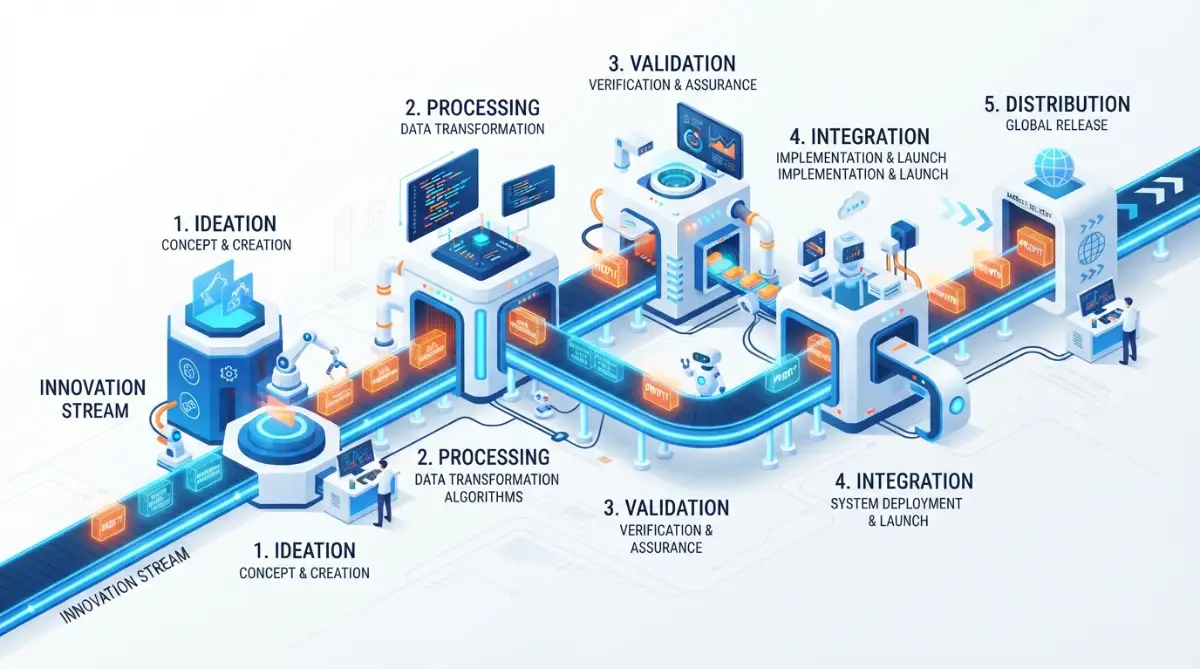
The biggest mistake I made early on was trying to force a single prompt to do five different jobs at the exact same time. I would ask the tool to research a competitor, find three customer pain points, outline a blog post, write the draft, and produce five social media snippets all in one shot. The results were always messy, shallow, and completely unusable for our live campaigns.
Prompt chaining solves this problem by breaking a complex assignment into distinct, sequential milestones. The output of your first step becomes the clean input for your second step, creating a smooth conveyor belt of production.
For example, imagine you are producing a weekly customer case study. Instead of asking for the final story immediately, you run a three-stage chain that mirrors how a professional copywriter works:
- Step one extracts key metric improvements, customer quotes, and specific hurdles from a raw interview transcript into a structured summary.
- Step two takes that clean summary and builds a structured outline based on your company's proven case study framework.
- Step three takes that approved outline and writes the body copy, matching your established tone guidelines paragraph by paragraph.
When you divide the workload into small logical stages, the system performs with incredible precision. If an error appears, you know exactly which stage needs adjustment instead of throwing away the entire project and starting from scratch.
Here is a practical realization from my own workflow adjustments that completely changed my weekly output:
I used to believe that writing longer, more elaborate instructions was the secret to getting perfect copy on the first try. I spent weeks drafting massive instruction sheets that tried to cover every possible edge case, but the platform kept getting confused and ignoring half my rules. I finally realized that simple, single-purpose instructions linked together in a sequence beat a complicated master prompt every single time.
Traditional Marketing Tasks Compared to AI-Automated Workflows
Understanding the difference between manual habits, basic tool usage, and true automated systems helps you pinpoint where your team currently spends unnecessary time:
Skill 4: Data Formatting and Working with Structured Outputs
If you want your marketing tools to talk directly to your email platform, spreadsheet software, or content management system, plain conversational paragraphs will not work. Software systems do not communicate well through casual human sentences; they rely on organized, predictable structures.
One of the most valuable capabilities you can build is training your tools to return clean, machine-readable formats like JSON, CSV tables, or standardized markdown blocks. When your outputs follow a strict structural pattern, you can move data between platforms without touching it manually.
Suppose you want to turn customer testimonials into social proof cards for your website. Instead of asking for a paragraph describing the quote, you demand a structured format that looks like this:
- Customer Name: First and last name only
- Customer Role: Job title and company size
- Core Benefit: One sentence highlighting the metric achieved
- Direct Quote: The polished testimonial under twenty-five words
By forcing the platform to follow this exact blueprint, you make the data instantly usable for other software tools. You can map those exact fields directly into design templates, dynamic web pages, or spreadsheet databases through simple automation connectors without writing a single line of backend software code.
Skill 5: Error Auditing, Guardrails, and Hallucination Control
No matter how advanced software models become, they can still invent facts with total confidence. In the digital marketing space, a fabricated statistic or an inaccurate product claim can ruin customer trust, cause compliance headaches, or burn paid advertising budgets overnight.
Foundational literacy requires you to build systematic verification steps into every automated loop. You must treat every unverified output as a working draft that requires validation before it touches a public audience.
The most reliable way to prevent hallucinations is to restrict the tool's source of truth strictly to the materials you provide. You can achieve this by instructing the system explicitly: "Answer the question using only the verified information found in the reference text below. If the answer is not present, state that the data is unavailable."
- Never allow automated systems to invent statistical claims or cite external studies without providing the direct source link.
- Set up automated review triggers that flag any output containing unverified pricing, technical specifications, or absolute guarantees.
- Maintain a human-in-the-loop checkpoint for sensitive brand communications, legal disclosures, and public PR statements.
The 3-Second Safety Audit
Before you let any automated pipeline hit the "Publish" or "Send" button, ask yourself:
- Did the system cite a real, clickable source for that number?
- Does this sound like my brand, or does it sound like a generic textbook?
- If this email goes to my biggest client right now, will I be embarrassed?
- If you answer 'no' to any of these, your system needs tighter negative constraints.
When you install reliable guardrails, you eliminate the constant anxiety of automated errors. You gain complete peace of mind knowing that your systems operate strictly within safe, approved boundaries.
Skill 6: Connecting Marketing SaaS Stacks via Webhooks and Connectors

Your marketing tools become dramatically more valuable when they stop working in isolation. A language model running inside a browser tab is just a smart notepad, but that same model connected to your customer relationship manager, your form builder, and your publishing tools becomes an unstoppable marketing engine.
Modern no-code automation platforms let you link software applications using simple triggers and actions. A trigger is an event that starts the process—such as a new lead submitting a contact form. The action is what happens next—such as running the lead's company through a research prompt and drafting a custom welcome email.
To design these connected systems effectively, you need to think like an architect mapping out a water pipeline:
First, identify where your raw information originates. This could be a contact form submission, an RSS feed from your blog, a webhook from your payment processor, or a new row added to a team spreadsheet.
Next, decide how that information needs to be filtered or transformed before taking action. You might pass the raw form submission through a language model to categorize the lead's company size, determine their primary industry, and select the most relevant product case study.
Finally, route the processed data directly into your delivery software. That could mean adding the enriched lead profile to your CRM, notifying your sales team inside an internal messaging channel, and queueing up a personalized email sequence in your marketing automation software.
When you understand how these software connectors pass variables from one step to the next, you unlock the ability to build sophisticated, hands-off marketing engines that run quietly in the background day and night.
Establishing Your Foundation for Automated Marketing Success
Transitioning to automated marketing workflows is not about replacing your creative intuition or handing your entire strategy over to software bots. It is about removing the repetitive, low-value friction that clogs your workdays so you can focus on building meaningful connections with your audience.
By treating these tools as structured workflow engines rather than casual conversation partners, you protect your time, safeguard your brand reputation, and multiply your daily impact. Start small by picking one repetitive chore you tackle every week, breaking it down into simple logical stages, and building your very first connected pipeline today.
Architecting Resilient Systems: Advanced Methods for Long-Term Campaign Health
Building a working prototype is exciting, but keeping an automated pipeline stable over several months requires a completely different tier of discipline. Most marketing teams abandon their automated setups within eight weeks because minor API changes or unexpected data inputs break their chains without warning.
To build sustainable pipelines, you must design for resilience from the very start. That means treating your marketing automation like an engineering framework where every single asset has a backup route, a validation check, and a clear maintenance schedule.
Decoupling Logic from Content Templates
One of the most effective strategies for maintaining automated pipelines is separating your core business rules from your creative messaging formats. When you hardcode copy guidelines directly into every automated trigger, making a simple brand update forces you to edit dozens of individual workflows.
Instead, store your brand voice parameters, persona descriptions, and negative keyword lists inside a centralized cloud document or a headless database. Your automated triggers can then pull those live guidelines at run time before generating campaign copy.
When your leadership team updates your company positioning, you simply update that single reference repository. Every automated workflow pulling from that source aligns instantly without you having to reconfigure a single webhook.
If you are just getting started with writing structured system instructions, spending time mastering foundational prompt engineering will make building these reusable instruction templates significantly easier.
Establishing Dynamic Conditional Fallbacks
No third-party language service delivers perfection every single time. Network timeouts happen, model rate limits get reached during peak traffic hours, and occasional outputs fail your formatting rules.
A resilient workflow never stops dead in its tracks when an anomaly occurs. Instead, it uses conditional branching to route unexpected responses to a safe staging environment.
For instance, if an automated pipeline is summarizing inbound sales inquiries and encounters a foreign language or corrupted text, the workflow should automatically flag the record for human review rather than sending an empty email to an account executive.
You can set up secondary fallback models within your automation builder. If your primary high-powered model fails to respond within four seconds, the task automatically routes to a faster, lightweight backup model to keep the queue moving.
According to technical standards outlined by the Association for Computing Machinery, building fault-tolerant software loops is the single most reliable way to prevent catastrophic failures in distributed language systems.
Managing Token Budgets and Operational SaaS Overhead
Automated marketing pipelines can quietly drain your operational budget if you do not monitor computational usage closely. Every automated trigger consumes compute units, and running massive background tasks every five minutes can create shocking monthly software bills.
To keep your overhead predictable, establish strict token efficiency audits across your entire stack. Trim conversational fluff from your system prompts, remove redundant instructions, and compress background documents before sending them through paid endpoints.
You should also implement cache mechanisms for repetitive queries. If your system frequently answers identical customer inquiries or analyzes recurring keyword themes, save the validated answers locally rather than running paid API calls repeatedly.
Organizations that study machine intelligence at the Stanford Institute for Human-Centered AI emphasize that efficient data preprocessing routinely cuts cloud compute overhead by more than forty percent without lowering output quality.
Continuous Evaluation and Prompt Drift Monitoring
Language engines evolve quietly through backend model updates, which means a prompt that delivered stunning ad copy three months ago might suddenly produce shorter, less creative variations today. This phenomenon is known across technical teams as prompt drift.
To catch drift before it harms your conversion rates, set up a monthly performance audit. Keep a permanent benchmark test sheet containing five standard customer scenarios and your target ideal outputs.
Once a month, run those identical five scenarios through your production pipelines and compare the new outputs against your baseline standard. If you notice a drop in sentence variety, tone accuracy, or structural compliance, you can recalibrate your system prompts immediately.
Keeping comprehensive documentation for every pipeline is mandatory. Record the exact model version, temperature setting, target schema, and designated owner for every live automation running across your marketing department.

The Hidden Trapdoors: Costly Errors That Break Marketing Pipelines
The path to marketing automation is filled with quiet traps that catch enthusiastic marketers off guard. When campaigns fail, people often blame the software itself, but the root cause almost always traces back to poor design choices and broken operational habits.
Rushing into automation without respecting these hazards leads directly to wasted subscription budgets, alienated prospective buyers, and embarrassing public blunders that hurt your brand equity.
The Set-and-Forget Hallucination Catastrophe
The most dangerous assumption you can make is believing that an automated marketing pipeline can run indefinitely without human oversight. When teams switch to full autopilot, small hallucinations eventually slip through into customer-facing channels.
Picture an automated social listening setup that monitors brand mentions, drafts polite replies, and publishes them automatically to prospect feeds. If an angry user posts a sarcastic complaint about a billing glitch, an unsupervised bot might interpret the sarcastic phrase literally and thank the customer for their loyalty.
That single unmonitored response can quickly turn into a public relations embarrassment that takes days of management cleanup to resolve.
Automation is built for heavy lifting, data sorting, and initial drafting—not for final brand accountability. A human eye must remain positioned at critical conversion points to verify context, empathy, and factual truth.
Stacking Overlapping Subscriptions Without Purpose
Another widespread mistake is buying every flashy new tool advertised on your social feed without checking your existing capabilities. Marketers frequently pay for multiple subscriptions that perform the exact same core functions under slightly different user interfaces.
You end up paying for one tool to summarize calls, a second to generate blog outlines, and a third to draft social updates, even though a single well-structured automation tool could handle all three tasks seamlessly.
This fragmented approach burns cash and creates messy data silos that prevent your apps from sharing context cleanly. Before signing up for another subscription, take the time to run an honest audit of your active accounts by auditing software stacks to prevent SaaS bloat.
Consolidating your workflow around a few versatile, well-integrated platforms lowers your overhead and makes your automated pipelines far simpler to troubleshoot when issues arise.
Exposing Confidential Customer Data to Public Engines
In the race to automate lead qualification and customer onboarding, teams often feed unmasked customer databases, financial summaries, and proprietary roadmaps directly into public model windows.
If your team uses consumer-facing chat interfaces that retain user inputs for future model training, you may inadvertently expose your confidential campaign strategies or private consumer contact details to external networks.
Data compliance guidelines from the W3C Data Privacy Guidelines strictly require organizations to protect user records from unauthorized secondary processing and unencrypted data transmission.
Marketers must adopt rigorous security hygiene by thoroughly protecting confidential marketing data before connecting automated tools to production databases. Always verify enterprise data agreements, ensure your software vendors offer zero-retention policies, and scrub personal identifiers from data streams before sending them through automated processors.
Pumping Out Generic, Low-Value Search Content
Perhaps the most common trap in modern marketing is using automation to flood your website with thin, repetitive blog posts in an attempt to capture organic search traffic.
When you configure an automated pipeline to generate two dozen articles a day without unique research, original thought, or proprietary customer insights, search algorithms quickly classify your domain as an unhelpful content farm.
Search engine ranking guidelines demand real experience, original reporting, and genuine utility. Pushing unrefined, mass-produced text into production is why automated content pipelines fail to rank and why organic visibility often drops sharply after teams adopt high-volume automation.
Your automated systems should handle the tedious research organization, topic clustering, and data extraction, leaving your human writers free to inject unique stories, contrarian arguments, and authentic field experience.
Pipeline Reliability Checklist: Do's and Don'ts
To keep your automated marketing systems running safely, compare your current team practices against this quick operational standard:
- DO build validation steps that check whether an output matches your required schema before passing it to the next application.
- DO strip all customer credit card numbers, personal phone numbers, and private passwords out of raw data streams before processing.
- DO use modular prompt chains so you can tweak individual production stages without redesigning your whole system.
- DON'T let automated pipelines publish social posts, send bulk cold emails, or update live site copy without a human spot-check.
- DON'T keep buying single-feature web apps when you can configure modern no-code tools for workflow automation to handle multiple stages of your process.
- DON'T ignore model version changes; review and benchmark your active prompts whenever your software vendor issues a platform update.
Following these core ground rules ensures that your automated systems create genuine commercial value instead of unexpected technical debt.
Your Action Blueprint for Tomorrow Morning
Transitioning from scattered manual chores to clean automated pipelines does not require you to overhaul your entire business model overnight. Trying to rebuild every single marketing campaign at once only leads to confusion, frustration, and half-finished projects.
The smartest growth teams scale their marketing operations through deliberate, incremental upgrades. You start by fixing the single most annoying bottleneck on your desk, proving the concept, and letting that small victory fund your next operational leap.
Phase 1: The Friction Inventory
Tomorrow morning, open a fresh digital notepad and keep it sitting beside your keyboard throughout the workday. Every time you find yourself copying text between browser tabs, reformatting spreadsheet cells, or writing the exact same customer response for the third time, write it down.
By Friday afternoon, you will have a clear, honest record of where your creative hours actually disappear. Look closely at that list and identify the one repetitive task that takes up the most time while requiring the least amount of high-level emotional intelligence.
That single repetitive task is your maiden automation project. Do not worry about connecting ten different apps right away; focus purely on building a simple, two-step pipeline that takes the raw input and delivers a clean, usable first draft.
Phase 2: Connecting the Core Engine
Once you have isolated your target task, map out the information flow on a piece of paper before touching any software dashboard. Sketch where the raw data starts, what specific transformation must happen in the middle, and where the finished asset needs to land.
Choose one dependable automation platform to act as the central switchboard for your marketing stack. If your task involves interacting directly with inbound leads, look into training responsive customer support bots so your automated responses retain empathy and practical helpfulness.
Run three dry tests using mock customer data to verify that your instructions hold up under real-world conditions. Look for formatting errors, check that no strange characters appear in the output, and confirm that your safety guardrails work properly.
Phase 3: The Human-Guided Launch
When your dry runs look clean, move the automated pipeline into production, but keep your hands firmly on the steering wheel. Treat the automation as your personal research assistant whose work you inspect and refine before sending it out into the world.
Measure how many hours this single pipeline saves you over the course of your first two weeks. Use those newly recovered hours to tackle high-impact marketing initiatives that truly move the needle—such as speaking directly with happy customers, recording authentic video stories, or designing bold new product positioning.
As your confidence grows, connect additional stages to your pipeline one by one. Over time, these small individual automations will link together into a smooth, quiet, dependable growth engine that drives your business forward while you sleep.
Building my first working marketing automation pipeline completely transformed how I approach my daily work. I stopped dreading my morning inbox and finally had the mental breathing room to focus on high-level strategy and creative storytelling. Pick one small, repetitive task on your desk today, map out its steps, and take that first exciting step toward running a truly automated marketing workflow.
Frequently Raised Questions on Marketing Workflow Automation
Do I need to know computer programming to automate my marketing workflows?
You do not need any coding or programming knowledge to build powerful automated marketing systems. Modern automation platforms use intuitive visual drag-and-drop builders that let you link applications, set rules, and trigger actions using everyday plain English instructions.
Will automated content pipelines harm my website rankings in organic search?
Automated workflows will only harm your organic rankings if you use them to churn out thin, generic, and unhelpful articles without human oversight. When you combine automated research organization with unique human perspective, proprietary data, and genuine editorial review, your content can perform exceptionally well in search engines.
How much should a small marketing team spend on automation software tools?
A small marketing team can build a world-class automation stack on a modest budget by focusing on versatile core tools rather than dozens of single-purpose apps. Starting with an affordable no-code integration platform and a reliable language model subscription is usually more than enough to handle your primary daily marketing workflows.
What is the best marketing task to automate first for immediate results?
The best place to begin is with your post-campaign content repurposing or your weekly inbound lead categorization. These tasks follow predictable, rule-based steps that save immediate hours every single week while posing virtually zero risk to your core brand reputation.
Editorial & Compliance Disclaimer
The information presented in this guide is published solely for educational, informational, and operational productivity purposes. All product names, trademarks, and registered software platforms mentioned throughout this article remain the intellectual property of their respective owners. Implementing automated software workflows, third-party webhooks, and machine-learning integrations requires strict compliance with local data privacy regulations, platform terms of service, and industry standards. Neither the author nor this publication guarantees specific commercial revenue, search engine placement, or marketing conversion improvements by adopting these technical methodologies. Always conduct independent security, legal, and operational audits before deploying automated systems connected to production customer data or external publishing platforms.