The Hidden Cost of "Dumb" Appliances and Rising Bills
Let's be real—opening your electric bill lately feels like a mini heart attack. You flip off switches, unplug the toaster, and sit in the dark, yet your wallet still takes a massive hit every single month. I finally got sick of my house secretly draining my money, so I tested a ridiculously simple plug-in trick to stop it.
This silent drain on our finances is something almost everyone experiences today. We work so hard for our money, only to hand it over to power companies. Most of us do not realize that our everyday home appliances are secretly stealing electricity. They do this even when they are completely turned off.
These small moments of panic absolutely destroy our daily peace of mind. We end up stressed, anxious, and constantly second-guessing our own memories. We walk around our homes like security guards, manually checking every single outlet.
Quick Summary: Stop the Silent Money Drain
-
Vampire appliances secretly add up to 10% to your monthly utility bill [1].
-
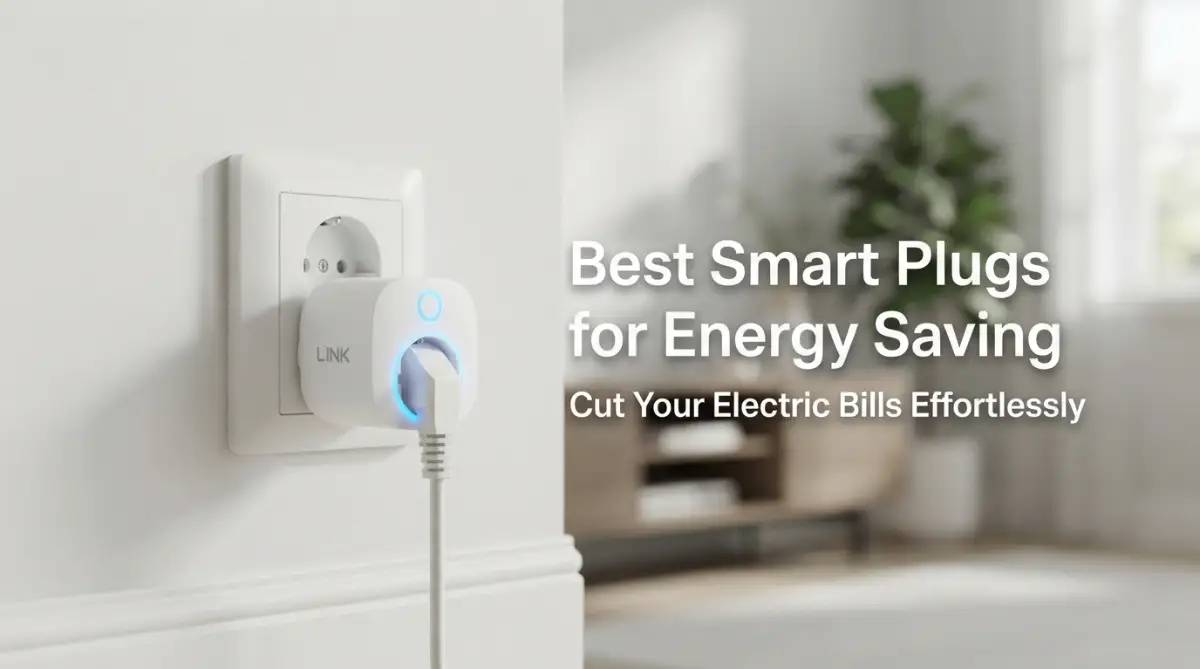
Smart plugs cut power to idle devices instantly using a simple phone app.
-
You can automate your coffee maker, office setup, and lamps to shut down when you leave the house.
-
Always match the amp rating of the plug to your appliance to avoid dangerous safety hazards.
 Taking Back Control Over Your Home's Power Usage
You do not have to live with this constant fear of high utility bills anymore. Technology has finally given us a simple, affordable way to fight back against energy waste. The secret lies in upgrading your regular wall outlets with intelligent, Wi-Fi-connected devices.
These brilliant little gadgets act like strict bouncers for your home's electricity. They sit between your wall outlet and your appliances, monitoring every drop of power. Let us break down exactly how you can use these tools to protect your wallet.
Identifying the Hidden Energy Vampires in Your Rooms
One of the biggest culprits behind high bills is something called "standby power." Many appliances continue to suck electricity just by being plugged into the wall. Think about your television, your microwave, or your gaming console.
Even when their screens are black, they are silently eating up energy. This phenomenon is often called vampire power, and it accounts for a huge chunk of your monthly bill. A smart outlet gives you the exact tools you need to stop this invisible waste.
Myth vs. Fact: The Vampire Power Drain
-
Myth: Turning off your TV with the remote stops it from using power.
-
Fact: Not quite! According to the U.S. Department of Energy, these "vampire loads" account for about 5% to 10% of an average home's total electricity bill. That means you are likely paying an extra $100 to $200 a year just to keep your idle devices ready to turn on [1].
Why Real-Time Power Tracking Changes Everything
Heavy-duty appliances like window air conditioners require heavy-duty plugs.
Quick Buying Rule of Thumb:
-
Lamps and fans: A standard 10-Amp plug is perfectly fine.
-
Coffee makers and toasters: Look for a 15-Amp rating to be safe.
-
Space heaters and window ACs: Skip standard smart plugs entirely unless they are specifically graded as "heavy-duty appliance modules." Do not risk melting a cheap plastic plug!
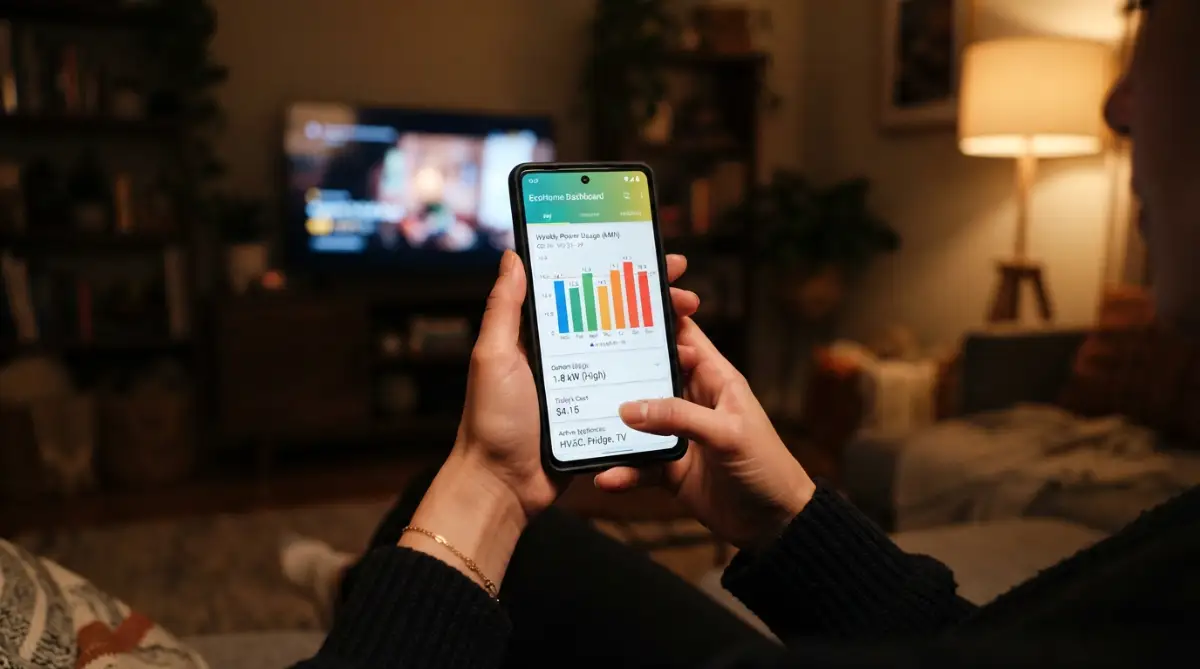
Some of the most advanced plugs come with built-in energy monitoring features. This means they track exactly how much electricity a specific appliance is using in real-time. You can open an app on your phone and see the data displayed in simple charts.
Suddenly, you are no longer guessing which device is causing your high bills. You might discover that your old basement refrigerator is costing you a fortune. Having this hard data allows you to make smart decisions about replacing or unplugging old items.
Setting Up Automated Schedules for Effortless Savings
Humans are forgetful by nature, and that is completely okay. We get busy, we get distracted, and we forget to turn things off. This is where the magic of automated scheduling comes into play.
You can tell your smart outlet to completely cut power to your home office setup at midnight. This ensures your computer, monitors, and printers are not draining power while you sleep. When you wake up, the schedule automatically restores power right before you start working.
The Power of Location-Based Automation (Geofencing)
Imagine if your home simply knew when you walked out the front door. Geofencing is an incredible feature that uses your smartphone's location to trigger actions. It creates an invisible boundary around your house or apartment.
When you cross that boundary to leave for work, the system automatically turns off selected outlets. Your fans, space heaters, and decorative lights instantly shut down without you lifting a finger. When you return home, your preferred devices wake up to welcome you back.
Are Smart Plugs Worth the Initial Investment?
Many people hesitate to buy smart home gadgets because of the upfront cost. However, looking at the bigger picture reveals a completely different story. A single Wi-Fi plug usually pays for itself within the first few months of use.
By completely eliminating standby power, you are keeping real cash in your bank account. Over a full year, the savings multiply significantly, especially if you use multiple plugs. It is one of the few home upgrades that actively puts money back into your pocket.
A Personal Realization on Everyday Habits
I used to leave my coffee maker plugged in and turned on all day just to keep the pot warm. My biggest realization was that I was spending almost ten dollars a month just to heat old coffee I never drank! I finally connected it to a smart socket and set it to turn off exactly one hour after my morning routine. This tiny change not only saved me money but also gave me incredible peace of mind when I left for the office.
Voice Control Integration for Maximum Convenience
Sometimes we are just too tired to get up from the couch to turn off a fan. By connecting your plugs to voice assistants, you gain ultimate control. You can simply speak to the room and command your appliances to shut down.
This is especially helpful for people with mobility issues or the elderly. It transforms your voice into the ultimate remote control for your entire house. You can say a simple phrase, and multiple devices will power down instantly.
Answering Common Myths About Home Automation
There is a huge myth that setting up smart home devices requires a degree in computer science. People think they need to hire expensive electricians or wire their entire house. The reality is that these devices are completely plug-and-play.
You simply plug the device into your existing wall socket and download a free app. The app walks you through a simple two-minute setup process over your home Wi-Fi. It is truly as easy as setting up a new social media account.
Preventing Household Disasters from Anywhere
We have all experienced that terrifying moment of doubt while driving to a holiday destination. Did I leave the hair straightener on in the bathroom? In the past, you would have to turn the car around and drive all the way back home.
Now, you can just pull over, open your phone, and check the status of the outlet. If the device is still pulling power, you can shut it off with a single tap. This feature alone is worth its weight in gold for the safety of your family.
Creating Smart Groups for Whole-Room Efficiency
Managing one device at a time is great, but managing a whole room is even better. You can group multiple plugs together in your smartphone application. This allows you to create specific "scenes" for different parts of your day.
Want to learn exactly how to set up these automated routines in your own home? Watch this brilliant breakdown below to see the exact steps in action.
For example, you can create a "Bedtime" scene for your living room. With one tap, your television, entertainment center, and floor lamps all power down completely. This ensures zero power is wasted overnight in rooms nobody is using.
Protecting Your Expensive Electronics from Damage
Power surges are a real threat to your expensive televisions and computers. While not all smart plugs are surge protectors, many offer features to protect against electrical faults. They can automatically shut off if they detect an unusual amount of power draw.
This prevents the connected device from overheating and causing a fire hazard. It adds an extra layer of security to your most valuable electronic investments. You sleep better knowing your expensive gear is actively being monitored.
How to Choose the Right Device for Your Needs
Not all Wi-Fi outlets are created equal, and choosing the right one matters. You need to consider the physical size of the device first and foremost. Some bulky designs end up blocking the second socket on your wall outlet.
Look for slim, compact designs that allow you to plug two devices into the same wall plate. You also need to check the maximum amperage rating before buying. Heavy-duty appliances like window air conditioners require plugs designed for high power loads.
Understanding Wi-Fi Requirements and Connectivity
A common mistake beginners make is ignoring their home internet setup. Most smart home devices operate strictly on a 2.4 GHz Wi-Fi network band. This is because 2.4 GHz signals travel much further through solid walls than 5 GHz signals.
You need to make sure your home router supports this specific frequency. Almost all modern routers do, but they sometimes blend the networks together. You might need to separate your router bands in your settings for a smooth setup process.
The Magic of Randomization for Home Security
Saving energy is fantastic, but protecting your empty home is equally important. Many premium plugs offer an "Away Mode" specifically designed for vacations. When activated, this mode turns connected lamps on and off at completely random times.
To anyone watching your house from the street, it looks exactly like someone is home moving around. This natural variation is much more effective than old-school mechanical timers. It provides massive security benefits while still keeping your energy usage surprisingly low.
Tracking the Seasonal Changes in Your Bills
Your power consumption naturally changes as the seasons shift throughout the months. In the summer, fans and portable AC units run constantly. In the winter, space heaters and electric blankets become the main power drains.
By using energy-monitoring sockets, you can clearly see these seasonal spikes in your data. You can then adjust your usage habits before the massive bill arrives in the mail. It turns you from a passive consumer into an active manager of your home's resources.
Managing Kids' Screen Time Through Power Control
Parents often struggle to enforce healthy screen time limits for their children. Arguing over turning off the gaming console or the television can be exhausting. A smart socket offers a stress-free solution to this modern parenting problem.
You can set a strict schedule that automatically cuts power to the entertainment center at 9:00 PM. The television simply turns off, ending the argument without you saying a word. It saves electricity and helps establish healthy boundaries for your family.
Why Upgrading Slowly is the Best Strategy
You do not need to outfit your entire house with these devices all at once. That approach can be expensive and overwhelming to manage on your phone. The best strategy is to start small and focus on your biggest problem areas first.
Buy a two-pack and place them on your entertainment center and your home office desk. Monitor the savings for a few weeks to see the actual financial impact. Once you are comfortable with the app, you can slowly expand to other rooms.
The Environmental Impact of Your Small Choices
Saving money is usually the primary goal, but the environmental benefits are massive. When millions of homes reduce their standby power, the strain on the power grid drops significantly. This means less fossil fuels are burned at the main power plants.
By optimizing your own living space, you are actively participating in a greener future. It feels incredibly rewarding to know your smart choices are helping the planet. You are doing your part to reduce carbon emissions without sacrificing any personal comfort.
Overcoming Connectivity Issues and Frustrations
Sometimes technology can be stubborn, and a device might drop its connection to your router. If your socket shows as "offline" in your app, do not panic. The solution is usually as simple as unplugging it from the wall for ten seconds.
If the problem keeps happening, your Wi-Fi signal in that specific room might be too weak. Moving your internet router to a more central location in your house often fixes this permanently. Alternatively, you can add a simple Wi-Fi extender to boost the signal strength.
The Future of Automated Living Spaces
We are rapidly moving toward a future where homes manage their own efficiency. These small plugs are the fundamental building blocks of that futuristic vision. They teach us how to interact with our living spaces in an entirely new way.
Eventually, our homes will automatically balance comfort and cost without any human input. Until that day arrives, we have these brilliant, affordable tools at our disposal. Taking advantage of them right now is the smartest financial move you can make for your household.
The power to permanently lower your monthly expenses is literally sitting right at your fingertips. All it takes is a willingness to embrace a tiny piece of modern technology. Make the change today, and watch your energy anxiety disappear completely.
Advanced Practical Tips for Maximum Power Efficiency
Once you have the basics down, you can start using your smart home devices like a true professional. Most people just set a simple timer and forget about it, but you are going to take things much further. Let us explore some powerful tricks that will squeeze every single drop of efficiency out of your daily routines.
One of my absolute favorite tricks is creating a dedicated "Charging Station" rule for all my battery-powered gadgets. We all have a bad habit of leaving our laptops, tablets, and smartphones plugged in all night long. This not only wastes electricity but also degrades the batteries over time. By plugging your chargers into a smart socket, you can set it to turn off automatically after exactly two hours. Developing easy habits for a longer battery life includes never overcharging your expensive electronics.
You should also look into weather-based automation if your smartphone application supports it. Some advanced apps allow you to link your power outlets to your local weather forecast. If the temperature outside drops below a certain point, the system can automatically turn on a safely rated small heater before you wake up. When the sun comes out and warms up the house, it shuts the power off again without you lifting a finger.
It is incredibly important to pay close attention to your home entertainment center. Your television, soundbar, streaming box, and gaming console are completely draining your wallet right now. In fact, research from the Lawrence Berkeley National Laboratory [1] reveals that standby power can account for a massive chunk of your total residential electricity use. I highly recommend plugging all these entertainment devices into a single high-quality power strip, and then connecting that strip to one heavy-duty smart outlet. When you go to sleep, cut the power to the entire strip to completely stop the vampire draw.
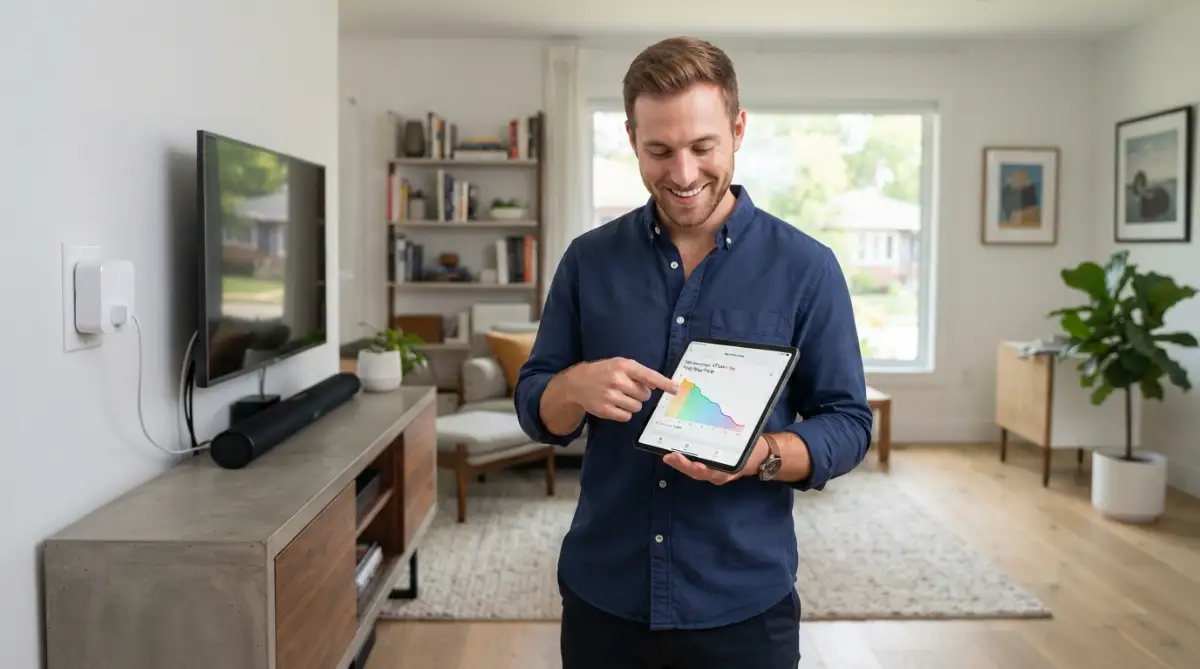
Another secret is to regularly analyze the data if you bought a model with energy monitoring built-in. Do not just look at the daily charts and close the app. Look for unusual spikes in power consumption when nobody is home. This data can actually warn you if an old appliance like a basement refrigerator is starting to break down. When motors start failing, they work harder and pull way more electricity than normal. Spotting this early can save you from a massive repair bill.
Finally, before you go crazy and buy twenty devices to cover every wall in your house, think about your network. Every single Wi-Fi plug you add requires a stable internet connection to function properly. Make sure you know exactly how to secure your home wi-fi router to protect your new network from outside snooping. A strong, secure router is the absolute backbone of any successful automated house.
The Hidden Dangers and Costly Mistakes to Avoid
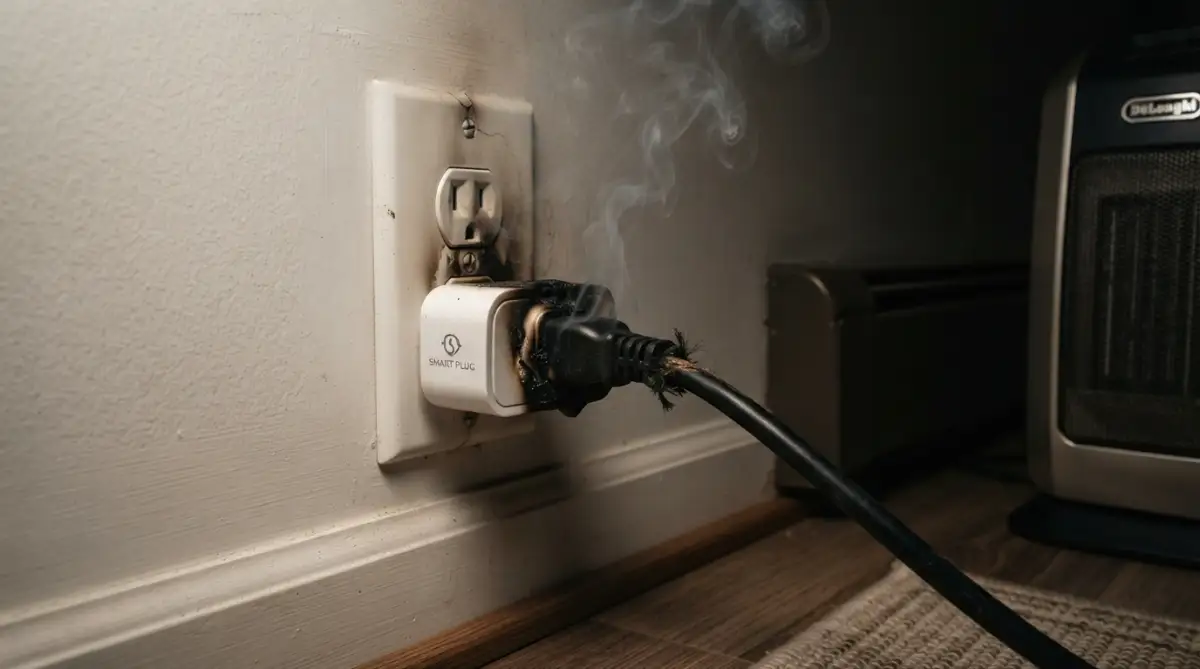
I have seen so many beginners make very simple mistakes that end up costing them a lot of money and frustration. The most dangerous mistake you can make is ignoring the maximum power rating of your new device. Every single plug has a specific amperage limit, usually around 10 to 15 amps.
People often try to plug massive window air conditioners or heavy-duty space heaters into cheap, low-rated sockets. This is a massive fire hazard and can completely melt the plastic casing of the device. Always read the safety label on your heavy appliances and match it with a heavy-duty smart outlet designed for heavy loads.
Another huge trap is buying the absolute cheapest generic brands you can find on the internet. I completely understand wanting to save money, but these super cheap knock-offs often come with terrible, buggy software. You will spend hours trying to get them connected, and they will constantly drop offline. Even worse, having too many poorly coded apps on your phone is a nightmare. Eventually, you will have to figure out how to stop background apps from draining your mobile data and destroying your battery life.
Many people also make the mistake of automating things that actually need continuous power to function correctly. For example, never put your internet router on a scheduled timer to save a few pennies at night. If the router turns off, your entire smart home loses its connection and cannot turn the router back on in the morning! You will wake up to a completely unresponsive house and have to manually reset everything.
You also need to treat your home automation rules like a garden that needs regular maintenance. Just like optimizing background processes on a slow computer, you need to clean up your schedules every few months. A timer set for the winter months might turn your lights on way too early during the bright summer days. As CNET experts highlight [2], actively managing and adjusting these devices correctly is what actually pays off over time. Leaving outdated schedules running all year long simply wastes the power you are trying to save.
Do not fall into the trap of fighting with your family members over these new controls either. If you set up a strict schedule that turns off the living room lamp at exactly 9 PM every night, make sure everyone in the house knows about it. Nothing is more frustrating for a spouse or roommate than having their reading light randomly turn off while they are relaxing. Good communication is just as important as good technology when upgrading your shared living space.
Your New Life with a Smarter, Cheaper Home
Taking control of your monthly bills does not have to be a miserable, stressful experience. By simply adding a few intelligent devices between your wall and your appliances, you completely change how your house operates. You are no longer wasting your hard-earned money on invisible power drains while you sleep or work.
Think about what you can do with the extra cash you save over the next several months. You could treat your family to a nice dinner, put it into a savings account, or slowly expand your automation system. The Department of Energy recommends [3] taking active steps to manage these vampire loads today, and you now have the exact blueprint to do it.
You are actively making your life easier, safer, and much more comfortable. While setting up your new evening routines, you might also want to learn how your screen settings are quietly hurting you so you can get an even better night of sleep. I know firsthand how amazing it feels to open a utility bill and actually smile at the low number inside. Stop letting your old appliances drain your wallet, take a few minutes to set up your new system today, and enjoy the lasting peace of mind you truly deserve!
Frequently Asked Questions About Smart Power Control
Do these intelligent outlets actually save you real money?
Yes, they absolutely do save you money when used correctly. By cutting off power to devices that usually sit in standby mode, you stop wasting electricity. The savings easily pay for the cost of the device within a few short months.
How much electricity does the actual smart socket use?
These gadgets are incredibly efficient and use a very tiny amount of power to stay connected to your Wi-Fi network. Usually, they draw less than one or two watts continuously. This tiny draw is completely wiped out by the massive energy savings they provide from your larger appliances.
Can I safely plug a large space heater into one?
You can, but you must be extremely careful to check the maximum amperage rating first. Space heaters pull a huge amount of continuous power, so you need a heavy-duty plug rated for at least 15 Amps. If you use a cheap, low-rated model, it will overheat and could easily start a fire.
Will adding these devices slow down my home internet?
No, they transmit very tiny packets of text data to receive simple commands like "turn on" or "turn off". They do not stream video or download large files, so they will not slow down your Netflix movies or video games at all.
What happens to my automated schedules if the internet goes down?
Most high-quality devices actually save your timers and schedules locally on their internal memory. Even if your internet connection drops, your lights and coffee maker will still turn on and off exactly when they are supposed to. However, you will not be able to control them remotely from your phone until the internet comes back.
Disclaimer: The information provided in this article is for educational and informational purposes only. Please ensure you always follow the manufacturer's safety guidelines and electrical ratings when installing new devices in your home.