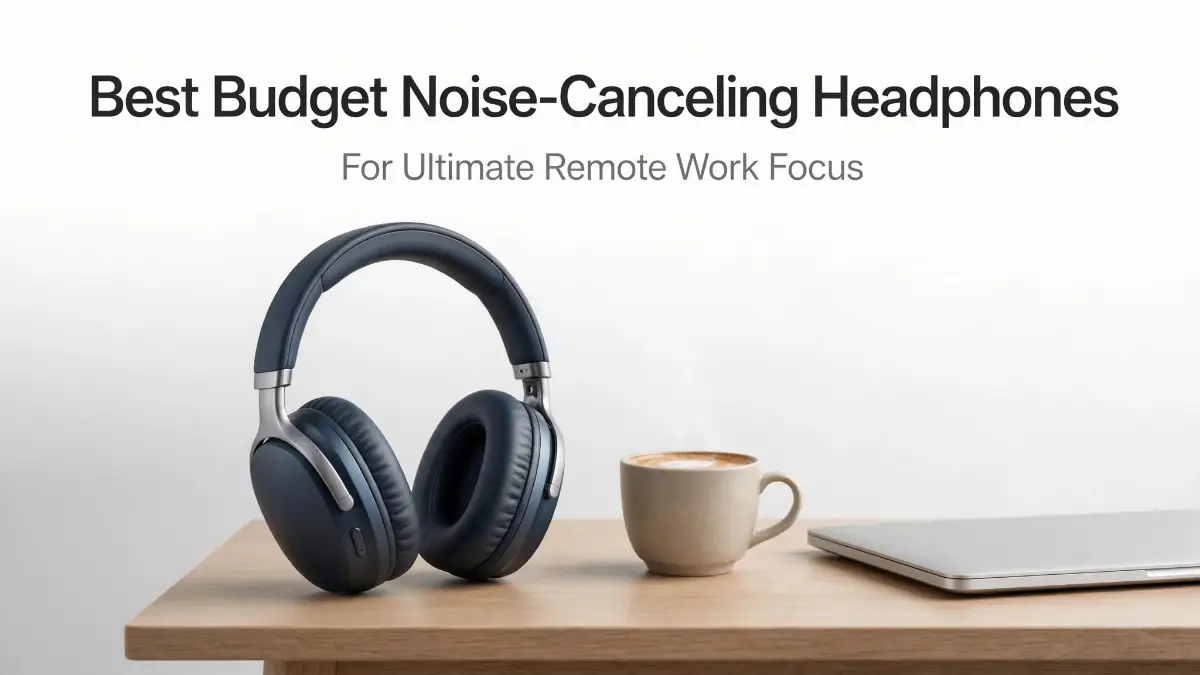
The Deafening Reality of Working From Home
Working from home is awesome right up until your neighbor starts drilling into the wall the exact minute you need to email your boss. Suddenly, your brain freezes, and you cannot string a single sentence together. If you are tired of dodging dog barks, delivery trucks, and loud roommates just to finish a simple task, you do not need to empty your wallet on luxury audio gear. I am going to show you how to quiet down your noisy workspace with some budget-friendly fixes that actually get the job done.
My brain felt like a browser with ninety open tabs, and everything was freezing up. I was trying to write a simple email to my boss, but I simply could not string two words together. I realized right then that my dream of a peaceful remote work life was completely falling apart.
Working from home sounds absolutely amazing until you actually try to focus in a noisy environment. You suddenly hear every single dog bark, every passing car, and every conversation happening in the next room. It becomes impossible to find a single moment of absolute quiet.
This constant background noise does not just annoy us. It actually drains our mental energy, leaving us feeling completely exhausted by the middle of the afternoon. We push ourselves harder to focus, which only creates more stress and endless frustration.
Your productivity drops significantly, and you end up working late into the evening just to finish simple tasks. It feels incredibly unfair when you lose your personal evening time just because you could not concentrate during the day. This lack of boundaries easily ruins your mental peace and your family life.
I knew I needed a solid solution to block out the world, but I also knew I could not afford to drop hundreds of dollars on luxury audio gear. That is exactly why I went on a mission to find affordable tech that actually works. If you are exhausted from constant interruptions, you are in the perfect place to find some quiet.
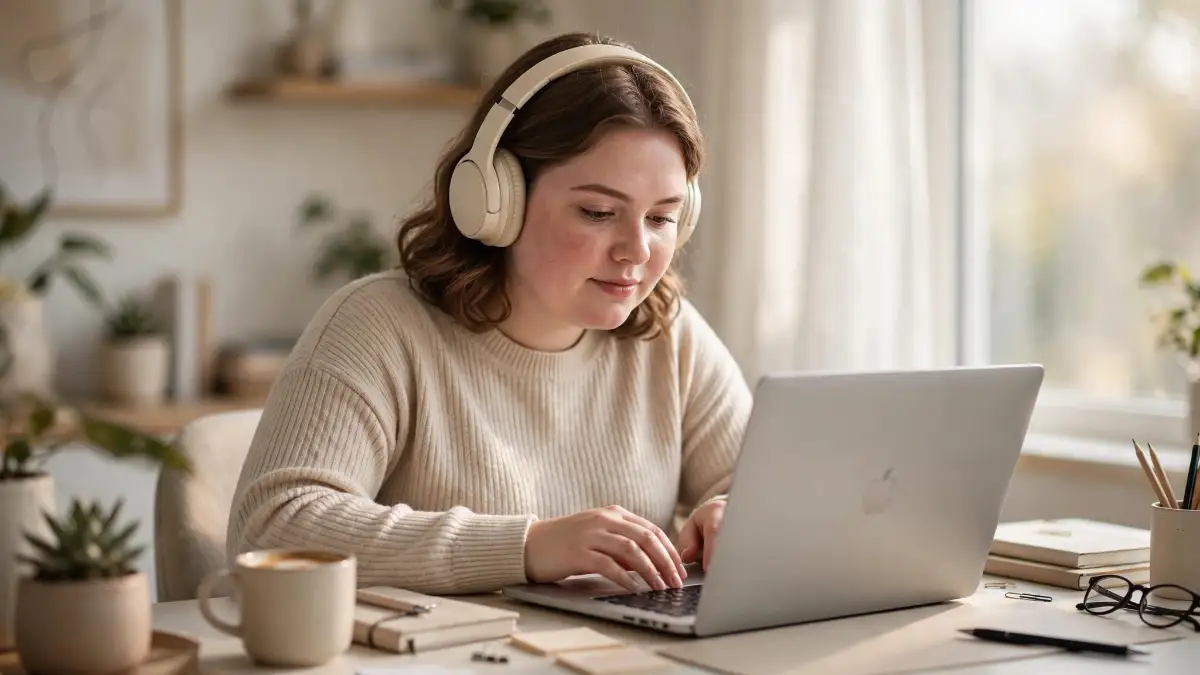
Quick Takeaways for a Quiet Home Office:
-
You do not need a massive budget; affordable ANC technology has caught up to premium brands.
-
Playing loud music over cheap earbuds damages your ears and ruins deep focus.
-
Proper ear pad care and smart charging habits will make budget headphones last for years.
-
Combining free noise-removal software with budget headsets makes you sound highly professional on calls.
My Blueprint for Finding Affordable Audio Peace
Getting rid of background noise does not require you to empty your bank account anymore. The technology behind active noise cancellation (ANC) has improved significantly, becoming highly accessible to everyday people. You just need to know exactly what features to look for and which brands actually deliver on their promises.
Instead of guessing, I want to show you the exact practical steps you can take today to upgrade your remote work setup. We will look at trusted options that you can easily order right now from reliable stores like Amazon, Best Buy, or the official brand websites. You deserve to protect your focus without feeling guilty about the price tag.
Step 1: Understand What Your Brain Actually Needs
Before you buy any new gadget, you have to understand how noise impacts your daily brain function. Our brains are naturally wired to pay attention to sudden changes in sound, like a door slamming or a phone ringing. This is an ancient survival instinct that completely ruins modern deep work.
Headphone Myths vs. Facts: What You Should Know
-
Myth: Playing loud music helps you focus better.
-
Fact: Loud music with lyrics forces your brain to multitask. You are better off using active noise cancellation with soft instrumental sounds or brown noise.
-
Myth: You need to spend $300 for good silence.
-
Fact: Today's mid-range models around $50 to $80 use very similar ANC processing chips to the expensive flagship brands.
When you wear regular earbuds, you are simply trying to drown out the noise by playing music louder. This actually damages your hearing over time and does not stop the distraction. Your brain is still processing the overlapping sounds, which causes massive mental fatigue.
The Magic of Active Noise Cancellation
Active noise cancellation works totally differently from regular headphones. These smart devices have tiny built-in microphones that constantly listen to the environment around you. The headphones then instantly play a reverse sound wave to completely cancel out the annoying background noise.
This means you do not have to blast your music at maximum volume just to hear yourself think. You can listen to soft instrumental tracks, white noise, or even nothing at all while enjoying absolute silence. Giving your brain this level of quiet instantly boosts your daily productivity.
Pro Tip to Instantly Block Distractions:
I used to think playing my favorite pop songs would help me work faster, but the lyrics only distracted me more. My biggest game-changer was switching strictly to video game soundtracks or lo-fi beats while using my ANC headphones. Video game music is scientifically designed to keep you engaged without breaking your focus, and it completely transformed my daily output.
Why You Must Stop Using Basic Earphones
Many remote workers try to survive using the cheap wired earphones that came free with their phones. These offer zero sound isolation, meaning every single background noise leaks directly into your ears. You are doing yourself a massive disservice by fighting against your environment every single day.
Upgrading to a proper noise-canceling headset is the cheapest investment you can make for your career. It acts as a physical boundary, signaling to your brain that it is time to do serious work. It also signals to your family members that you are busy and should not be disturbed.
Step 2: Look For The Sweet Spot of Budget and Quality
Many people believe they have to buy premium Sony or Apple products to get decent silence. While those flagship models are amazing, they are completely unnecessary for a standard home office setup. The audio market is currently flooded with mid-tier brands that offer 85% of the performance for a fraction of the cost.
Finding Reliable Brands You Can Trust
When hunting for budget gear, you want to stick to brands that have built a solid reputation over the last few years. Companies like Anker (Soundcore), Edifier, and entry-level Sony models are incredibly trustworthy. You can easily find these products on Amazon or pick them up today at a local Best Buy.
Always make sure you buy from official seller accounts or trusted major retailers to avoid cheap knockoffs. Returning a defective product should be easy, which is why buying through Amazon Prime or Best Buy's return policy is a smart move. You want peace of mind along with your peace and quiet.
The Comfort Factor is Non-Negotiable
You will likely wear these headphones for four to eight hours a day, so comfort is extremely important. If a pair of headphones clamps down too hard on your head, you will end up with a massive headache. No amount of noise cancellation is worth physical pain and discomfort.
Look specifically for over-ear designs rather than on-ear models. Over-ear cups completely surround your ears with soft memory foam, providing passive isolation before the electronics even turn on. This creates a gentle, comfortable seal that you can wear through your longest Zoom meetings.
The Best Affordable Options I Highly Recommend
Let us get into the actual products that will solve your daily noise problems without breaking the bank. These are tested, highly rated devices that ordinary remote workers swear by. You can simply search for these exact names on Amazon and see thousands of positive reviews from people just like us.
Quick Specs: Budget Heroes at a Glance
-
Soundcore Life Q30: Best for long battery (40 hours) and app customization.
-
Sony WH-CH720N: Best for lightweight comfort and clear microphone quality during Zoom calls.
-
Edifier W820NB Plus: Best for absolute tight budgets while still getting high-resolution audio.
Soundcore by Anker Life Q30
The Soundcore Life Q30 is widely considered the absolute king of budget noise cancellation. For under a hundred dollars, you get an incredibly rich sound profile and surprisingly powerful ANC. You can usually buy these directly from the Soundcore website or through their official Amazon storefront.
What makes the Q30 so special is the companion smartphone app. The app lets you choose between different noise-cancellation modes, such as 'Transport' for deep rumbles or 'Indoor' for blocking out talking voices. This level of customization is usually only found in luxury models.
The battery life is another massive win for remote workers. You can easily get up to 40 hours of playtime with the ANC turned on, meaning you only have to charge them once a week. If you forget to plug them in, a quick five-minute charge gives you four hours of immediate listening time.
Sony WH-CH720N
If you really want the brand reliability of Sony without the massive price tag, the WH-CH720N is your perfect match. Sony took the exact same noise-canceling processor from their top-tier luxury models and put it into this affordable plastic body. You get world-class audio engineering at a highly accessible price point.
These are incredibly lightweight, making them perfect for people who easily get neck fatigue. Because they weigh so little, you often forget you are even wearing them during long afternoon work sessions. They are widely available at almost every major electronics retailer, including Target and Best Buy.
The microphone quality on this Sony model is also surprisingly clear. When you are taking remote calls, the built-in tech focuses on your voice and blocks out the wind or fan noise in your room. Your coworkers will hear you perfectly, which instantly makes you look more professional on daily stand-ups.
See The Gear In Action
Watch this quick, honest breakdown of how these budget headphones completely transform a noisy home office into a quiet sanctuary.
Edifier W820NB Plus
For those on the strictest possible budget, the Edifier W820NB Plus is a fantastic hidden gem. Edifier is a highly respected audio company that focuses heavily on creating massive value for very little money. You can usually find these online for a price that feels almost too good to be true.
Despite the low cost, these headphones support high-resolution audio. This means your music will sound incredibly crisp, detailed, and clear while you work. The ear pads are surprisingly plush, offering a soft resting place against the sides of your head.
The noise cancellation is solid enough to block out the low hum of your air conditioner or the distant sound of traffic. While it might not completely silence a screaming toddler right next to you, it will muffle the sound enough to help you keep your train of thought. For basic remote work needs, they perform beautifully.
Step 3: Setting Up Your Distraction-Free Zone
Buying the best budget noise-canceling headphones is only the first piece of the productivity puzzle. To truly get the most out of your new audio gear, you need to optimize your physical environment. Your headphones work best when paired with smart daily habits.

Positioning Your Desk for Success
If possible, move your workspace away from the main traffic areas of your home. Putting your desk in a quiet corner naturally reduces the amount of visual and auditory distractions you face. Your headphones will easily handle the rest of the background noise.
Try to face away from open doors or busy hallways. Even if your ears are blocked, seeing someone walk past your desk can instantly pull your eyes away from your monitor. Creating a visual boundary helps your brain stay locked onto your current task.
Establishing Clear Rules with Your Household
You must communicate clearly with the people you live with about your new work boundaries. Tell your family or roommates that when your headphones are on, you are in deep focus mode. Ask them to send you a text message instead of tapping you on the shoulder if they need something non-urgent.
This simple visual cue completely removes the awkwardness of ignoring people. They will quickly learn to respect your quiet time without feeling offended. It is a highly effective way to manage expectations and keep your workflow perfectly smooth.
Step 4: Maximizing Your Audio Quality on Work Calls
Your new headphones will definitely help you hear your team better, but you also want to ensure they hear you clearly. Remote work relies heavily on good communication, so optimizing your microphone is just as important as blocking noise. Budget headphones have decent mics, but a little software help goes a long way.
Using Free Background Noise Removal Tools
Most modern video conferencing apps like Zoom, Microsoft Teams, and Google Meet have built-in noise suppression features. You should always go into your settings and set the noise suppression level to 'High'. This software works together with your headphones to ensure the person on the other end hears absolutely no background chaos.
If you want to take it a step further, there are free computer applications that filter your microphone audio perfectly. These tools act as a digital shield, completely erasing dog barks or keyboard typing sounds from your side of the call. Combining this software with your budget ANC headphones makes you sound like you are sitting in a professional studio.
Testing Your Setup Before Important Meetings
Never join an important client call without testing your new audio gear first. Take two minutes to open your sound settings and record a quick voice memo. Listen back to ensure your voice sounds clear and the bluetooth connection is perfectly stable.
If your computer uses an older bluetooth chip, you might experience slight audio delays. If this happens, do not panic. Simply restart your headphones or use the included auxiliary cable to plug them directly into your laptop for a guaranteed perfect connection.
How to Maintain Your Budget Headphones for Long-Term Use
When you buy affordable technology, you need to take slightly better care of it to ensure it lasts. The internal electronics are generally very solid, but the outer plastics and ear pads need regular maintenance. A little bit of care will keep your investment working flawlessly for years.
Keeping the Ear Pads Fresh and Clean
Since you will be wearing these headphones for hours, sweat and natural skin oils will build up on the memory foam pads. Every few days, simply wipe down the ear cushions with a dry microfiber cloth. Avoid using harsh chemical wipes, as they will quickly break down the soft synthetic leather.
If your ear pads eventually start to crack or peel, you do not have to throw the whole headset away. You can easily find cheap replacement pads on Amazon for almost every popular budget model. Popping on a new set of pads makes the headphones look and feel brand new again.
Smart Charging Habits to Save the Battery
The lithium batteries inside budget headphones are powerful, but they can degrade if you treat them poorly. Never leave your headphones plugged in overnight if you can avoid it. Overcharging constantly will slowly reduce the maximum capacity of the battery over time.
Instead, charge them while you take your lunch break or during an afternoon walk. A simple hour of charging is usually enough to get you through the rest of the week. Keeping the battery level between twenty and eighty percent is the smartest way to extend its overall lifespan.
Storing Them Safely Away from Danger
Always keep your headphones safe when you are completely done working for the day. Leaving them flat on your desk makes them highly vulnerable to spilled coffee or getting knocked onto the hard floor. Dropping them is the easiest way to break the delicate internal microphones that handle the active noise cancellation.
If your budget headphones came with a hard carrying case, make it a daily habit to put them inside. If they only came with a soft pouch, consider buying a cheap universal hard case or a simple desk hook. Hanging them safely under your desk keeps your workspace clean and protects your valuable audio gear.
Realizing The True Value of Deep Work
This massive boost in productivity is exactly why spending fifty to a hundred dollars on budget headphones is a brilliant move. You are not just buying a piece of plastic and wire; you are buying back your sanity. You are literally purchasing hours of peace that you can use to grow your career or simply relax.
Remember, you do not need the most expensive gadgets to succeed as a remote worker. You just need reliable, affordable tools that solve your specific daily problems. By choosing one of the highly rated budget options mentioned above, you are taking a massive step toward a healthier, happier work-from-home life.
Mastering Your Home Office: Pro Strategies for Deep Focus
Buying an affordable headset is just the first step toward reclaiming your peace of mind. To truly transform your remote work experience, you need to turn your new audio gear into a psychological trigger for deep work. It is all about training your brain to instantly shift into professional mode the second those soft ear pads touch your head.
I like to call this the "Audio Anchor" technique, and it works incredibly well for easily distracted minds. When you only wear your noise-canceling headphones while doing serious tasks, your brain starts to associate that physical feeling with high productivity. Eventually, just putting them on will make you feel instantly motivated to tackle your daily projects.
Pairing Your Sound with Your Environment
To get the best possible results, you must combine your audio gear with a healthy physical workspace. If your body is uncomfortable, a quiet room will not magically fix your lack of concentration. You have to address all your senses at once to enter a true flow state.
For example, constantly staring at a bright, poorly adjusted monitor will give you a massive headache, regardless of how quiet your room is. Taking five minutes for adjusting your screen settings can completely stop that afternoon eye strain. When your eyes feel rested and your ears are protected from noise, your daily output will skyrocket naturally.
Similarly, your physical posture plays a massive role in how long you can comfortably wear your new headset. If you are hunched over a tiny laptop, your neck and shoulders will start to cramp within an hour. Consider upgrading to a wireless ergonomic keyboard to keep your shoulders relaxed while you enjoy your quiet time.
The White Noise Advantage
Many people assume they need to play heavy, fast-paced music to get things done quickly. In reality, lyrical music actually forces your brain to multitask because you subconsciously try to process the words. This drains your mental energy much faster than working in complete silence.
Instead, try experimenting with brown noise, pink noise, or gentle rain sounds while your active noise cancellation is turned on. According to various psychological studies on attention and focus, consistent background frequencies mask distracting spikes in household noise. This creates a smooth, predictable audio environment that helps your mind easily stay on track.
Keeping Your Remote Connections Perfectly Stable
There is nothing more embarrassing than having your audio cut out in the middle of an important presentation. Your budget headphones might be working perfectly, but a weak internet connection will still make your voice sound robotic to your coworkers. You cannot blame your new audio gear for a struggling home network.
Before your next big video call, make sure you are actively fixing your slow Wi-Fi connection by moving closer to your router or restarting your modem. When you combine a strong internet signal with the noise-blocking power of your new headset, you will sound like you are broadcasting from a professional studio.
Silent Saboteurs: Massive Mistakes That Ruin Your Audio
Even with the best budget gear on your desk, it is incredibly easy to accidentally ruin your own listening experience. I have seen countless remote workers complain about their new headphones, only to realize they were using them completely wrong. Let us walk through the most common traps so you can easily avoid them.
Using Volume as a Weapon
The biggest mistake you can possibly make is turning your music up to maximum volume to drown out loud family members. Active noise cancellation is designed to block low-frequency sounds, but it cannot completely erase sudden, loud shouts. When people hear those high-pitched sounds slip through, their first instinct is to aggressively crank up the volume.
This is an incredibly dangerous habit that will quickly cause permanent damage to your ears. You are essentially trapping highly concentrated sound waves directly inside your ear canal with nowhere for the pressure to escape. According to basic medical guidelines for preventing hearing loss, listening at high volumes for extended periods is the fastest way to damage your hearing permanently.
You must learn to trust the active noise cancellation technology to do its job quietly. Keep your volume right around fifty or sixty percent, and accept that a tiny bit of background noise might occasionally slip through. Protecting your long-term ear health is far more important than achieving one hundred percent absolute silence.
Ignoring Software and Hardware Harmony
Many people take their new headphones out of the box, connect them to their laptop, and never look at the settings again. They totally ignore the companion app that comes with the device, missing out on massive performance upgrades. The manufacturer frequently releases software patches to improve how the microphones block out background noise.
Skipping these updates means you are settling for a worse experience than you actually paid for. Taking five minutes to understand the real importance of firmware updates will keep your budget device running like a premium flagship model. Set a simple reminder on your phone to check the manufacturer's app for new updates once every month.
The Hidden Problem of Audio Delay
Have you ever watched a movie on your laptop and noticed that the actors' lips do not match the words you are hearing? This annoying audio lag happens when your computer and your headphones are struggling to speak the same digital language. This delay can make live video meetings feel incredibly awkward and uncoordinated.
This happens because people do not take the time to learn about their computer settings. Spending a few minutes understanding how Bluetooth codecs impact your sound experience can completely eliminate this frustrating delay. You can usually fix this simply by opening your laptop's sound settings and choosing a faster connection profile.
Wearing Them Non-Stop All Day
When you finally experience the magic of a silent workspace, you will probably want to wear your new headset for eight hours straight. This is a massive mistake that leads to extreme physical fatigue and tension headaches. The gentle clamping force of the ear cups will eventually restrict blood flow around your ears.
Your skin also needs to breathe, and trapping body heat under synthetic leather pads all day will cause uncomfortable sweating and breakouts. I highly recommend taking your headphones off for at least ten minutes every hour. Stand up, stretch your neck, and let your ears breathe to stay comfortable throughout your entire workday.
Your Personal Blueprint for Daily Peace
Creating a distraction-free home office is not about spending thousands of dollars on luxury equipment. It is entirely about making smart, informed choices that protect your mental energy and respect your daily boundaries. You now have all the exact knowledge you need to turn your chaotic living room into a highly productive professional space.
Start by setting up a dedicated morning routine that tells your brain it is time to work. Grab your coffee, sit down at your clean desk, and place your budget noise-canceling headphones over your ears. This simple daily ritual acts as a powerful psychological switch that prepares you for deep, uninterrupted focus.
Taking Control of Your Career Growth
When you remove the stress of constant interruptions, something amazing happens to your daily output. You stop making silly mistakes on important documents, and your communication with your team becomes crystal clear. Various expert insights on remote work productivity strongly agree that managing your auditory environment is a massive key to long-term career success.
Do not wait for your household to magically become quiet, because that day will never arrive. You have to take full responsibility for your own workspace and actively block out the chaos. Your mental health, your family relationships, and your professional growth will completely transform once you take control of your environment.
I personally spent months feeling angry and exhausted every single afternoon before I finally invested in affordable audio gear. The day I put them on and watched my neighbor mowing his lawn in total silence was the exact day my remote work life changed forever. You absolutely deserve to experience that exact same feeling of total relief and control starting today.
Common Questions From Remote Workers
Do affordable noise-canceling headphones actually work well?
Yes, modern budget models are incredibly effective at blocking low, constant sounds like fans, air conditioners, and distant traffic. While they might not completely silence a crying baby, they muffle loud noises enough to help you easily maintain your concentration. The technology has improved so much that mid-tier brands now offer amazing performance for very little money.
Can wearing these headsets cause ear pain or headaches?
If you wear them tightly for many hours without a break, you might feel a slight pressure buildup or a tension headache. This happens because the soft pads clamp down on your glasses or the side of your head. You can easily avoid this simply by taking a short, five-minute break to stretch your neck every hour.
Do I need an internet connection to use the active noise cancellation?
No, the active noise cancellation is built directly into the hardware of the headphones and works completely offline. You only need the internet if you want to download the companion app or install a new software update. You can comfortably wear them on an airplane or in a completely disconnected cabin to enjoy pure silence.
Will the built-in microphone pick up my dog barking during meetings?
Budget headsets have solid microphones, but they might still pick up sudden, sharp noises in your background. To guarantee perfect silence on your end, you should always use the noise suppression settings inside your video meeting software. When the software and the hardware work together, your team will only hear your clear voice.
How often should I replace the ear pads on my headset?
With daily remote work use, the synthetic leather on your ear pads will usually start to peel or crack after a year or two. You do not need to throw the whole device away when this happens. You can simply buy cheap replacement pads online and easily snap them onto your existing headset in two minutes.
Disclaimer: This article is for informational and educational purposes only. I am sharing personal insights and technical strategies to help improve your remote work environment. Always read the manufacturer’s safety guidelines regarding safe listening volumes to protect your long-term hearing health. Any product choices should be based on your personal budget and comfort preferences.