The Frustrating Reality of Running with a Smartphone
Let's start with a hard truth: hauling a heavy, expensive piece of glass in your pocket while trying to hit a personal record is just ridiculous. You step out the door to clear your head, but a sudden spam call instantly wrecks your flow. It took me a while to realize that ditching the smartphone and trusting a budget GPS watch was the ultimate cheat code for a better run. You do not need to drop half your paycheck on premium gear to get highly accurate tracking, and I am going to show you exactly how to do it right..
Relying on your phone for pace and distance tracking means you are never truly disconnected from your stressful daily life. A sudden text message, an email notification, or a random spam call can instantly break your running flow. You step out of the door to clear your head, but your phone drags all your problems right along with you.
Plus, relying on a phone's location service is notoriously unreliable when you leave the main roads or run through heavily wooded parks. There is nothing more frustrating than finishing a long, exhausting route only to see that your tracking app completely dropped the signal. You lose your personal records, your pace data is entirely wrong, a
Before You Read On (The Short Version)
-
Running with a smartphone ruins your natural running form and distracts you from your workout goals.
-
Budget smartwatches with "Built-in GPS" are now highly accurate and let you track distance entirely offline.
-
MIP (Memory-in-Pixel) screens easily beat AMOLED displays for outdoor runners because they stay on all the time and save massive battery life.
-
Always tighten your watch band one extra notch before you start jogging to get highly reliable heart rate data.
Breaking Free: Why Leaving Your Phone Behind Changes Everything
When you finally decide to leave your bulky phone at home, the entire feeling of your workout shifts dramatically. You no longer have an uneven weight pulling heavily on one side of your body. Your arms swing naturally, your posture improves, and you can focus entirely on your breathing and your footfalls.
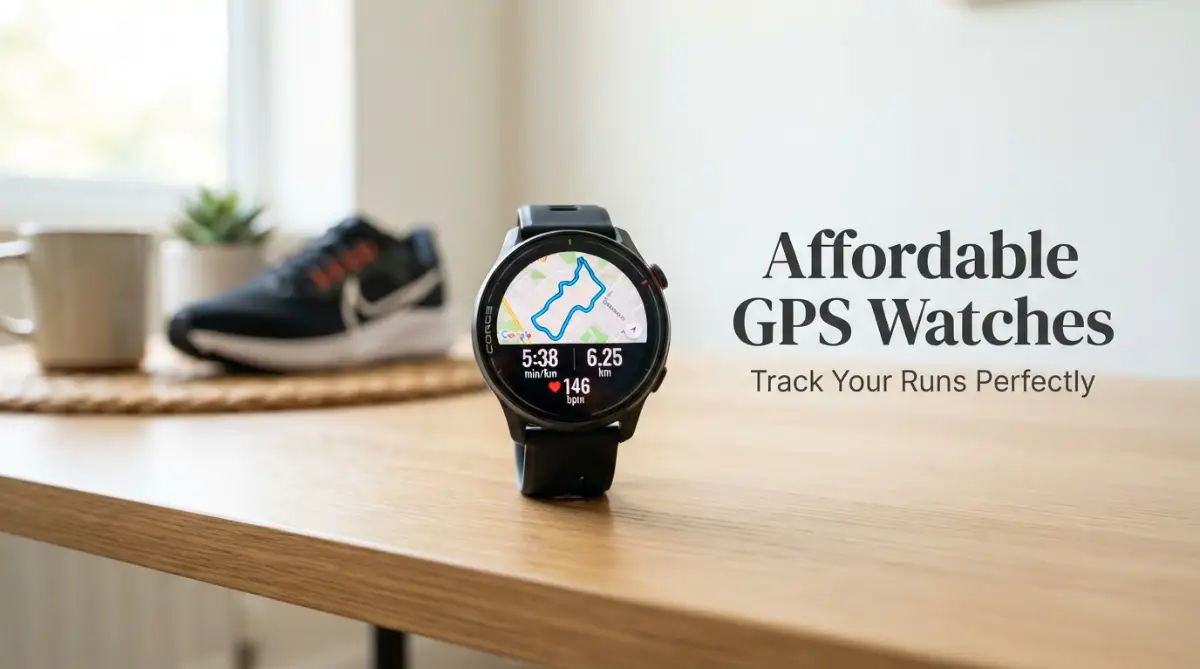
An affordable smartwatch with built-in GPS allows you to experience this amazing freedom without emptying your bank account. You get exactly what you need right on your wrist. You can track your exact route, monitor your current pace, and check your distance with a simple flick of your wrist.
Many beginners mistakenly believe that they need to spend hundreds of dollars to get a reliable tracking device. That simply is not true today. The technology behind satellite tracking has become incredibly cheap to manufacture over the past few years.
This means that everyday consumers can now access highly accurate fitness data at a fraction of the traditional cost. Brands are packing premium tracking sensors into budget-friendly models specifically designed for everyday runners. You just need to know exactly what specifications to look for.

Understanding the Magic of True Wrist-Based Tracking
To truly appreciate these devices, you need to understand the big difference between "connected GPS" and "built-in GPS". A watch with connected GPS is basically just a remote control for your smartphone. It has no tracking chip of its own and completely relies on your phone to map your route.
If you leave your phone at home, a connected GPS watch will just wildly guess your distance based on your arm swings. This method is incredibly inaccurate and usually gives you heavily inflated step counts and wrong distance measurements. If accurate running data is your goal, connected tracking is a complete waste of your time.
Quick Face-Off: Connected GPS vs. Built-in GPS
-
Connected GPS (Skip It): Drains your phone battery, wildly guesses your distance if you leave your phone at home, and completely relies on a cell signal.
-
Built-in GPS (Buy It): Gives you true freedom. Uses actual satellites overhead (like standard GPS, GLONASS, or Galileo), maps your route perfectly offline, and keeps your phone battery safely at 100%.
On the other hand, an affordable smartwatch with built-in GPS contains an actual satellite receiver right inside the watch casing. It communicates directly with satellites in space to pinpoint your exact location on earth. This means your phone can stay safely on your kitchen counter while you hit the trails.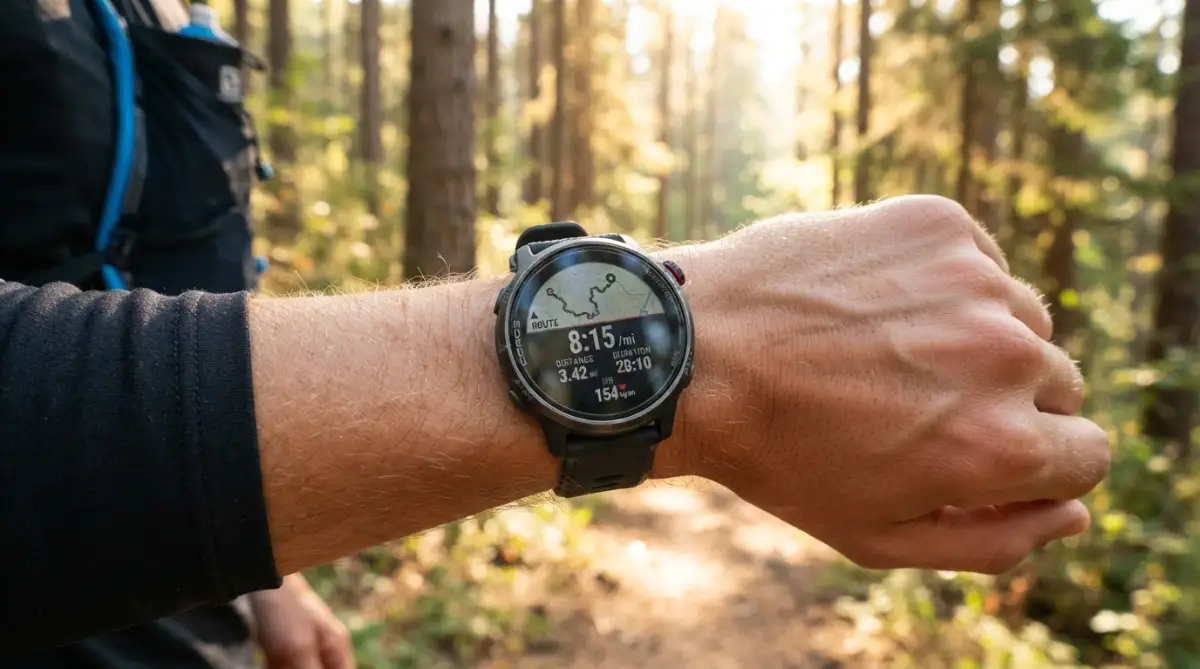 These internal chips constantly ping satellites to draw an accurate map of where you ran. When you finish your workout and step back inside your house, the watch simply syncs that accurate map over to your phone via Bluetooth. It is a completely seamless, hassle-free experience.
Essential Features to Look for on a Tight Budget
When you are shopping in the budget category, you have to be smart about which features you prioritize. You cannot expect a cheap device to do absolutely everything perfectly. However, there are a few core functions that you should absolutely never compromise on.
First and foremost, you need a strong battery life that specifically mentions "continuous tracking time". Regular smartwatch battery life is usually measured in days or weeks. But activating the internal satellite receiver drains the battery incredibly fast.
You want a device that promises at least 8 to 10 hours of continuous active tracking. This ensures that your watch will not die halfway through a long weekend run. It also means you will not have to put the device on a charger every single night.
I once bought a super cheap, completely unbranded fitness band thinking I scored a massive deal, but the battery completely died halfway through my very first 10K run. My biggest realization is that you should always double-check if the advertised battery rating applies to active tracking mode, not just basic standby mode.
Watch this quick breakdown to see exactly how built-in GPS accuracy compares to a standard smartphone during an actual run.
The Truth About Heart Rate Accuracy
Another huge factor for runners is monitoring heart rate to ensure they are training in the right effort zones. Most budget watches include an optical heart rate sensor on the back. These sensors shine a small green light into your skin to detect your blood flow.
While budget sensors have improved massively, they can still struggle during high-intensity interval training. When you suddenly sprint, your heart rate jumps rapidly. Cheaper sensors sometimes take an extra 10 to 15 seconds to catch up to your actual heart beat.
For steady-state jogging, however, they are surprisingly accurate and completely reliable. To get the best possible readings, make sure you wear the watch tightly about one inch above your wrist bone. If the device slides around while you sweat, outside light will leak in and completely ruin the heart rate data.
Dispelling Common Myths About Cheap Wearables
There is a lot of misinformation out there regarding budget-friendly fitness tech. Many tech snobs will tell you that anything under a premium price tag is basically a toy. Let us clear up some of these common misunderstandings right now.
-
Myth: Cheap watches take forever to lock onto a satellite signal.
-
Reality: Most modern budget watches use multiple satellite systems simultaneously. They connect to standard GPS, GLONASS, and sometimes Galileo to find your location in under thirty seconds.
-
Myth: Budget screens are impossible to read under the bright sun.
-
Reality: Many affordable models use highly reflective displays. The brighter the sun shines, the easier the screen is to read without draining the battery.
-
Myth: You cannot export your data to popular apps like Strava.
-
Reality: Almost all reputable budget brands now offer direct sync integrations with major running community apps directly through their mobile platforms.
Physical Design and Sweaty Realities
When you are pushing through a tough mile, the physical design of your watch matters just as much as the software inside it. Touchscreens are incredibly popular on modern smartwatches because they look sleek and futuristic. However, touchscreens are actually terrible for serious runners.
When your fingers are covered in sweat or you are wearing winter gloves, a touchscreen becomes completely useless. You will find yourself aggressively swiping at the screen just to pause your workout at a red light. This is why you should always look for a watch that includes at least two physical buttons.
Physical buttons give you guaranteed control over your workout regardless of the weather conditions. You can start, pause, or record a lap without even looking at your wrist. It is a small design choice that makes a massive difference in your daily user experience.
You also need to pay close attention to the strap material. Most budget devices come with a standard silicone strap. While silicone is highly water-resistant, cheap silicone can sometimes irritate sensitive skin when trapped sweat builds up underneath. I highly recommend buying a device that uses standard, quick-release watch bands so you can easily swap it for a breathable nylon strap later on.
Understanding Display Types on a Budget
When shopping for an affordable smartwatch with built-in GPS, you will generally run into two main types of screens. The first is an AMOLED display, which is essentially the same technology used in modern smartphones. These screens are incredibly bright, extremely colorful, and look amazing indoors.
However, AMOLED screens consume a massive amount of battery power. To save energy, they usually turn off when you are not looking at them. This means you have to deliberately flick your wrist to wake the screen up just to check your running pace.
The second type of screen is called a Memory-in-Pixel (MIP) display. These screens look a bit dull indoors and lack bright, punchy colors. But they have a massive advantage for outdoor runners. An MIP display stays completely on all the time and actually gets easier to read when the sun shines directly on it.
If your main goal is outdoor running, an MIP display is usually the smarter choice. It saves a huge amount of battery life and allows you to instantly check your stats with just a quick glance. You do not have to perform an exaggerated arm movement just to wake the device up.

App Ecosystems and Long-Term Data Storage
A tracking device is only as good as the mobile application it connects to. You will be interacting with the smartphone app every single day to view your progress, analyze your splits, and check your recovery stats. Therefore, the app experience needs to be totally bug-free and easy to understand.
Before you buy any budget device, take a few minutes to read user reviews specifically about the companion app in your phone's app store. Some cheap devices have terrible, poorly translated companion apps that constantly crash. You want an app that clearly displays your route map, pace graphs, and heart rate zones without confusing menus.
Also, consider your long-term running goals. You might eventually want to share your running achievements with friends or join virtual community challenges. Ensure the companion app has a built-in feature to automatically export your runs to third-party platforms. Locking your hard-earned data inside a bad proprietary app is incredibly frustrating.
Managing Expectations with Affordable Tech
While budget gear has come a very long way, you still need to keep your expectations realistic. You are not going to get advanced features like offline music storage for Spotify. You will not be able to reply to text messages using a tiny on-screen keyboard.
These devices are designed to do one primary job: track your outdoor activities accurately. By stripping away all the complicated smart features, manufacturers can keep the price low while maintaining excellent tracking performance.
Think of an affordable smartwatch with built-in GPS as a dedicated tool rather than a mini-computer. Its main purpose is to free you from your heavy smartphone while giving you reliable metrics to improve your fitness. If you view it through that lens, you will be incredibly happy with your purchase.
Setting Up Your Device for Maximum Accuracy
Getting a new piece of running gear is always an exciting moment. But do not just strap it on straight out of the box and start sprinting down the street. Spending just ten minutes setting up your watch correctly will drastically improve the accuracy of your tracking data.
First, make sure you connect the watch to your home Wi-Fi or phone app to download the latest satellite location files. These tiny data files tell your watch exactly where the satellites are currently positioned in the sky. Updating this data helps your watch find a strong signal in seconds instead of minutes.
Next, input your correct personal metrics into the companion app. Make sure your height, weight, age, and gender are completely accurate. Your watch uses this specific personal data in combination with your heart rate to calculate how many calories you are actually burning.
Finally, give your watch a few moments to breathe before you start running. When you step outside, stand completely still in an open area for about thirty seconds. Let the watch establish a rock-solid connection with the satellites before you hit the start button. Moving around while the watch is searching can lead to messy, inaccurate route maps.
Mastering Your Budget Running Companion
Now that you have your device set up properly, you need to learn how to squeeze every ounce of performance out of it. Getting an affordable smartwatch with built-in GPS does not mean you have to settle for cheap results. You just have to be a little smarter about how you interact with your new gear on a daily basis.
I remember running a local 5K race a while back and wondering why my watch showed my pace being completely off for the first mile. It turns out, I was making a very common beginner mistake right at the starting line. I was impatiently moving around instead of letting the sensors do their job.
If you want absolute precision, you must treat your tracking device like a car engine on a cold morning. It needs just a brief moment to warm up before you hit the gas pedal. Always step outside and stand completely still in an open space for about thirty seconds before pressing the start button.
When you stand still, you give the internal antenna a chance to lock onto multiple satellites above you. If you start jogging while the device is still searching, it will draw a messy, zig-zag line all over your digital map. Taking this short pause guarantees that your very first mile is recorded with perfect accuracy.
The Secret to Reliable Heart Rate Readings
Most everyday runners completely misunderstand how wrist-based heart rate monitors actually work. Your device uses small green LED lights on the back casing to illuminate your skin. The sensors then measure the tiny changes in blood volume as your heart pumps.
Because it relies on light, the physical fit of your watch band is incredibly important. If the band is too loose, outside sunlight will leak under the watch face and confuse the delicate sensors. This is exactly why you might sometimes see sudden, impossible spikes in your heart rate data during a casual jog.
To fix this, pull the strap one notch tighter than your normal everyday wear right before you start running. The watch should sit flat about one or two finger-widths above your actual wrist bone. This fleshy part of your arm provides the perfect surface for the green LEDs to get a clean, uninterrupted reading.
Understanding target heart rate zones is a massive game changer for improving your cardiovascular stamina. When your watch fits perfectly, you can actually trust the data it shows you. You will know exactly when to push harder and when to slow down and catch your breath.
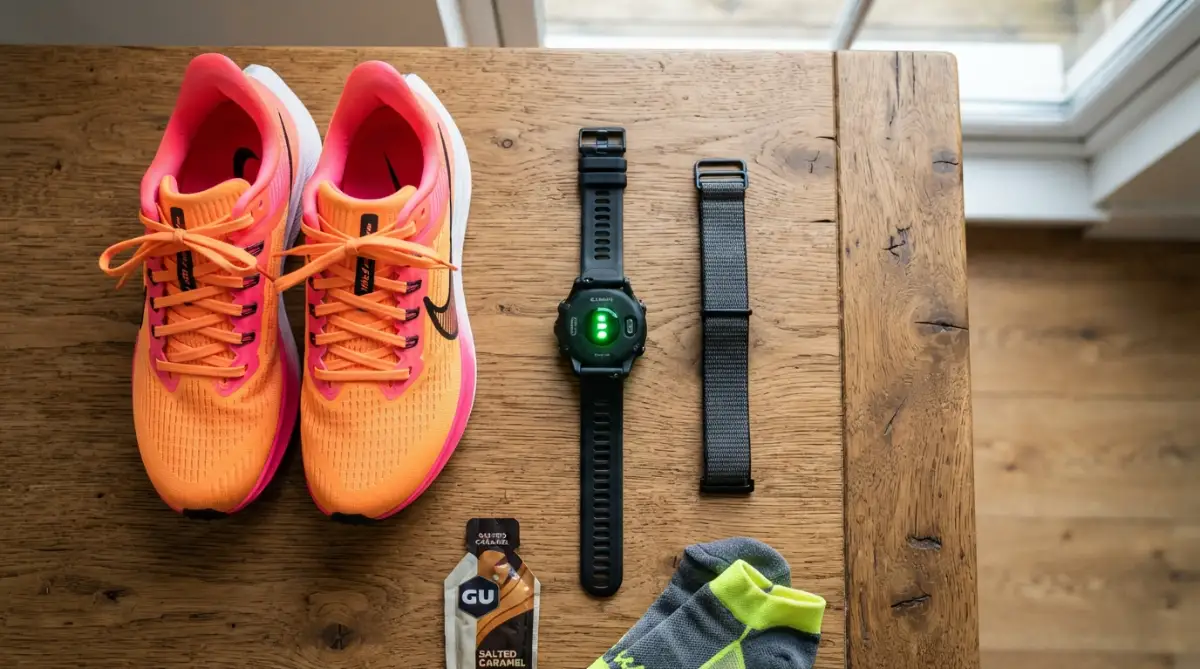 While premium smartwatches with blood pressure and ecg monitor options cost a massive fortune, your budget device still gives you the core data you need. By simply tightening the strap, you elevate a cheap optical sensor to perform almost as well as a high-end chest strap.
Extending Your Battery for Long Weekend Miles
There is a very unique panic that sets in when you are miles away from home and your wrist buzzes with a "Low Battery" warning. Using active satellite tracking drains power incredibly fast, even on the most efficient devices. But you can easily stretch your battery life with a few quick settings adjustments.
First, turn off the automatic wrist-wake gesture feature before a long run. You do not need the bright backlight turning on every single time you swing your arm naturally. Just rely on the physical buttons to light up the screen only when you actually want to look at your current pace.
Next, completely disable smart notifications during your workout. You left your phone at home to escape distractions anyway, so your watch does not need to constantly search for a Bluetooth connection. Disabling Bluetooth while running saves a massive amount of internal processing power.
By building good habits for a longer battery life, you ensure your watch survives your toughest marathon training days. I always make it a strict rule to charge my gear the night before my Sunday long run. A fully charged battery gives me total peace of mind when exploring new trails.
Analyzing Your Post-Run Metrics Like a Pro
The real magic of wearing a dedicated sports watch happens after you finish your run and step back inside your house. Once your watch reconnects to your smartphone, it transfers a wealth of fascinating data to your companion app. This data is your personal blueprint for becoming a faster, stronger runner.
Do not just glance at your total distance and close the app. Take a moment to review your mile splits to see if you are starting your runs too fast. Most beginners naturally sprint their first mile and completely exhaust themselves for the rest of the workout.
Looking closely at your cadence, which is how many steps you take per minute, can also prevent severe knee injuries. According to extensive research on sports tracking accuracy, modern wrist wearables are surprisingly excellent at counting your exact footfalls. A higher cadence usually means you are taking lighter, safer steps rather than heavy, damaging strides.
You should also look into how optimizing background processes on your connected phone app ensures your run data syncs instantly without any frustrating errors. I keep my companion app completely updated so my running maps transfer the second I walk through my front door.
Sleep Tracking for Optimal Muscle Recovery
A great running journey is not just about the miles you put in on the pavement. The actual physical changes in your body happen while you are deep asleep in your bed. Many budget sports watches now include fantastic sleep tracking features that you should definitely take advantage of.
Wearing your comfortable watch to bed helps you understand if you are getting enough deep sleep to repair your tired leg muscles. It tracks your resting heart rate throughout the night, which is a brilliant indicator of your overall fitness level. If your resting heart rate is suddenly much higher than normal, it means your body is begging for a rest day.
I never used to care about sleep metrics until I started feeling constantly drained during my morning jogs. I started using modern fitness trackers for sleep habits and realized I was waking up five or six times a night. Fixing my bedtime routine made my running performance skyrocket almost overnight.

The Hidden Traps That Ruin Your Tracking Experience
Even the most dedicated runners accidentally abuse their gear simply because they do not know any better. Budget devices are built tough, but they are certainly not indestructible. Falling into these common physical and software traps will severely shorten the lifespan of your favorite running companion.
One of the biggest mistakes you can make is taking your watch into a hot, steamy shower right after a long, sweaty workout. Most people assume that because a watch is heavily waterproof, it can easily handle a quick shower. However, hot water steam expands the rubber seals inside the watch casing, allowing tiny moisture droplets to completely destroy the internal motherboard.
If you want to clean the sweat off your gear, simply rinse it under a cold tap and dry it immediately with a soft towel. Leaving trapped sweat and bacteria under a wet silicone band is a guaranteed recipe for painful skin rashes. Medical professionals frequently warn about preventing contact dermatitis from wearables by keeping your wrist completely dry.
I actually learned this lesson the hard way when a cheap silicone strap gave me an incredibly itchy rash that stopped me from wearing a watch for two straight weeks. Now, I always swap my sweaty workout band for a breathable nylon strap the moment I get home. It is a tiny habit that keeps my skin completely clear.
My 10-Second Post-Run Watch Care Routine:
-
Rinse the watch face directly under cold tap water (never use soap).
-
Pat the screen and sensors completely dry with a soft microfiber towel.
-
Swap that wet, sticky silicone band for a dry, breathable nylon strap while you lounge around the house.
The Firmware Procrastination Habit
Another massive trap is ignoring the software update prompts that occasionally pop up on your phone app. I know it feels slightly annoying to wait ten minutes for an update to install when you just want to review your running stats. But skipping these software patches is a terrible idea for your device's accuracy.
Manufacturers constantly refine the algorithms that calculate your pace, distance, and heart rate. When satellites shift or change their broadcasting frequencies, your watch needs fresh data to find them quickly. Ignoring these patches means your watch is trying to navigate the world using outdated, confusing maps.
Understanding the importance of firmware updates is something every runner needs to take seriously. The next time you see an update available, just let it run while you are taking your post-workout shower. Your watch will perform significantly faster and lock onto signals much quicker with fresh software installed.
You also have to be mindful of your running environment when complaining about tracking errors. If you constantly run through dense forests or paths surrounded by massive glass skyscrapers, your signal will bounce around and look totally distorted. Learning how satellite signals interact with tall buildings will save you from unfairly blaming your budget device for natural environmental interference.
Your Blueprint for Better, Phone-Free Runs
Making the switch from a heavy smartphone to a lightweight wrist tracker completely transforms your relationship with running. You are no longer chained to endless group chats, urgent work emails, or annoying spam calls while you exercise. You get to reclaim your outdoor time as a deeply personal, peaceful mental escape.
By choosing an affordable smartwatch with built-in GPS, you keep your hard-earned money in your wallet while still getting the exact metrics you need to improve. You now know exactly how to secure a fast signal, how to wear the band for perfect heart rate data, and how to maintain the hardware so it lasts for seasons to come. You have all the knowledge required to use this simple tool like a true professional.
All that is left for you to do is lace up your favorite shoes, step out the front door, and let your body move freely.
I truly believe that leaving my phone at home was the single greatest decision I ever made for my physical and mental health. My runs finally feel like an adventure again, and I am so excited for you to experience that exact same incredible feeling today.
Common Questions About Budget Running Tech
Do affordable running watches require a monthly subscription fee?
No, most budget-friendly tracking devices do not require any kind of premium subscription to work. You buy the hardware once, and the companion app provides all your maps, pace charts, and heart rate data completely for free.
Can I listen to music directly from a cheap GPS watch?
Usually, budget models do not have internal storage to save your own music files or offline Spotify playlists. You can use them to control the music playing on your phone, but you will still need your phone nearby if you want to listen to a podcast.
Will these tracking devices still work if it rains?
Yes, almost all modern sports watches have a high water-resistance rating designed to easily survive heavy rainstorms and extreme sweat. Just remember to avoid pressing the physical buttons while the watch is fully submerged underwater.
How accurate is the calorie counter on a budget wearable?
Calorie estimates are generally a rough guess on any wearable device, regardless of the price tag. However, keeping your exact weight and age updated in the app will make the calorie burn data much more realistic and helpful for your diet.
How long should an affordable sports watch last before it breaks?
With proper daily care and regular cleaning, a budget fitness tracker can easily perform perfectly for two to three years. The internal battery naturally degrades over time, which is usually the main reason people eventually upgrade to a newer model.
Disclaimer: The information provided in this blog post is for general educational and informational purposes only. It is not intended as a substitute for professional medical advice, diagnosis, or physical therapy. Always consult with a qualified healthcare provider before beginning any new exercise program or making significant changes to your physical fitness routine.