
The Silent Nightmare of a Crashing Website
"If you’ve ever seen a blank white screen where your website should be, you know that sinking feeling in your stomach. Every minute your site is offline, you're losing money, rankings, and the trust you worked so hard to build. I’ve spent years managing servers, and I’ve learned that websites don’t just crash by 'bad luck.' There’s always a reason. In this guide, I’ll show you exactly why your server is quitting on you and the simple steps I take to keep my sites running 24/7."
I rushed to my computer, my mind racing with worst-case scenarios about lost sales and angry customers. My hands were literally shaking as I tried to log into my hosting dashboard, only to find it completely unresponsive.
It was one of those moments where you feel entirely helpless, watching your hard work simply vanish from the internet. I had spent months building up my traffic, and now, without any warning, the site was broken.
When your website goes down unexpectedly, it does not just hurt your wallet. It creates a deep sense of anxiety that ruins your peace of mind and keeps you awake at night.
Your regular visitors start to lose trust in your brand when they see a blank error screen instead of your homepage. Eventually, search engines notice these outages too, and they start dropping your hard-earned rankings.
"⚡ The 'Stay Online' Cheat Sheet
Don't have time to read the whole thing? Here is your action plan:
- Move off Shared Hosting: If you make money from your site, get a VPS or Cloud hosting. Shared hosting is too risky.
- Automate Backups: Keep a copy of your site on Google Drive or Dropbox, NOT just on your server.
- Use a CDN: Cloudflare acts like a shield and takes the load off your main server.
- Audit Your Plugins: If you haven't used a plugin in 30 days, delete it. It’s just extra weight."
Revealing the Invisible Culprits Behind Site Crashes
"Quick Triage: What Error Are You Seeing?
Before you panic, check the error code. It tells you exactly where the fire is.
Most people think a website crash only happens when hackers attack or a massive natural disaster takes out a data center. The truth is usually much quieter and far more common.
Your website is a living digital machine, and just like a car, it has limits on how hard it can work. Let us explore the practical, everyday reasons why your server gives up, and exactly how you can stop it from happening again.
Resource Exhaustion from Unexpected Traffic Spikes
The staff would panic, the espresso machine would overheat, and the entire operation would completely shut down. This is exactly what happens to your web hosting server during a massive traffic spike.
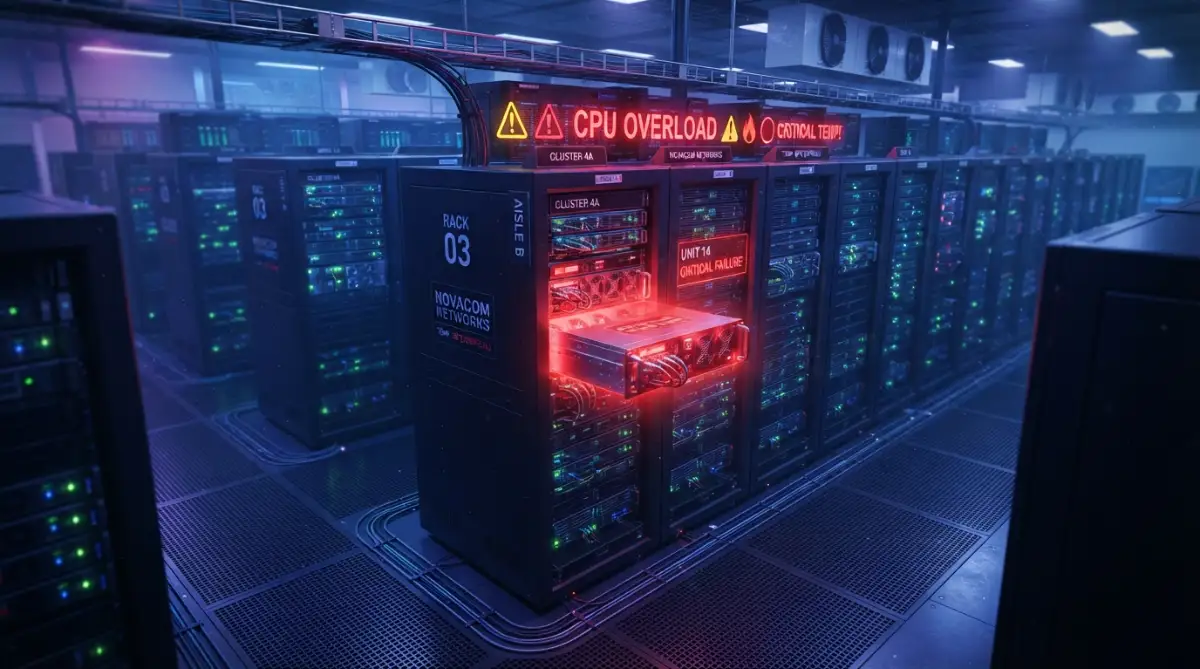
Every single time a visitor clicks on your website, your server uses a tiny bit of its memory (RAM) and processing power (CPU) to load the text and images. If a post goes viral on social media, thousands of people might request that data at the exact same second.
When your server runs out of memory or CPU power to handle these requests, it simply stops working and shows a "503 Service Unavailable" error. Small shared hosting plans are especially vulnerable to this because they have very strict resource limits.

How to Fix It: You need to implement a strong caching system immediately. Caching creates a saved, static version of your web pages so your server does not have to rebuild the page from scratch for every single visitor.
"### My Recommended 'Anti-Crash' Stack
If you’re serious about uptime, don't just guess. Here are the tools I personally use to keep things stable:
- For Caching: WP Rocket (Paid) or W3 Total Cache (Free).
- For Security: Cloudflare (The free version is plenty for most).
- For Database Cleanup: WP-Optimize. Run this once a week.
- For Monitoring: UptimeRobot. It texts me the second a site goes down so I can act fast."
You should also connect your website to a Content Delivery Network (CDN) like Cloudflare. A CDN will store copies of your images and files on servers all around the world, taking the heavy lifting off your main host.
The Danger of Badly Coded Scripts and Memory Leaks
Sometimes, the threat to your website uptime comes from inside your own dashboard. We all love adding new features to our sites using different plugins, extensions, or custom themes.
However, not all of these tools are created by highly skilled developers. A poorly written piece of code can act like a leaky pipe hidden inside the walls of a house.
Every time someone loads a page, that bad code might consume a small chunk of server memory but forget to release it back when it finishes. Over a few days, this "memory leak" slowly fills up your entire server capacity until the system completely freezes.
Here is a highly requested breakdown showing exactly how server memory works and how plugins affect it.
I actually learned this lesson the hard way a few months ago. I remember waking up at 3 AM to an offline site, only to discover that a simple calendar plugin I installed had been quietly eating up all my server RAM for a week. The moment I deleted that single plugin, my website speed doubled and the crashes stopped completely.
How to Fix It: Always run a regular audit of the tools and add-ons running on your website. If you are not actively using a feature, completely delete it rather than just turning it off.
You can also ask your hosting provider to check your server logs. These logs will clearly highlight exactly which specific file or script is using up too much memory.
The "Bad Neighbor" Effect on Shared Servers
When you buy a basic web hosting package, you are usually placed on a shared server. This means your website lives on the same physical computer as hundreds of other different websites owned by complete strangers.
Think of it like living in a large apartment building where everyone shares the same water supply. If one of your neighbors decides to leave all their taps running all day, your shower is going to lose all its water pressure.
If another website on your shared server gets a massive wave of traffic, or gets targeted by malicious bots, it can easily consume all the server’s shared resources. Even if your own website has normal traffic, it will still go down because your "neighbor" drained the system.
How to Fix It: If your website is generating a steady income or is essential for your business, you need to move away from shared environments. You should upgrade to a Virtual Private Server (VPS) or Managed Cloud Hosting.
With a VPS, a specific portion of the server’s power is strictly locked and reserved only for you. No matter what other people do on the server, they can never steal your dedicated memory or CPU.
Hidden DNS Misconfigurations
Your Domain Name System (DNS) is basically the phone book of the internet. When someone types your domain name into their browser, the DNS translates that name into the specific IP address of your web server.
Sometimes, website owners make tiny mistakes when updating their domain records or changing hosting providers. If a DNS record points to an old or incorrect IP address, visitors will see a confusing error message, making it look like the site is totally dead.
Another common issue is domain name expiration. You would be shocked by how many massive, successful websites go offline simply because the owner forgot to renew their yearly domain registration.
How to Fix It: Turn on the "Auto-Renew" feature for your domain name right now. This simple toggle switch guarantees you will never accidentally lose ownership of your web address.
Additionally, avoid messing with your DNS records unless you know exactly what each line does. If you do make changes, use a free online DNS checker tool to verify that the updates have successfully spread across the global internet.
Overwhelming Bot Traffic and Malicious Attacks
Not every visitor to your website is an actual human being reading your content. In fact, a massive portion of internet traffic is made up of automated robots scanning the web.
Some bots are helpful, like the ones Google sends to read and index your new articles. But thousands of other bots are malicious, designed to steal your content, guess your passwords, or spam your comment section.
When hundreds of these aggressive bots attack your website at the same time, it creates a massive artificial traffic spike. This is known as a Distributed Denial of Service (DDoS) attack, and it will shut down an unprotected server in seconds.

How to Fix It: You need to put a strong security wall in front of your server to filter out the garbage traffic. A good web application firewall will instantly recognize the difference between a real human and a harmful robot.
Most modern security tools will automatically block suspicious IP addresses before they even touch your actual server. This keeps your server resources completely free for your actual, genuine audience.
Server Hardware and Software Maintenance
Servers are physical machines sitting in massive, air-conditioned warehouses, and physical machines eventually break. Hard drives fail, power supplies burn out, and network cables get damaged.
Most premium hosting companies have backup hardware ready to take over instantly. But cheaper hosts might take hours to physically replace a broken part, leaving your website completely in the dark.
Beyond physical parts, the software running on the server also needs constant updates to stay secure. When a hosting company performs this required maintenance, they usually have to restart the system, causing a few minutes of expected downtime.
How to Fix It: You cannot control when physical hardware breaks, but you can control who manages it. Always choose a hosting company that guarantees at least a 99.9% uptime rate in their written agreement.
You should also check their maintenance policies. Great hosting companies will always send you an email days in advance before they restart servers, and they usually do it at 2 AM when your traffic is the lowest.
Myth vs Reality: Understanding Uptime Guarantees
There is a lot of confusing marketing language in the web hosting industry. Let us clear up a massive misunderstanding that tricks many beginners.
The Myth: If a hosting company advertises "99% Uptime," it means your website will basically never go down.
The Reality: A 99% uptime actually means your website could be completely offline for up to 3 whole days every single year! Even a 99.9% guarantee legally allows for nearly 9 hours of downtime annually.
You need to read the fine print of these agreements. Most companies only refund a few cents to your account if they fail to meet the guarantee, which does not cover the massive revenue you lose during a crash.
Quick Comparison: Shared vs Cloud Reliability
To make things perfectly clear, here is a simple look at how different hosting types handle unexpected stress.
Moving from a basic shared plan to a cloud-based system is often the single most effective way to eliminate random server crashes. Cloud servers can automatically pull more power from a network of computers the exact second your traffic spikes.
Why Regular Database Maintenance is Non-Negotiable
Your website is not just a collection of files; it relies heavily on a database to store all your articles, user comments, and site settings. Over time, this database becomes bloated with useless junk data.
Every time you save a draft of a post, your system stores a full copy. Over a few years, you might have thousands of old drafts, deleted comments, and expired data sitting in the background.
When a visitor requests a page, your server has to search through all this heavy, disorganized garbage to find the right information. This slows down the server dramatically and eventually leads to a complete database connection error.
How to Fix It: You should optimize your database at least once a month. There are simple, free tools available for most platforms that will automatically sweep away old revisions and spam comments with one click.
Keeping your database extremely light and clean means your server can find information instantly. A fast server is a stable server, and it rarely crashes under normal pressure.Beyond the Basics: Pro-Level Server Management Secrets
Once you understand the basic reasons why a server crashes, you need to step up your game. You cannot just sit around and hope your hosting provider does their job perfectly.
Taking control of your own digital property requires a few smart, proactive strategies. I want to share some incredibly powerful secrets that most beginners never even think about until it is too late.
These are the exact same methods I use to keep my own projects running smoothly, no matter how much traffic I get. Let us look at how you can build a truly bulletproof online presence.
Implement a Dedicated Staging Environment
Never, ever make changes directly on your live website. I cannot tell you how many times I have seen people break their entire platform just by clicking "update" on a simple theme.
A staging environment is basically an exact, hidden clone of your live website. It lives on a completely separate section of your server where normal visitors cannot see it.
You can test new plugins, run major software updates, and change your code in this safe sandbox. If something breaks and the staging site goes offline, your actual visitors will never even know.
Testing everything first prevents you from falling into the financial trap that destroys new startups who lose massive sales over a simple coding error. Once you know the update is completely safe, you can push it to the live version with a single click.
Master the Art of Off-Site Automated Backups
Many hosting companies promise to back up your website every single night. However, storing your backup files on the exact same server as your actual website is a terrible idea.
If the physical server hardware completely fails, you will lose your website and your backups at the exact same time. This is why you must set up an automated system that sends a copy of your files to a completely different location.
I strongly recommend connecting your site to a third-party storage service like Google Drive or Dropbox. You should also familiarize yourself with official data backup strategies to ensure your archives are fully protected from malicious attacks.
When you have a safe, off-site copy of your database, a massive server crash becomes a tiny bump in the road instead of a total disaster. You can simply migrate your files to a new host and be back online in minutes.
Set Up Third-Party Uptime Monitoring
Do not wait for an angry customer to send you a message on social media telling you your site is dead. You need to be the very first person to know when things stop working.
There are plenty of free and premium tools that will ping your server every single minute of the day. If your server fails to respond, these tools will instantly send you an SMS or an email alert.
Having this system in place means you can contact your hosting support team immediately before the outage affects thousands of visitors. It acts just like a security guard standing outside your digital front door.
Use Traffic Load Balancing for Major Events
If you are planning to launch a massive new product or run a huge sale, a standard server setup will likely fail under the sudden pressure. This is where you need to look into load balancing.
Instead of relying on just one computer to handle all your visitors, load balancing spreads the incoming traffic across multiple different servers. If one server starts to get overwhelmed, the system automatically redirects new visitors to a less crowded machine.
You can read more about how network load balancing operates to understand why massive companies never seem to go offline. Spreading the heavy lifting ensures that no single machine ever reaches its breaking point.
Optimize Your Security Firewalls
A massive percentage of unexpected downtime is caused by automated bots trying to force their way into your dashboard. Stopping them before they consume your server memory is an absolute necessity.
You need to configure a web application firewall at the DNS level. This means the bad traffic is blocked in the cloud, completely away from your actual physical server.
Think of it like navigating through a high-tech airport security gate; only the safe, verified passengers are allowed to walk through to the terminal. By filtering out the malicious bots, you leave all your server power wide open for real human readers.
Keep Your PHP and Core Software Updated
Your web server runs on specific programming languages, and these languages are constantly being updated for better speed and efficiency. Running an outdated version of PHP is a guaranteed way to slow down your site and invite crashes.
Newer software versions can process complex database requests using a fraction of the memory that older versions required. Simply asking your host to upgrade your account to the latest stable PHP version can often solve random offline errors.
Just like you must maintain regular checkups to make your hybrid engine last, you have to keep your server software fresh and well-oiled. Consistent updates keep the underlying mechanics of your website running flawlessly.

The Heartbreaking Pitfalls That Will Tank Your Website
Solving server issues is not just about doing the right things; it is heavily about avoiding the wrong ones. I have seen so many passionate creators completely destroy their own progress because of a few stubborn choices.
When you make careless mistakes with your hosting environment, the damage goes far beyond a temporary blank screen. You lose search engine rankings, you lose advertising revenue, and most importantly, you lose the trust of your audience.
Let us walk through the most destructive habits that website owners fall into. If you recognize any of these behaviors in your own routine, you need to change them today.
Choosing the Absolute Cheapest Hosting Plan
We all want to save money when starting a new online project. But choosing a hosting provider strictly because they offer a plan for one dollar a month is a recipe for endless frustration.
These ultra-cheap companies pack thousands of websites onto a single, outdated machine to make a profit. They do not invest in better hardware, and their customer support is usually completely useless during an emergency.
If your website brings in real money, you have to treat your hosting as a serious business expense. Sometimes you need to secure proper funding, perhaps by exploring collateral-free business loans, so you can afford a premium cloud server that actually protects your income.
Ignoring the Early Warning Signs of Lag
A website rarely goes from being perfectly healthy to completely dead in a single second. There are almost always warning signs, usually in the form of incredibly slow page loading times.
If your dashboard takes ten seconds to save a post, or your images load line by line, your server is loudly asking for help. Ignoring these symptoms is exactly like ignoring bad habits that destroy your memory over time; eventually, the entire system just shuts down.
Google deeply cares about how fast your pages load for mobile users. If you ignore the lag, you will eventually fail the core web performance metrics, which will push your site off the first page of search results entirely.
Making Drastic Changes During Peak Traffic Hours
One of the most common ways people accidentally take their own site offline is by running massive updates right when their audience is most active. If your server is already working hard to serve visitors, asking it to simultaneously install a huge software update is a terrible idea.
The heavy database activity from the update combined with normal traffic will max out your CPU instantly. This results in a frozen server that requires a hard restart from your hosting company.
You need to look at your analytics and find the time of day when your traffic is at its absolute lowest. Always schedule your major maintenance tasks, backups, and heavy modifications during these quiet hours.
Blindly Modifying Core Server Files
When trying to fix a bug, many people find random snippets of code on internet forums and paste them directly into their server configuration files. Doing this without understanding what the code actually does is incredibly dangerous.
A single misplaced comma in a sensitive file can instantly lock you out of your own website and take the server completely offline. You must safely implement new rules without breaking the existing foundation, much like how an electrician must safely install a faster power source without burning down the house.
If you are not comfortable reading code, you should never edit core server documents yourself. Always hire a professional or ask your hosting provider's technical team to make these specific changes for you.
Sacrificing Your Own Well-being for Server Fixes
Running a website should bring you joy and financial freedom, not endless anxiety. I see so many site owners staying up until 4 AM every night, frantically trying to optimize databases and fix random downtime alerts.
This level of constant stress will ruin your creativity and make you hate the project you once loved. You need to focus on building sustainable work habits that allow you to step away from the screen.
If your current hosting environment demands this much manual fixing and sleepless nights, you are using the wrong provider. A truly excellent host manages the technical headaches in the background so you can focus entirely on creating great content.
You should always follow standard web security protocols and let automated systems handle the heavy lifting. Your peace of mind is worth far more than saving a few dollars a month on unmanaged, unstable hosting.
Your Blueprint for a Bulletproof Website
Dealing with unexpected server crashes is undoubtedly one of the most frustrating parts of running a digital business. But as we have explored today, you are never truly powerless in this situation.
Every single outage has a logical explanation, whether it is an unexpected wave of heavy traffic, a poorly coded plugin, or simply a lack of dedicated server memory. By taking the time to understand how your hosting environment actually works, you take back control of your digital property.
You do not need to be a professional software engineer to keep your website online. You just need to implement basic caching, clean up your database regularly, and partner with a hosting company that values your success.
My personal advice to you: Do not wait for your website to break before you start protecting it. I want you to log into your hosting account today, check your current resource limits, and set up an automated backup system right now. Your future self will deeply thank you for taking these simple steps today.
Frequent Questions About Keeping Your Site Online
Why does my website go down for exactly 5 minutes every night?
This is almost always caused by your hosting provider running automated daily backups or server maintenance tasks. These heavy background processes consume a lot of CPU power, which temporarily stops your site from loading. You can easily fix this by asking your host to reschedule these tasks to a time when you have zero active visitors.
Does frequent server downtime affect my search engine ranking?
Yes, it absolutely does affect your overall search visibility. If search engine bots try to crawl your web pages and repeatedly find an offline error, they will assume your site is unreliable. Eventually, they will lower your rankings to protect their own users from clicking on broken links.
Can a simple plugin update really crash my entire hosting plan?
Yes, a poorly coded plugin update can create a massive memory leak that drains your server resources in minutes. If a new update conflicts with your current theme or PHP version, it will instantly trigger a fatal error. This is exactly why you should always test new updates on a private staging site first.
How do I know if my hosting company is actually reliable?
A highly reliable host will boldly display their server status history publicly for anyone to see. They will also respond to emergency support tickets within minutes, not hours or days. If your current provider hides their uptime records and takes days to answer emails, you need to migrate your files immediately.
What is the difference between a 500 error and a 503 error?
A 500 Internal Server Error usually means there is a broken piece of code, a bad configuration file, or a corrupted plugin inside your website. A 503 Service Unavailable Error means the server is physically exhausted and simply does not have enough memory to process any more visitors at that exact moment.
Disclaimer: The information provided in this article is for educational and informational purposes only. Web hosting environments vary greatly, and making changes to your server settings or configuration files carries inherent risks. Always consult with your hosting provider's technical support team or a certified web developer before making major structural changes to your digital infrastructure. We are not responsible for any data loss or unexpected downtime resulting from the implementation of these tips.